Woodgrove’s team reads what a system offers, pins exactly what a connection may do, and writes to Salesforce, Odoo and ServiceNow only after a person approves. Only the Salesforce org is live; the other systems are stand-ins, and each page says so where it matters.
Woodgrove Life, a Regisseur demo workspace · Captured 2026-10-27 · 121 screens in 9 parts, all captured live
FIG. 01 · The story at a glanceFrom the recorded run
Connections to other systems, shown in nine parts. An admin reads what a system offers and pins exactly what a connection may do; a change in the other system stops the call; and every change to another system waits for a person, who sees the before and after. Salesforce was also checked against a live org; SAP, Odoo, ServiceNow and the purchasing system are simulations, and each part says so.
The platform reads what a system offers, calls only what is pinned, and records every change
An admin and a reviewer pin what a connection may do and approve each change
The other system Salesforce, SAP, Odoo, ServiceNow
121 screens from one recorded day, 27 October 2026. Every system except the Salesforce org in Part 5L is a simulation, as the report says. Each step links to its screens below.
About this run
An admin reads what a system offers, custom fields included, and pins exactly the operations a process may use; nothing unpinned runs. When the other system changes a field, the next call is refused before anything is sent, and one notice shows the difference. Writing to another system is off until an admin turns it on; each change is held for a person, who sees the before and after, then sent once and read back. Shown on a term-life decision written to Salesforce (simulated, then a live org), a vendor bill raised in Odoo after a lookup in SAP, a new joiner’s access request in ServiceNow, and a partner’s agent working through one governed door.
Measured
121 screens · 9 parts · 4 systems · 1 live Salesforce org · every change to another system approved by a person before it was sent.
Who decides
Writes are off by default, and approval was set to always in these runs. Reading a system only proposes; an admin pins. A change in the other system refuses the call until an admin keeps or accepts the new version. Outside agents see only the operations an admin offered and their token was granted.
Systems
Salesforce (a live Developer Edition org in Part 5L, simulated in Part 5) · SAP, reads (simulated) · Odoo (simulated) · ServiceNow (simulated) · systems with an OpenAPI description (simulated).
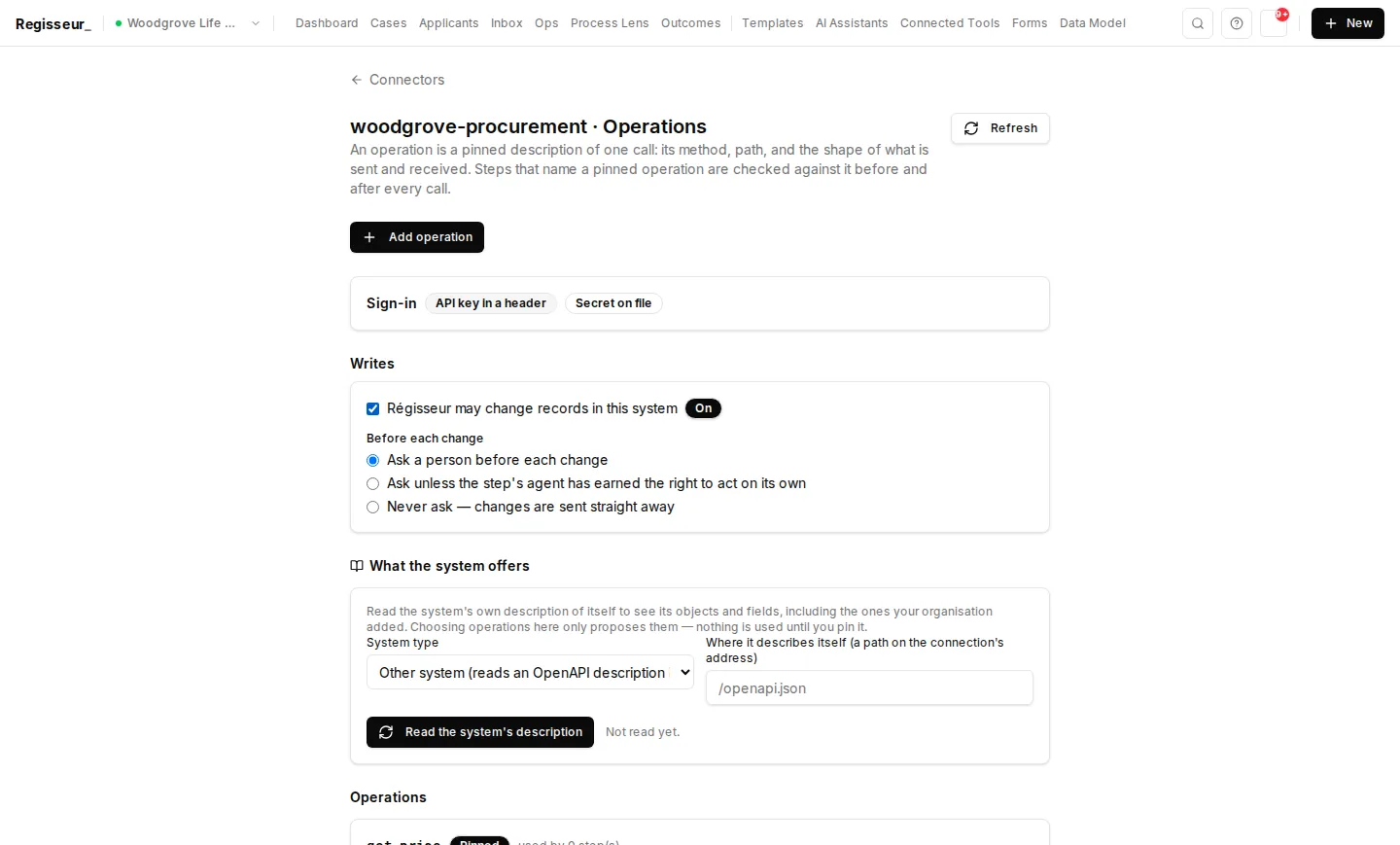
On the record
Every system except the Salesforce org in Part 5L is a simulation built to behave like the real one, and each part says so. The company and people are fictional. Live SAP and ServiceNow test environments are not yet connected.
About this walkthrough
Read this first. Every system in this walkthrough except Salesforce is a simulation that we built to behave like the real thing: the purchasing system, the tool server, SAP, Odoo and ServiceNow are all simulated, and each page says so where it matters. Salesforce was simulated in Part 5 and then checked against a live Salesforce Developer Edition org in Part 5L. The company (Woodgrove), its people and its data are fictional.
Every screen is a screenshot from an automated, end-to-end run of Regisseur on 2026-10-27, not a mock-up. Writing to another system is off until an administrator turns it on, and in these runs every change waited for a named person to approve it.
Part 1
Pinned operations and drift
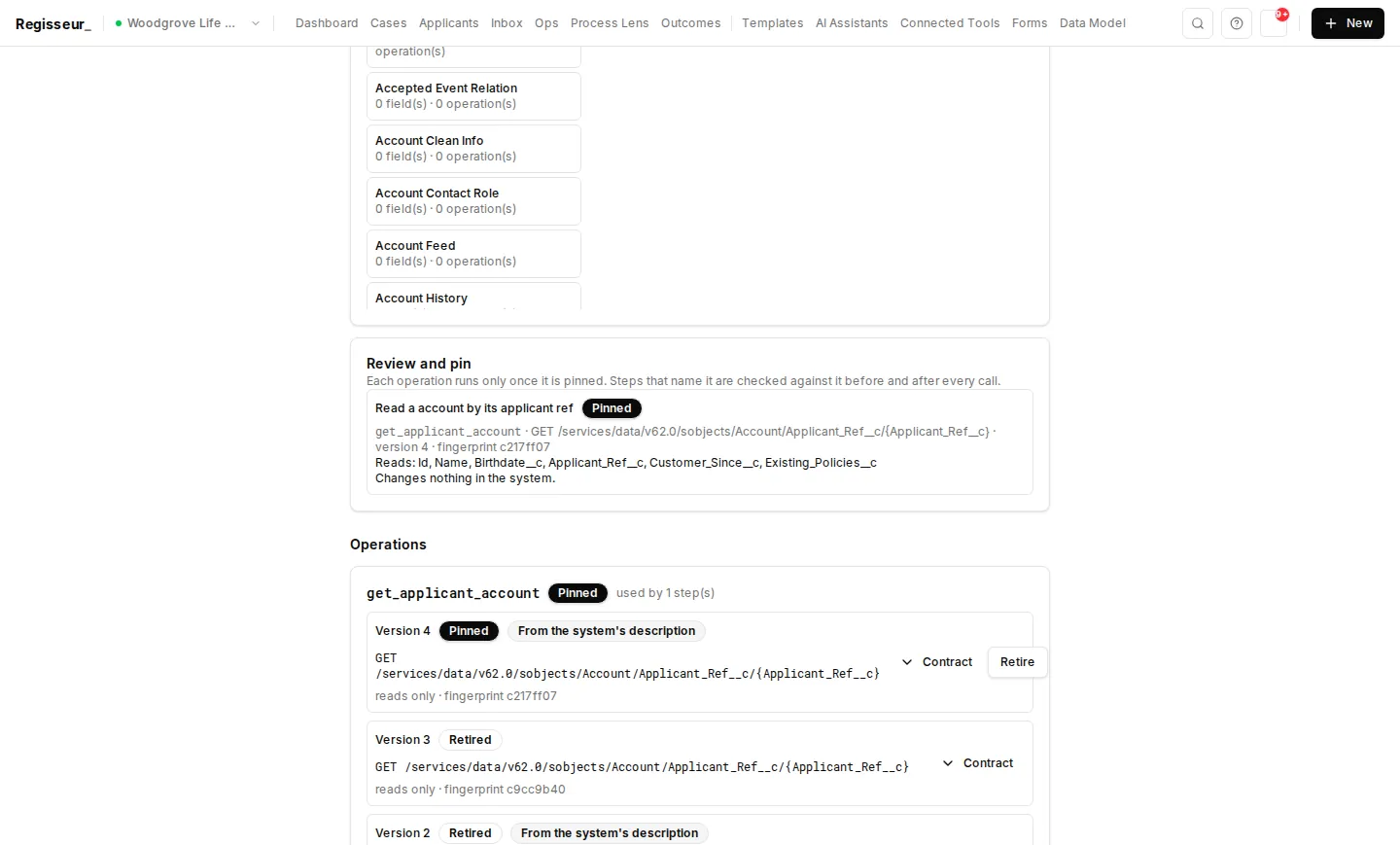
An admin freezes exactly what a connection may do, and the platform stops when a system changes
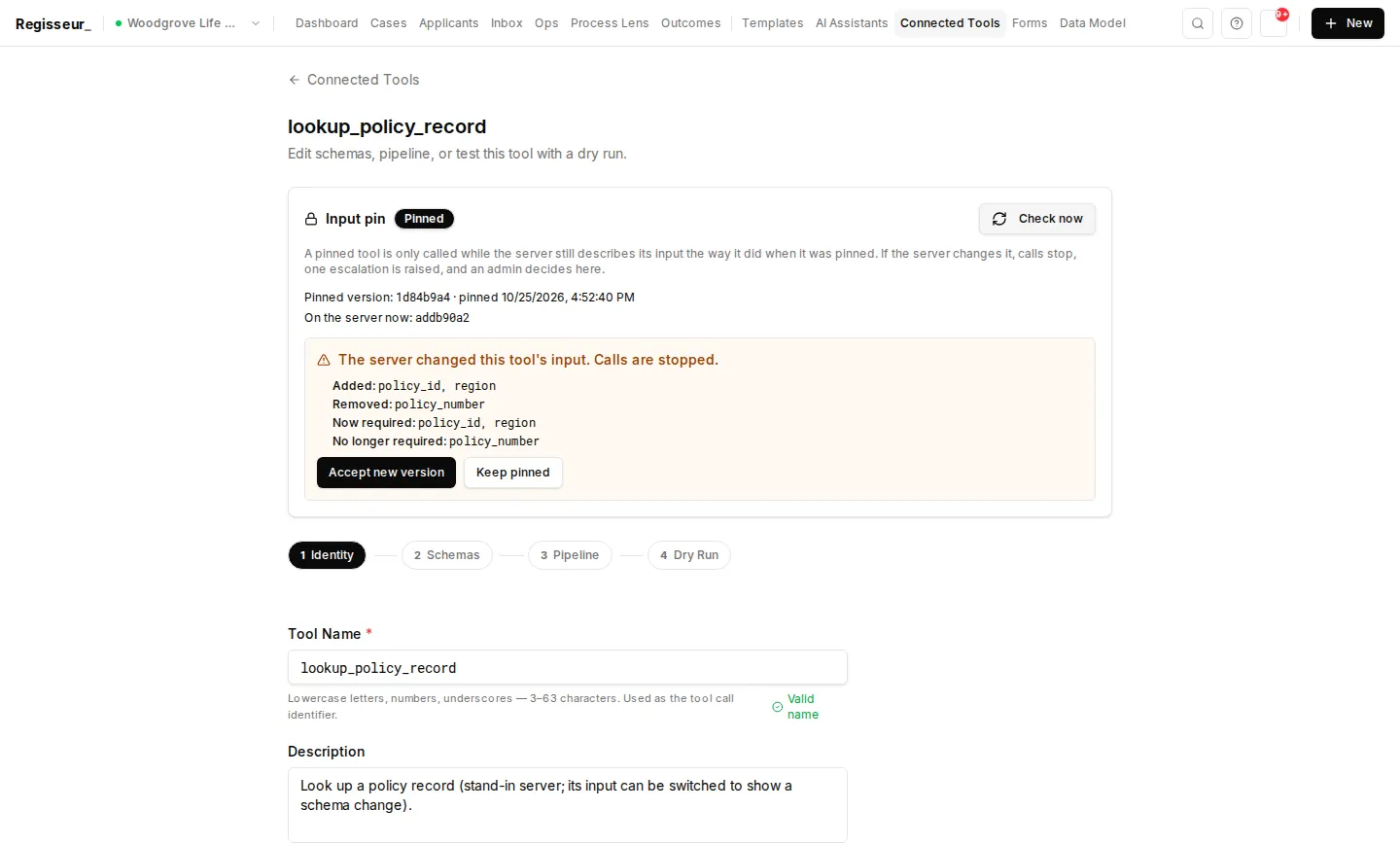
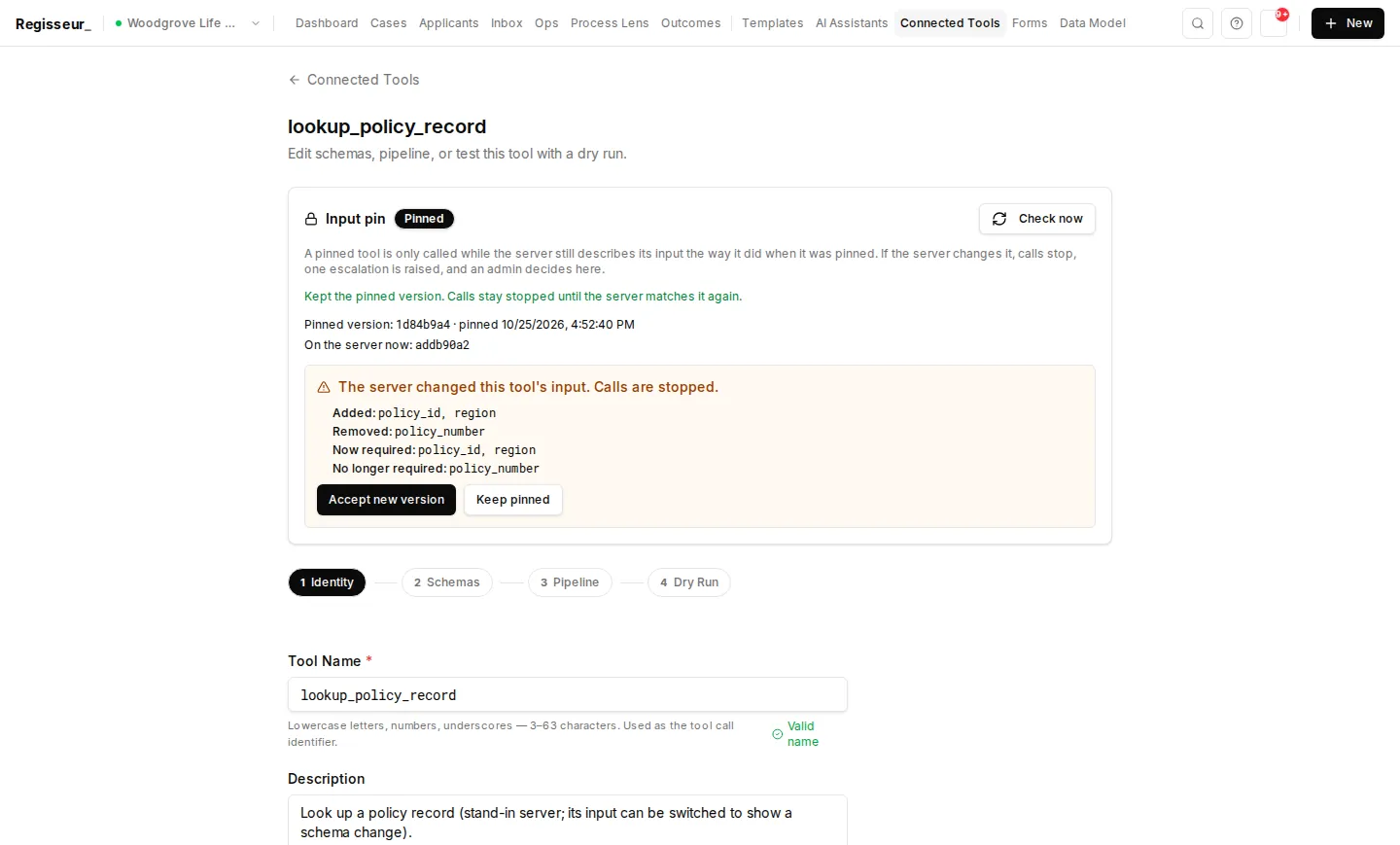
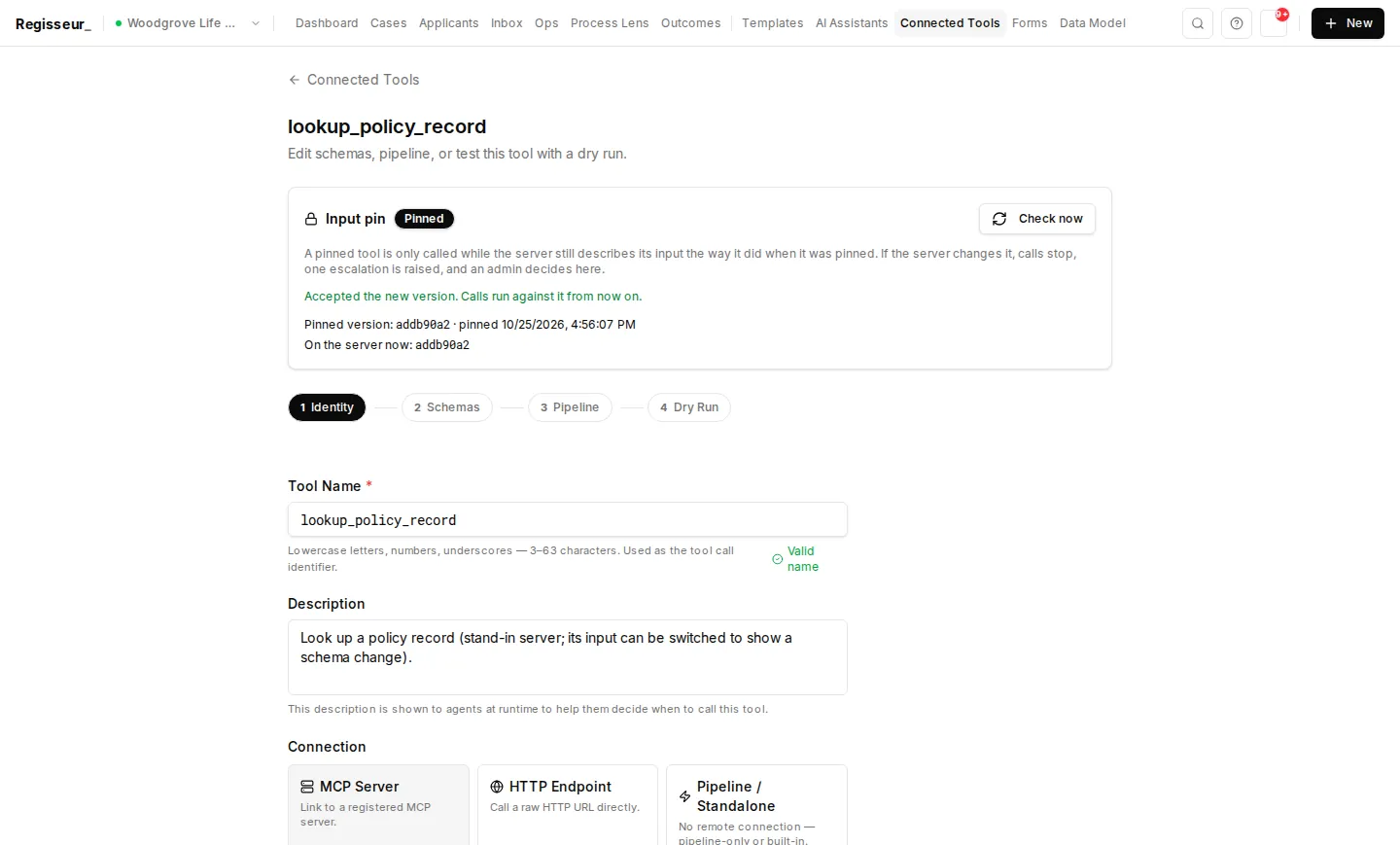
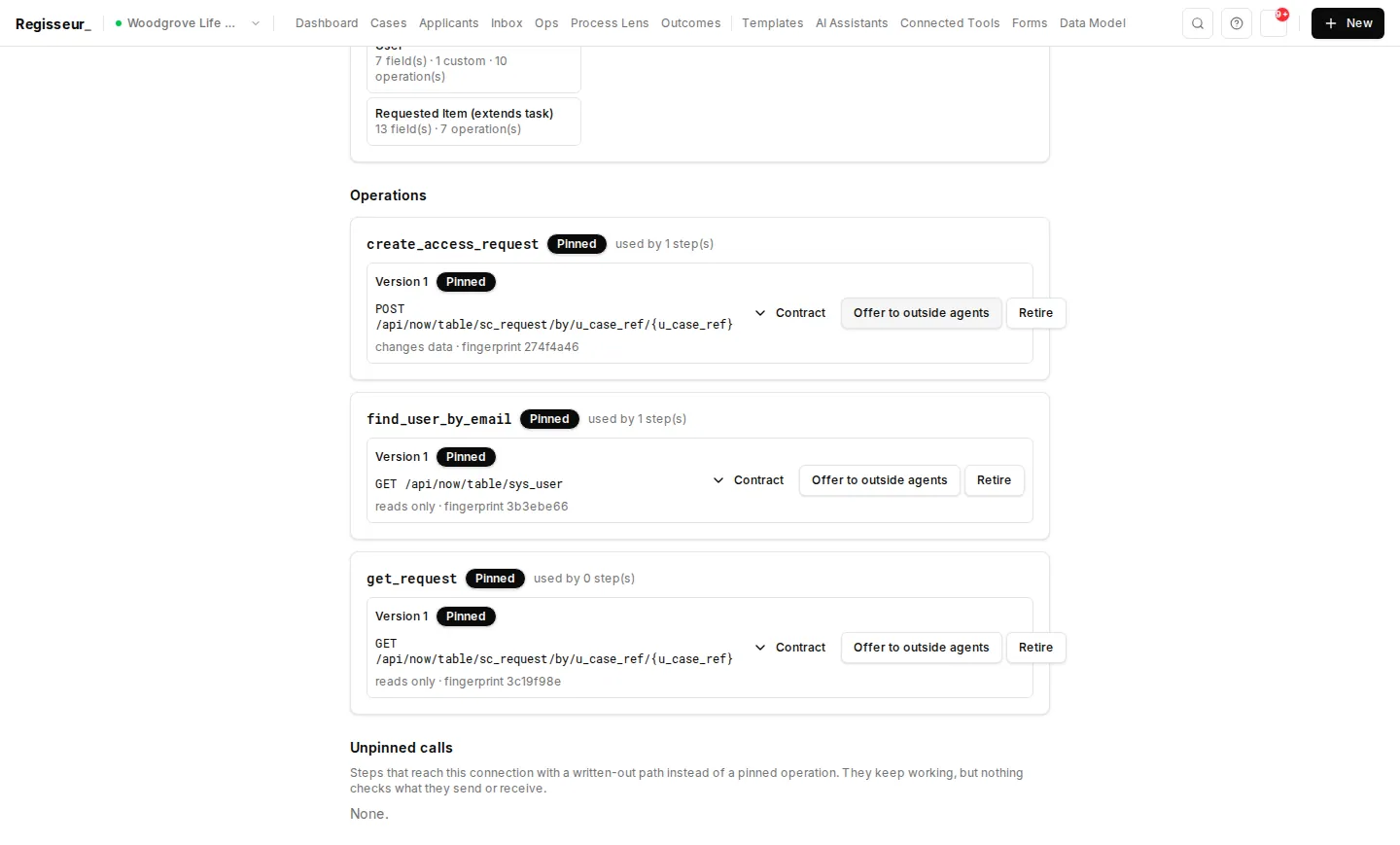
What a person sees and does. An admin opens a connection to a purchasing system and adds an operation: a named call with its allowed request and response shapes. The first version is only proposed. She reviews it and pins it. A newer version is proposed next to the pinned one; pinning it retires the old one and shows which calls in templates are still unpinned. Then she registers a tool server, pins a tool's input shape, and the simulated server changes that shape. The next check shows a drift banner with the exact difference. She can keep the pinned version, or accept the new one, and either choice is recorded.
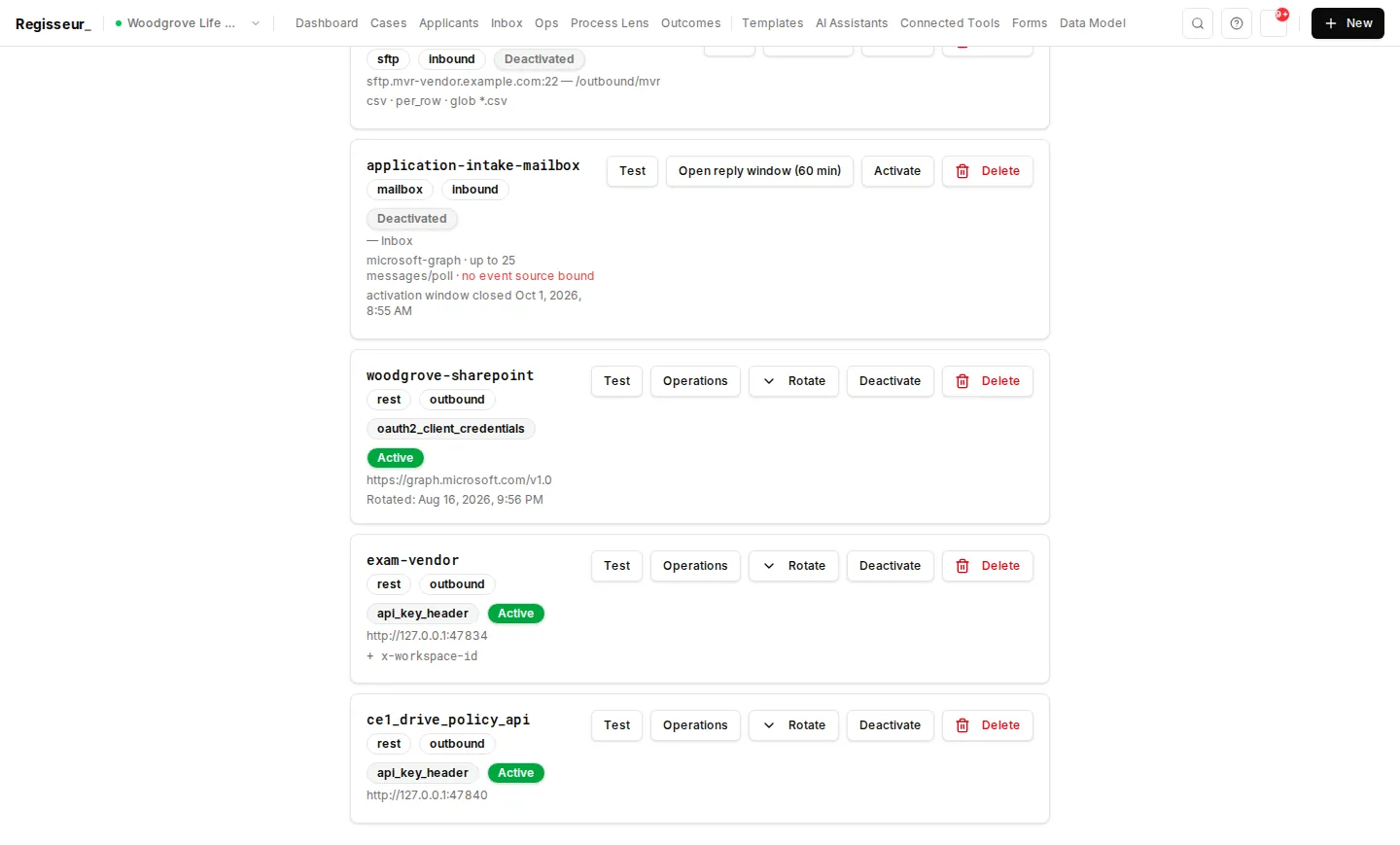
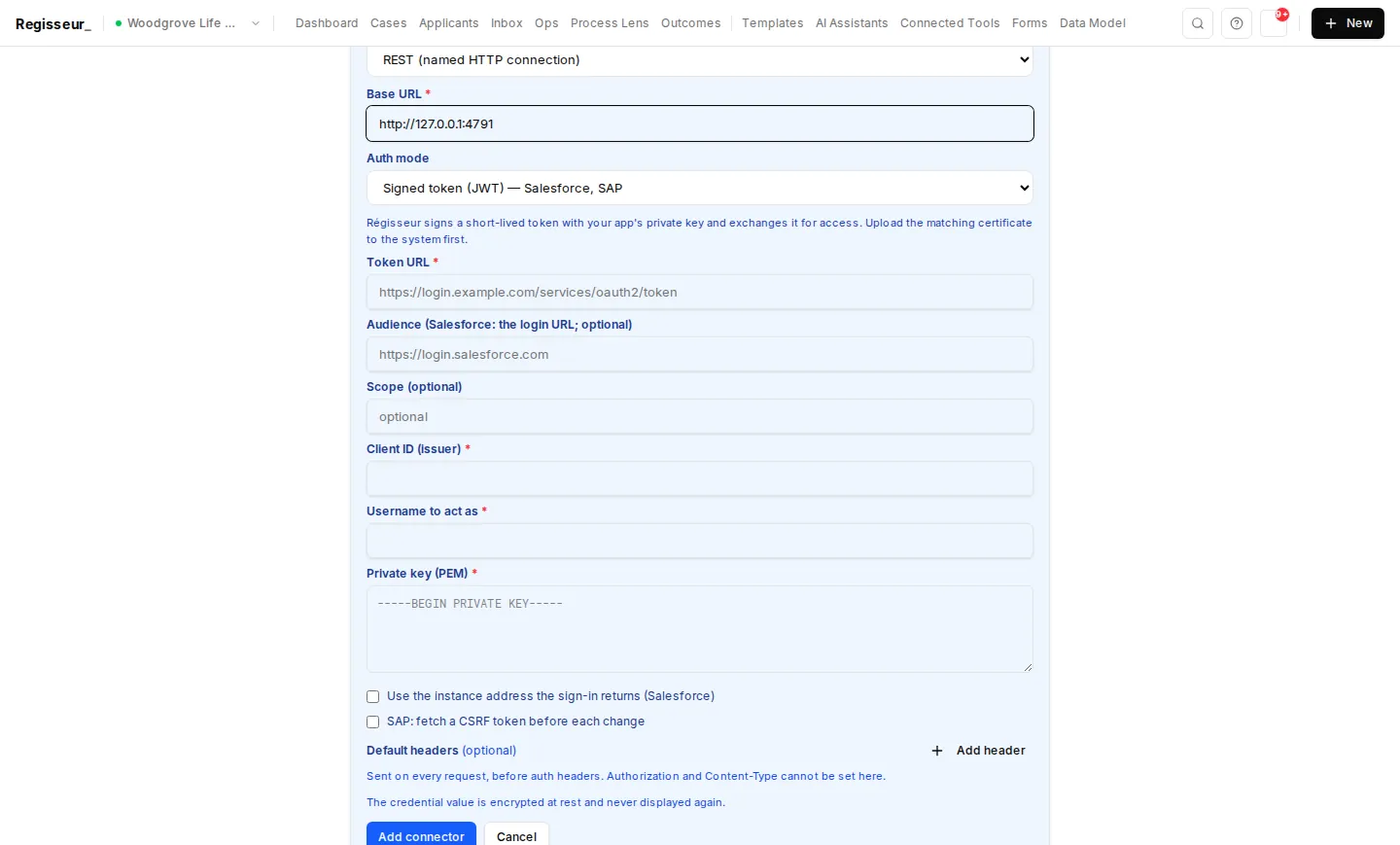
1The connections list has an Operations button for each connection.
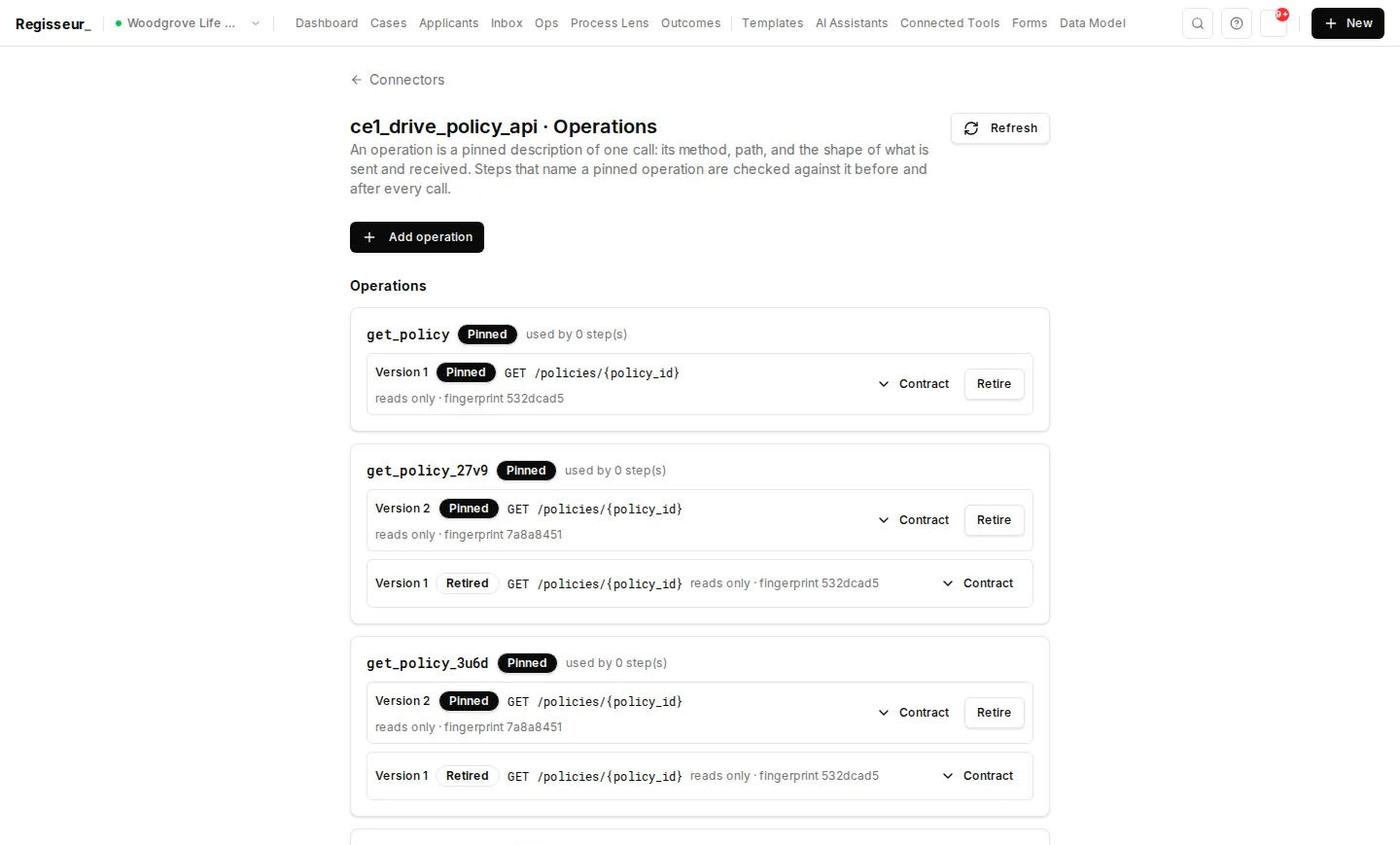
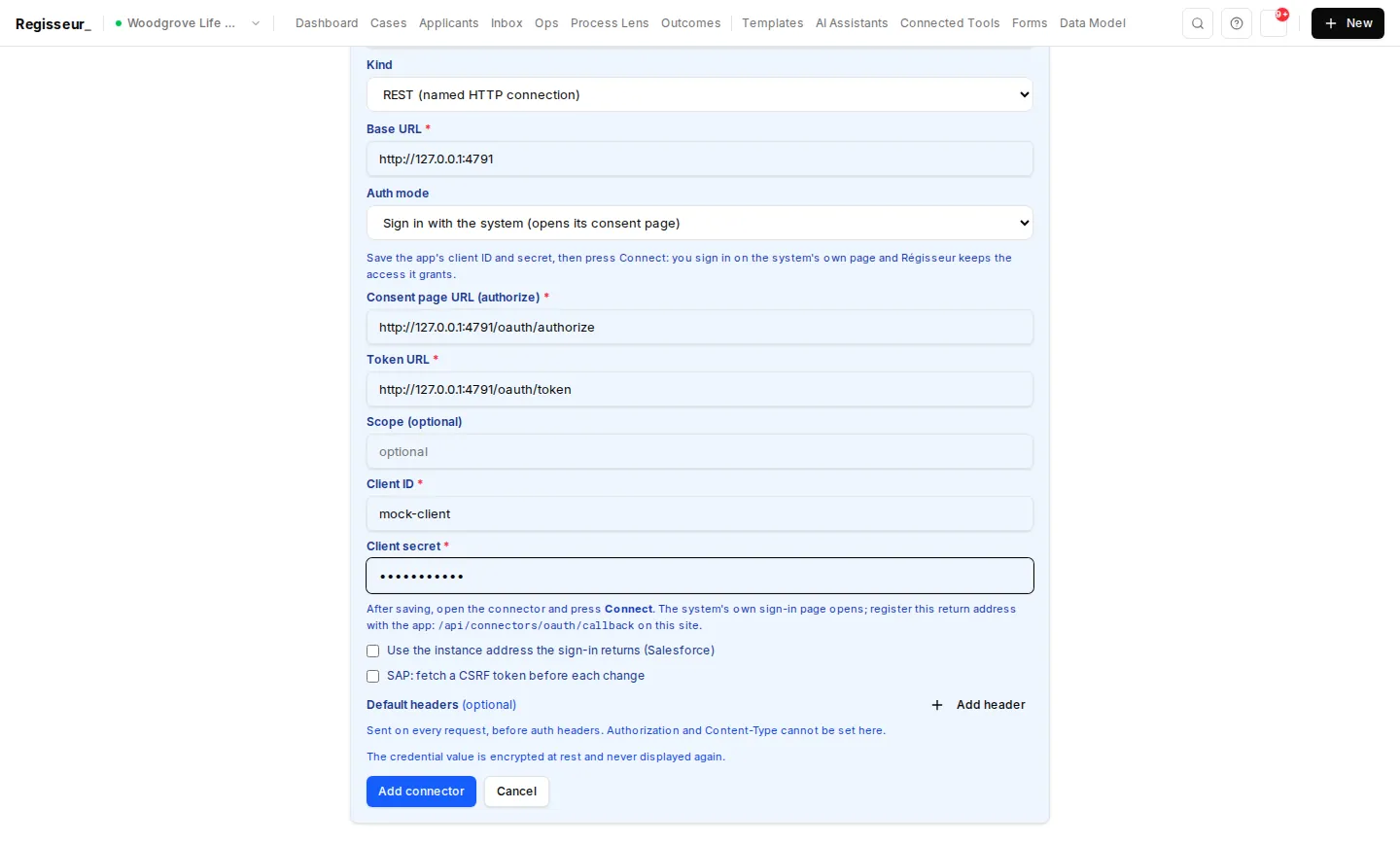
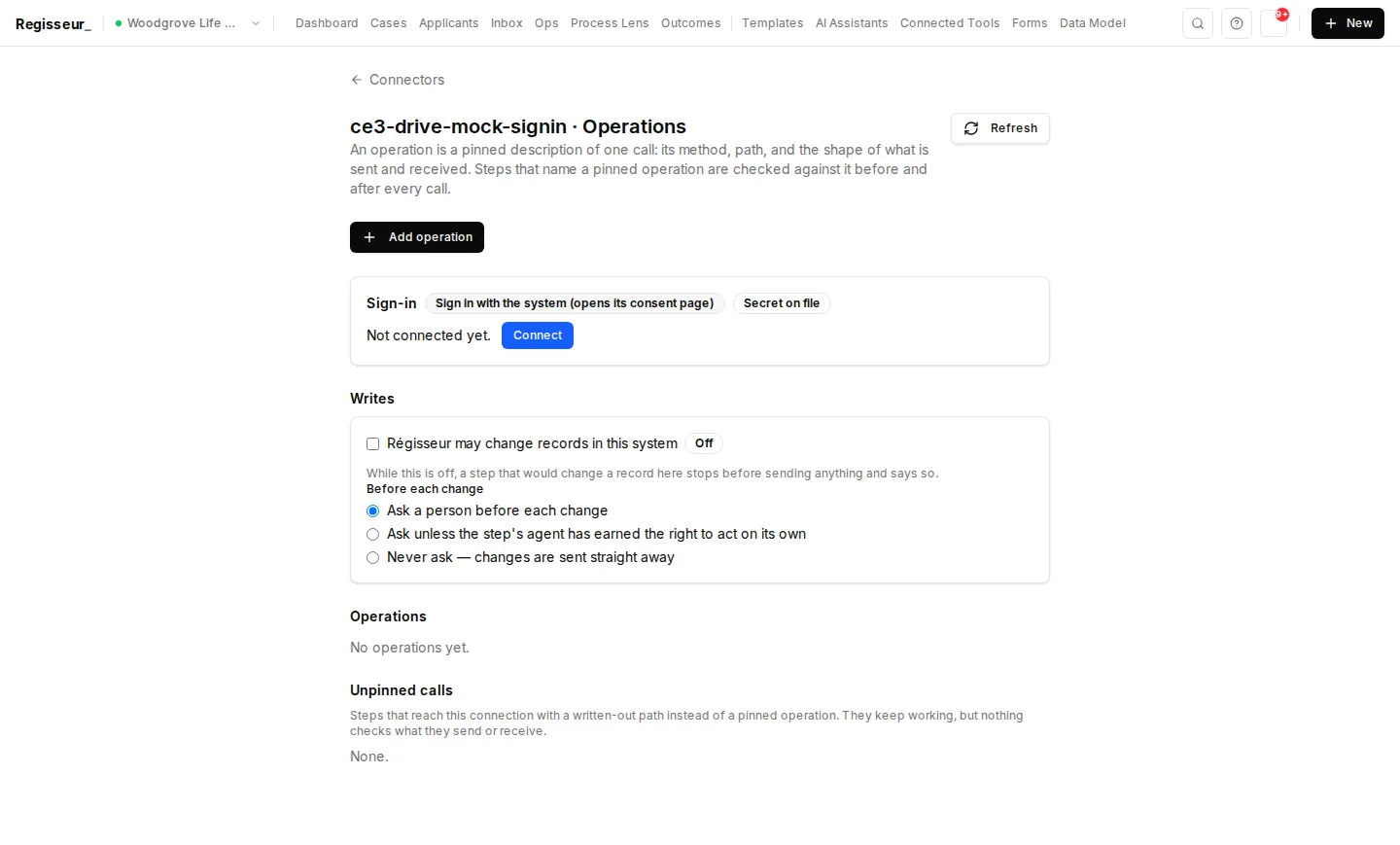
2A connection's operations page before anything is added.
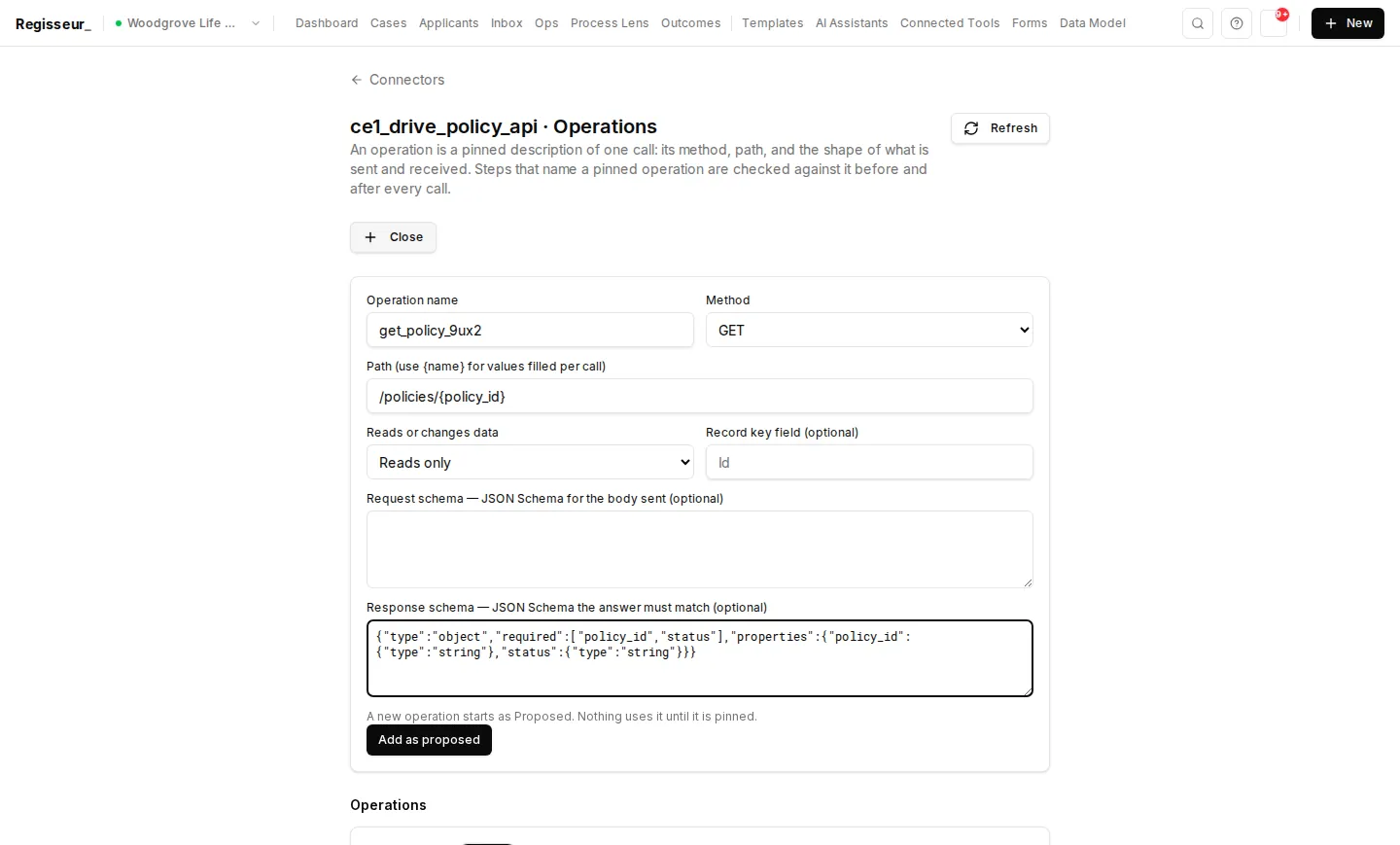
3Adding an operation: method, path, and the shapes a request and a response may have.
4Version 1 is proposed, not live. Nothing runs until an admin pins it.
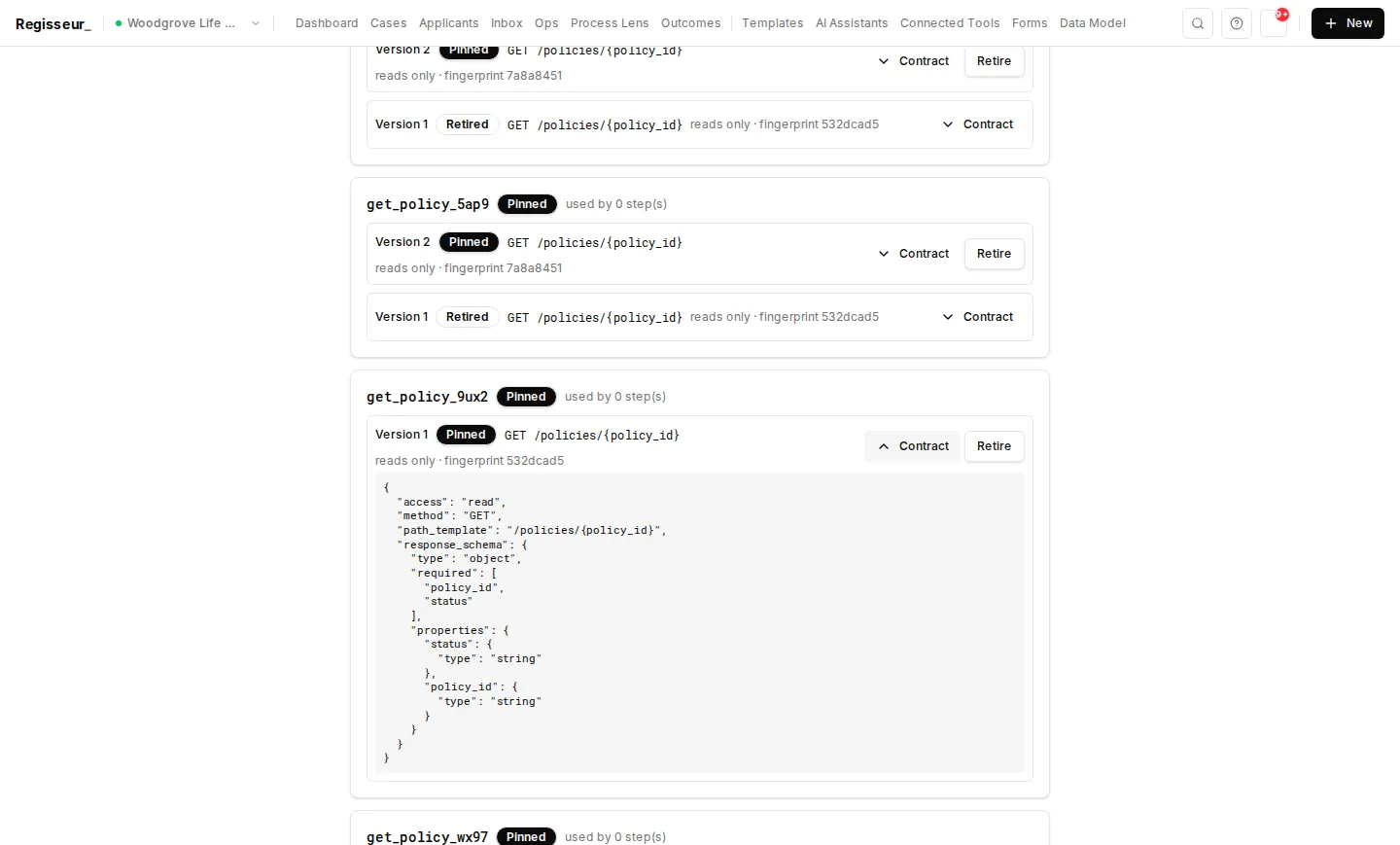
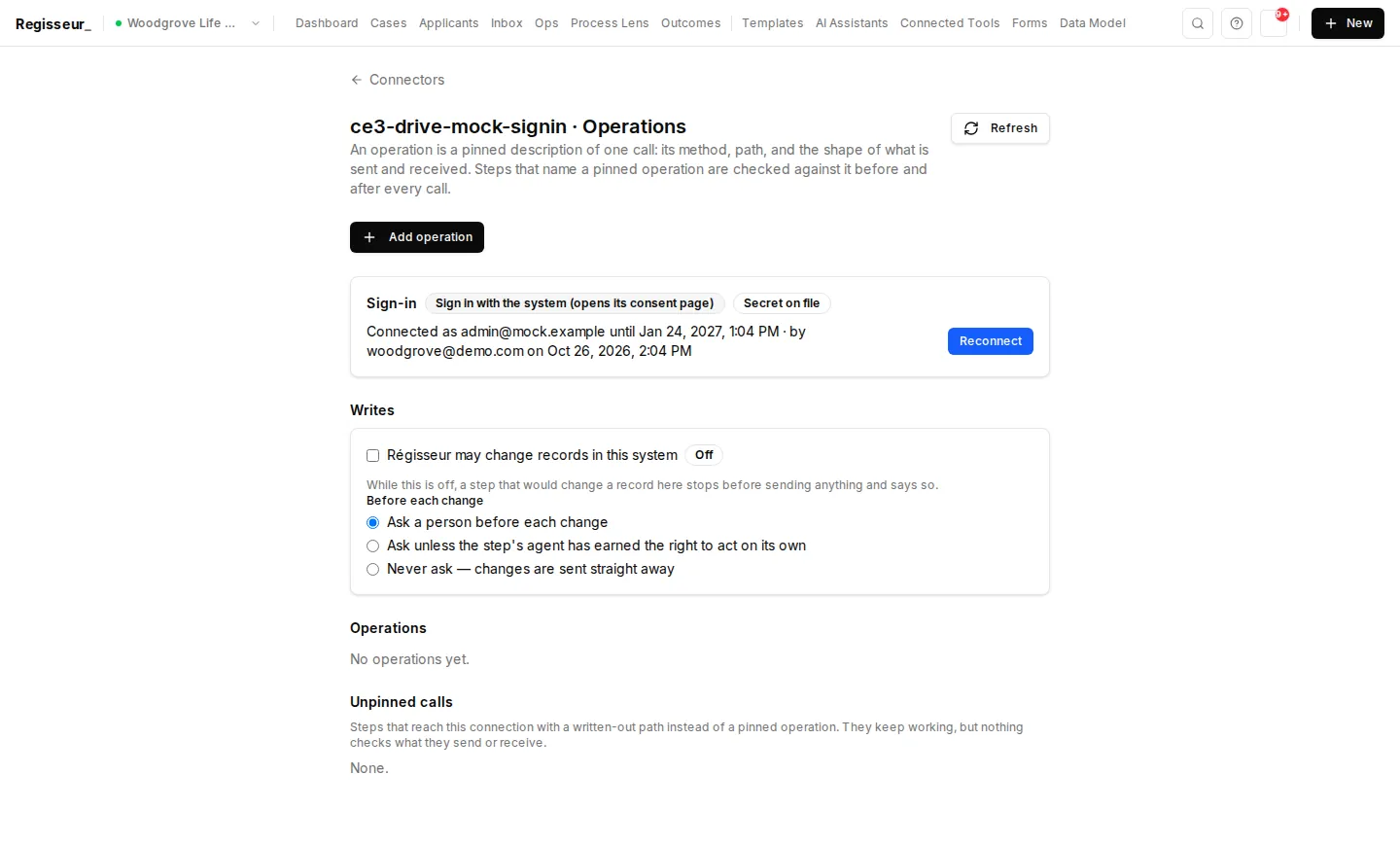
5Version 1 pinned. The full contract is on view, with its fingerprint.
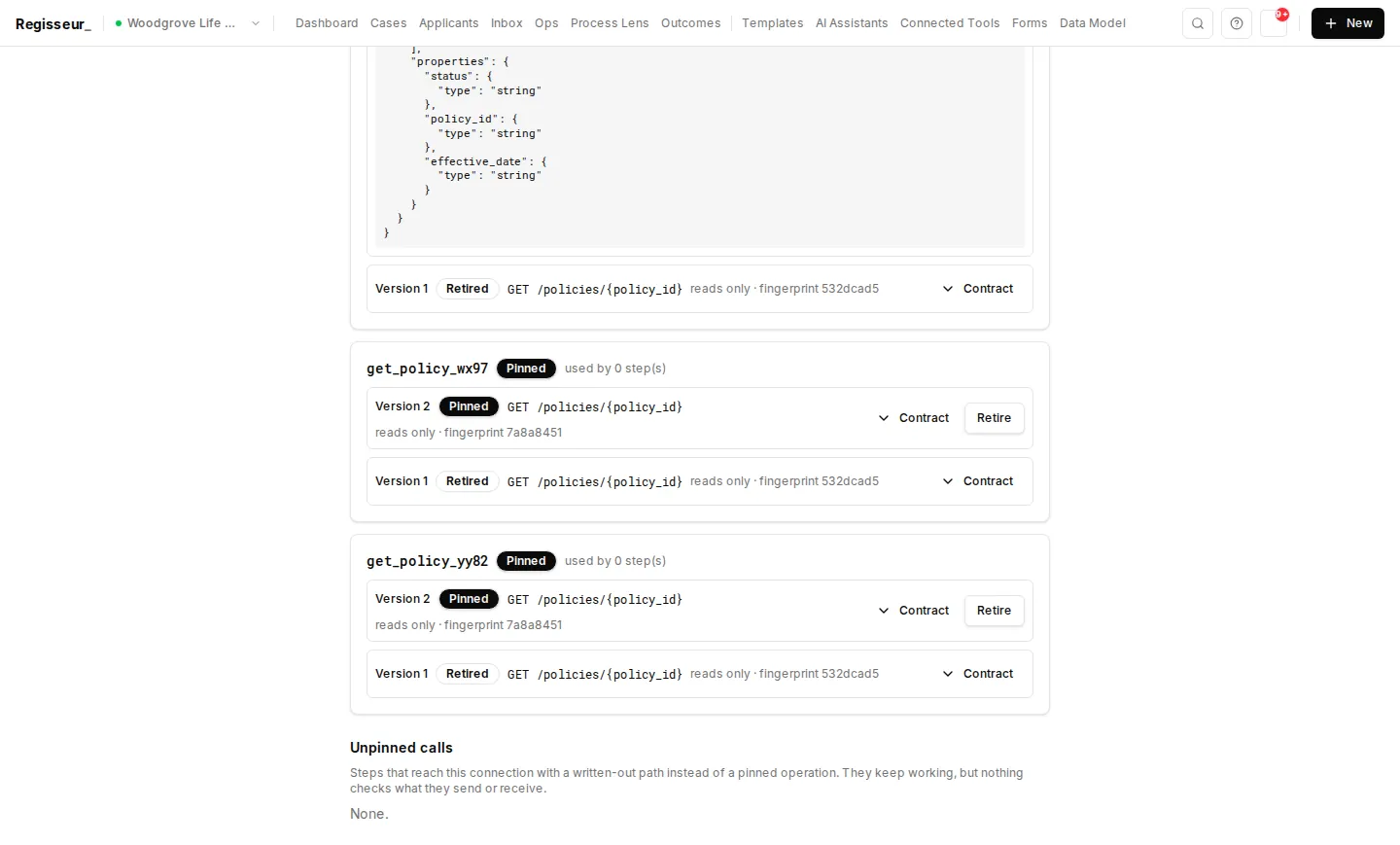
6A changed version 2 is proposed beside the pinned version 1.
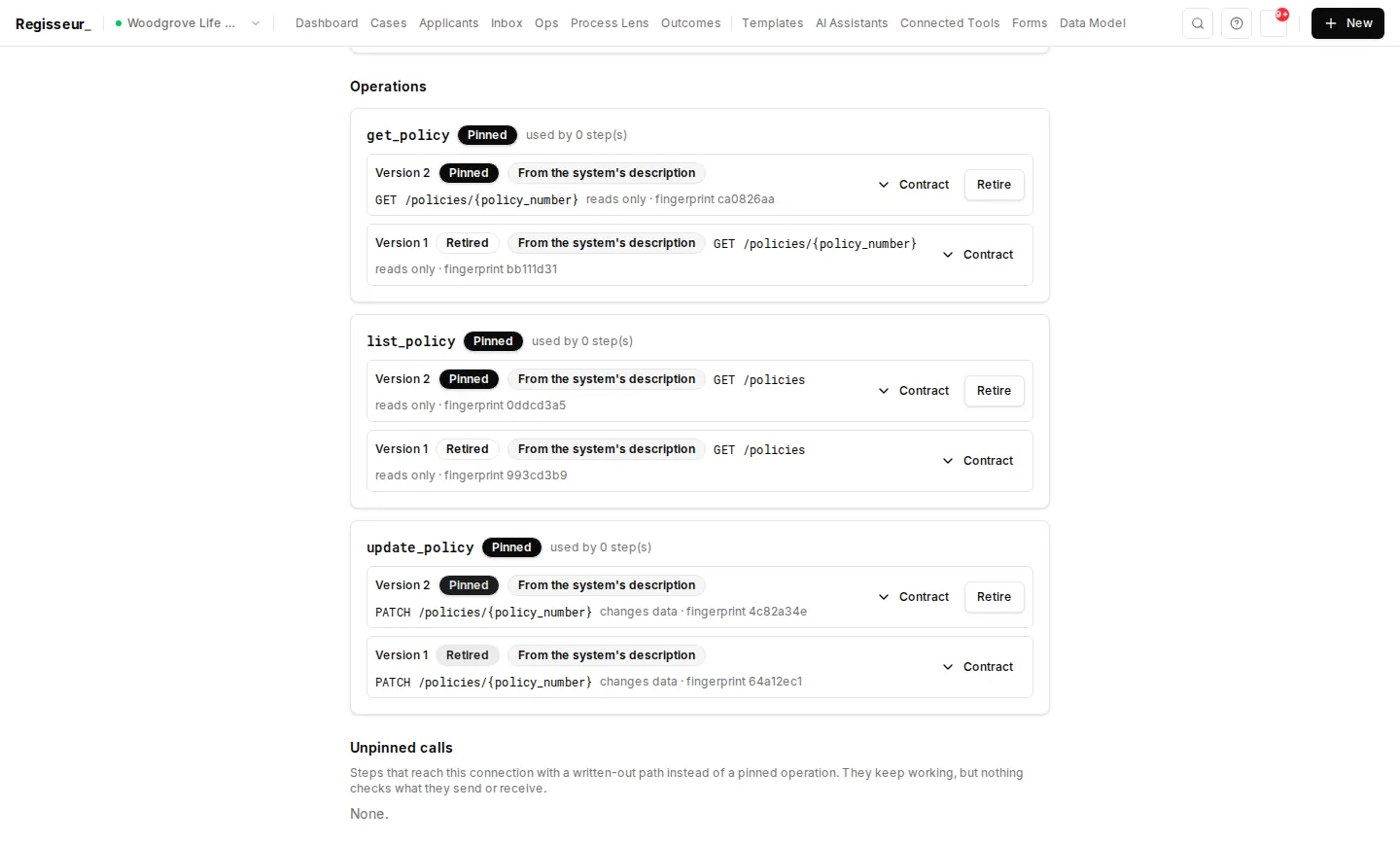
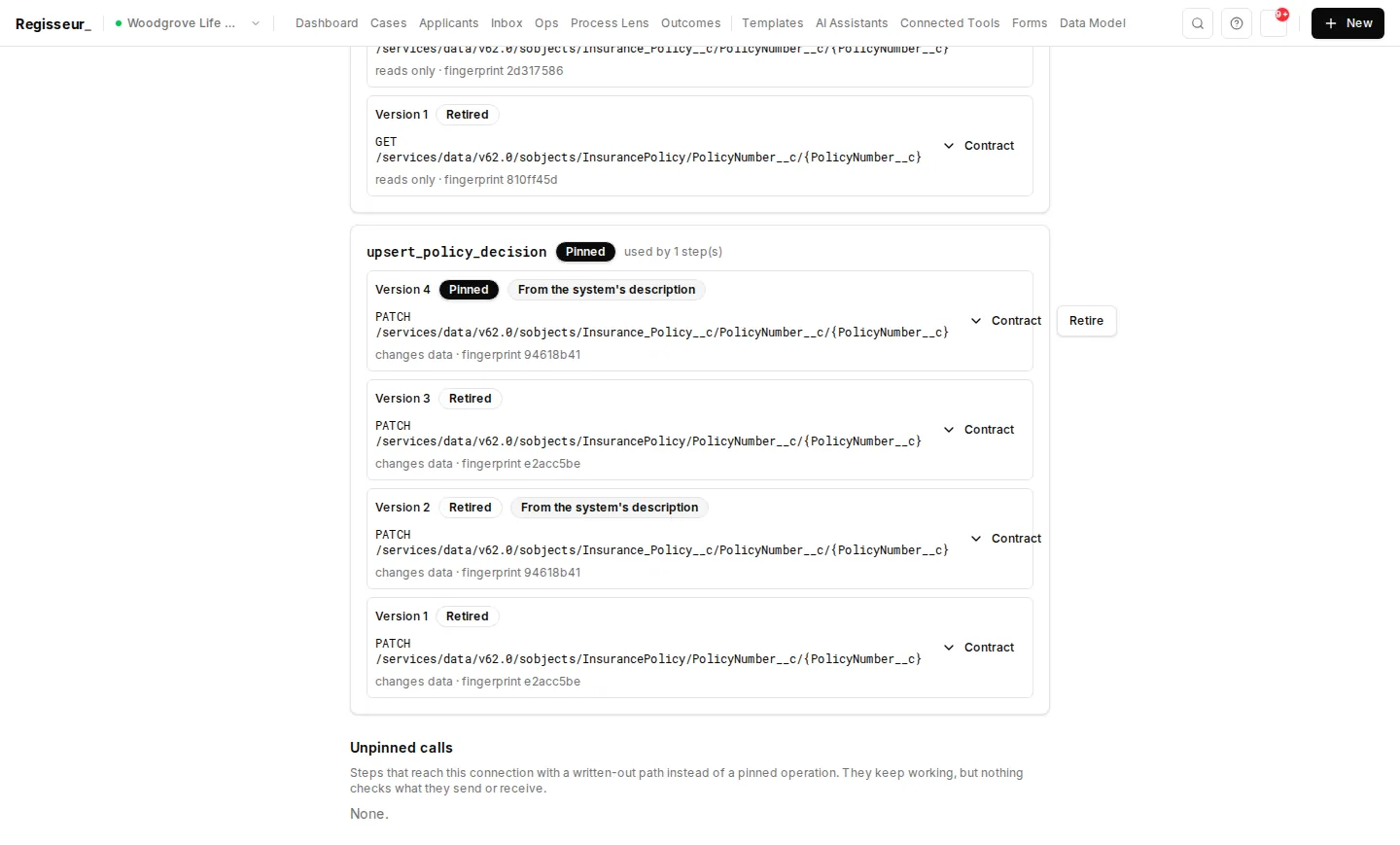
7Version 2 pinned, version 1 retired. Calls in templates that name no operation show as unpinned.
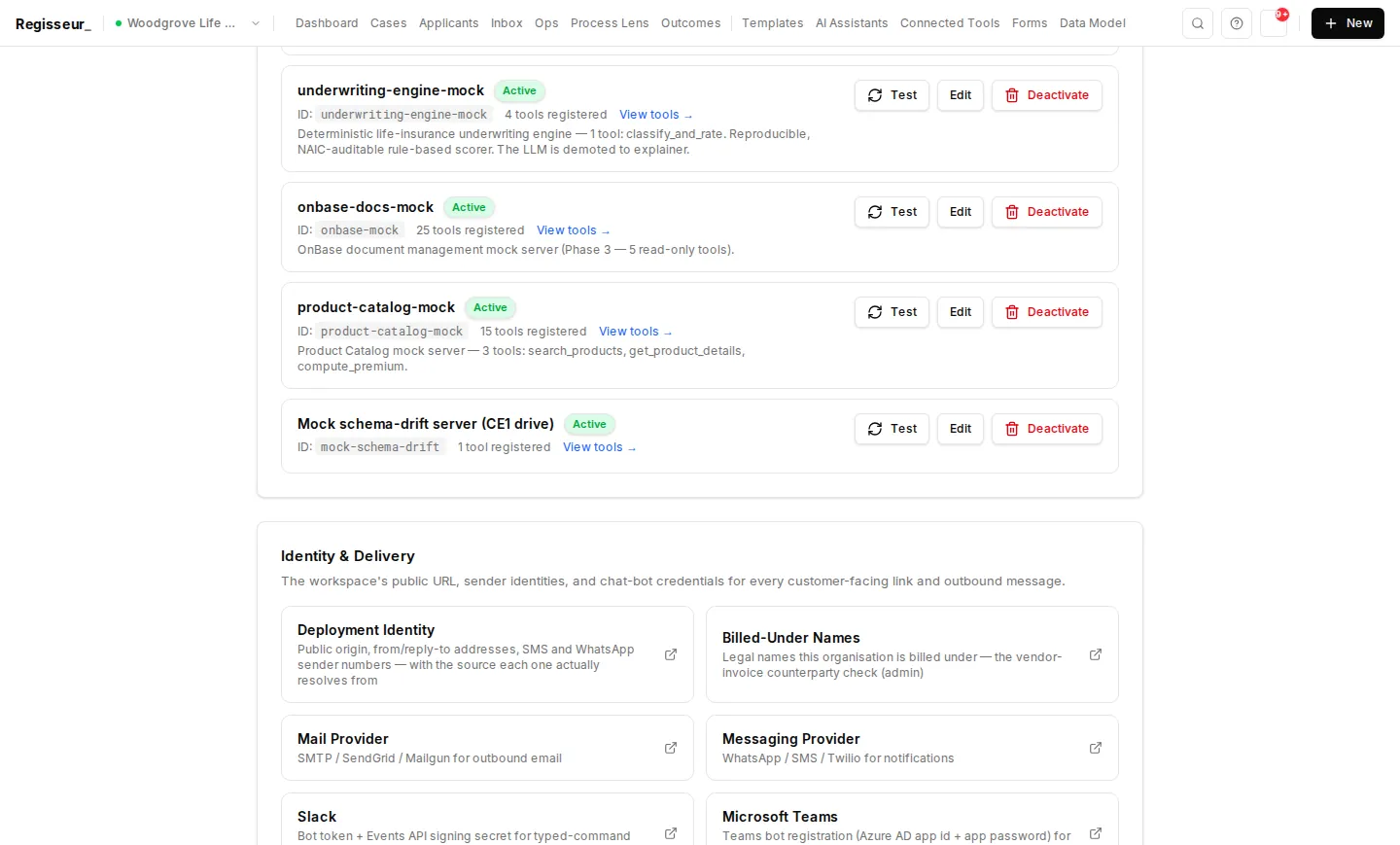
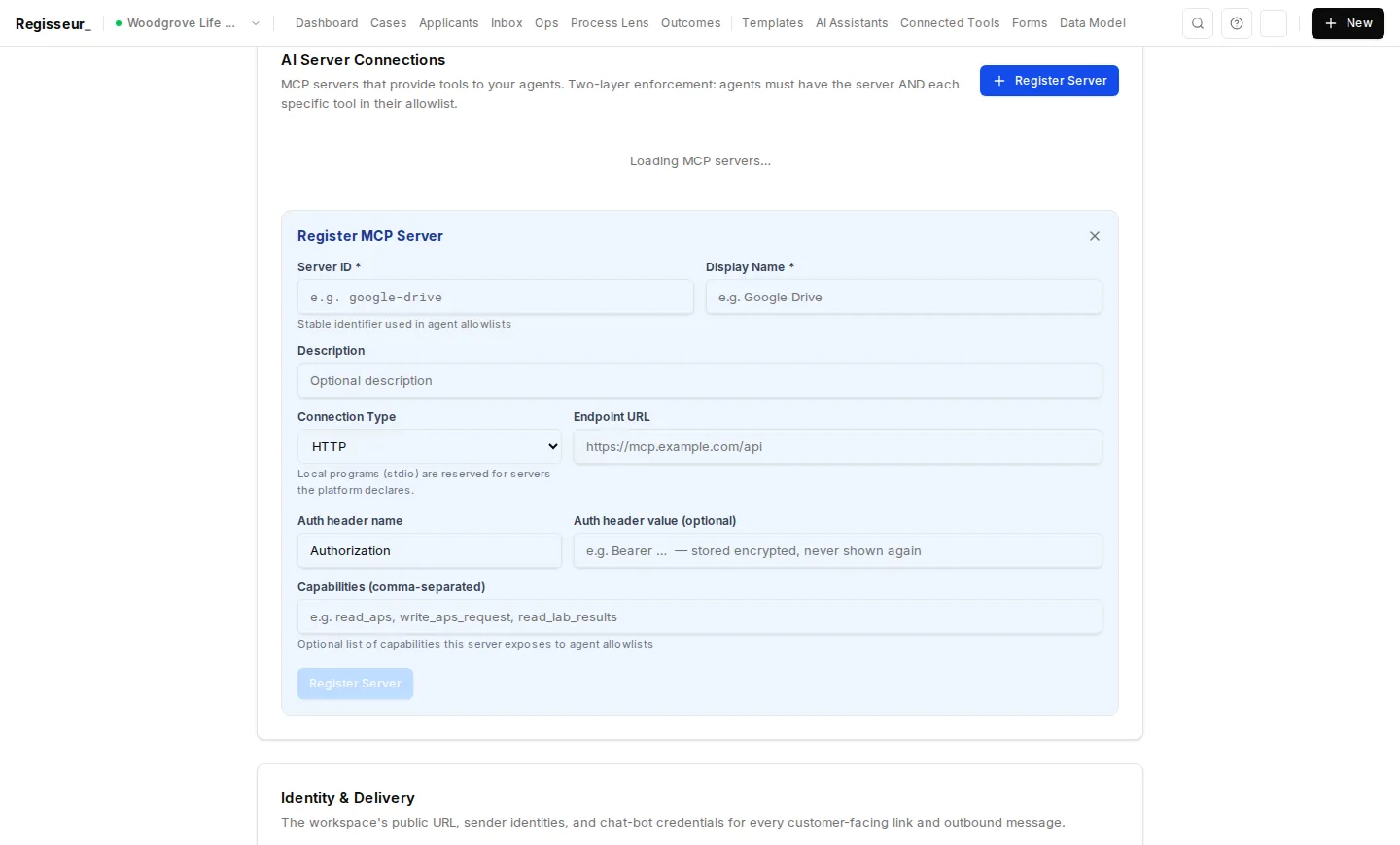
8A tool server is registered in Integrations.
9A tool's page, before its input shape is pinned.
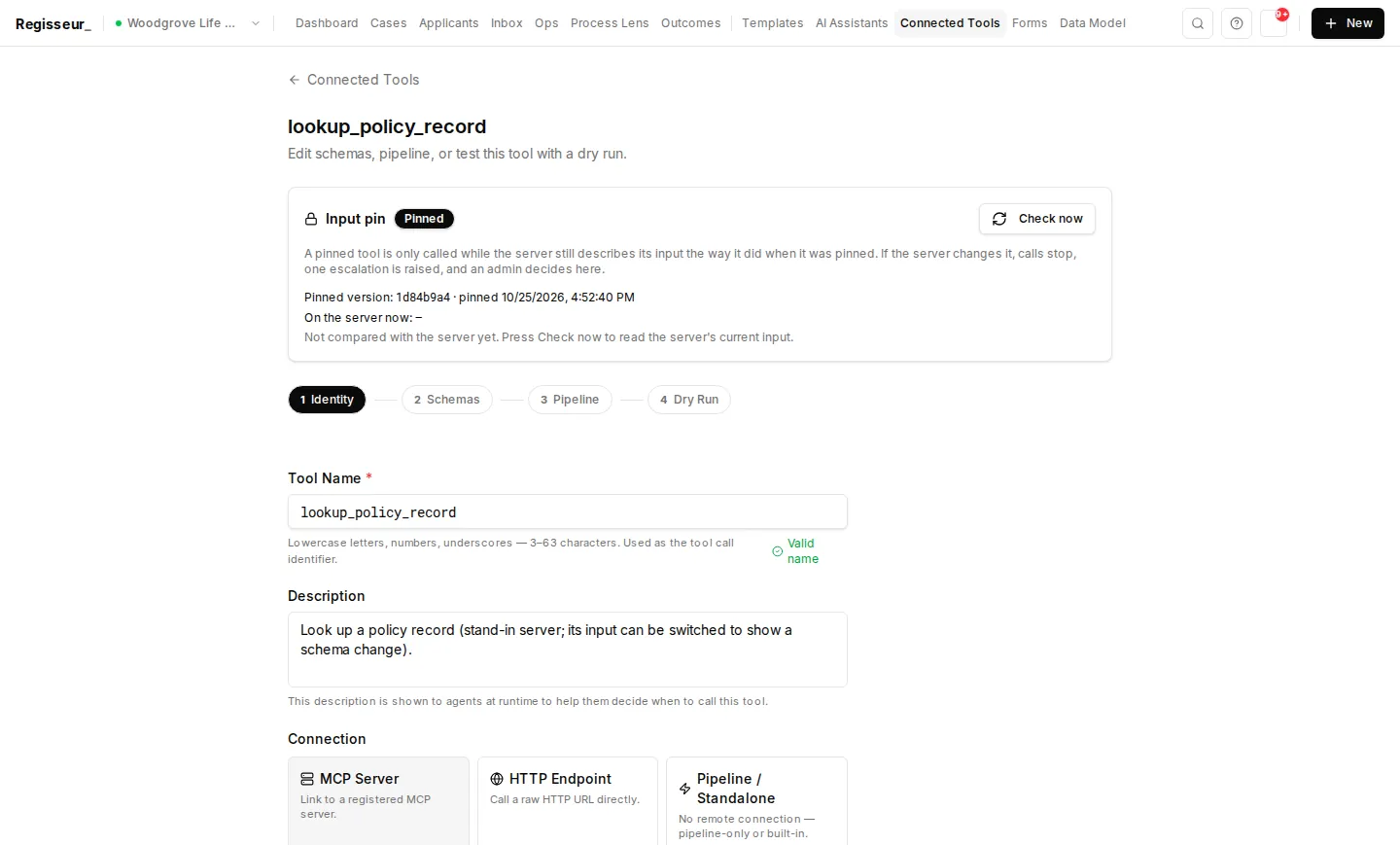
10Check now reads the tool's live shape and shows its fingerprint.
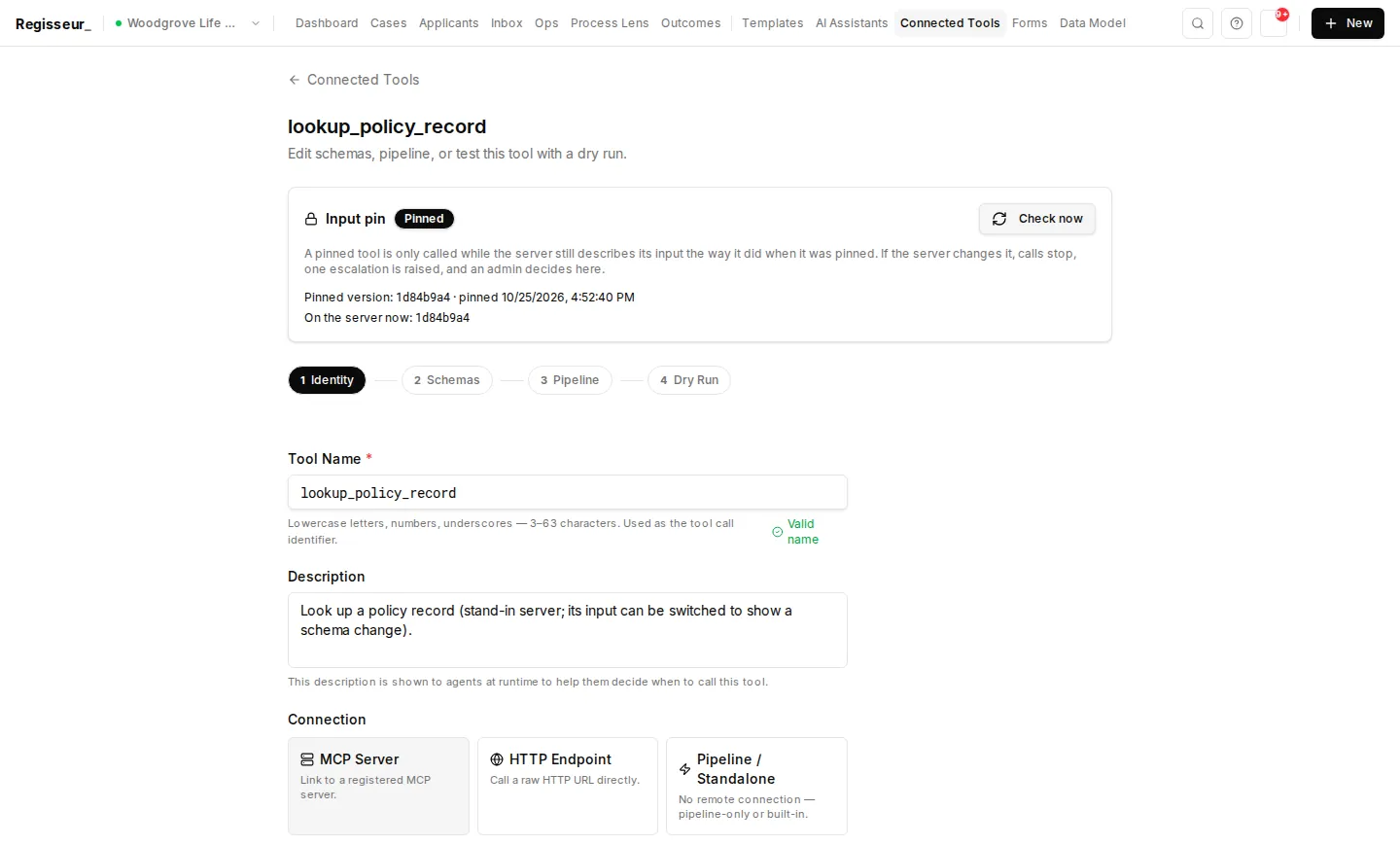
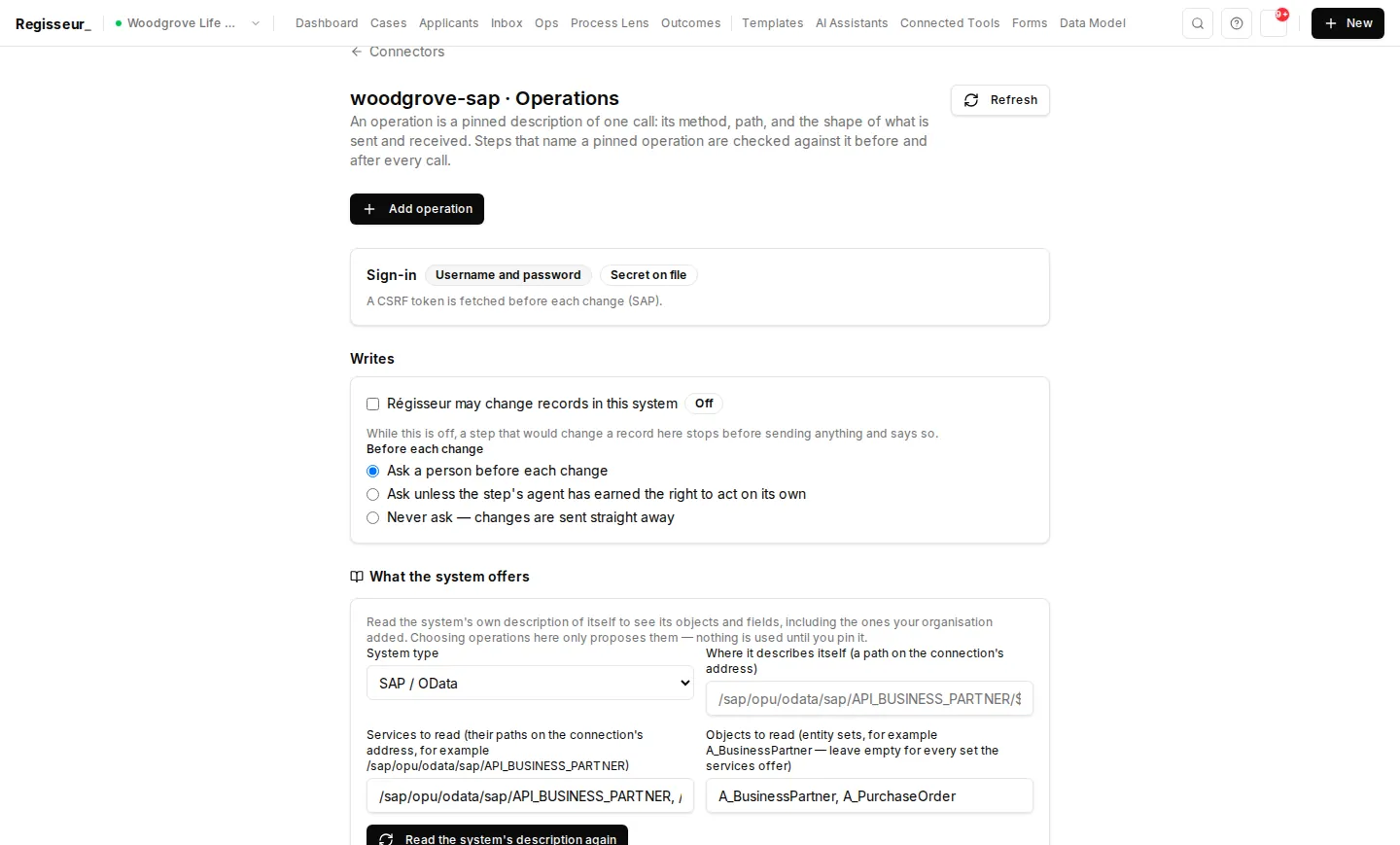
11The tool is pinned to that fingerprint.
12The server changed the tool. A banner shows exactly which fields moved; calls to it are refused until an admin decides.
13Keep pinned: the decision is recorded and the old shape stays in force.
14Accept new version: the tool is re-pinned to the new shape, recorded as a new version.
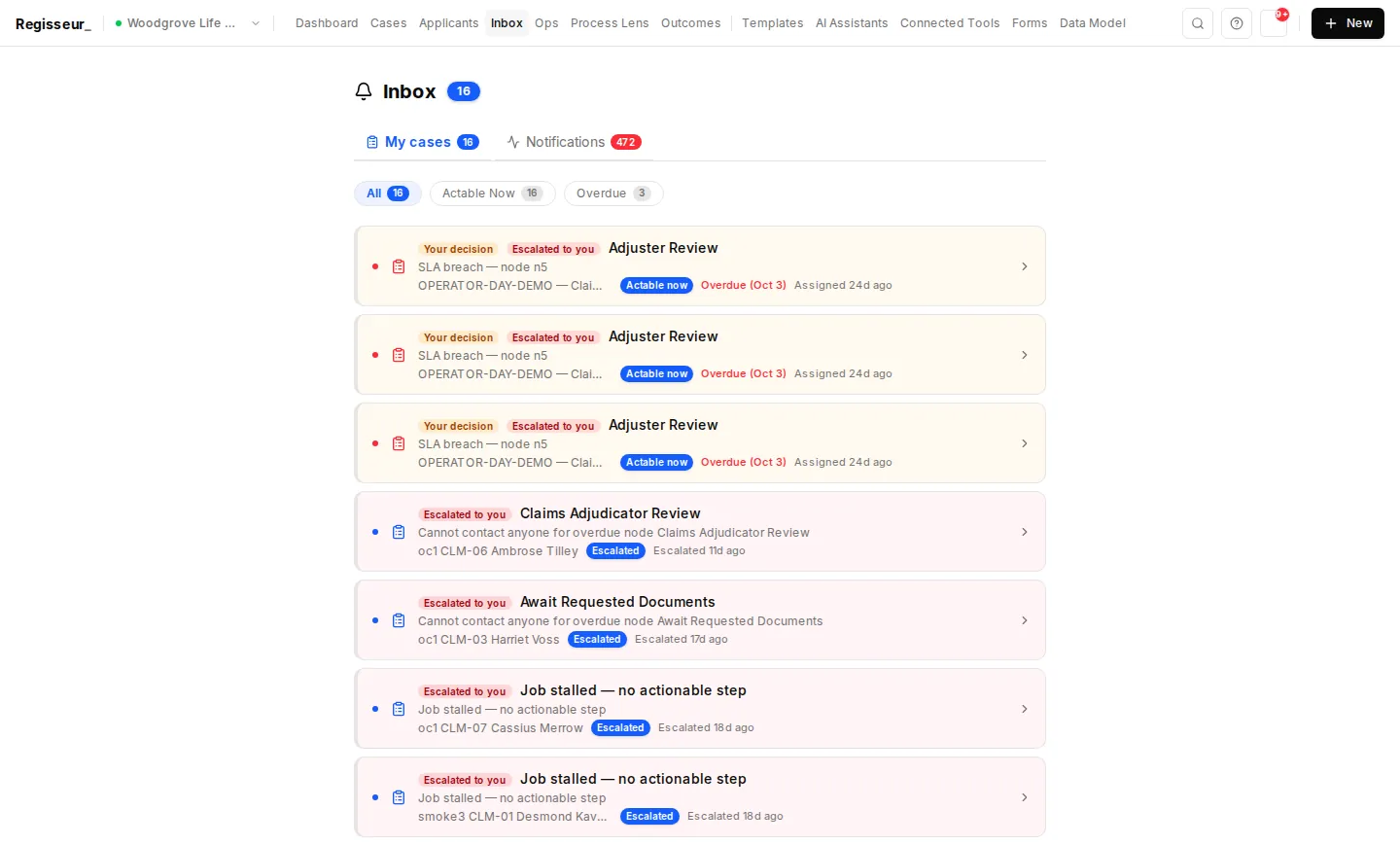
15One notice reached the admin's inbox, not a flood.
Part 2
Writes are off until turned on, and held for a person
A case wants to change a record in another system; a person sees before and after, then approves
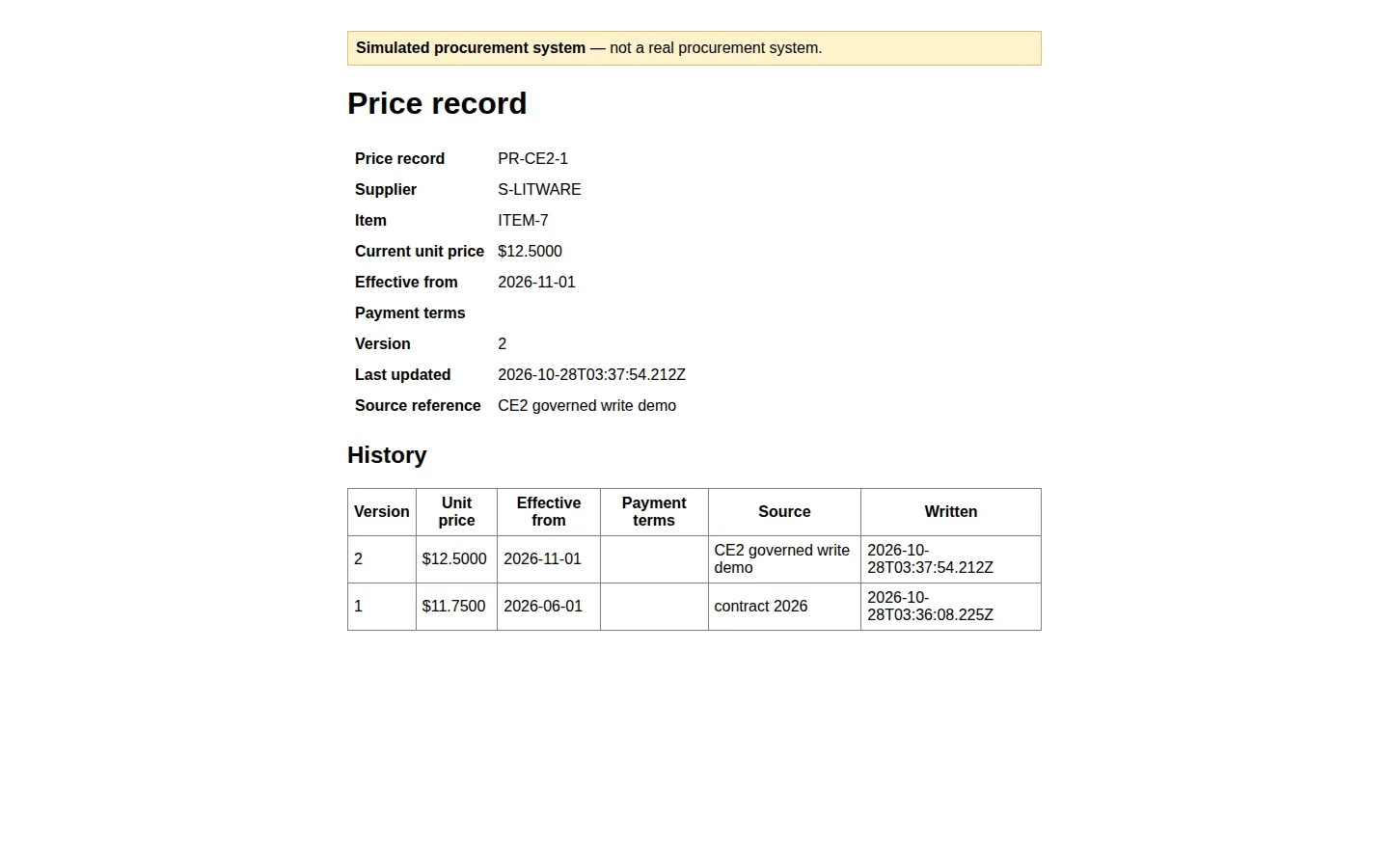
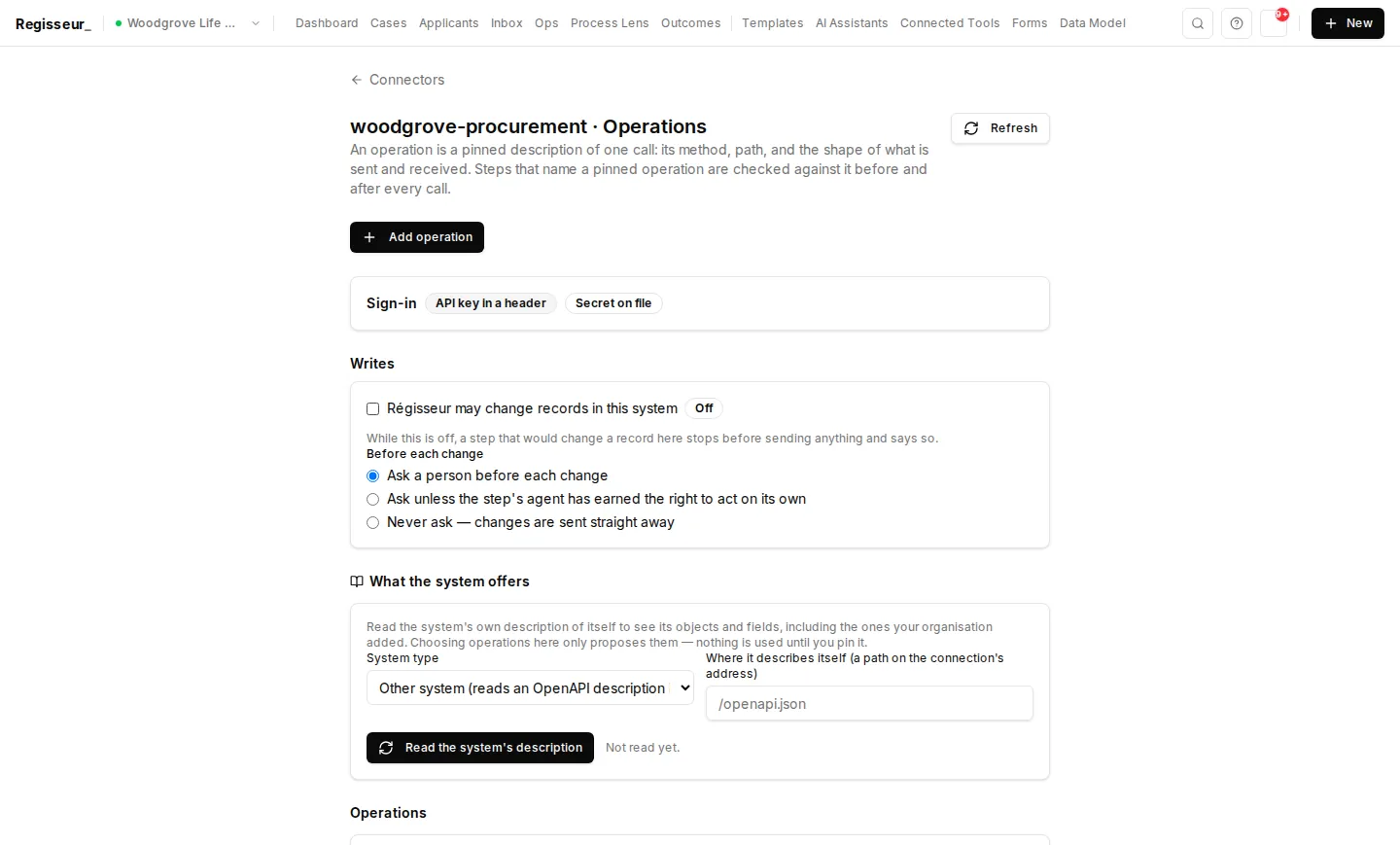
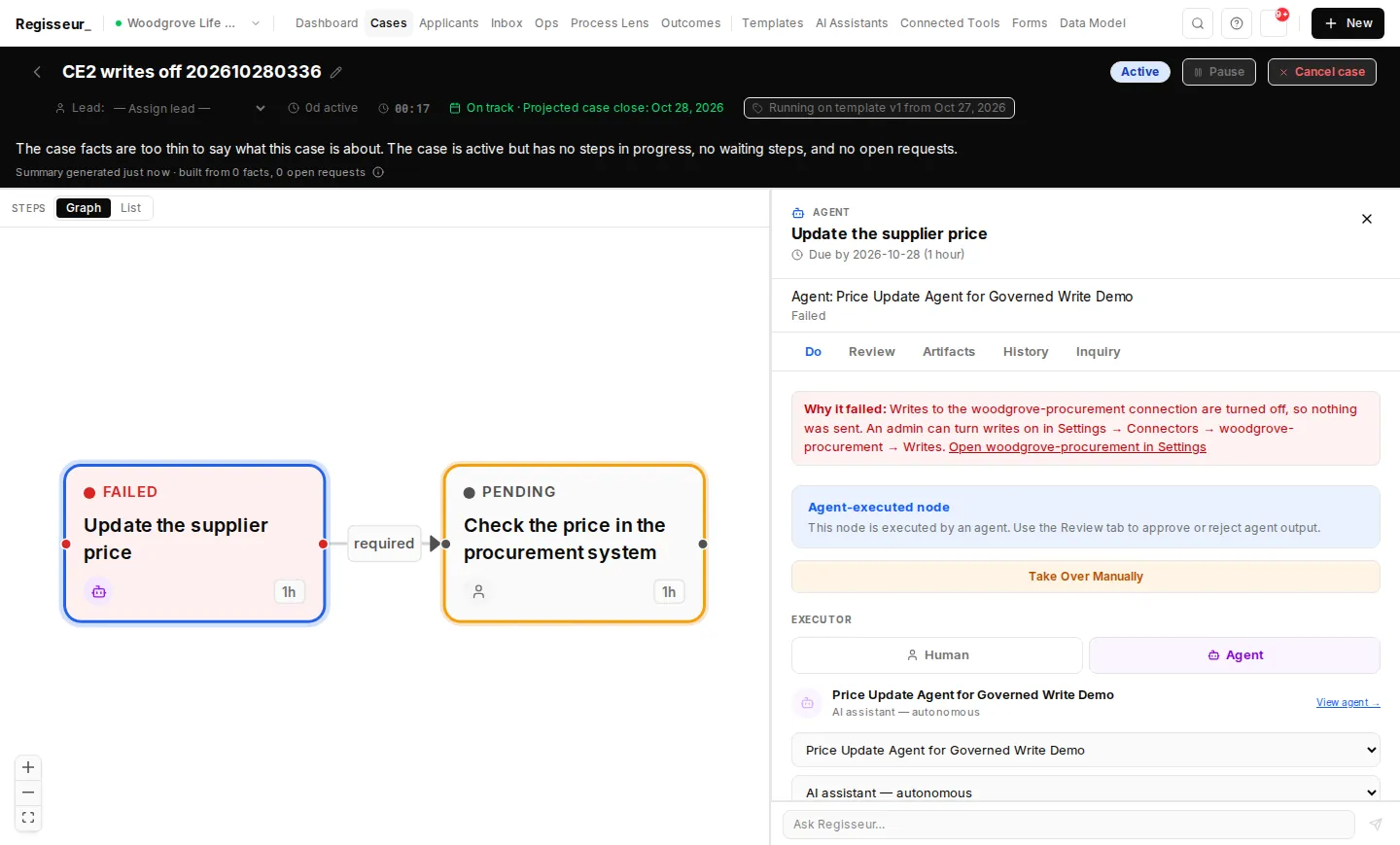
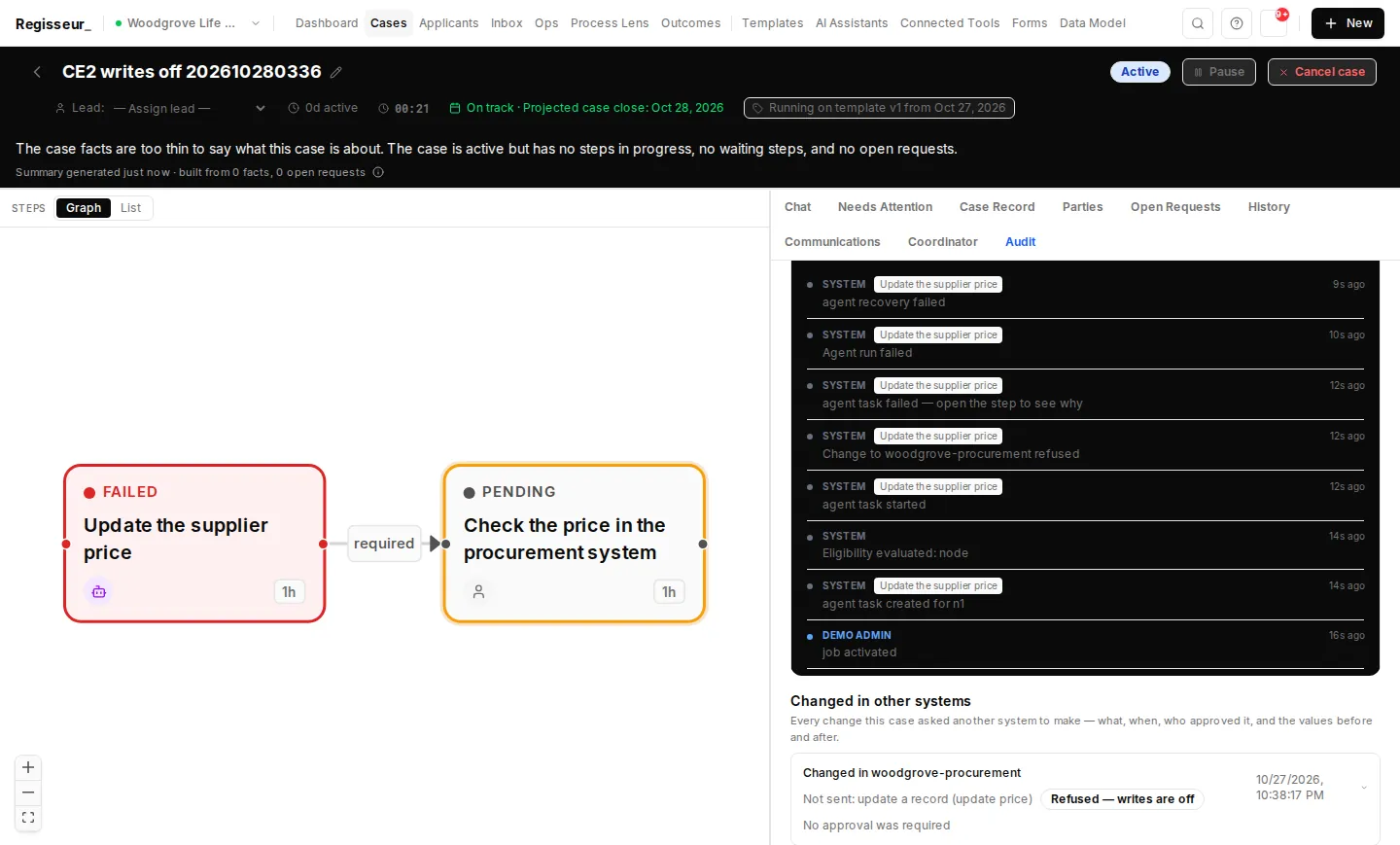
What a person sees and does. Writing to another system is off by default. An admin turns it on for the purchasing connection and sets approval to always. When a case reaches the step, it stops and asks a person: the approval shows the change as before and after. Priya approves; the change is sent once. The case's Audit tab then lists it under 'Changed in other systems', and the simulated purchasing system shows the new record. With writes switched off, the same step refuses in plain words, the refusal is recorded, and nothing is sent. Writes are then restored.
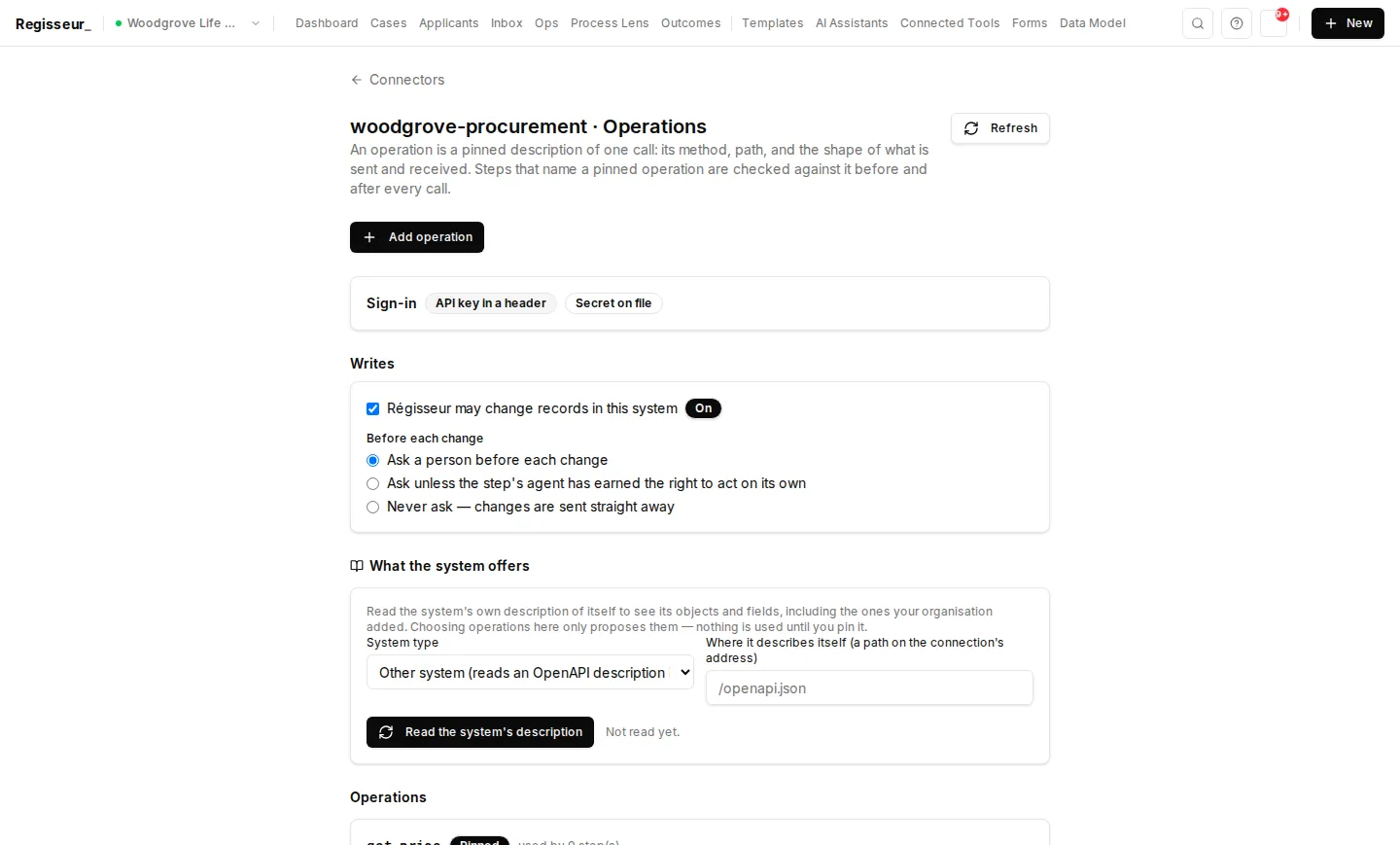
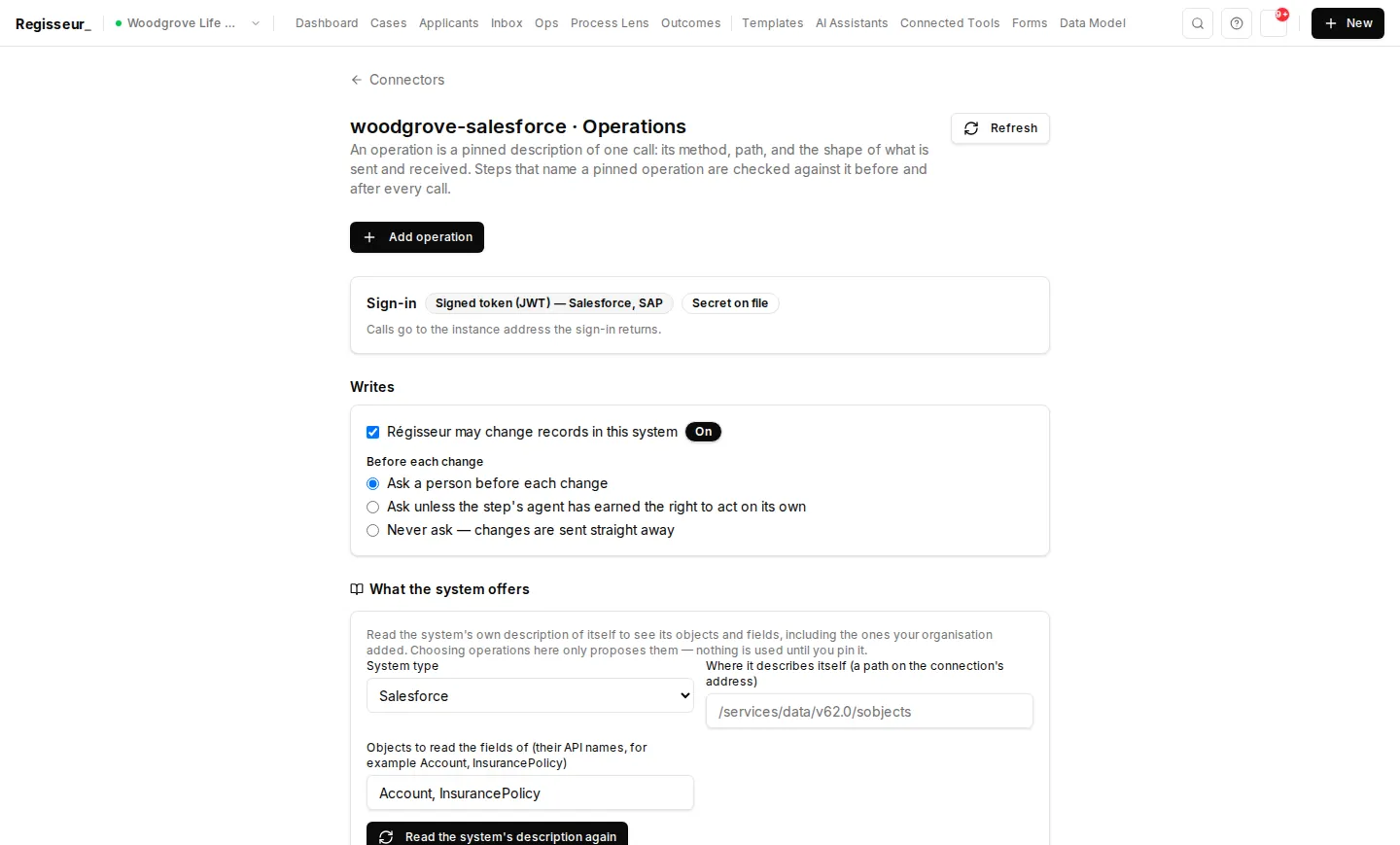
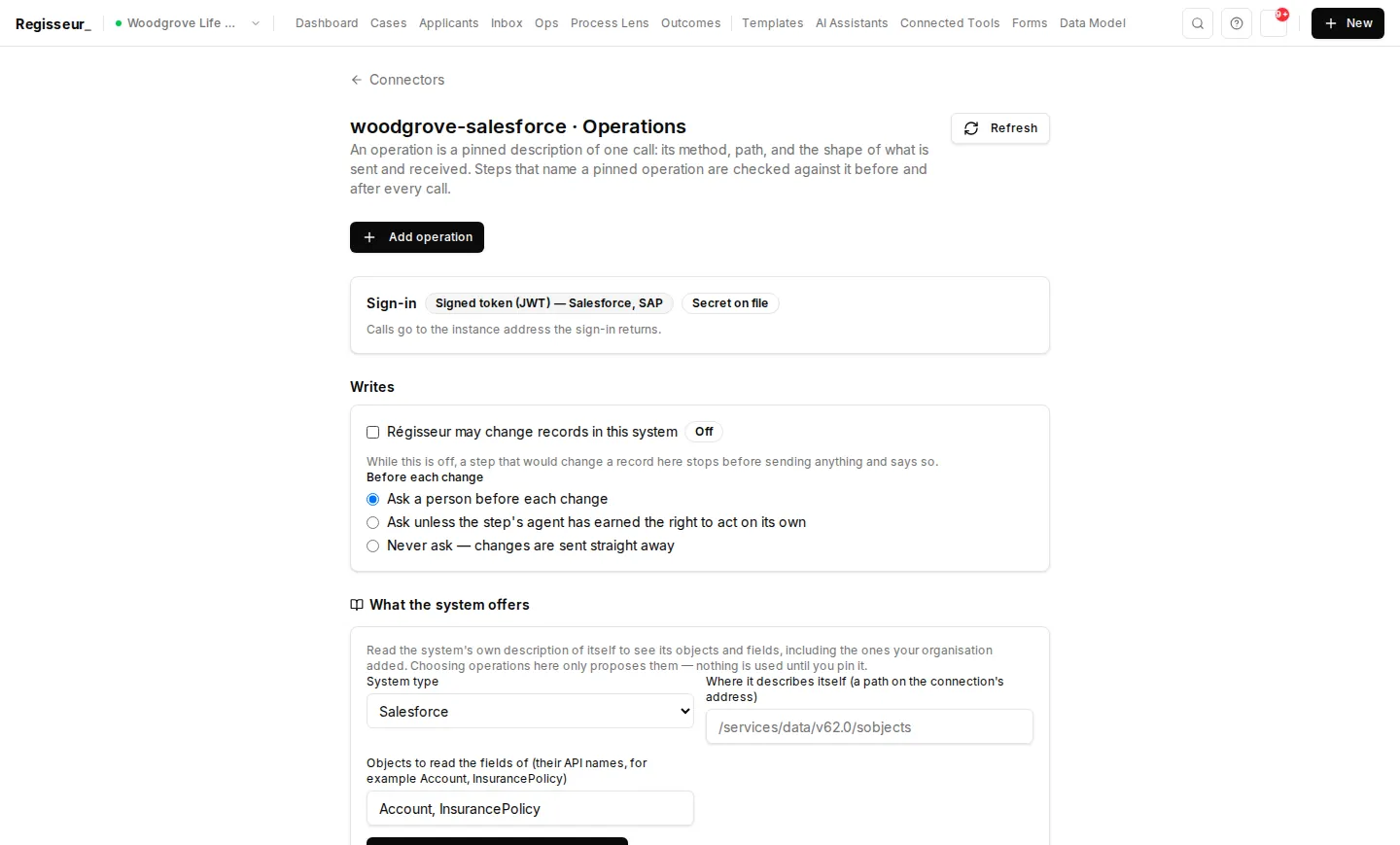
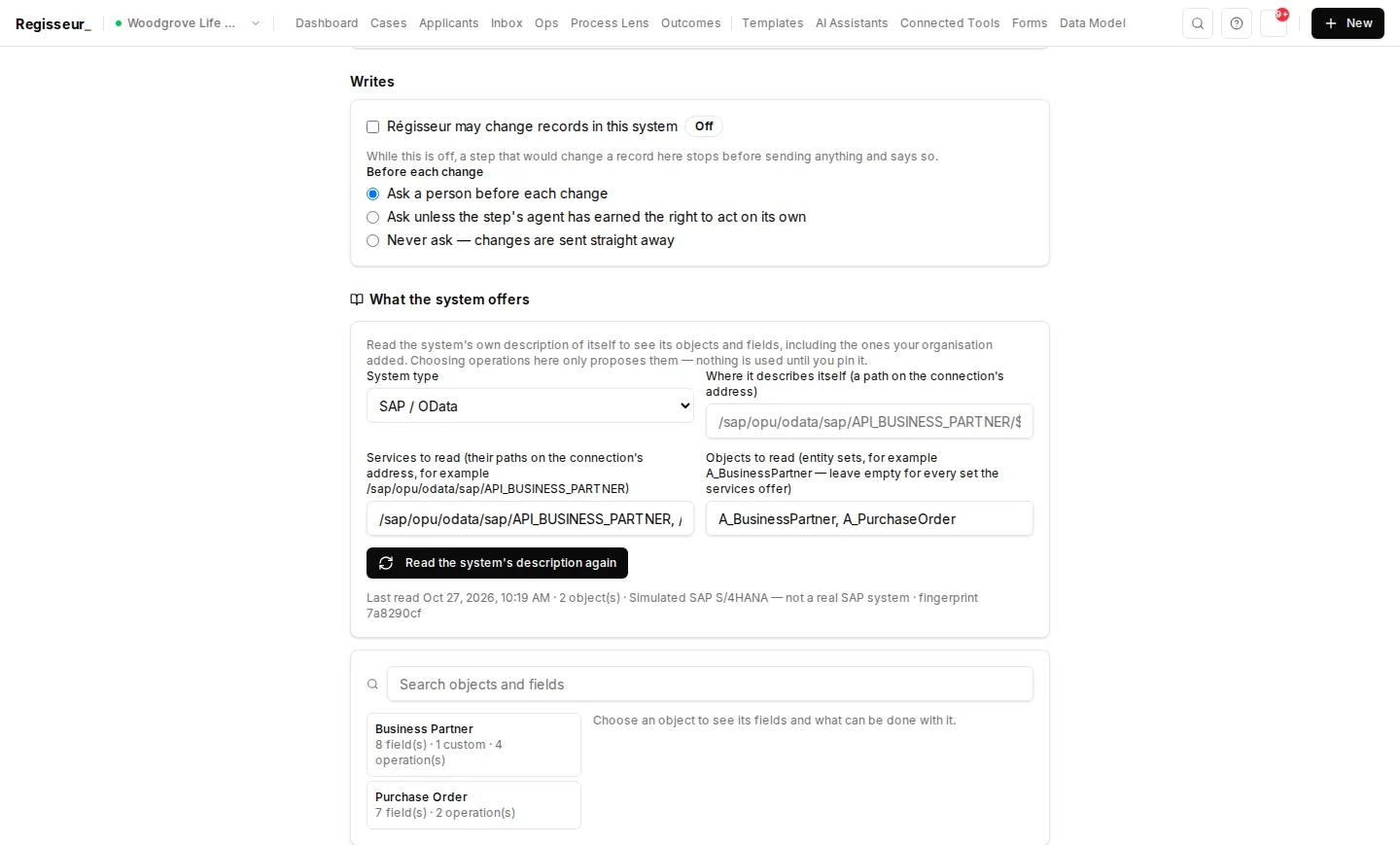
16The connection's write settings: writes on, approval asked every time.
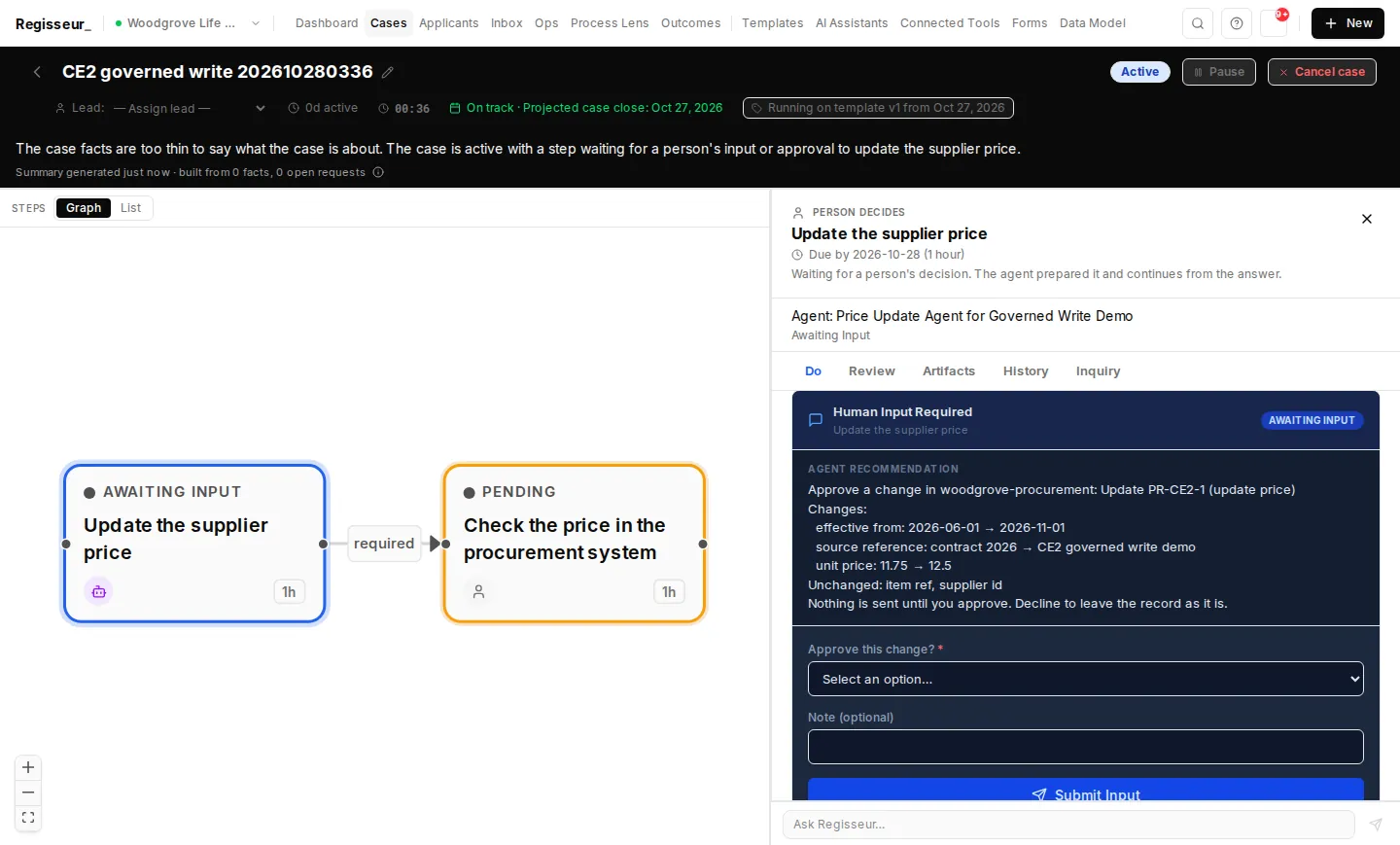
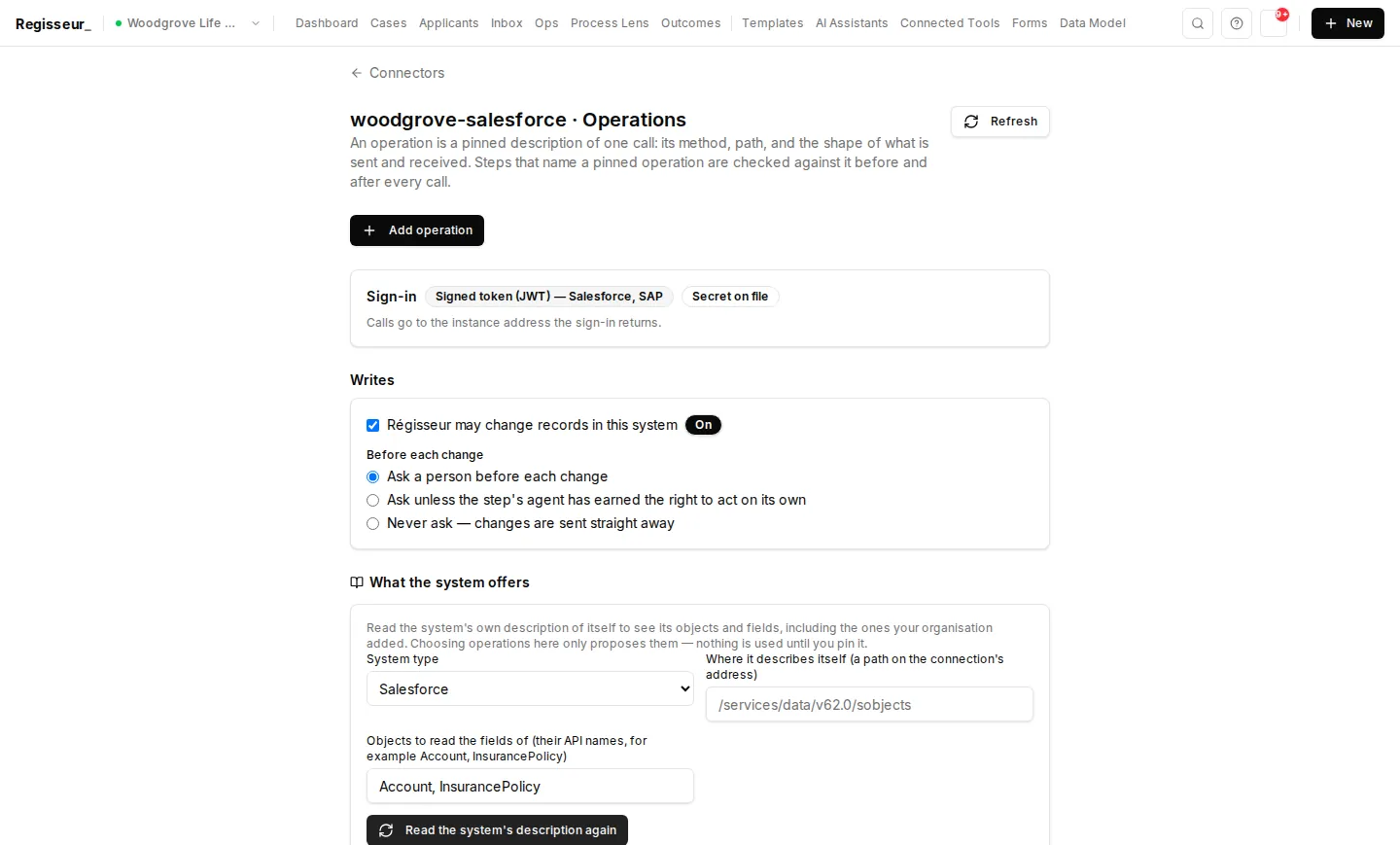
17The case step stops and waits for a person.
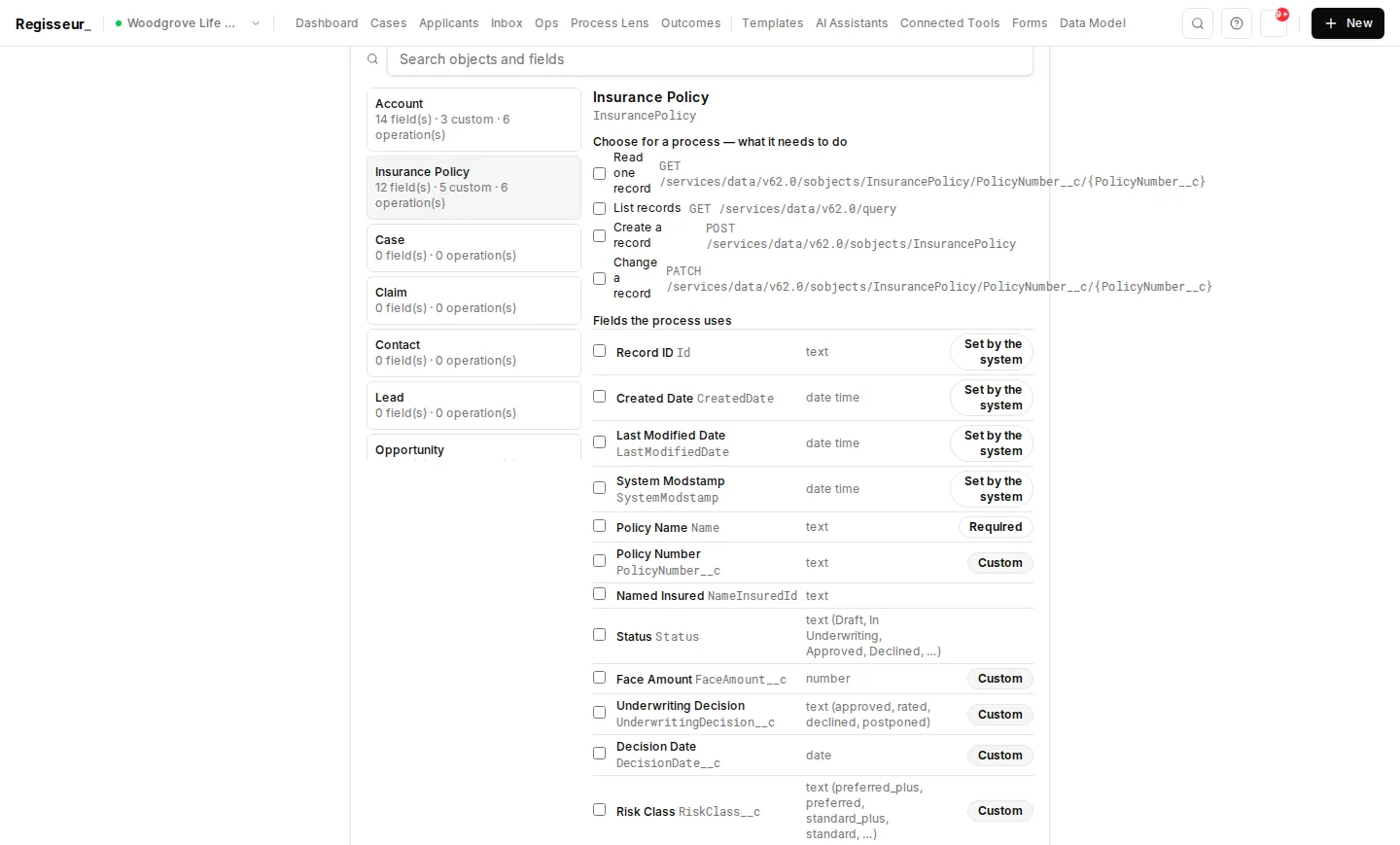
18The approval shows what will change, before and after.
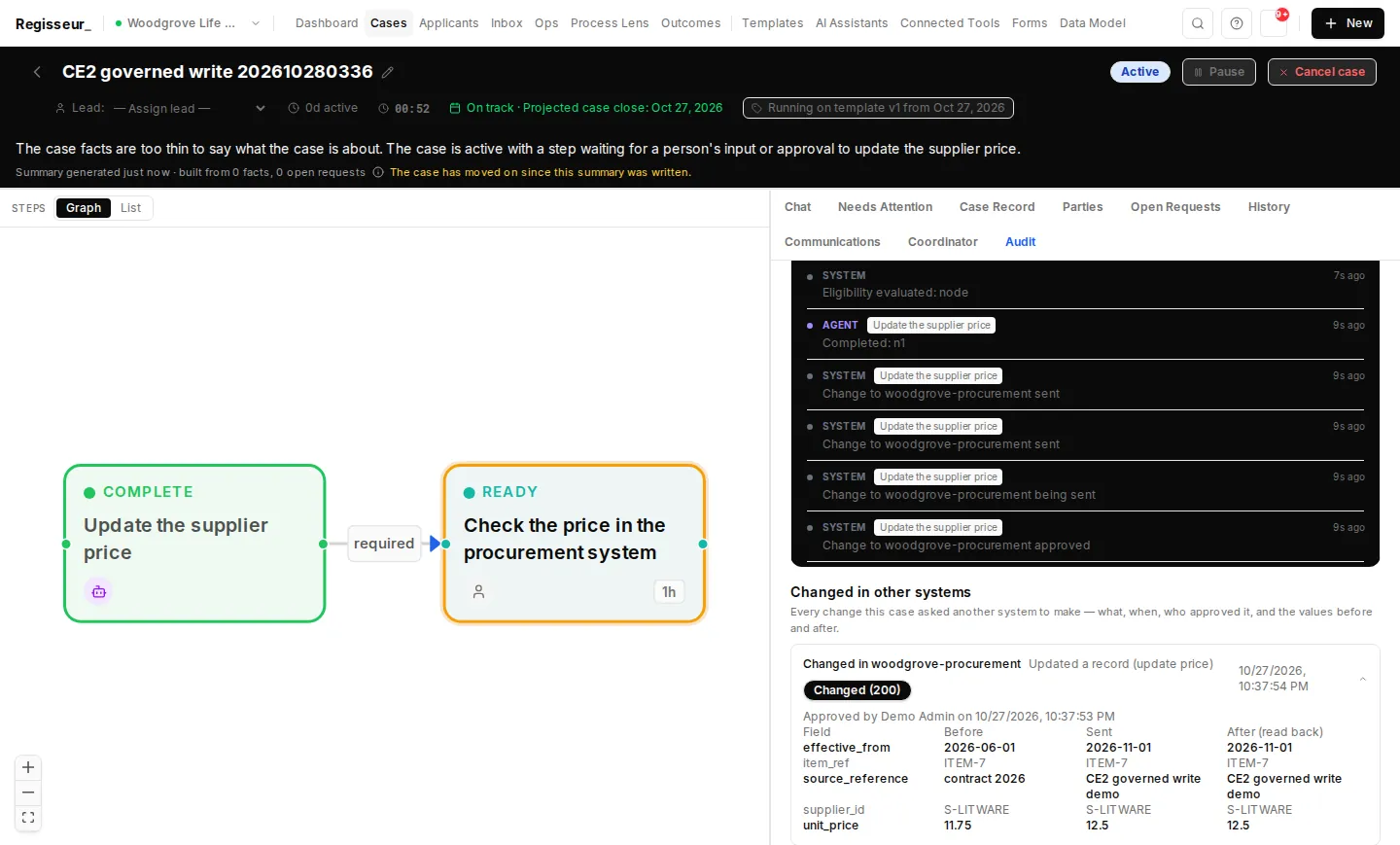
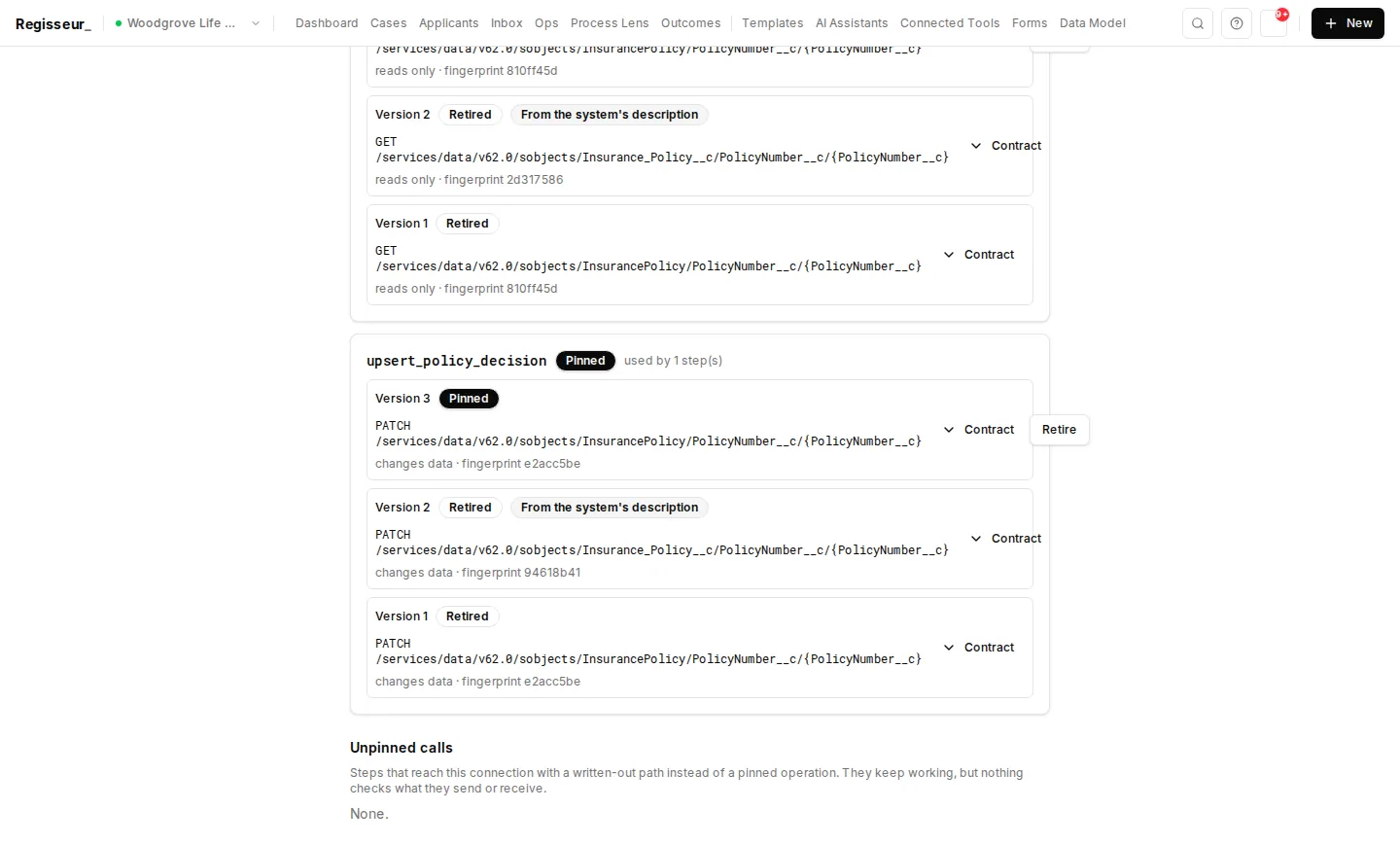
19After approval the Audit tab lists the change under 'Changed in other systems'.
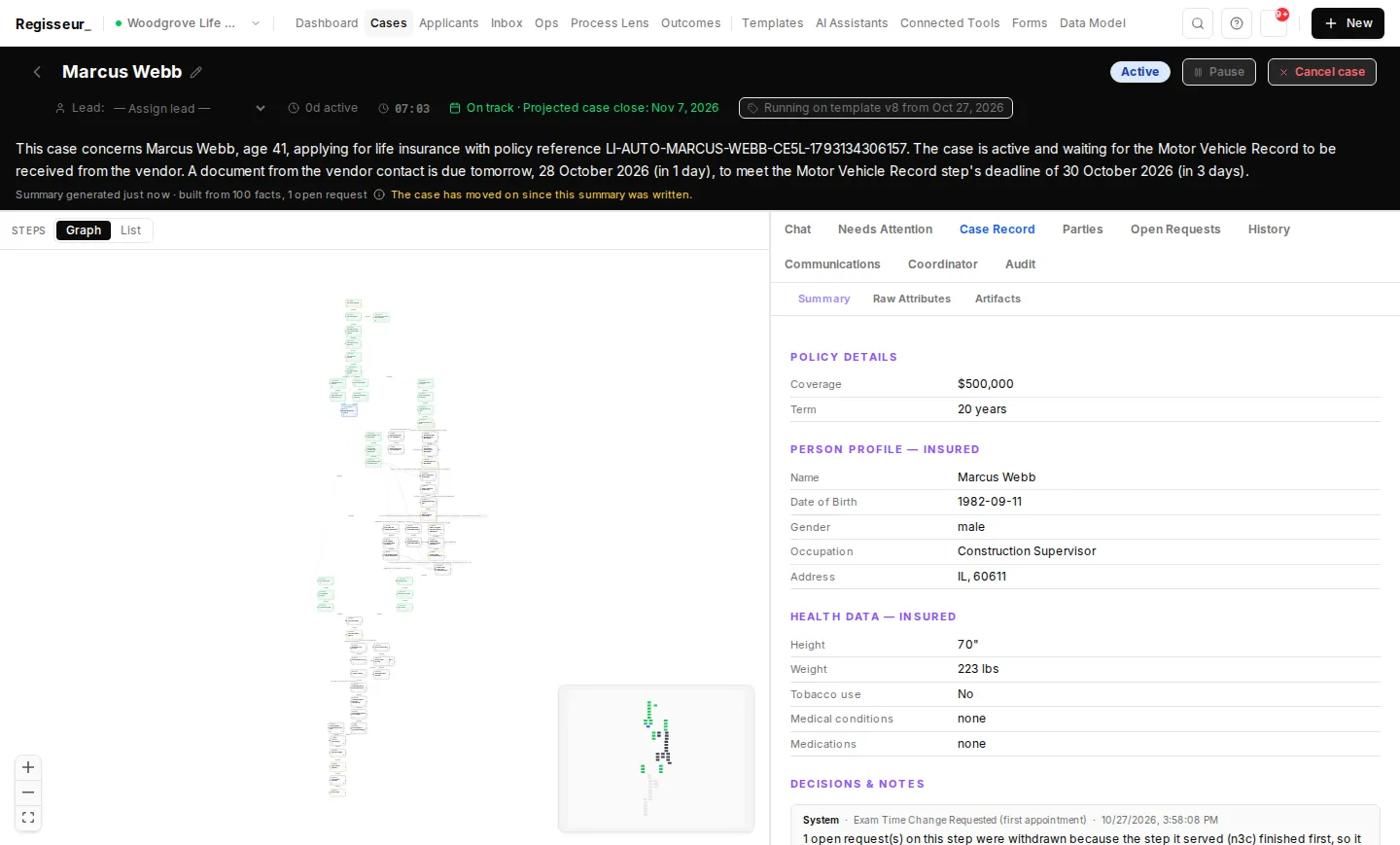
20The simulated purchasing system now holds the new value.
21Writes switched off on the connection.
22With writes off, the step refuses in plain words and sends nothing.
23The refusal is on the record, with nothing sent.
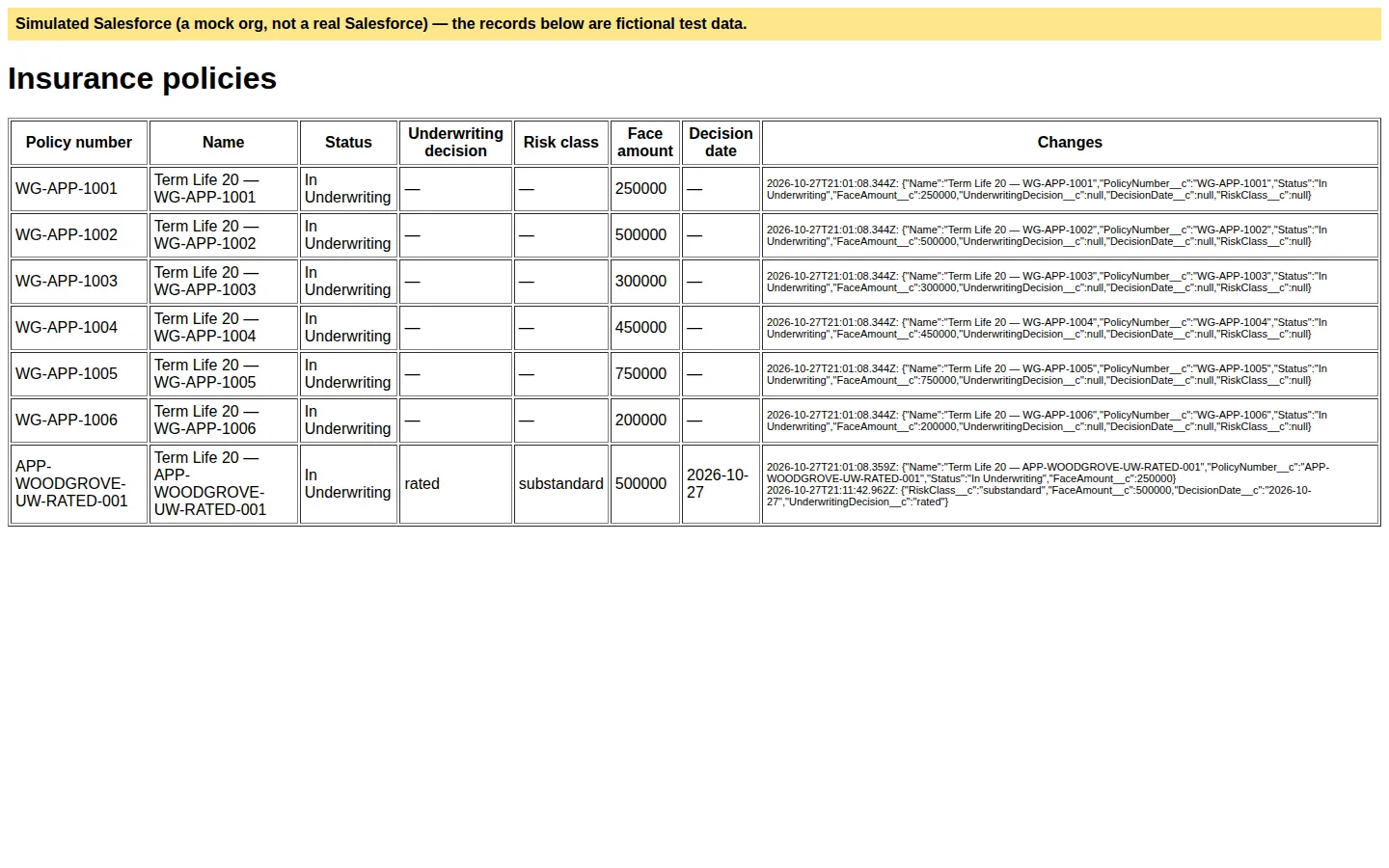
24Writes restored to their set position.
Part 3
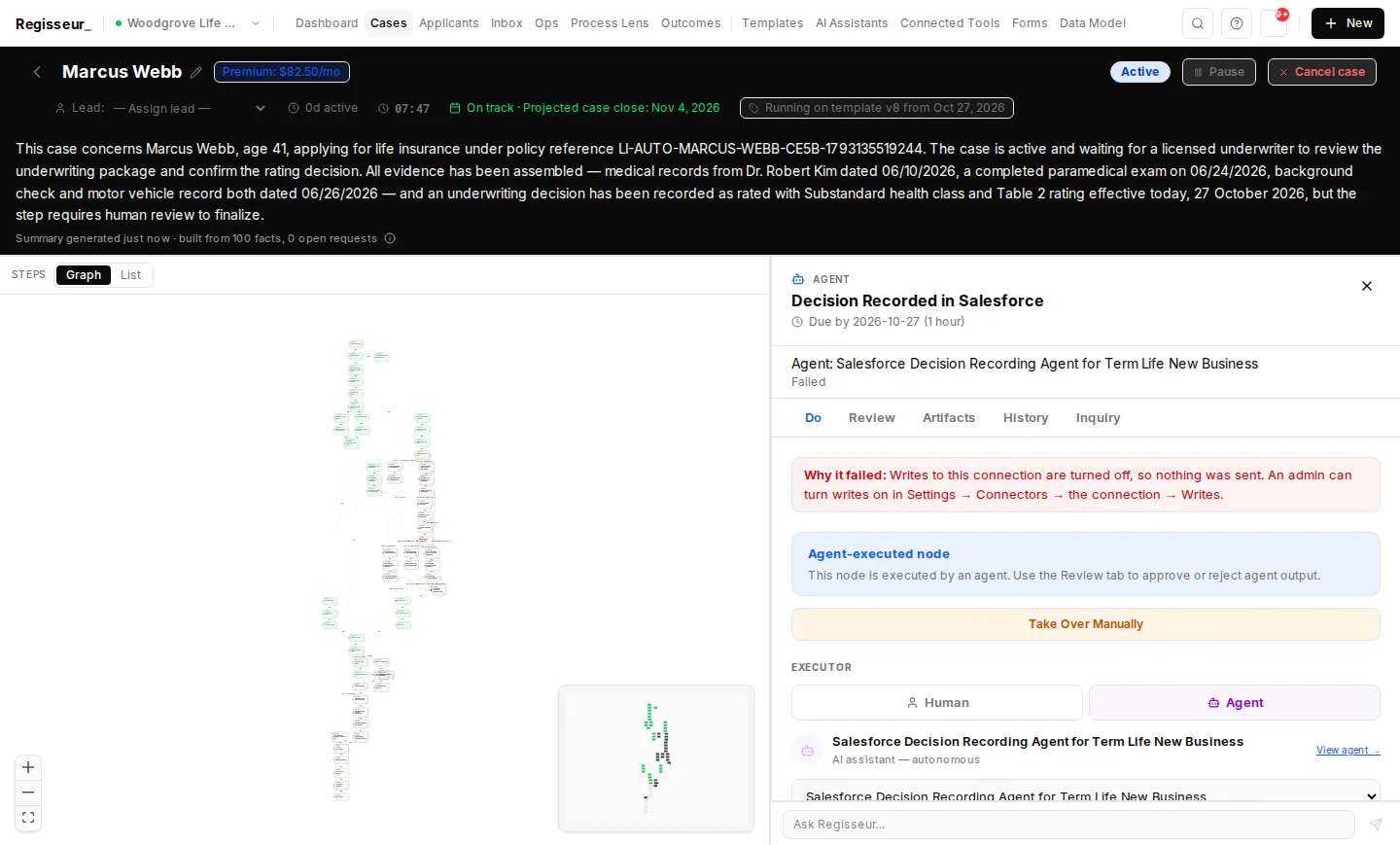
Signing in to the system
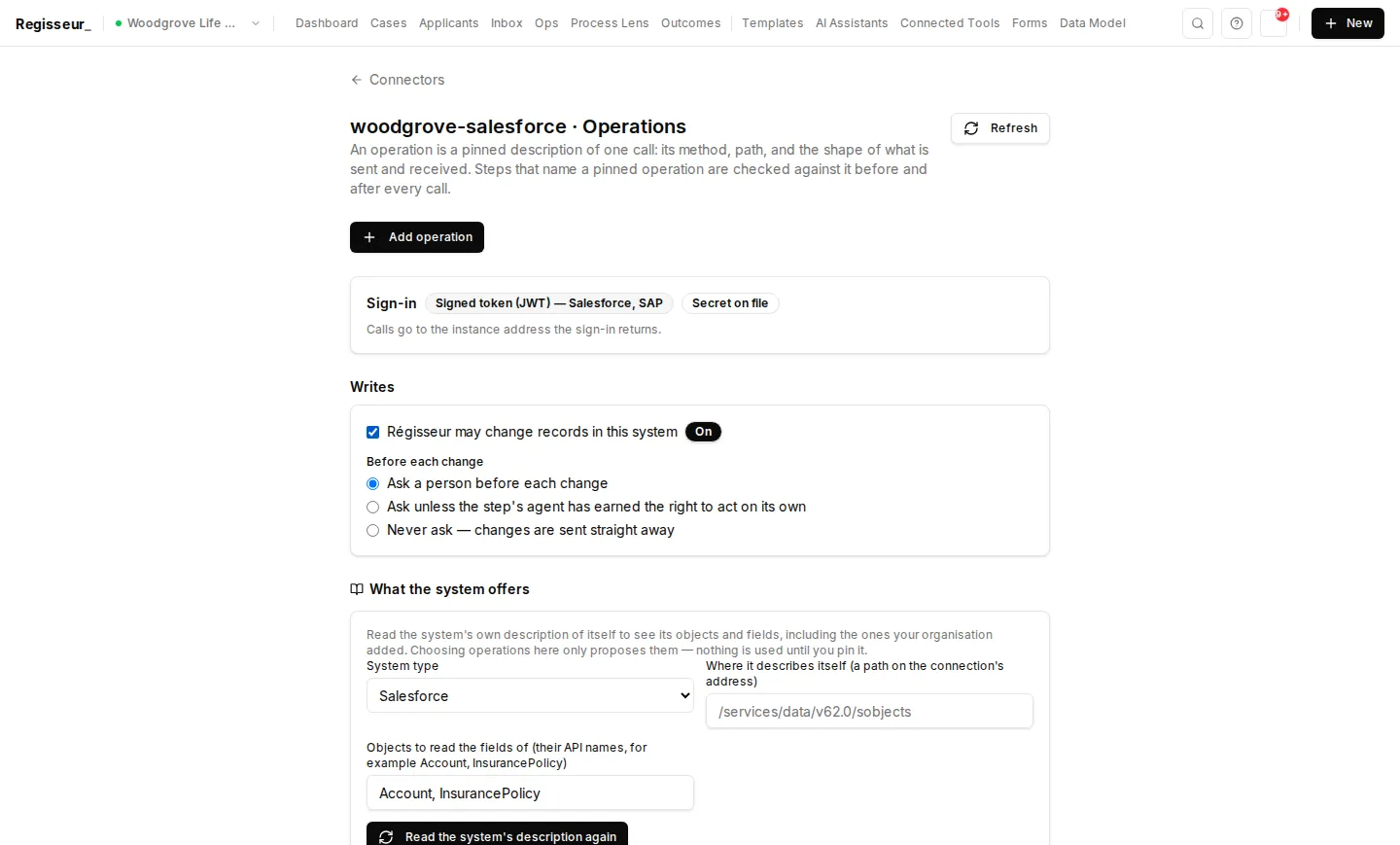
A plain-words sign-in picker, a consent screen, and a safe way to move a connection
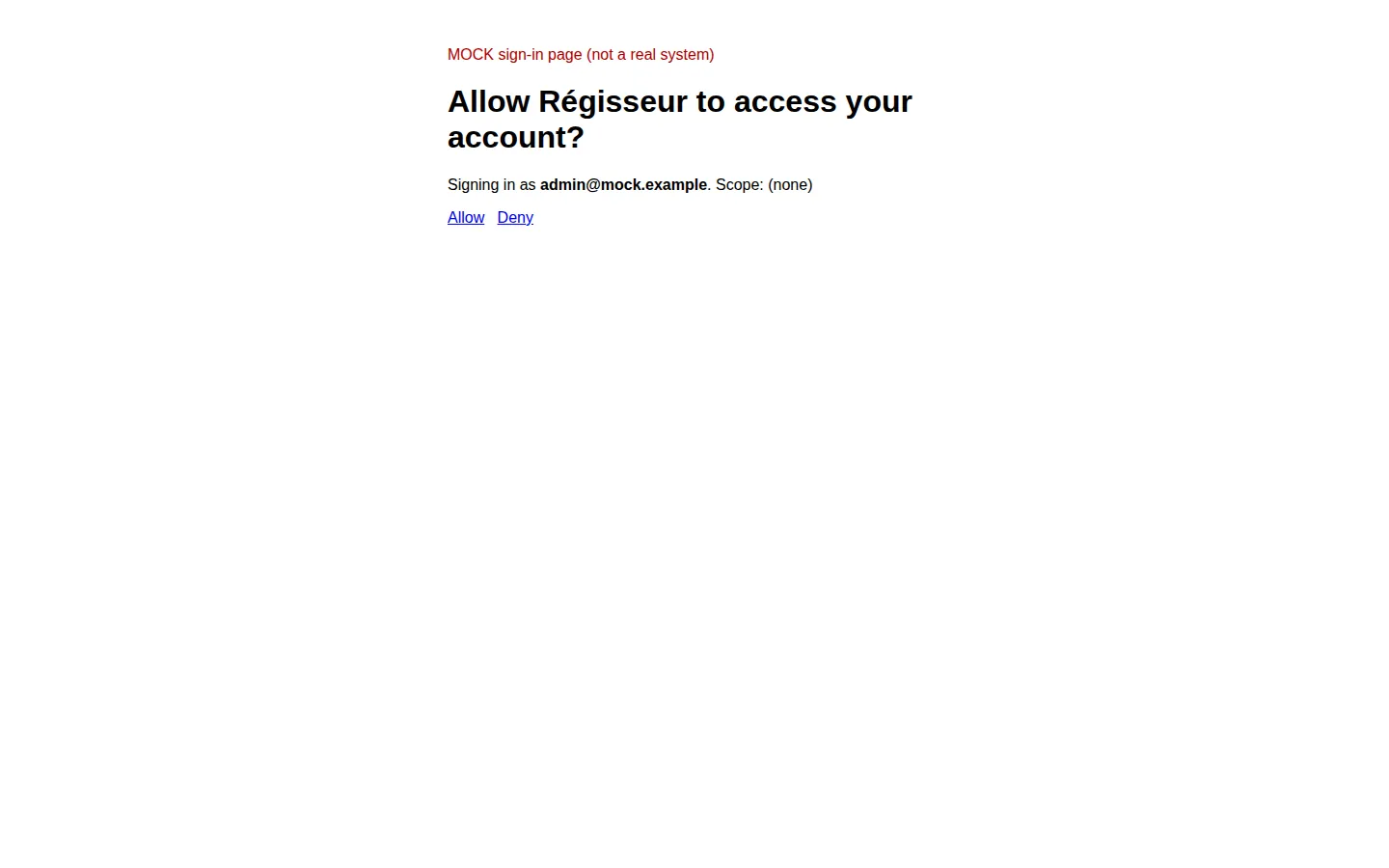
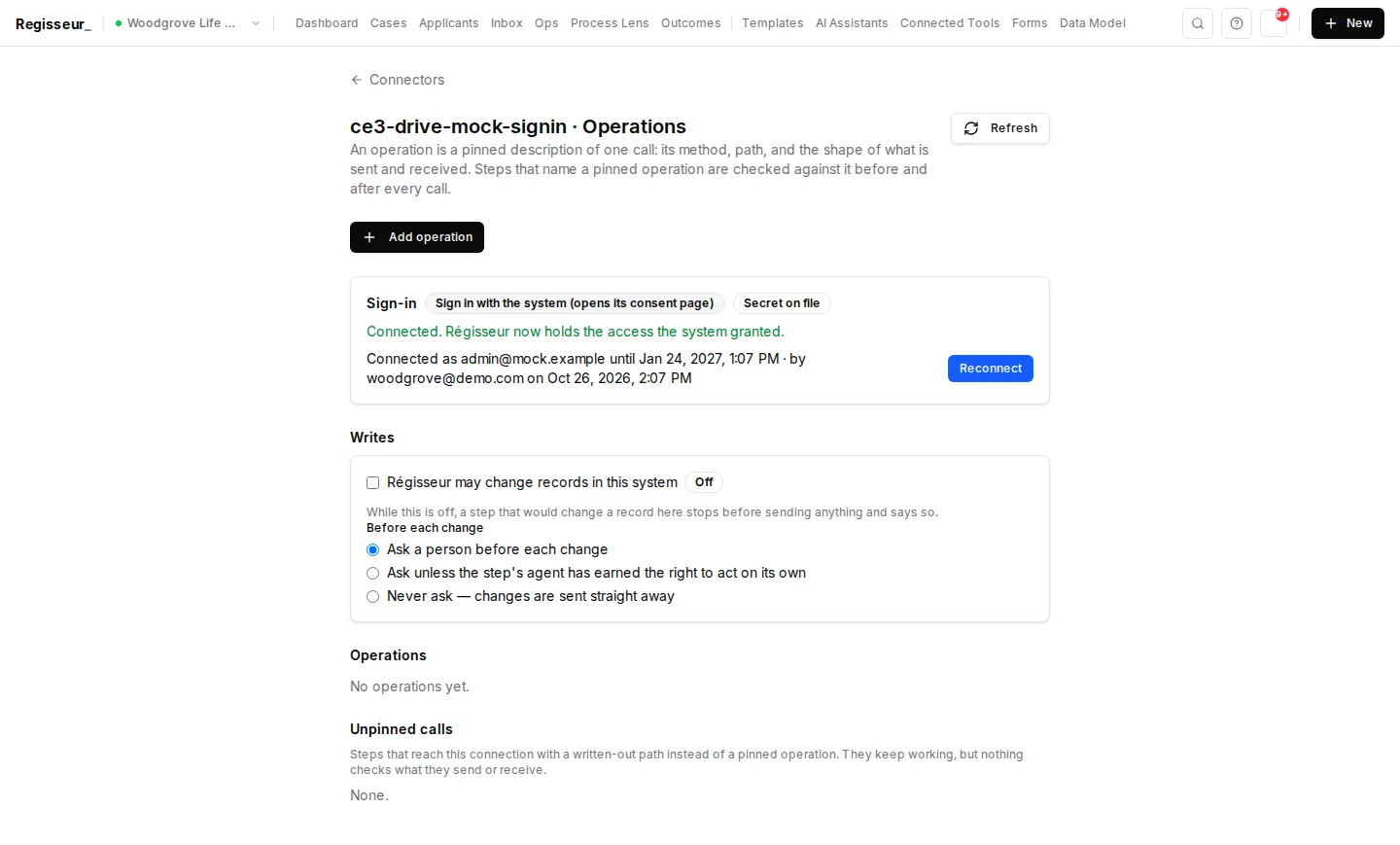
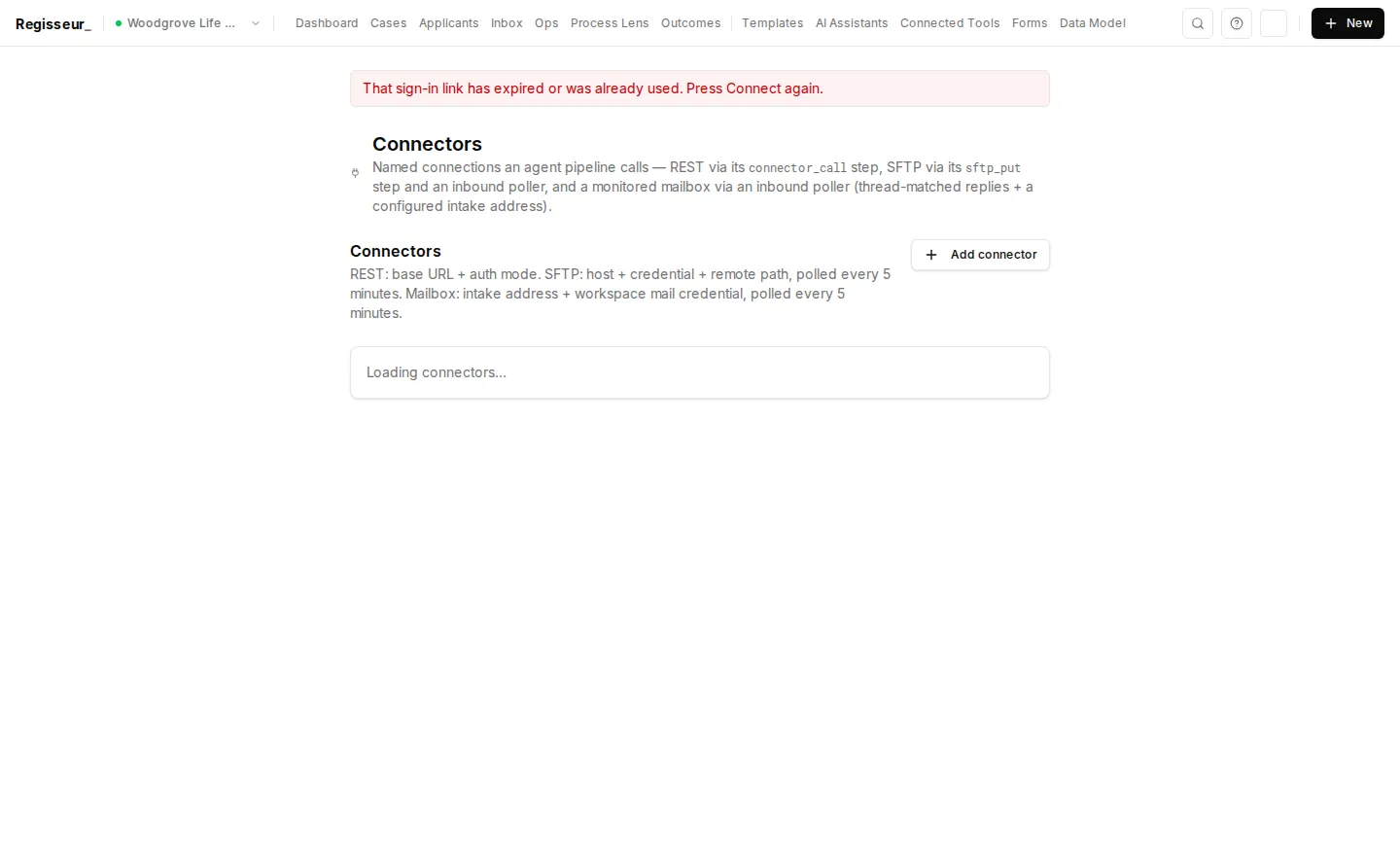
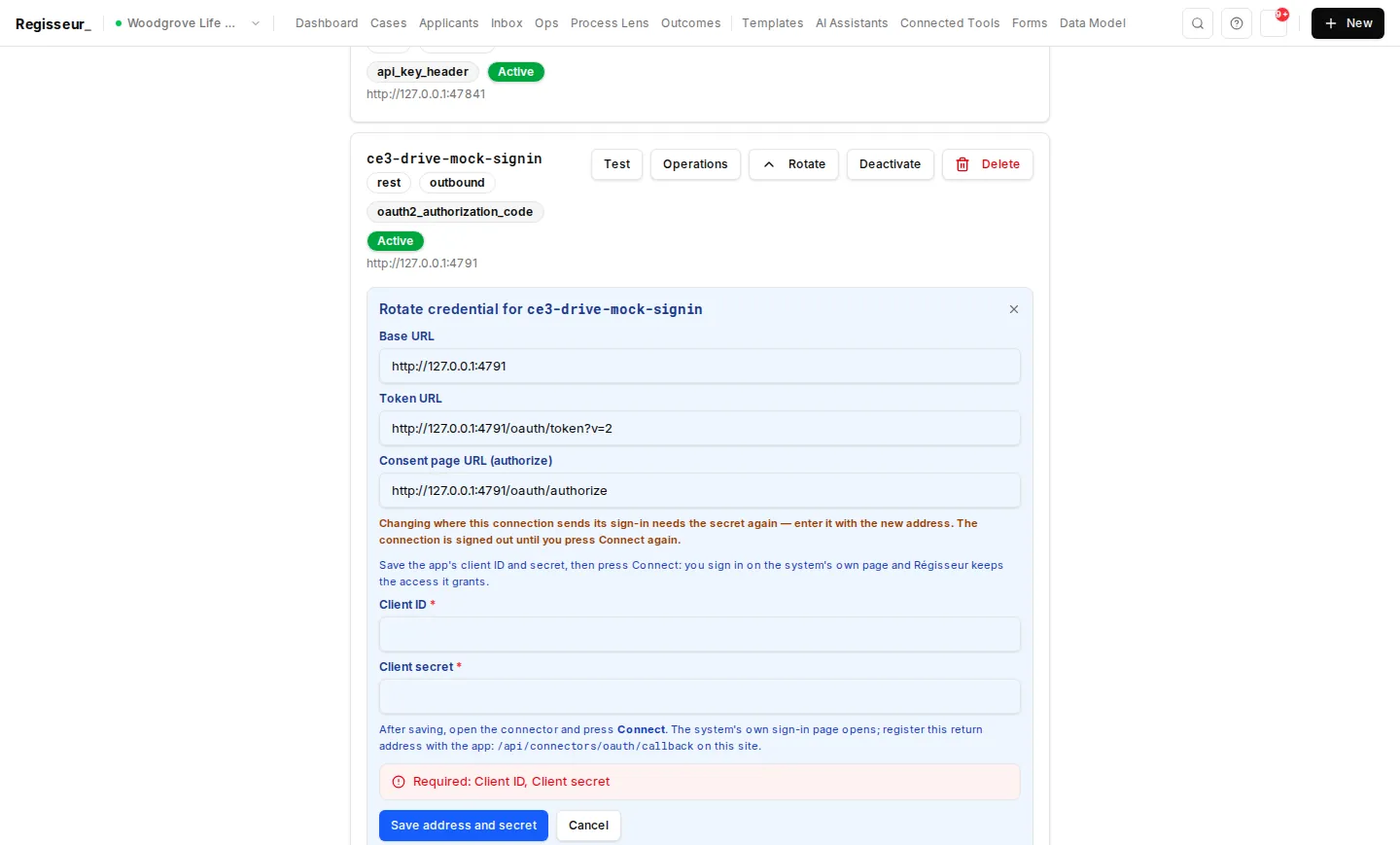
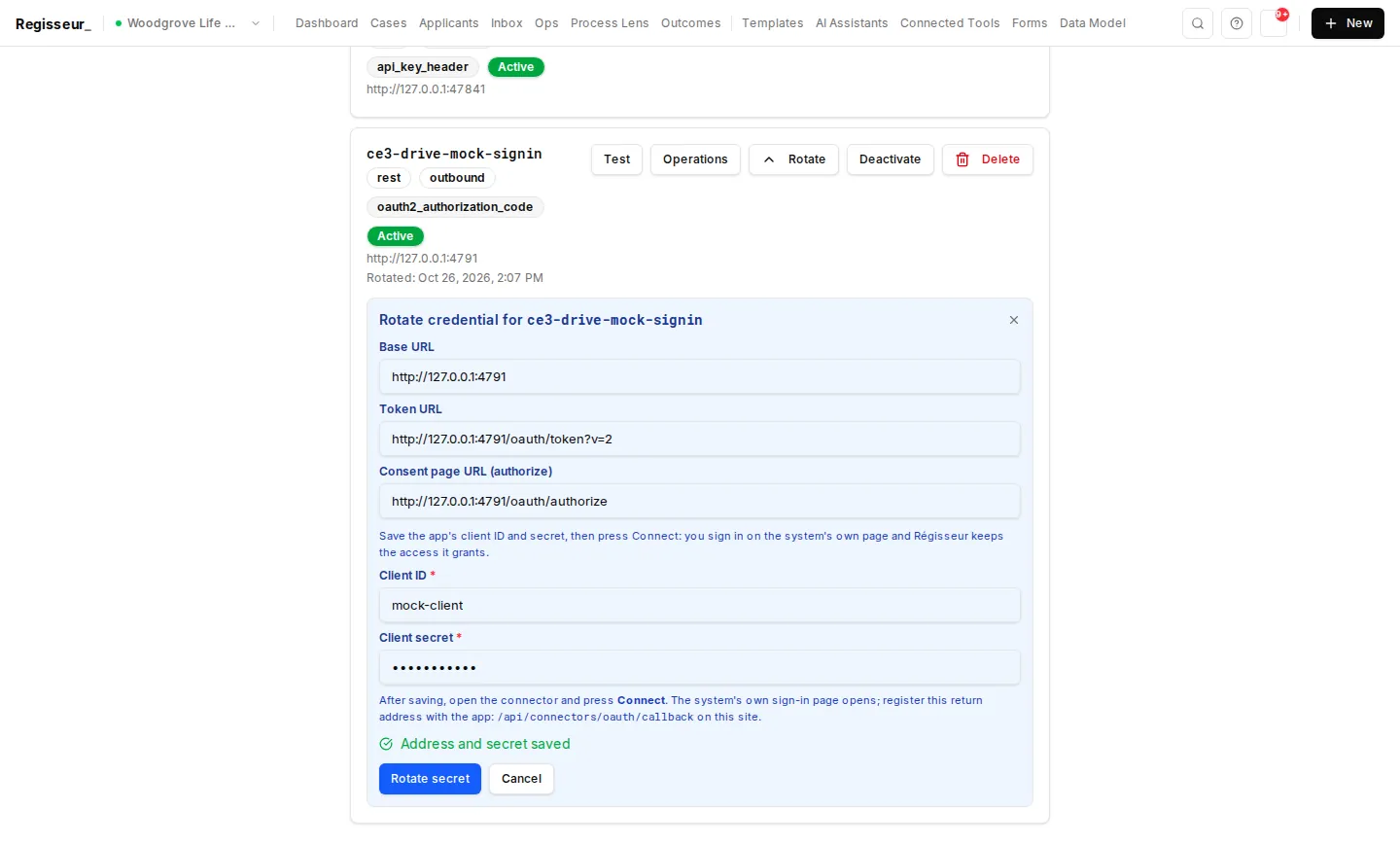
What a person sees and does. The admin picks how Regisseur signs in to a system and sees only the fields that way needs. For the sign-in-with-consent style, the connection page shows 'Not connected'. Connect opens the (simulated) system's consent page; coming back, the card reads 'Connected as … until …'. Replaying the same return link is refused. If someone changes where the connection signs in, the page asks for the secret again, and a consent connection is signed out. A tool server's form no longer offers to run a local program.
25Sign-in picker: 'signed token'. Only the fields it needs are shown.
26Sign-in picker: 'sign in with the system'. A different set of fields.
27The sign-in card before anyone has connected.
28The (simulated) system's consent page.
29Connected: the card names the account and when the sign-in lasts until.
30Replaying the return link is refused.
31Changing where a connection signs in asks for the secret again.
32Saved with the secret re-entered.
33The consent connection is signed out until someone connects again.
34A tool server's form no longer offers to run a local program.
Part 4
Reading what a system offers
Read the system's own description, choose objects, review plain-sentence proposals, pin
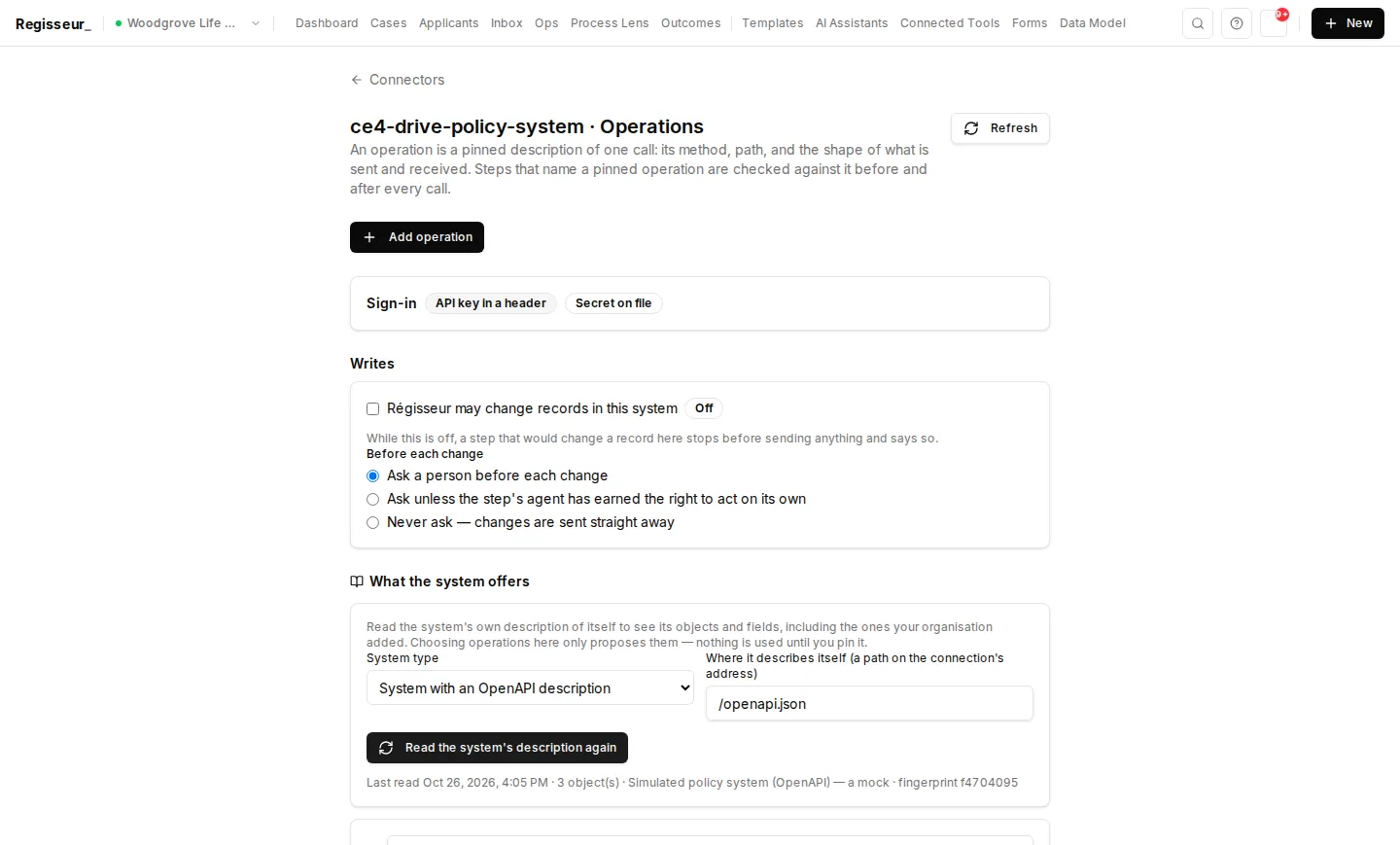
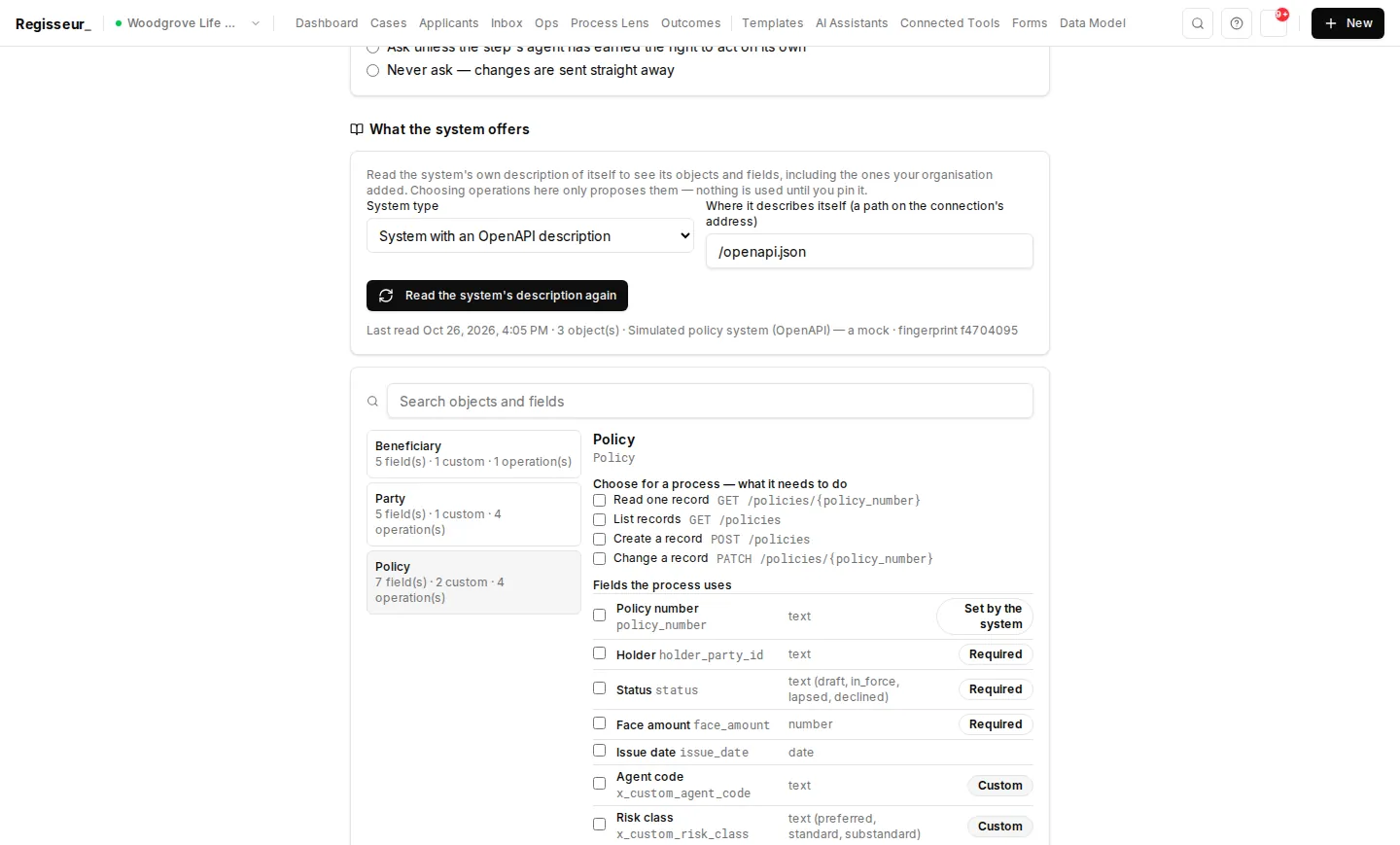
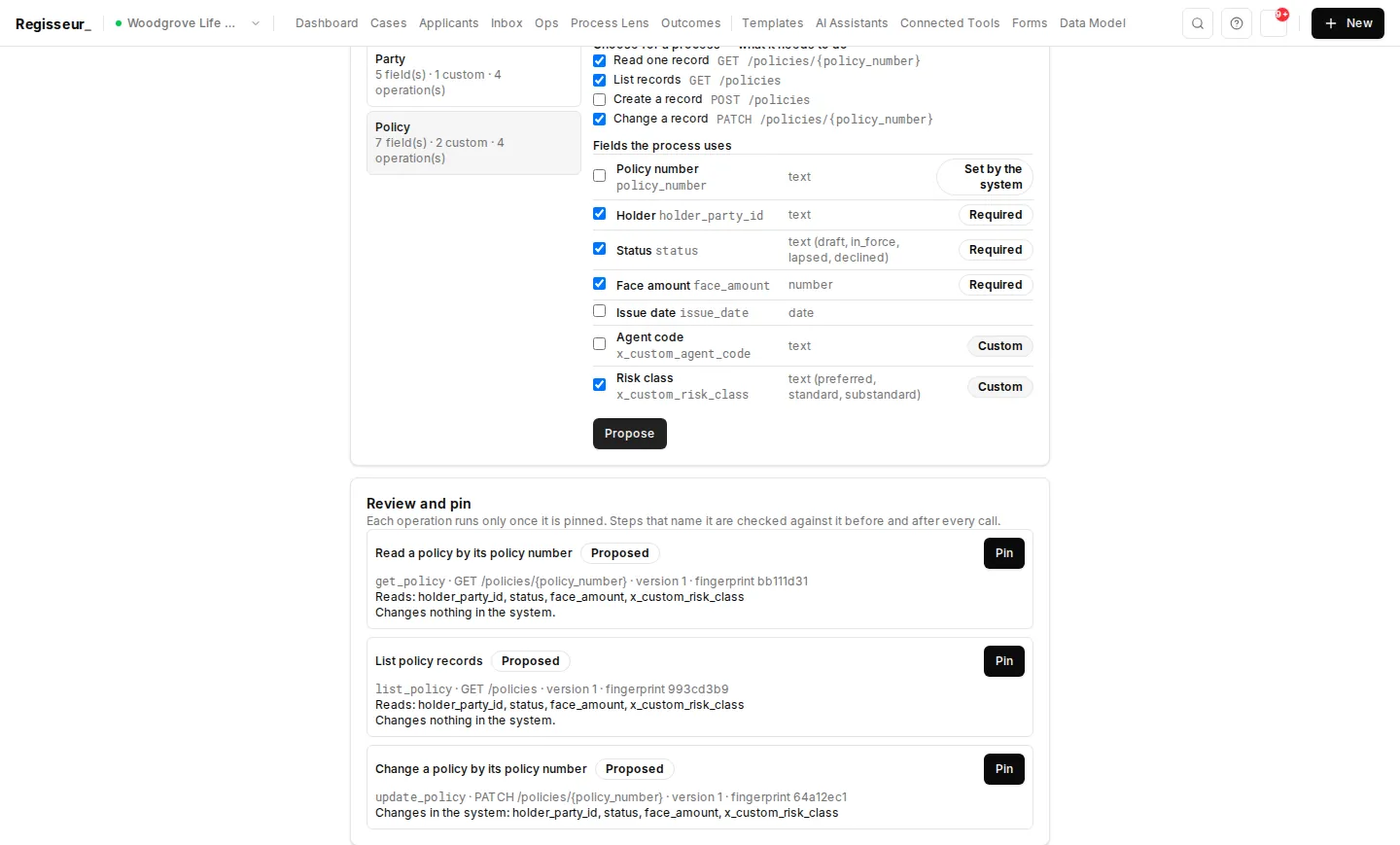
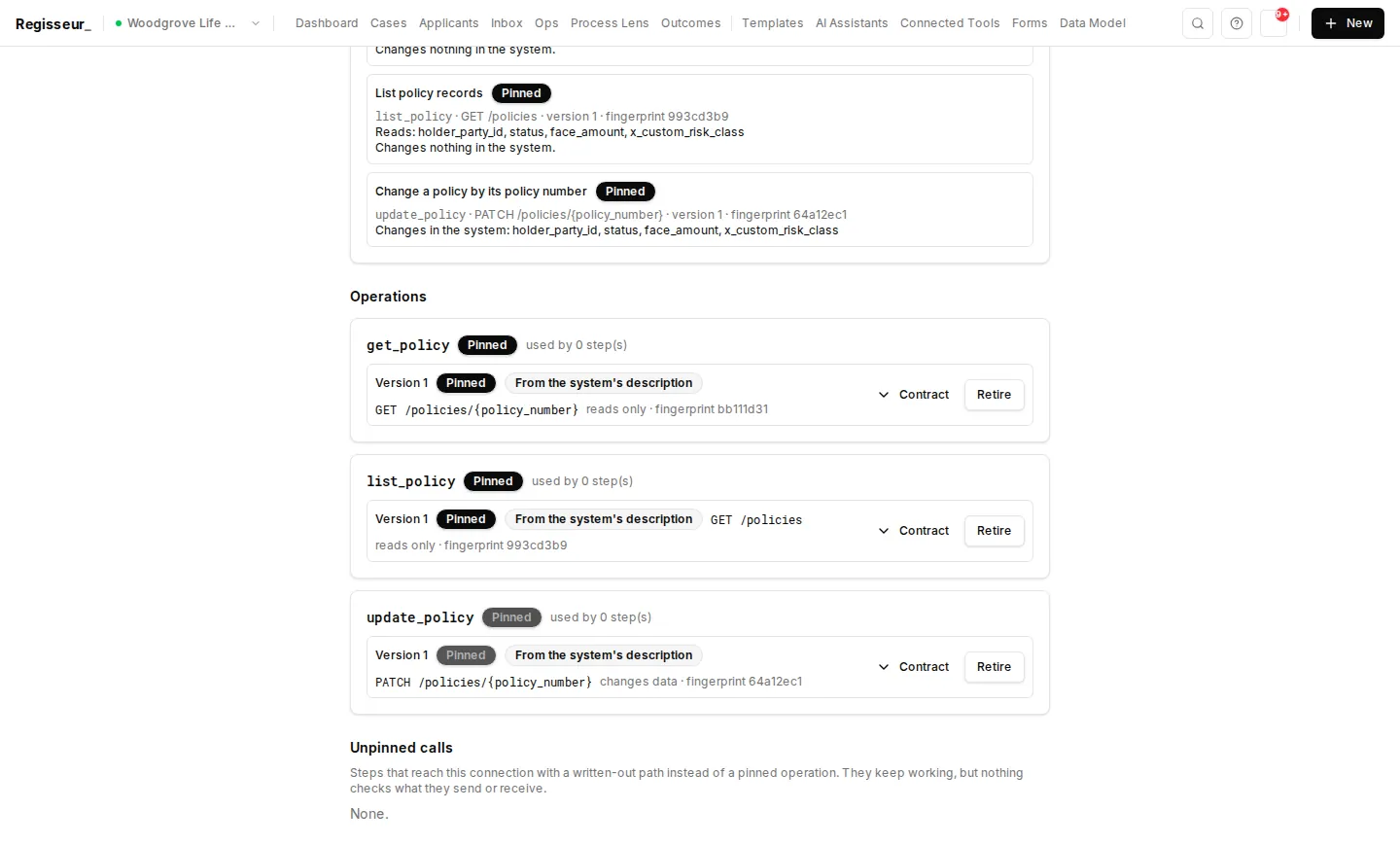
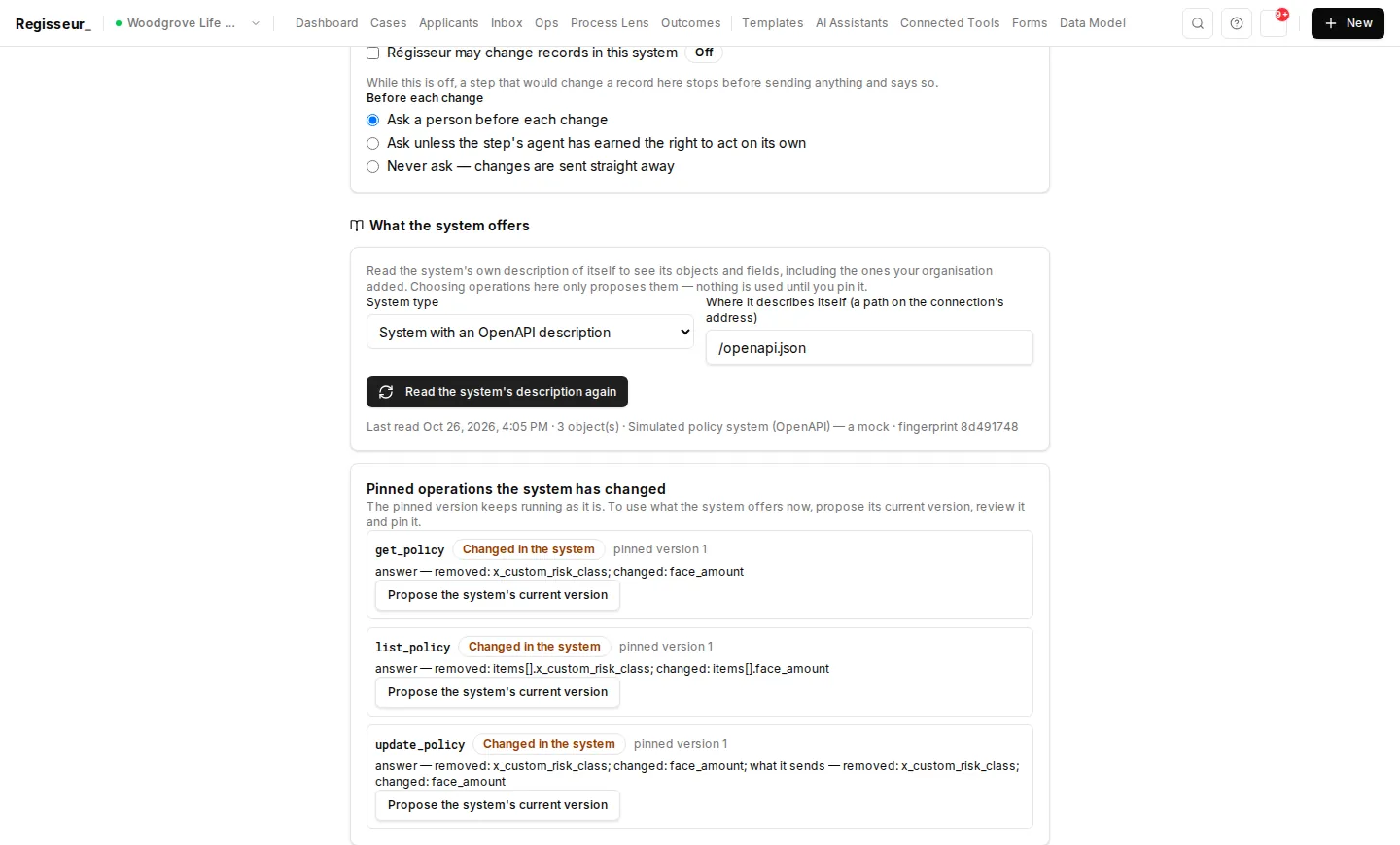
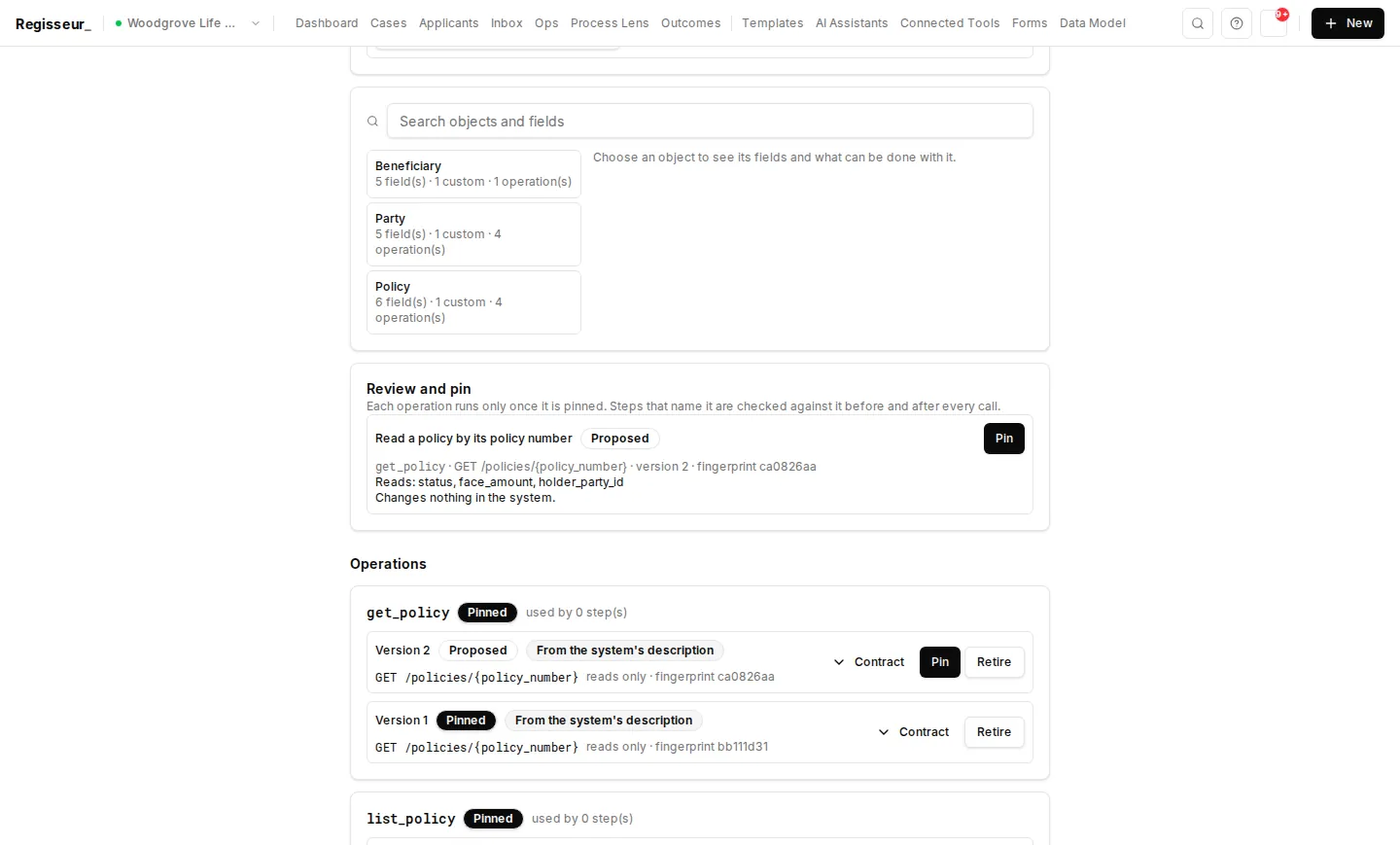
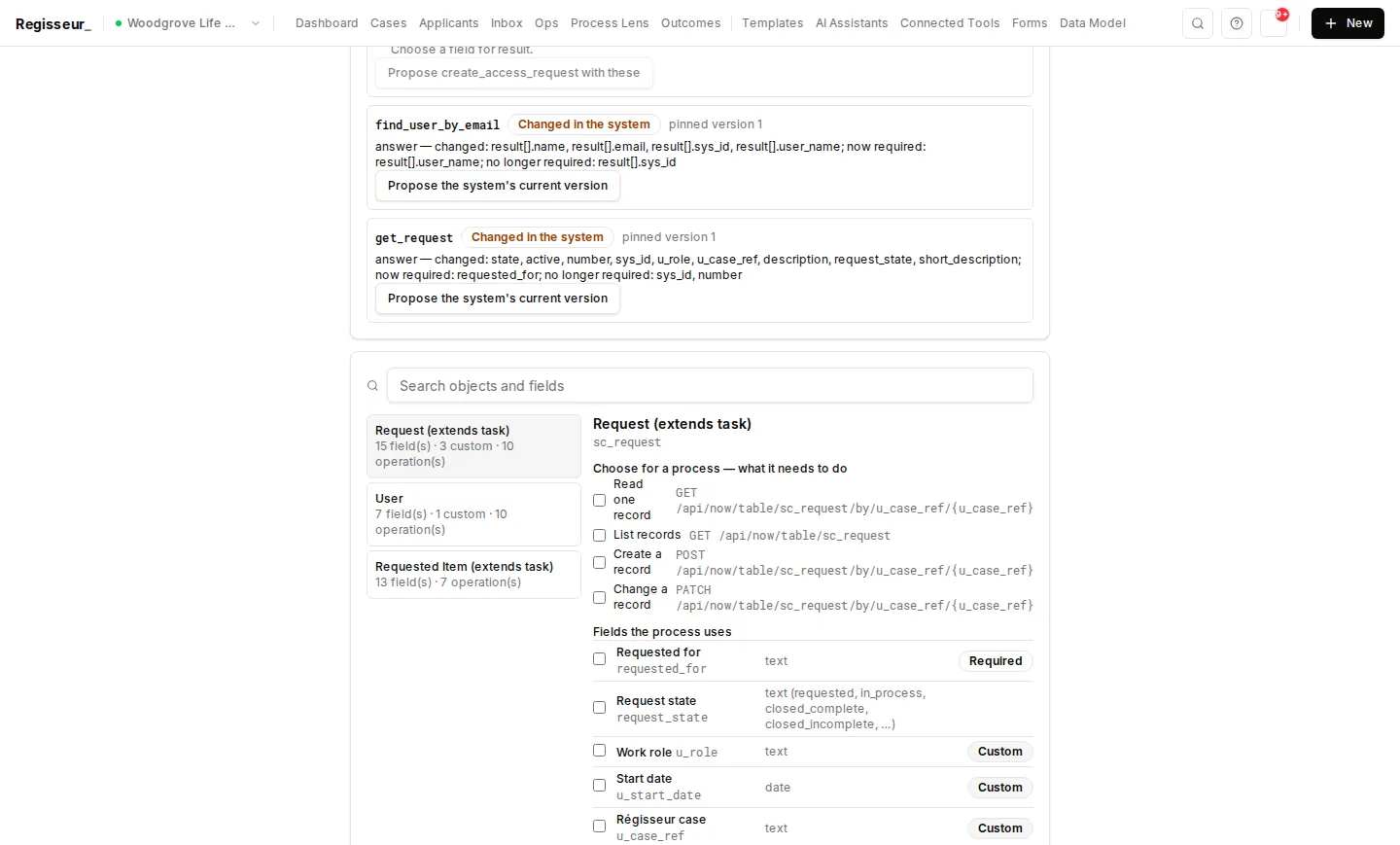
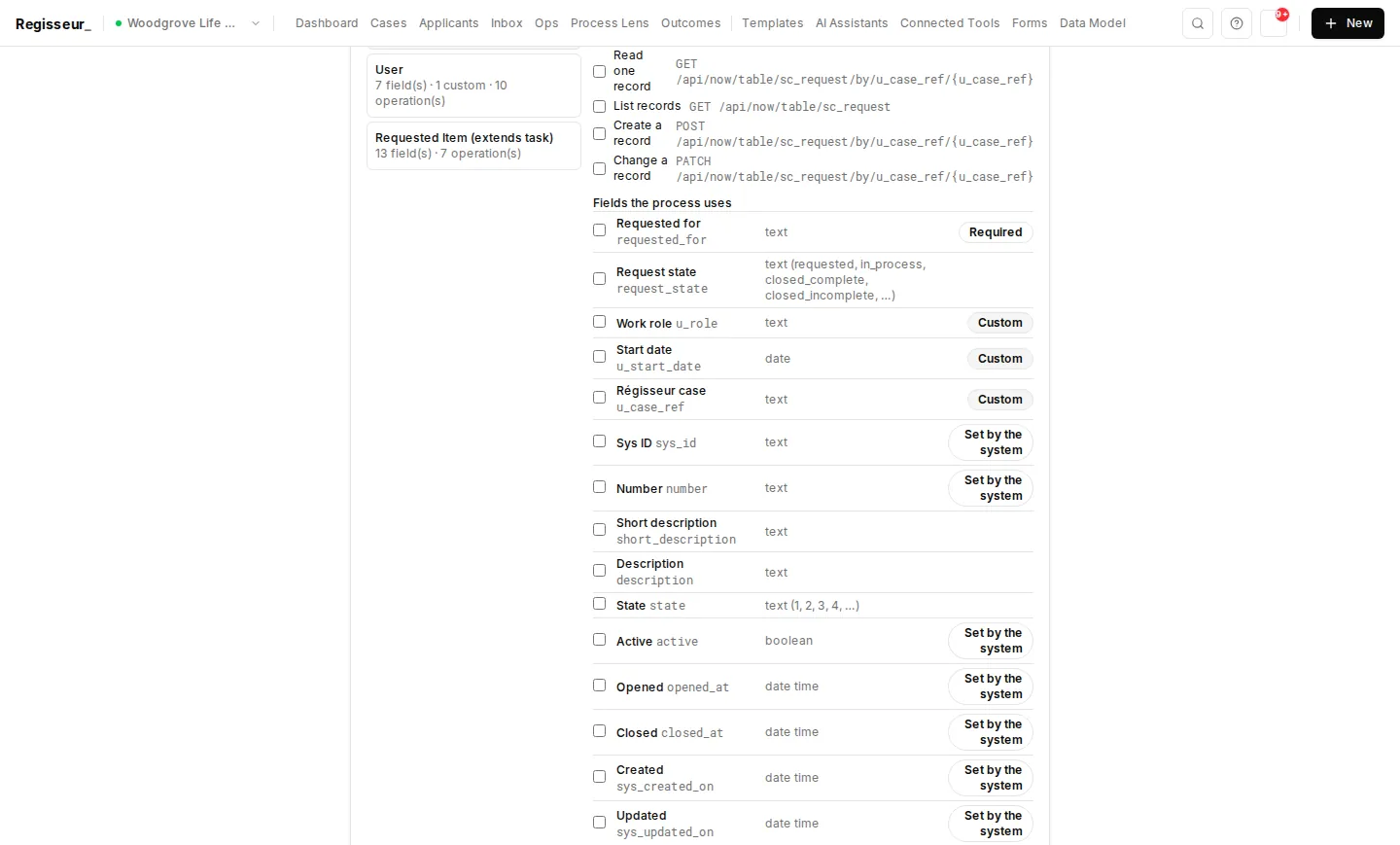
What a person sees and does. The admin adds a connection and chooses its system type. Read objects reads the system's own description and lists three objects; custom fields carry a badge. She picks an object, the calls and the fields she needs, and the platform proposes operations in plain sentences. Nothing goes live until she pins it. Later the system changes; the page shows what changed, proposes the system's current version for review, and the drift badge clears once she pins it. The pinned fields also feed the field-mapping suggestions.
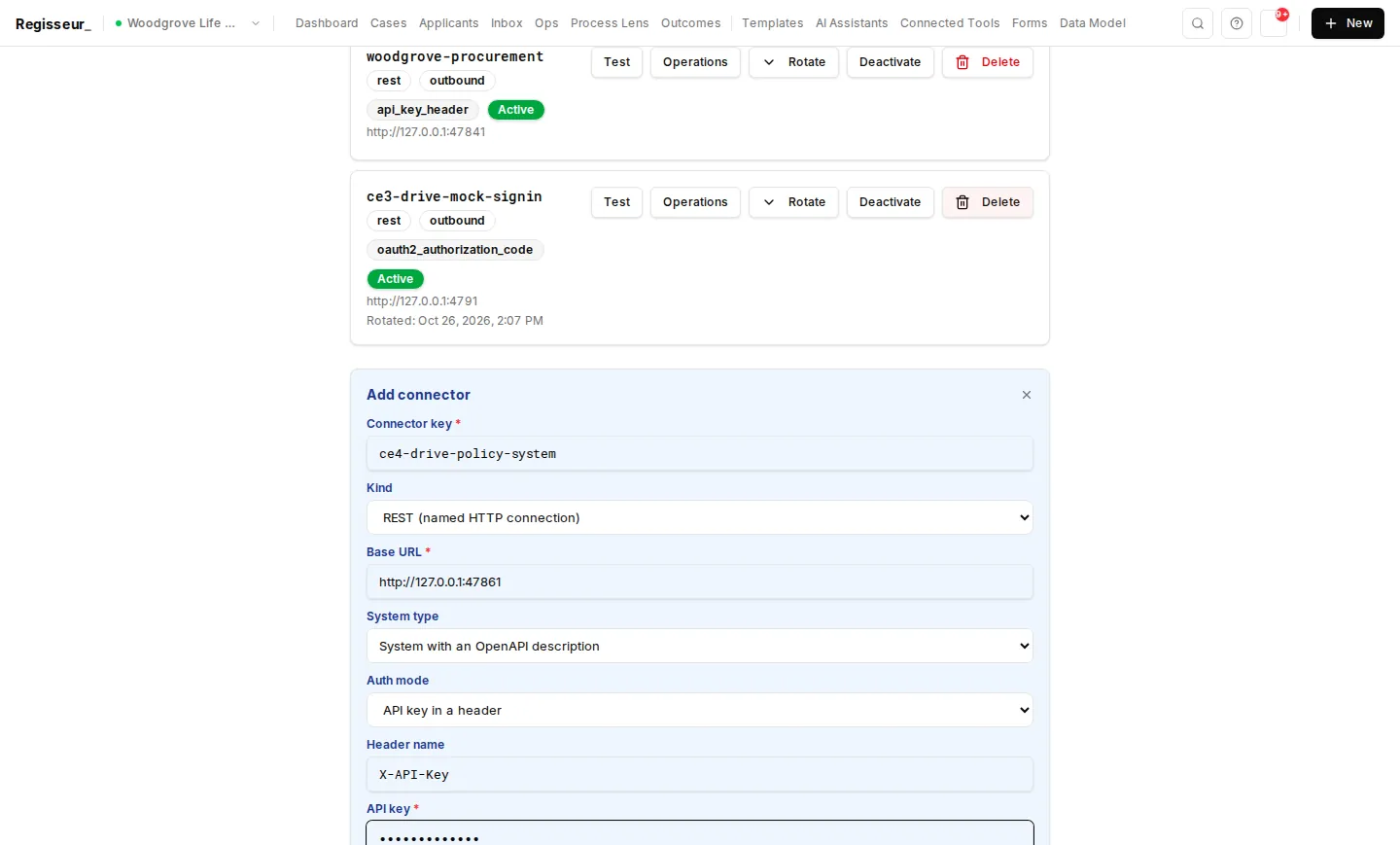
35Adding a connection with a system type that can describe itself.
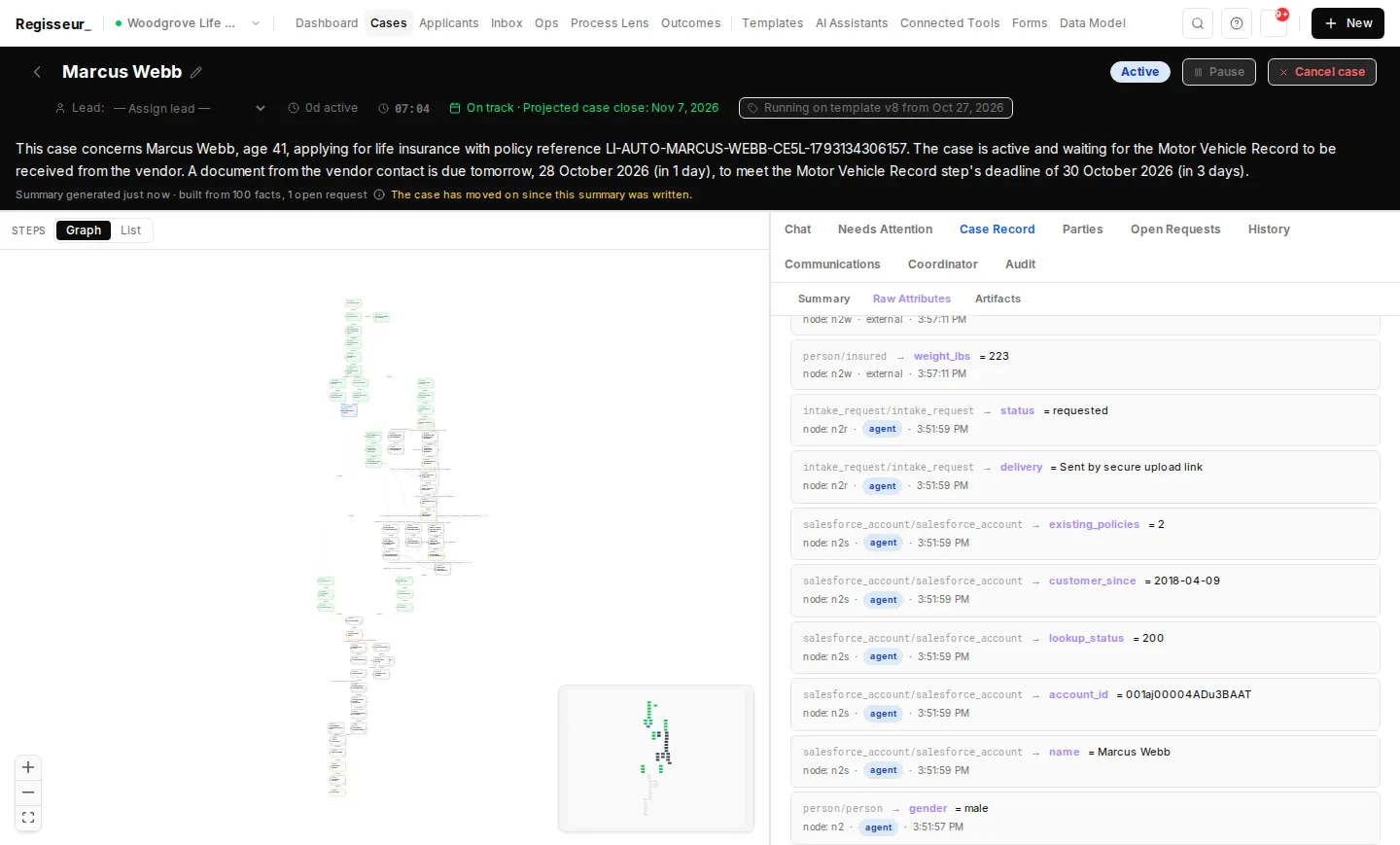
36Read objects: the system's description lists three objects.
37A policy object's fields, with custom fields badged.
38Proposed operations in plain sentences, for review. Nothing is live.
39The operations list, built from the system's own description.
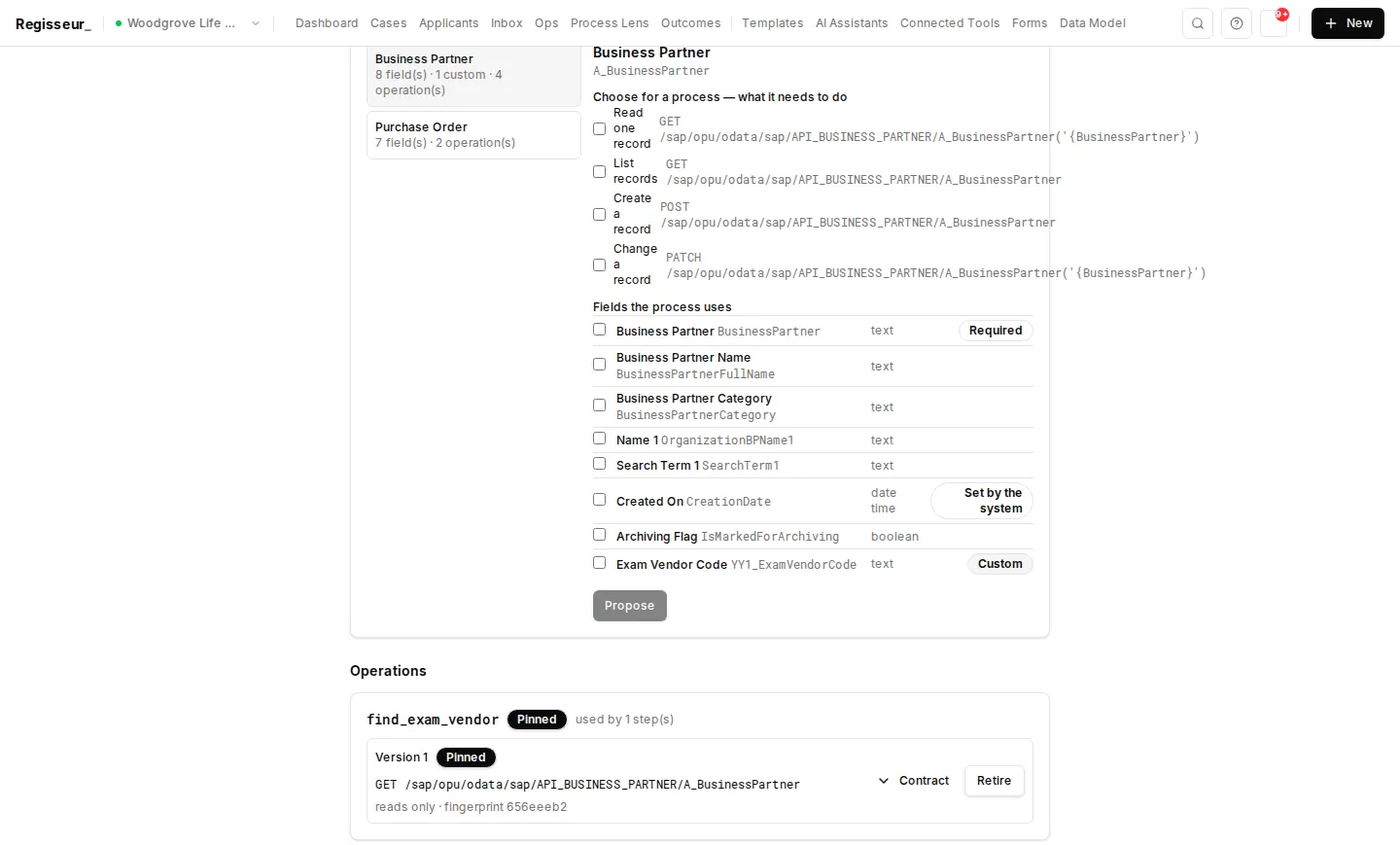
40The system changed; the page shows what moved.
41The system's current version is proposed for review.
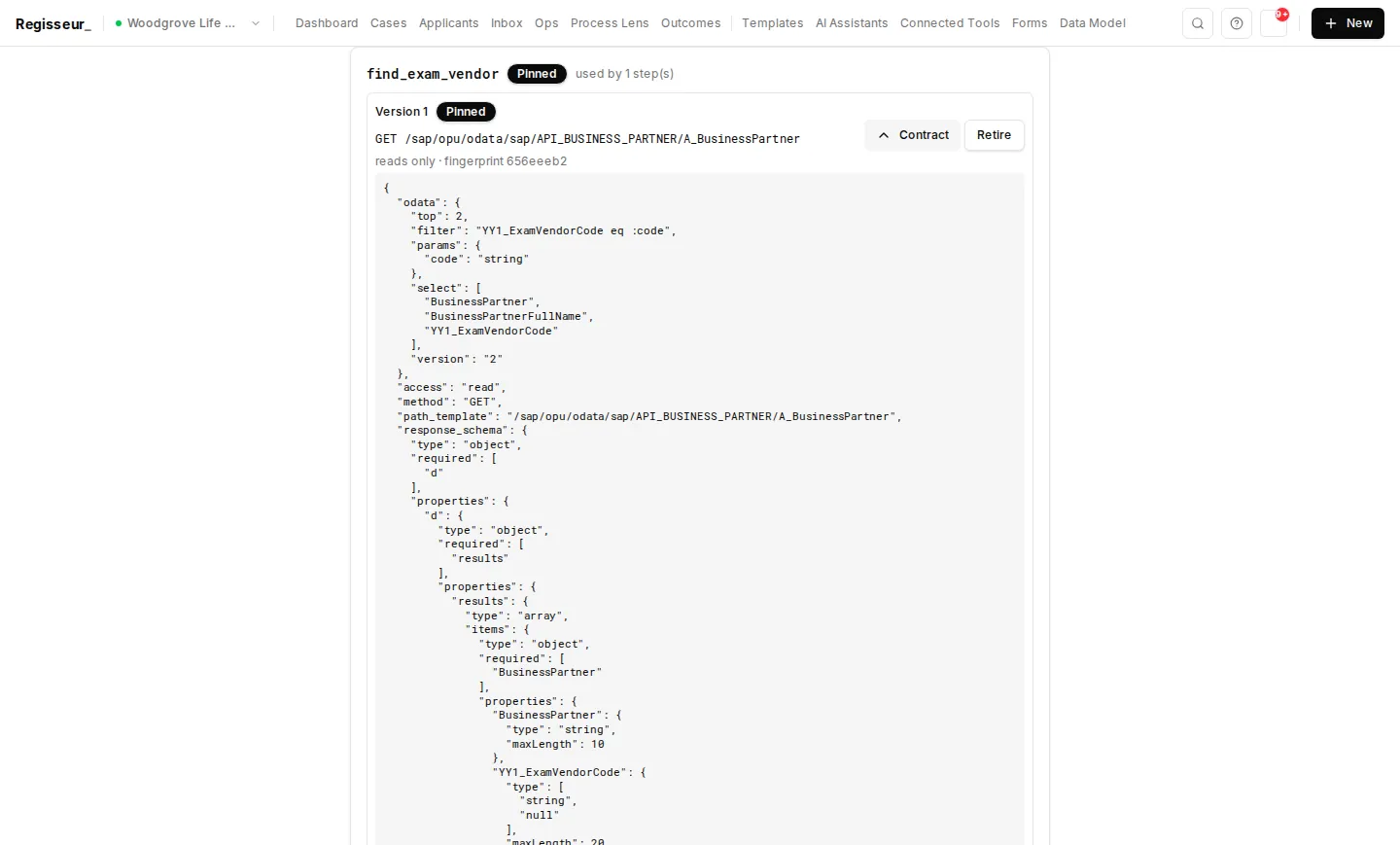
42After pinning, the drift badge is gone.
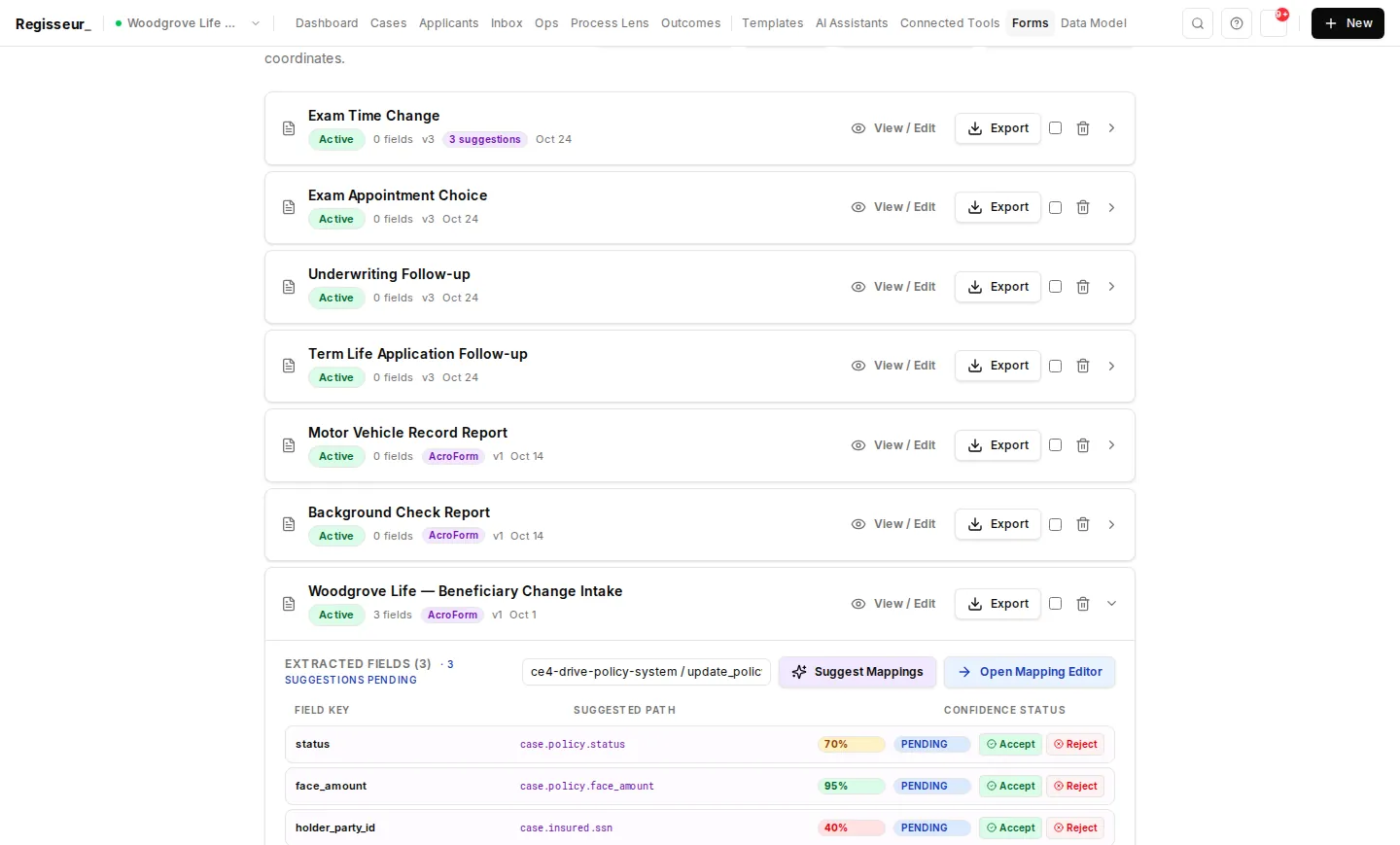
43Field-mapping suggestions use the pinned operation's fields.
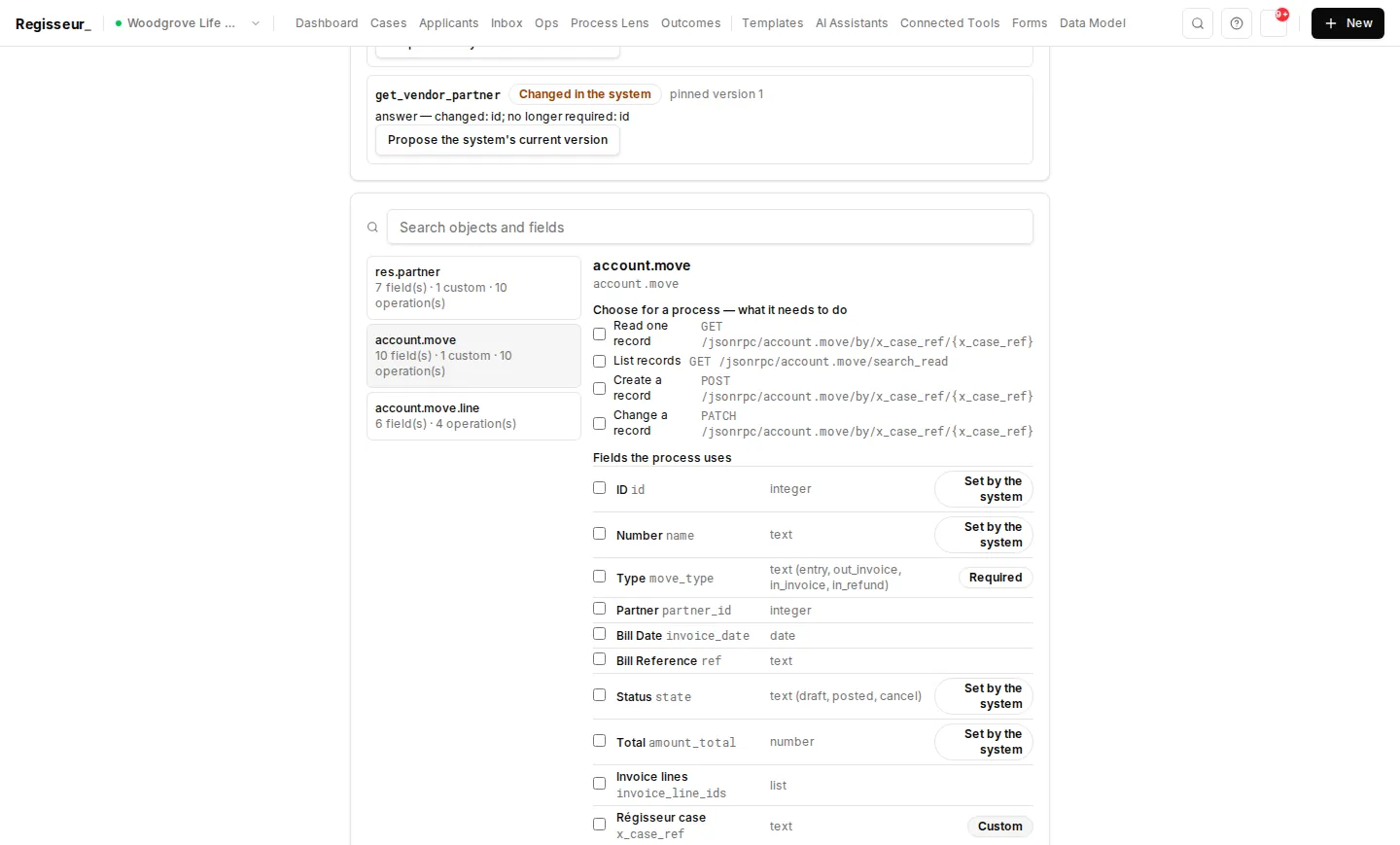
Part 5
Term life: read the applicant, write the decision
A simulated Salesforce, a full underwriting case, and a decision held for approval
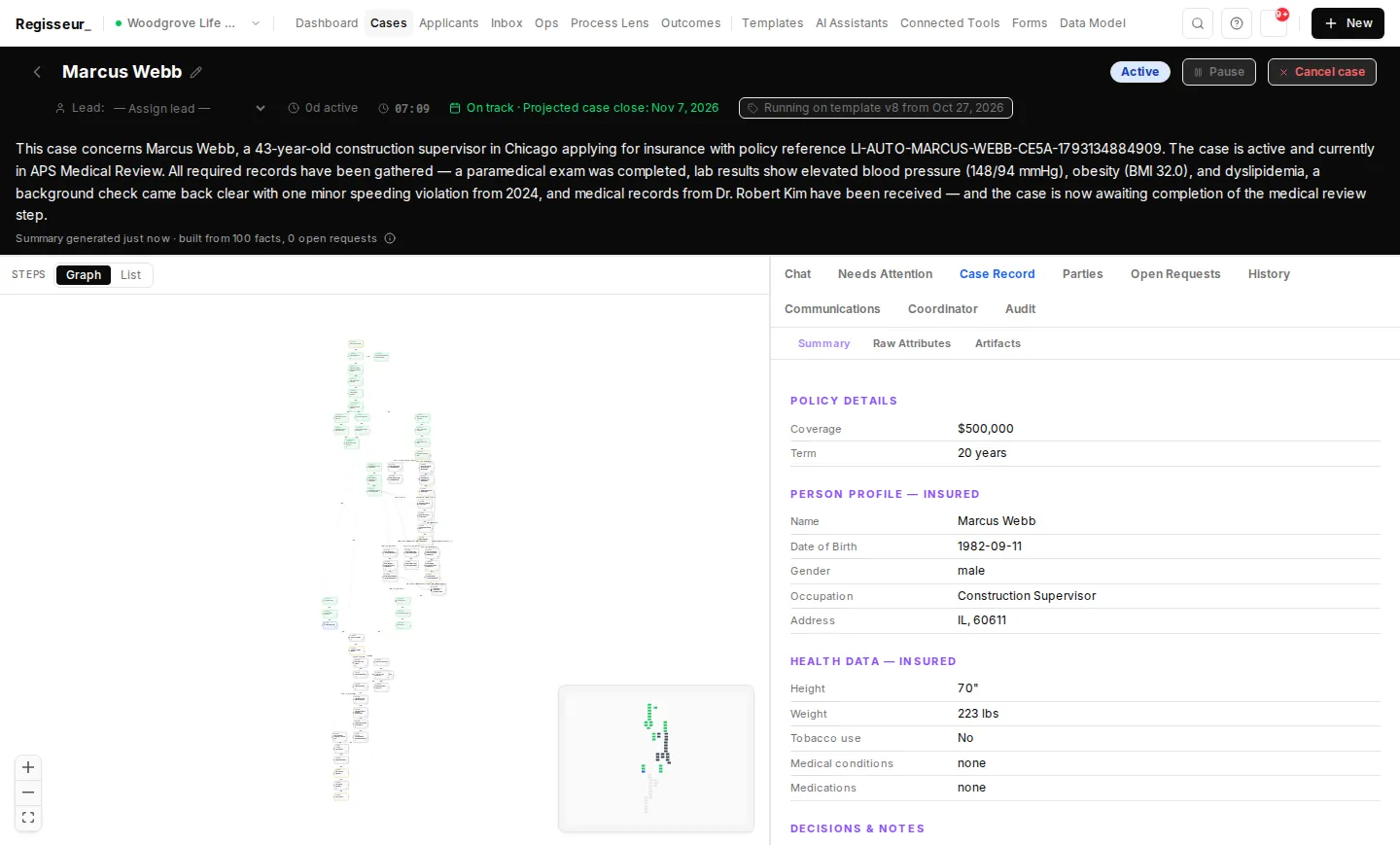
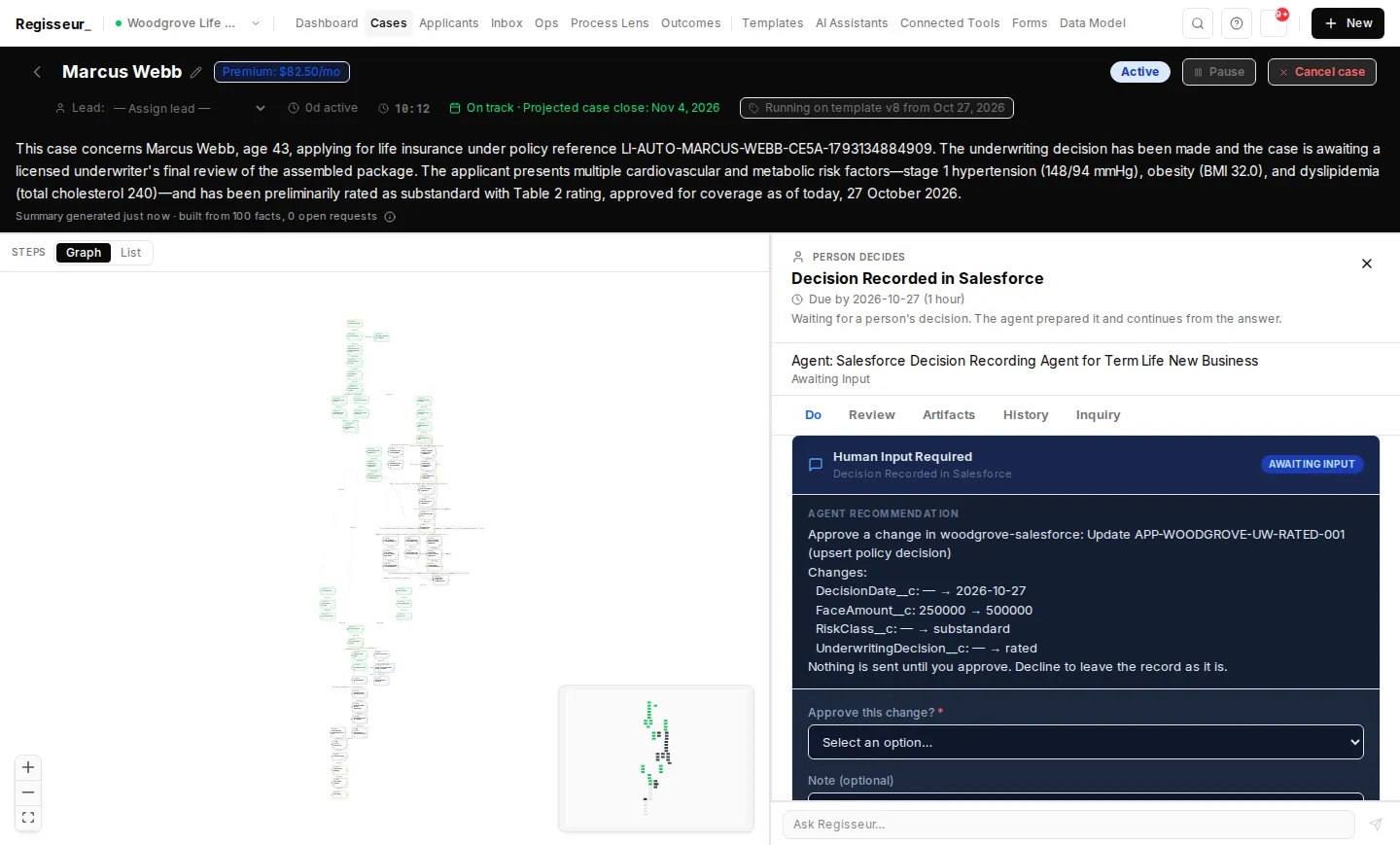
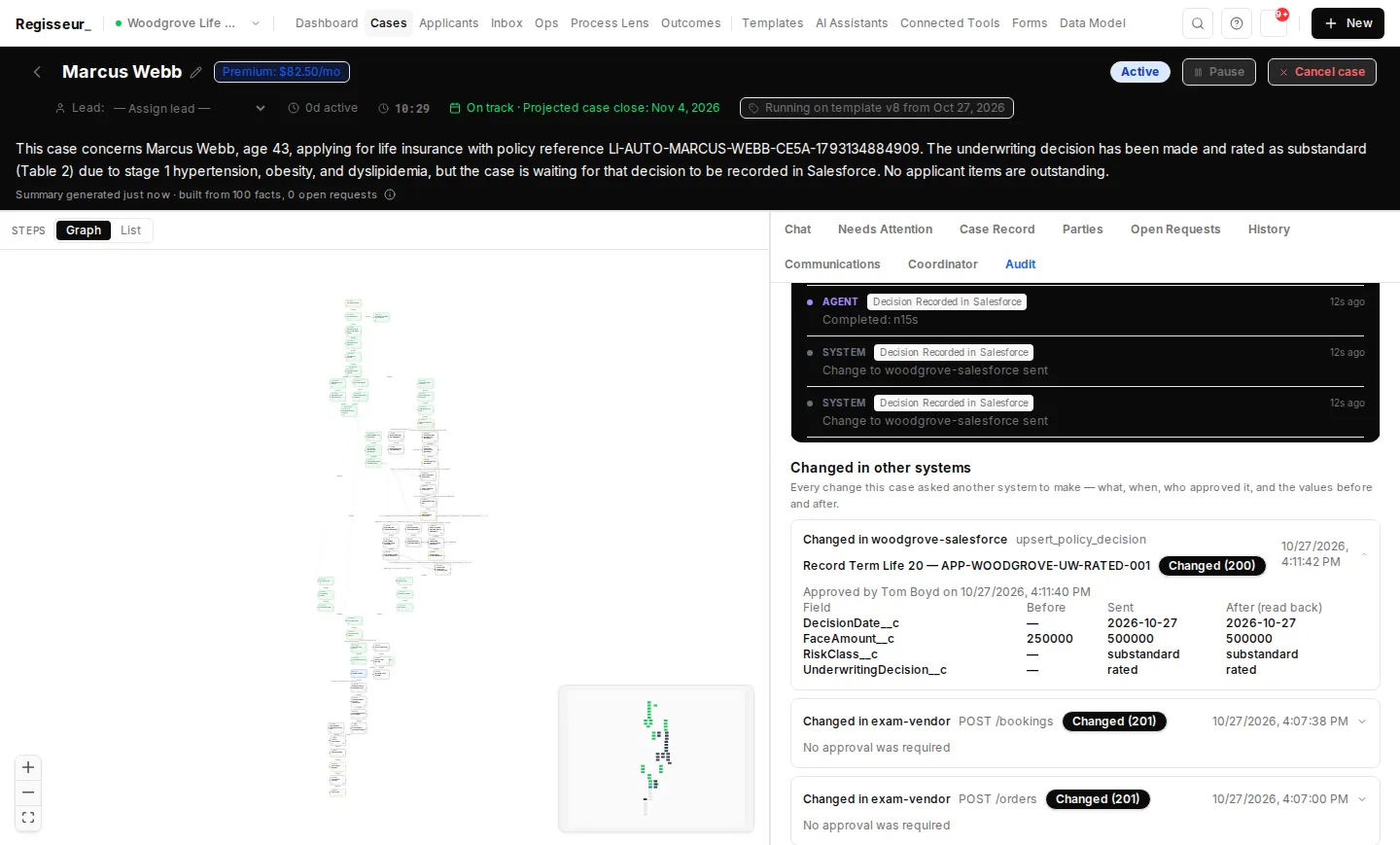
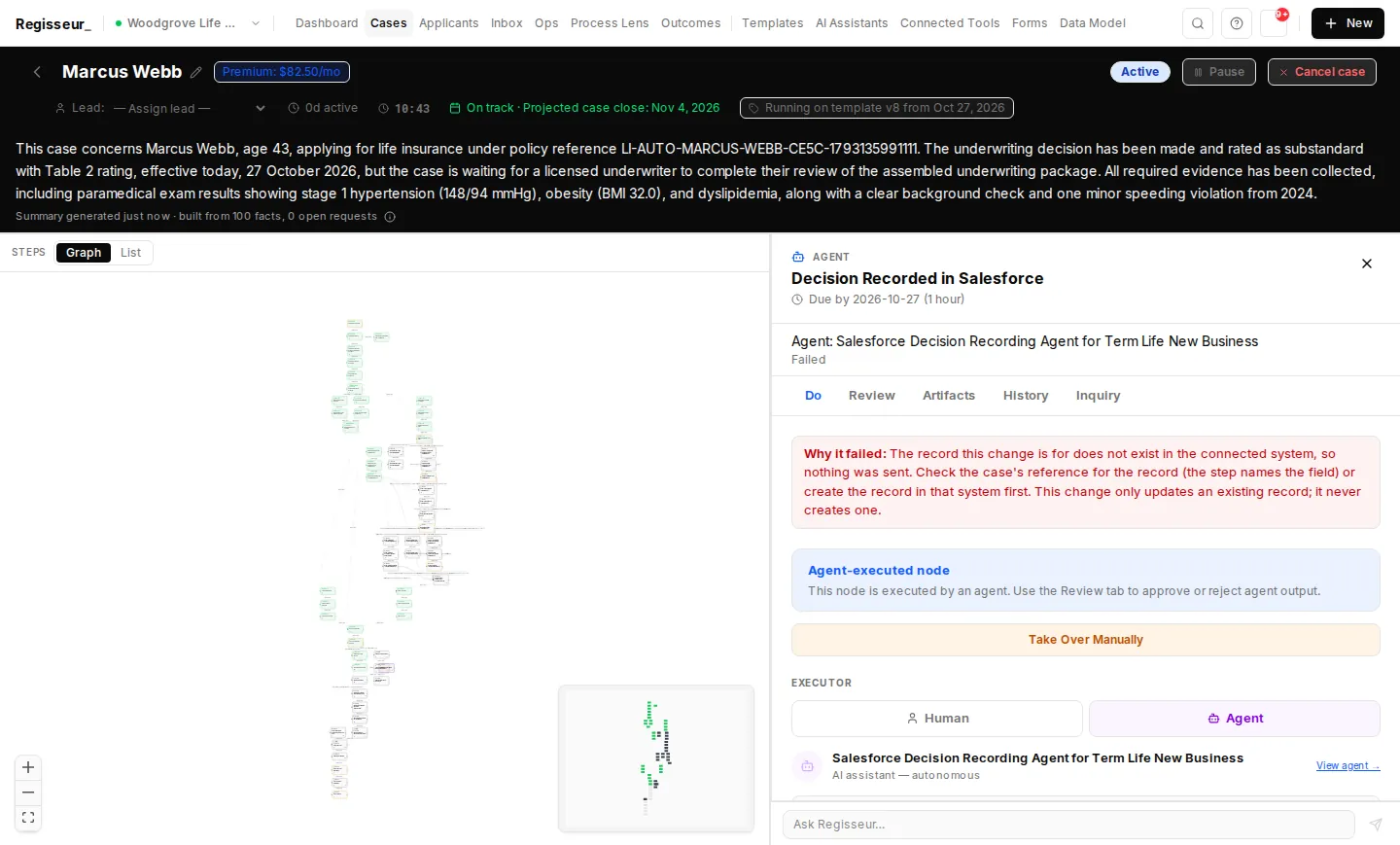
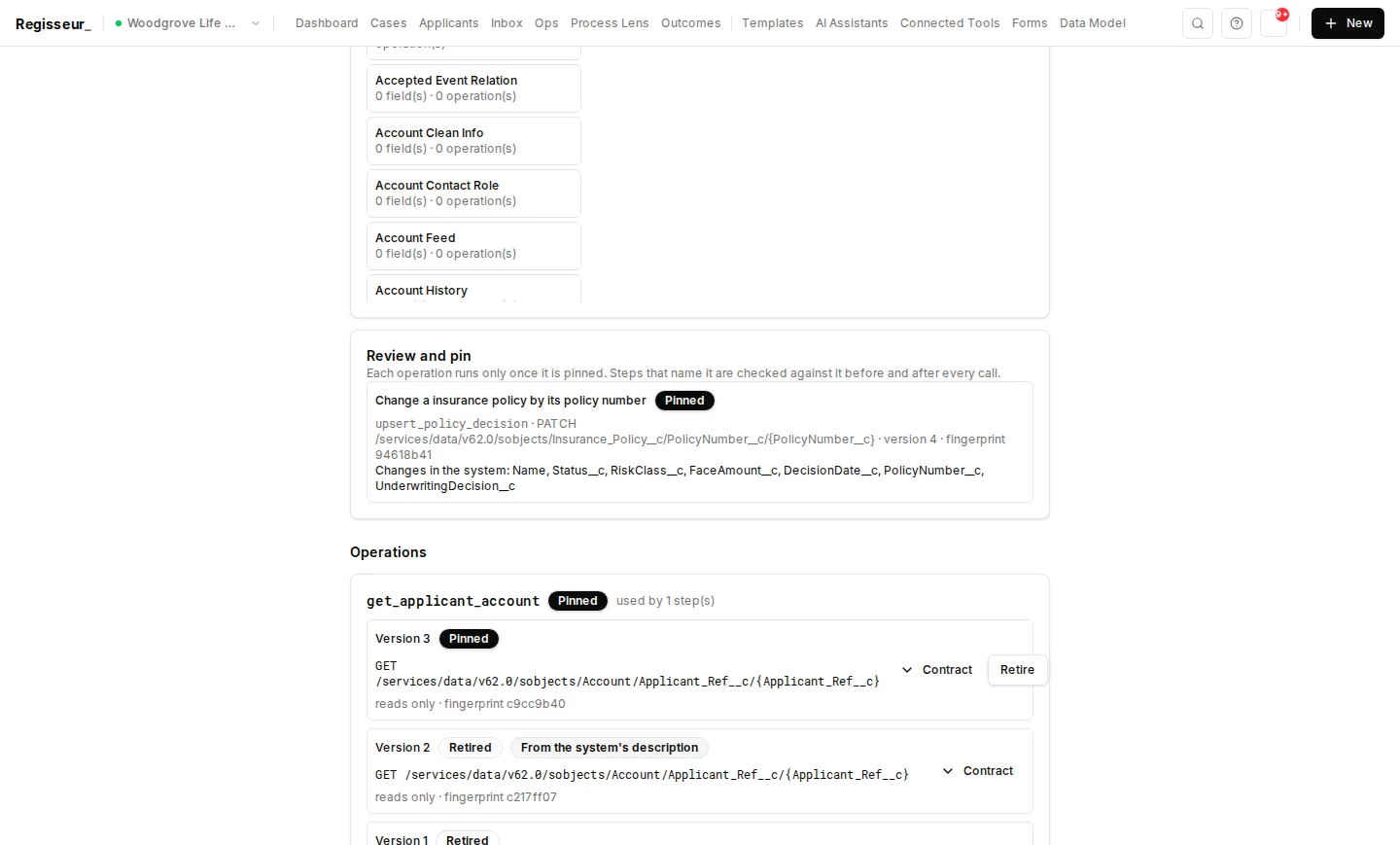
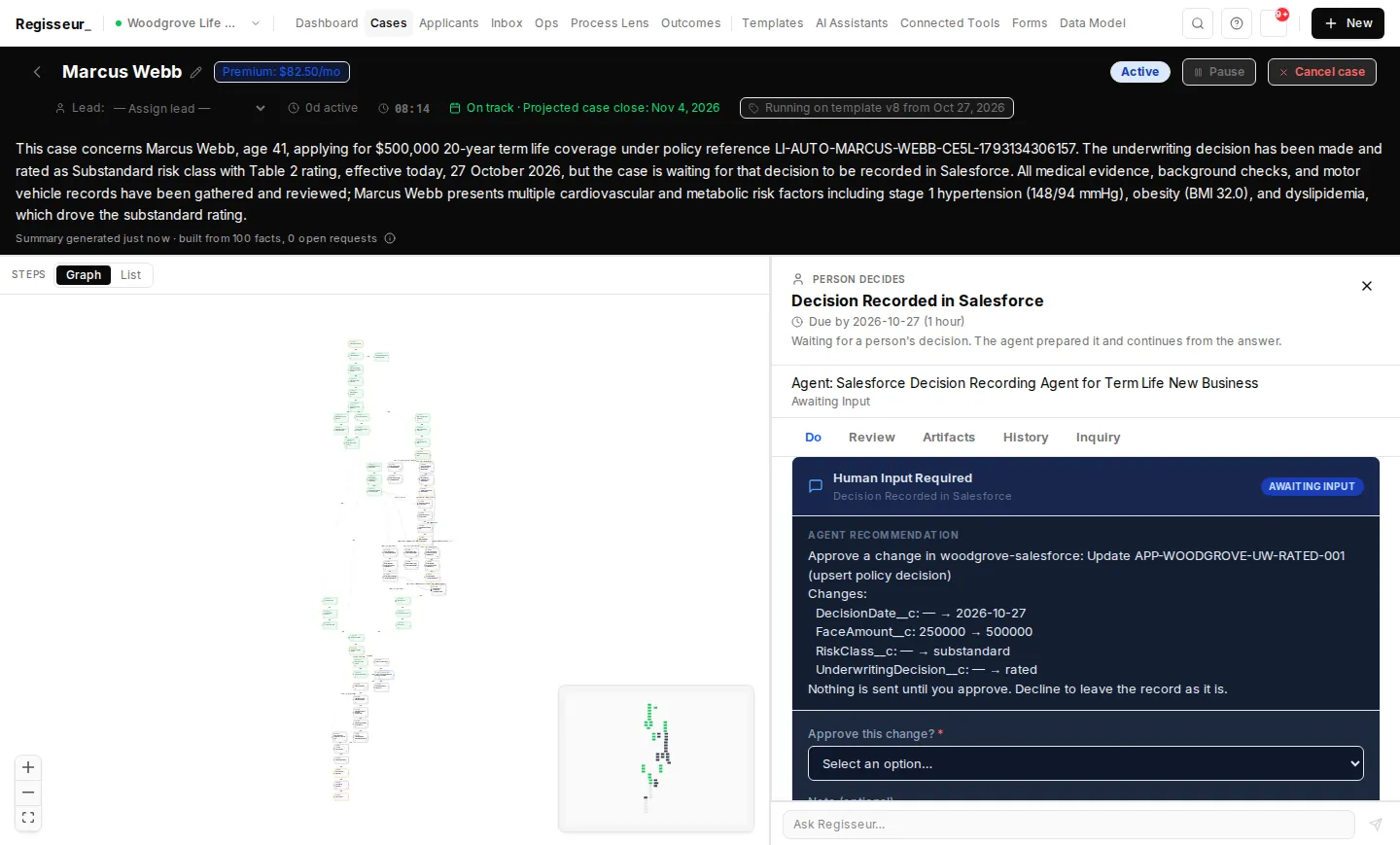
What a person sees and does. On a simulated Salesforce, the admin signs the connection in with a signed token, reads the objects (Account and a custom policy object), and pins three operations. A Woodgrove term-life case reads the applicant's Account at intake: the Case Record has a 'From Salesforce' section. After the licensed reviewer decides, the case proposes writing the decision to the policy; the approval shows Draft to the decision, before and after. Once approved, it is sent once and read back. The Audit tab lists it, and the simulated Salesforce shows the policy. With writes off the step refuses in plain words; a case whose policy is not in the org stops with a clear reason, and a person takes it over.
44The connection signs in with a signed token; the instance address comes from the sign-in.
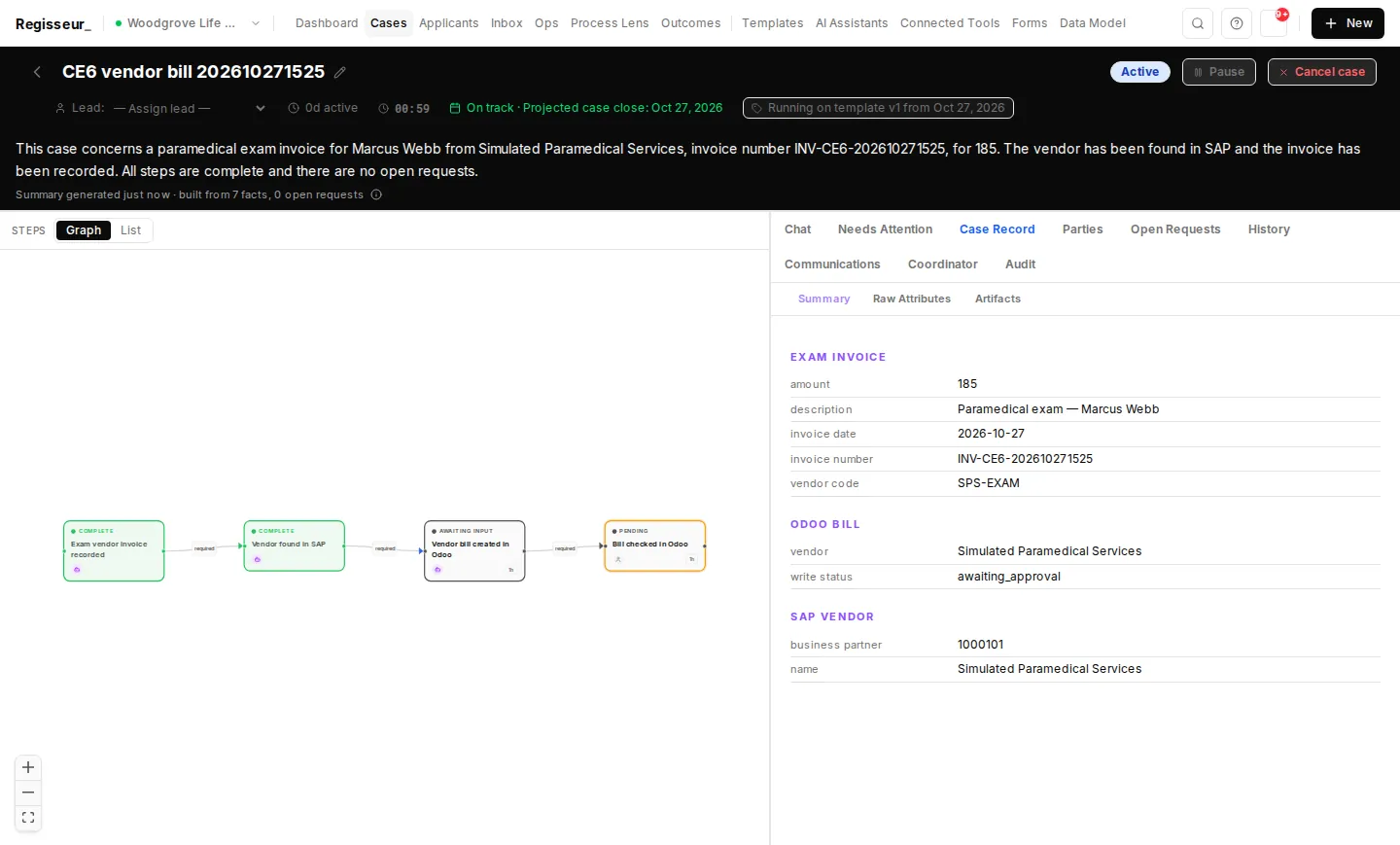
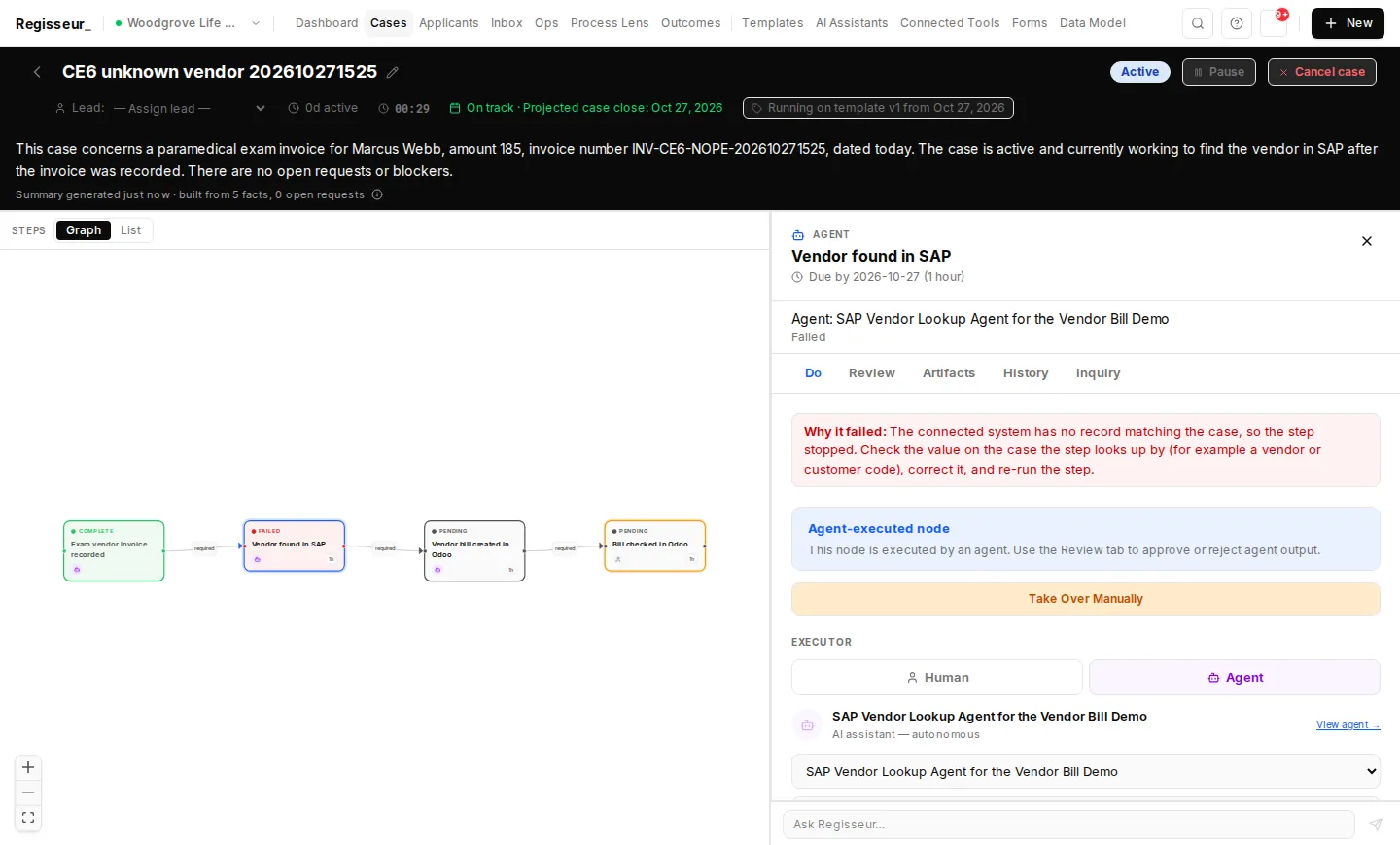
45Objects to read. The page says the system is simulated.
46The policy object, with its custom fields.
47Three operations pinned: read the applicant, read the policy, write the decision.
48The Case Record shows what was read from Salesforce.
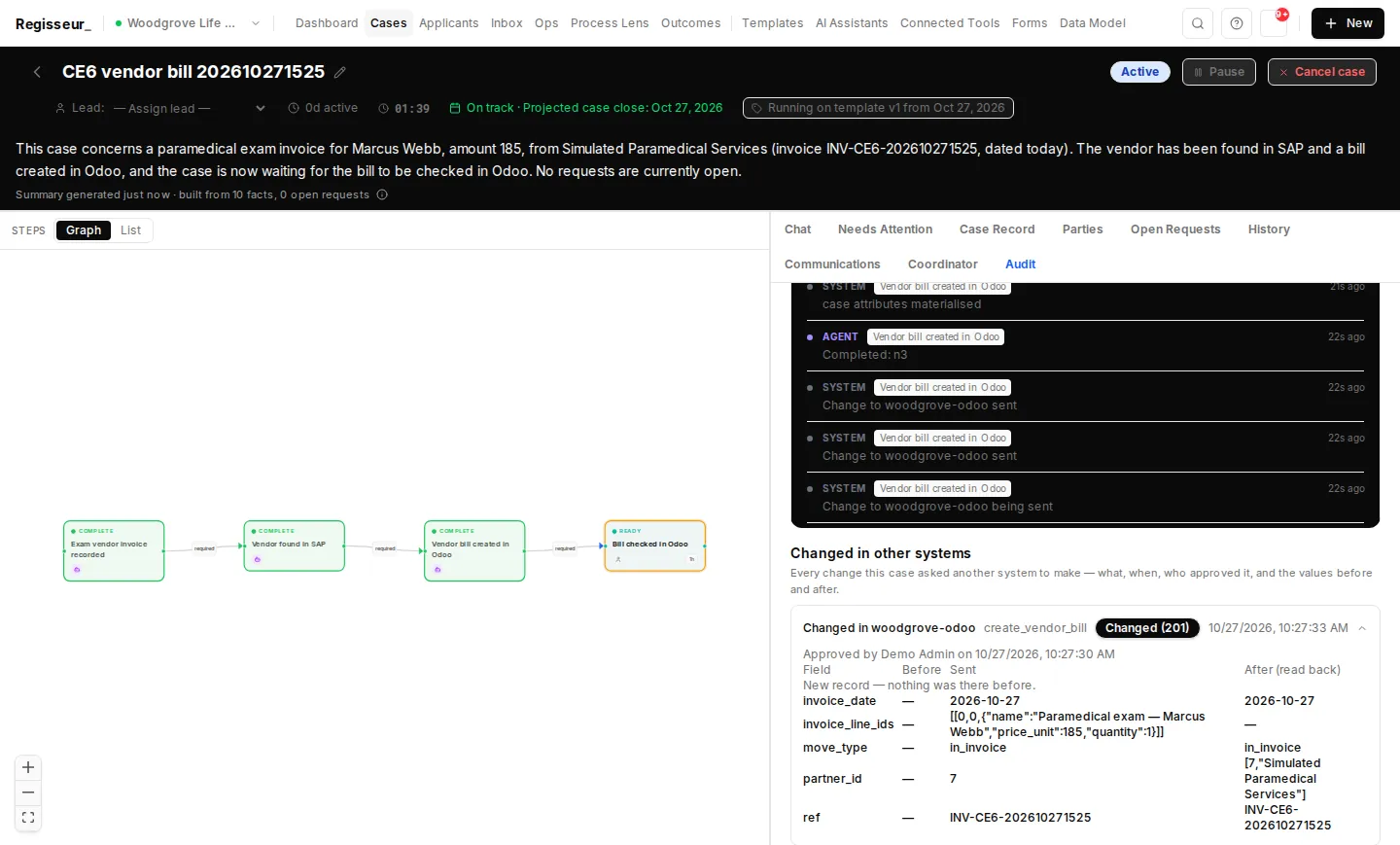
49The decision write is held. The approval shows the change, before and after.
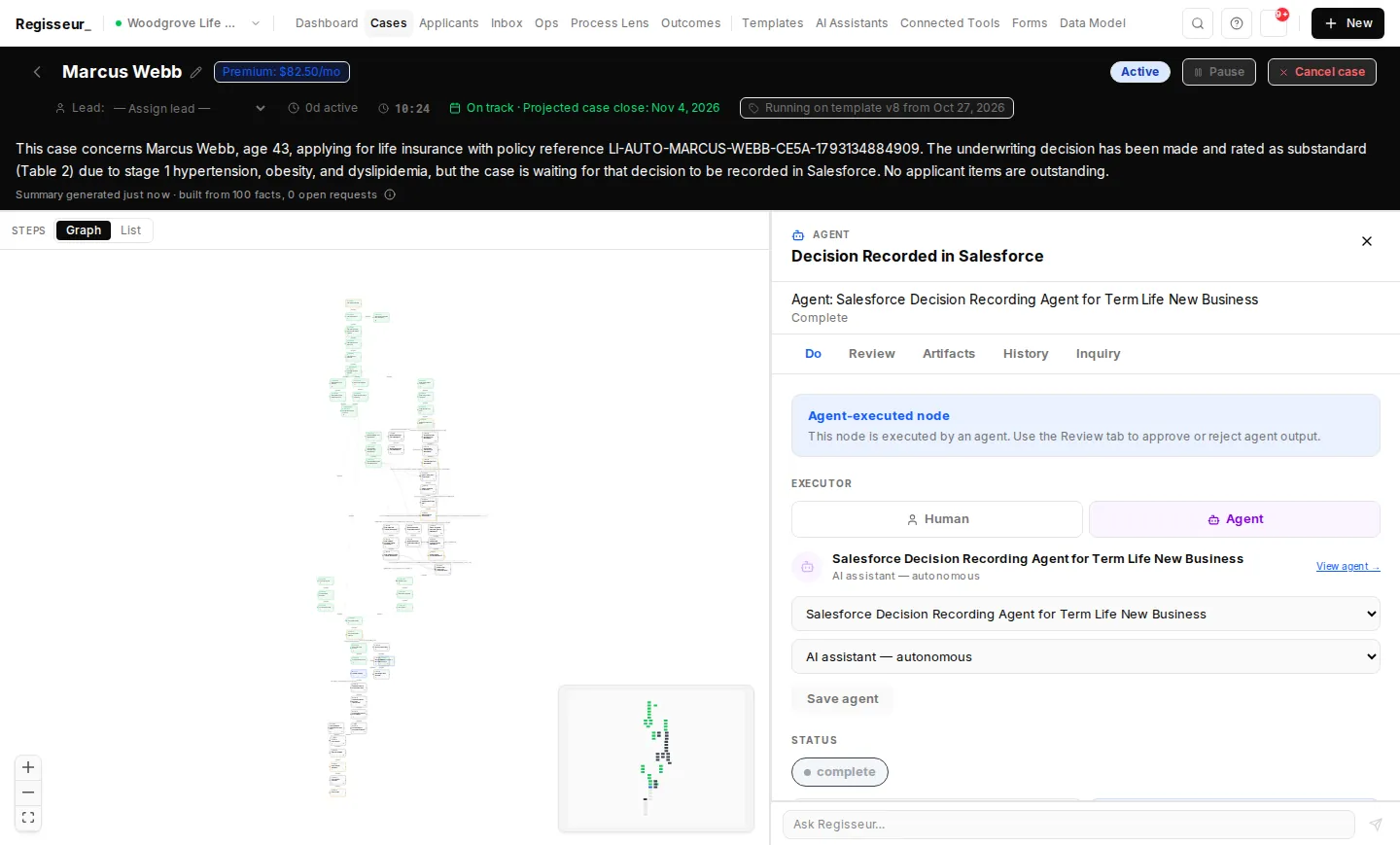
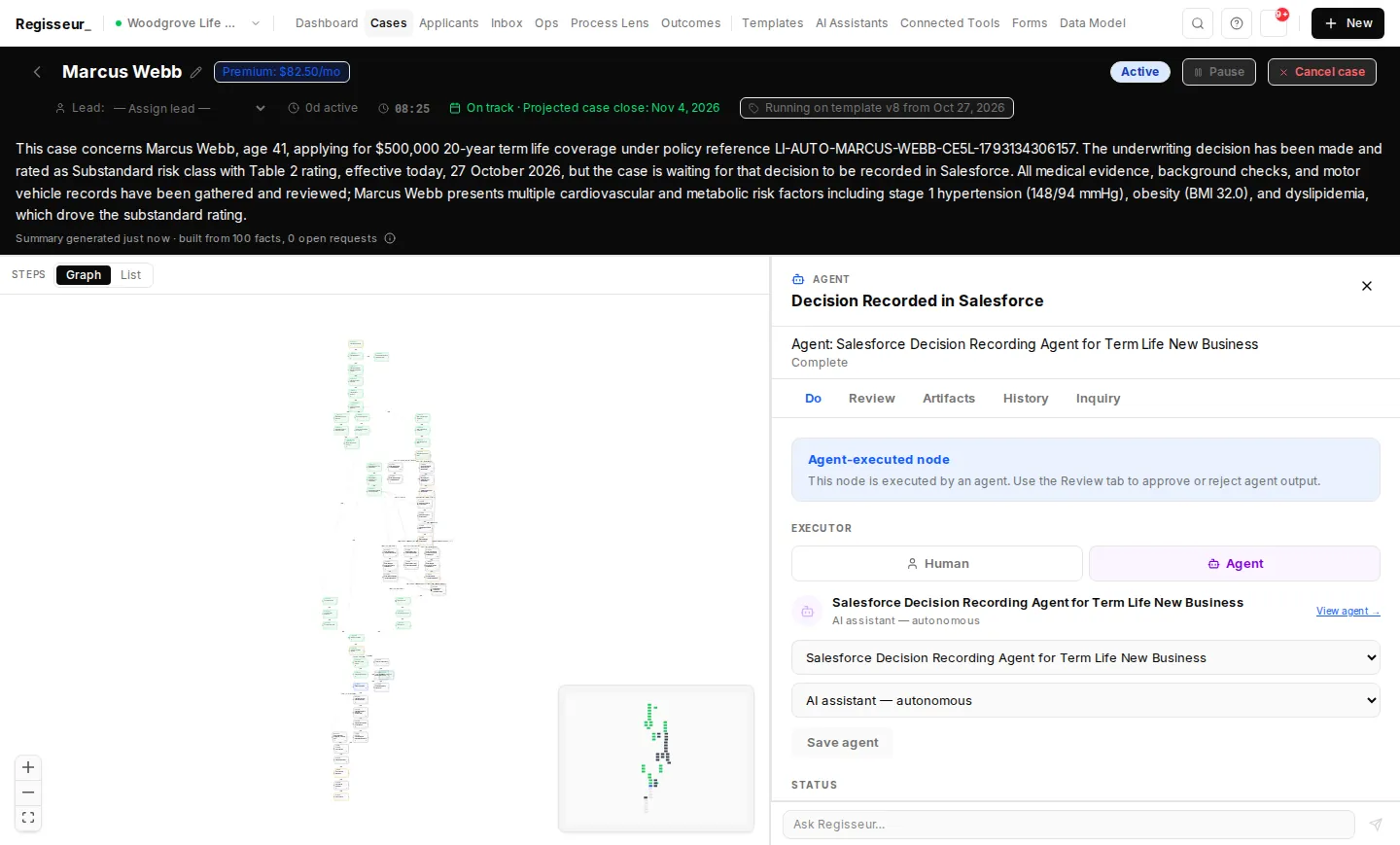
50After approval the step completes.
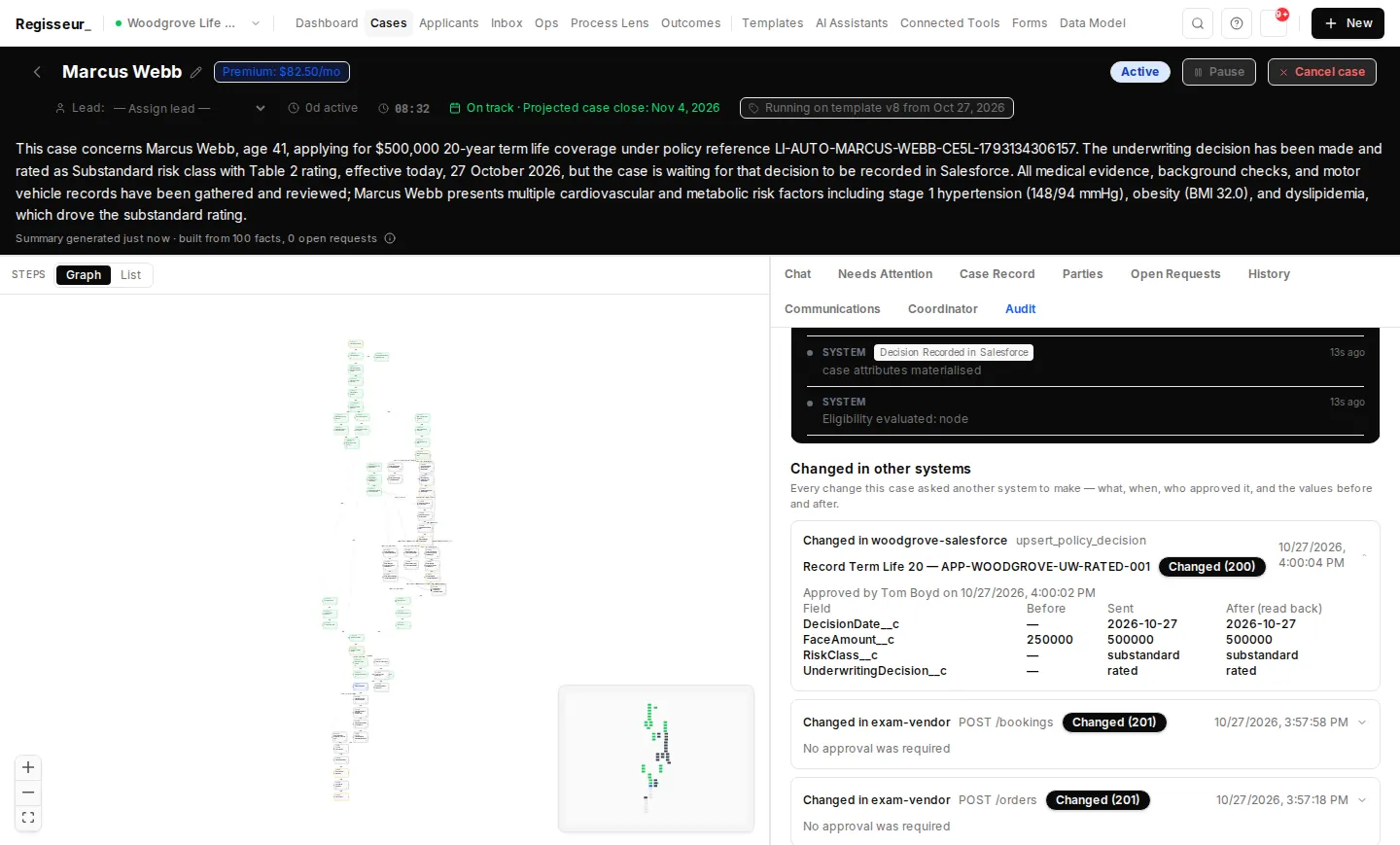
51Audit: 'Changed in other systems', with before and after.
52The simulated Salesforce now holds the decision.
53Writes switched off on the connection.
54The case refuses in plain words and sends nothing.
55Writes restored.
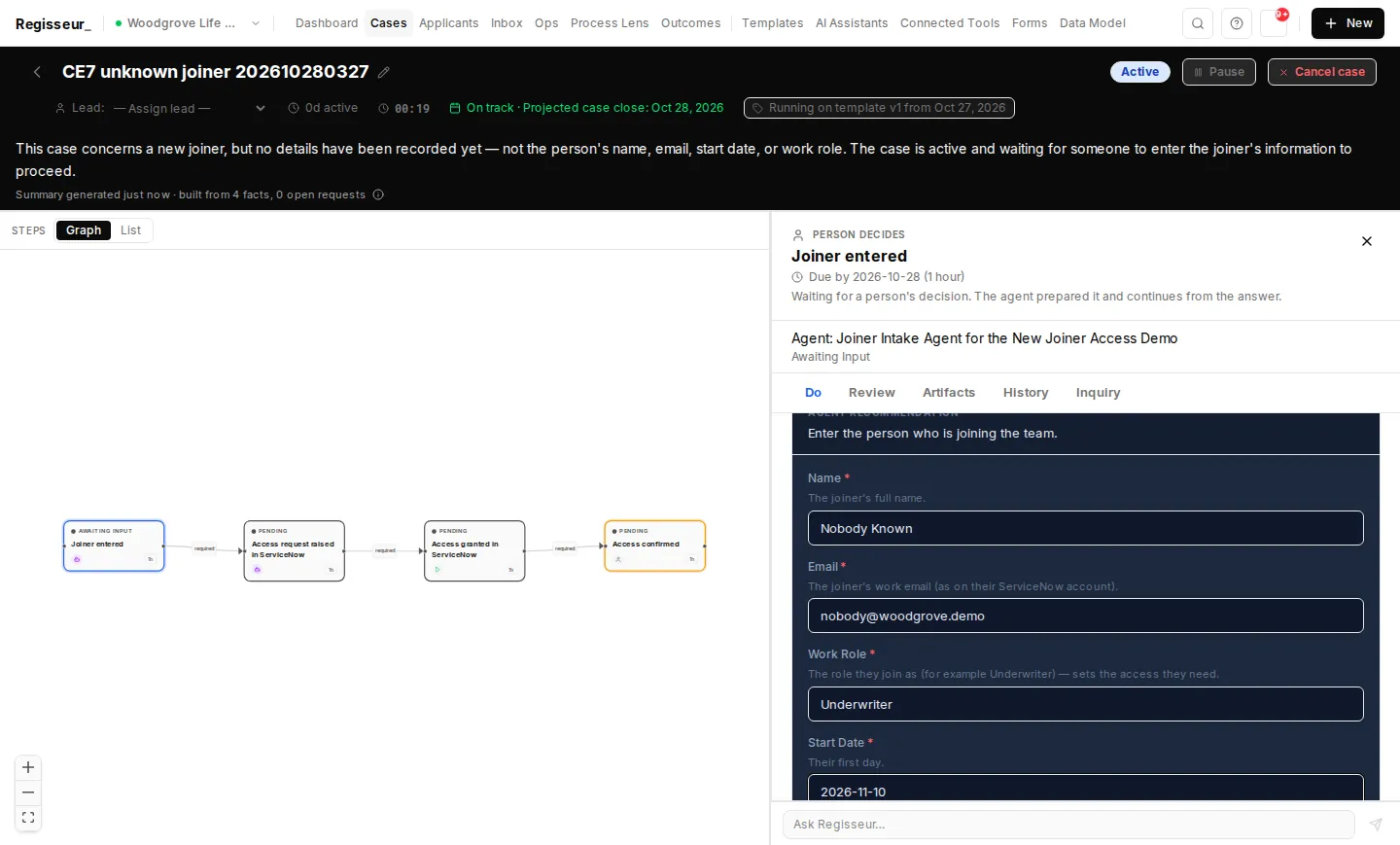
56A case whose policy is not in the org stops with a clear reason, for a person to take over.
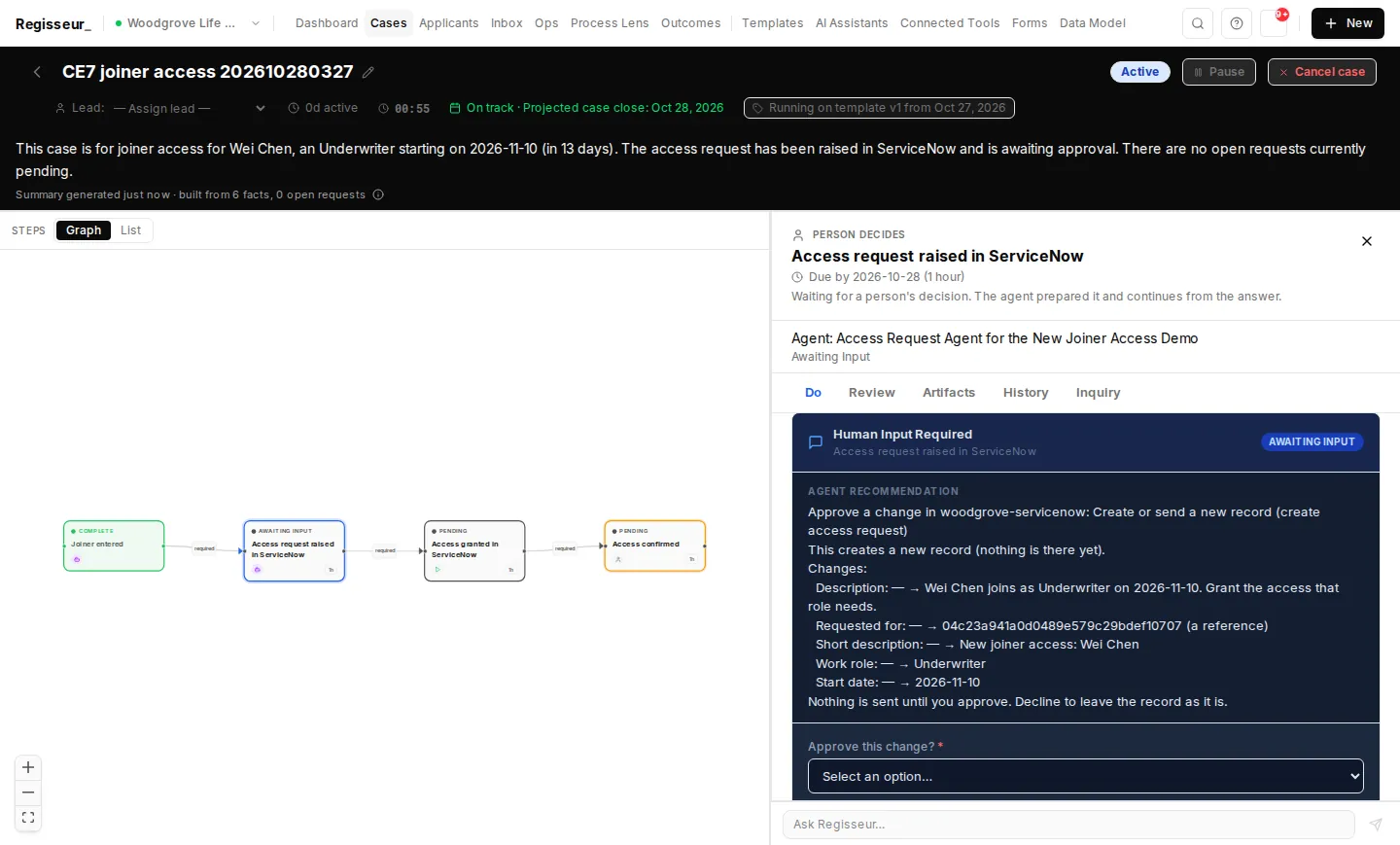
Part 5L
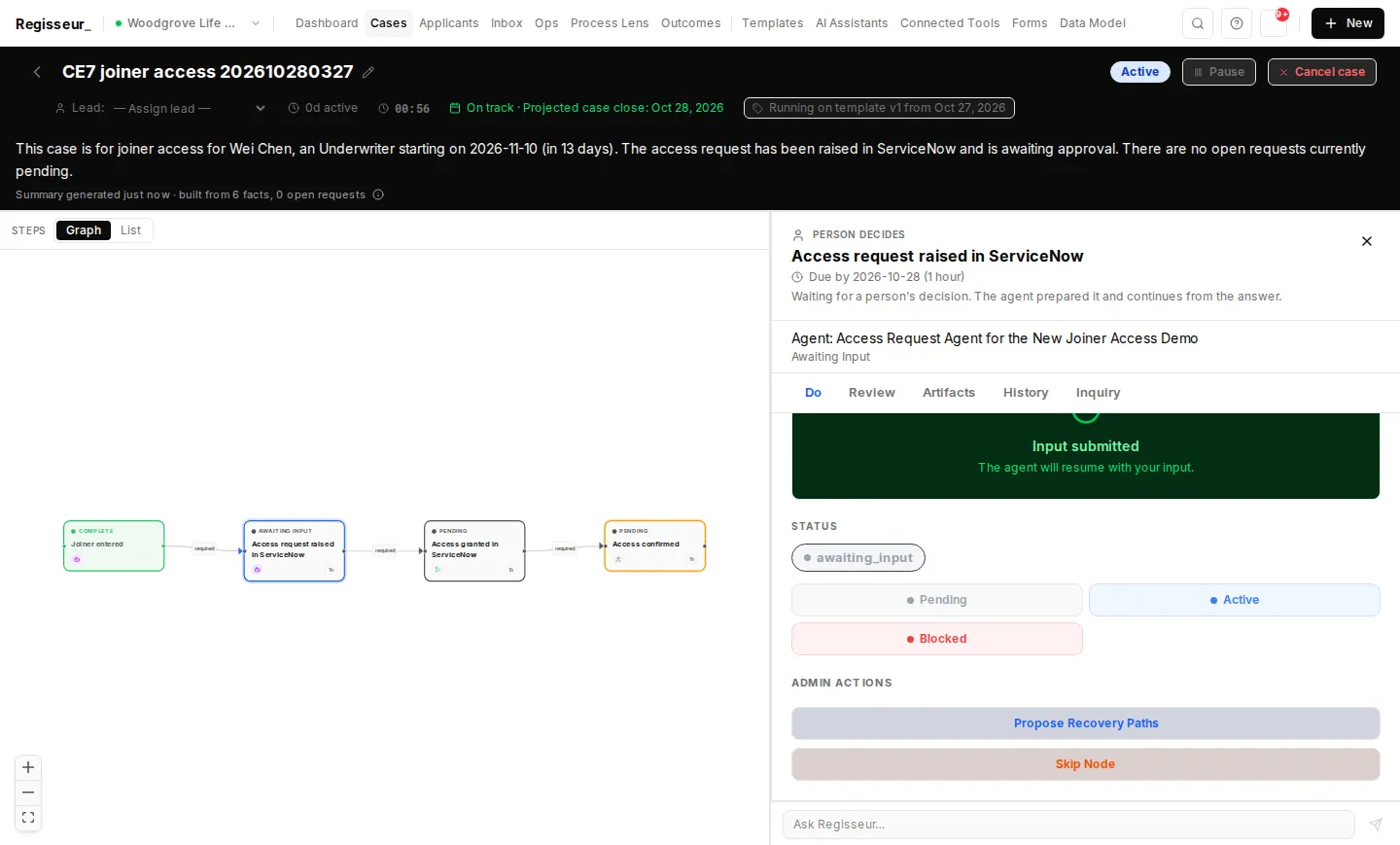
The same case, on a live Salesforce org
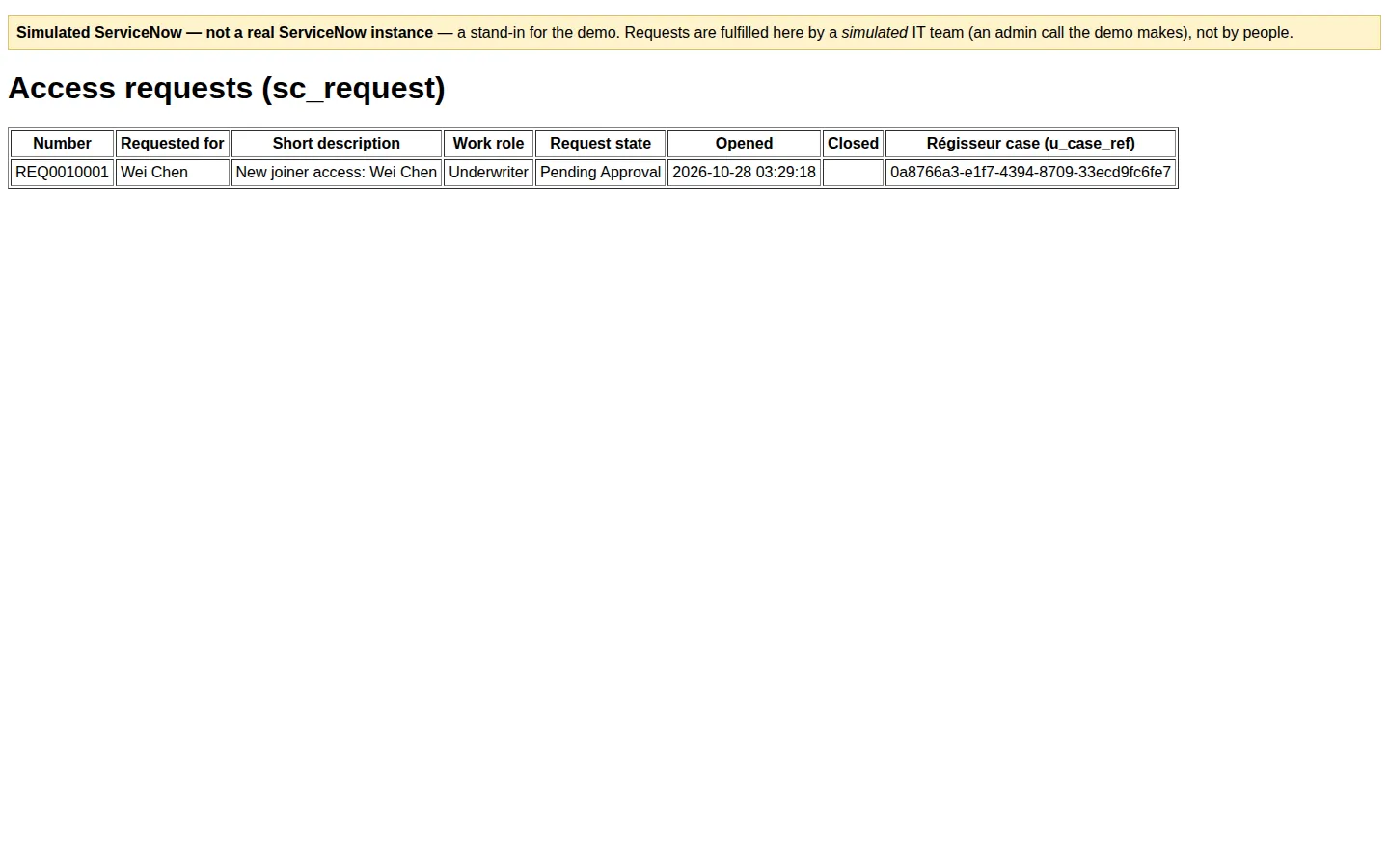
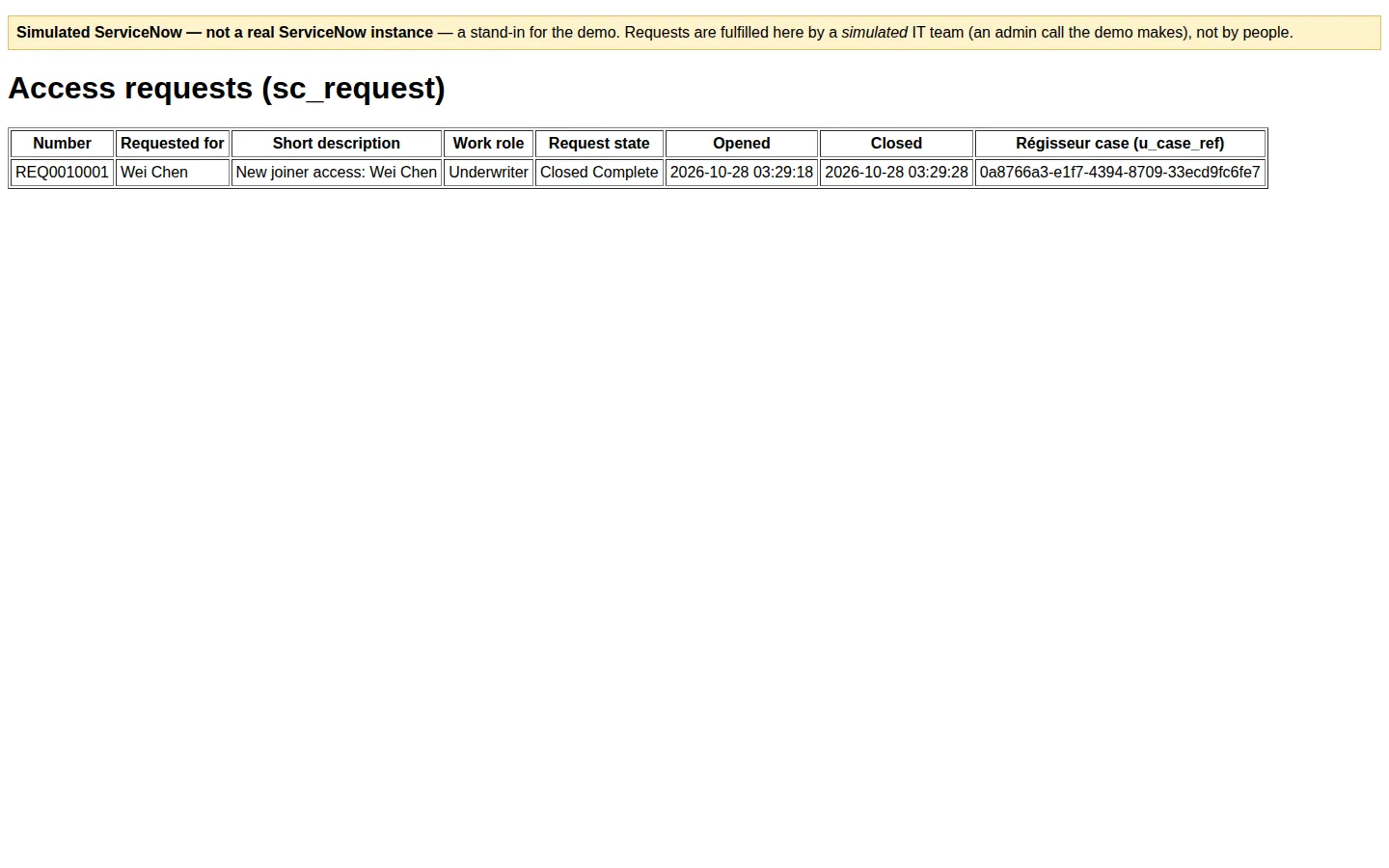
Verified against a live Developer Edition org: the live system named things differently, and the screens coped
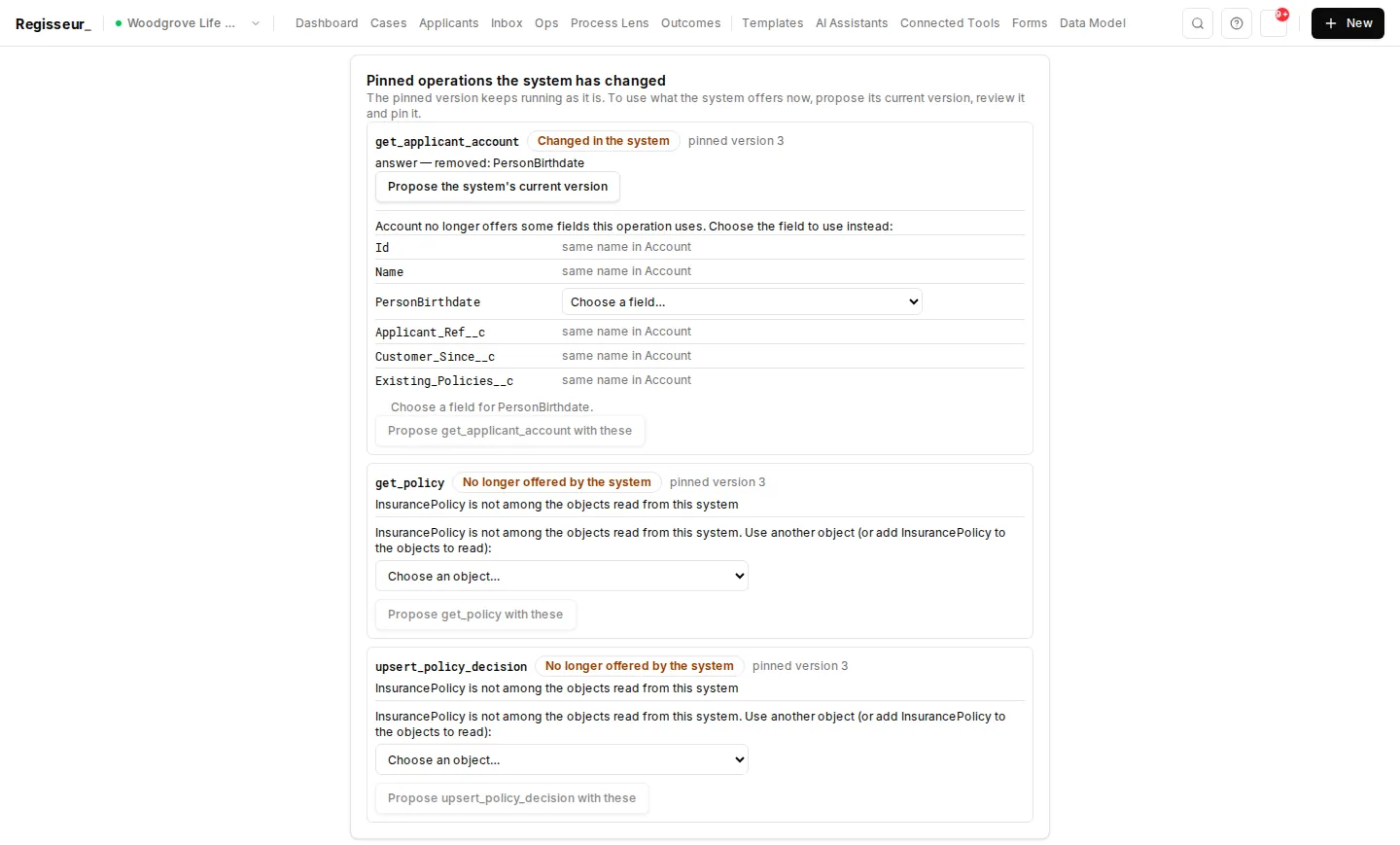
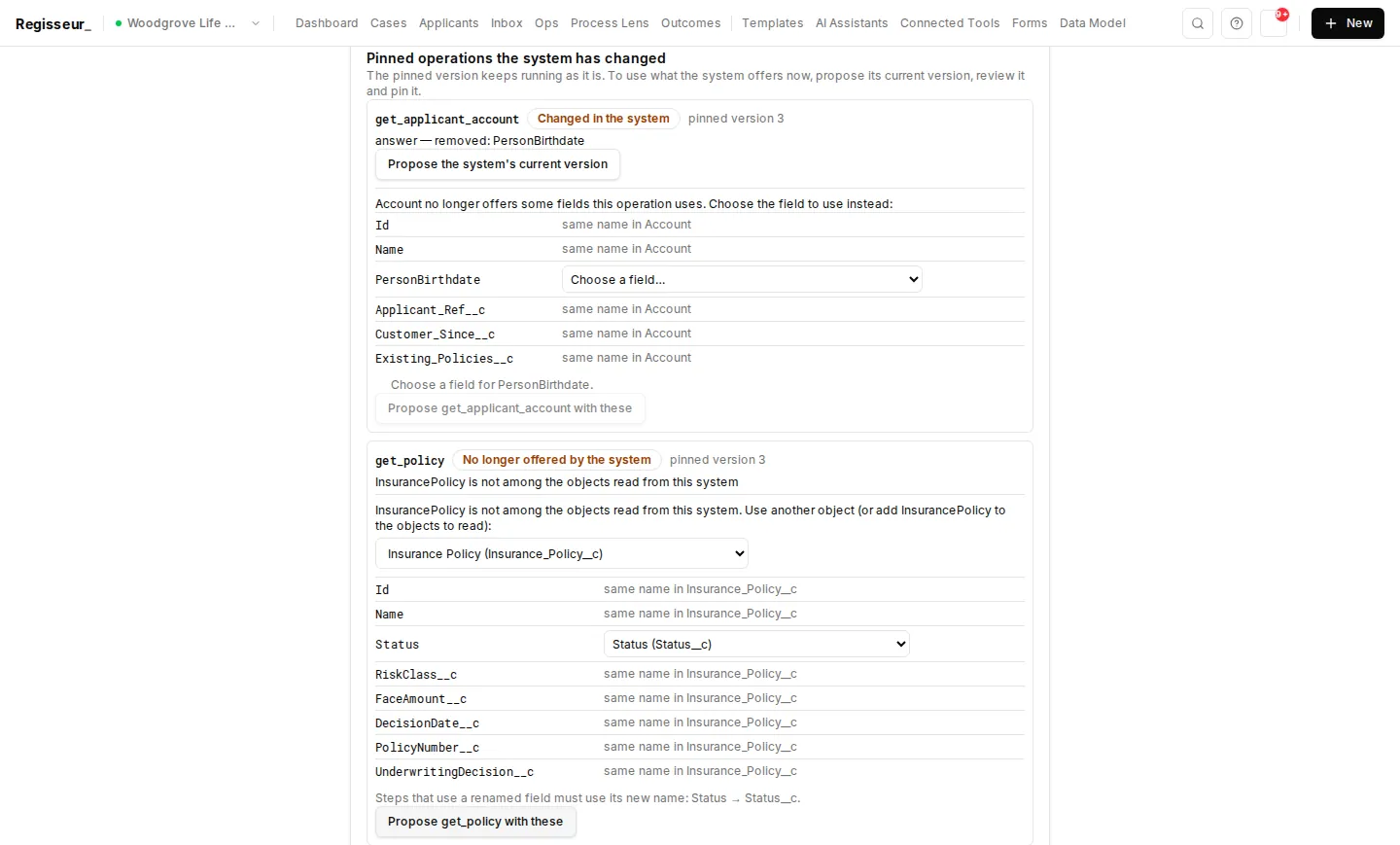
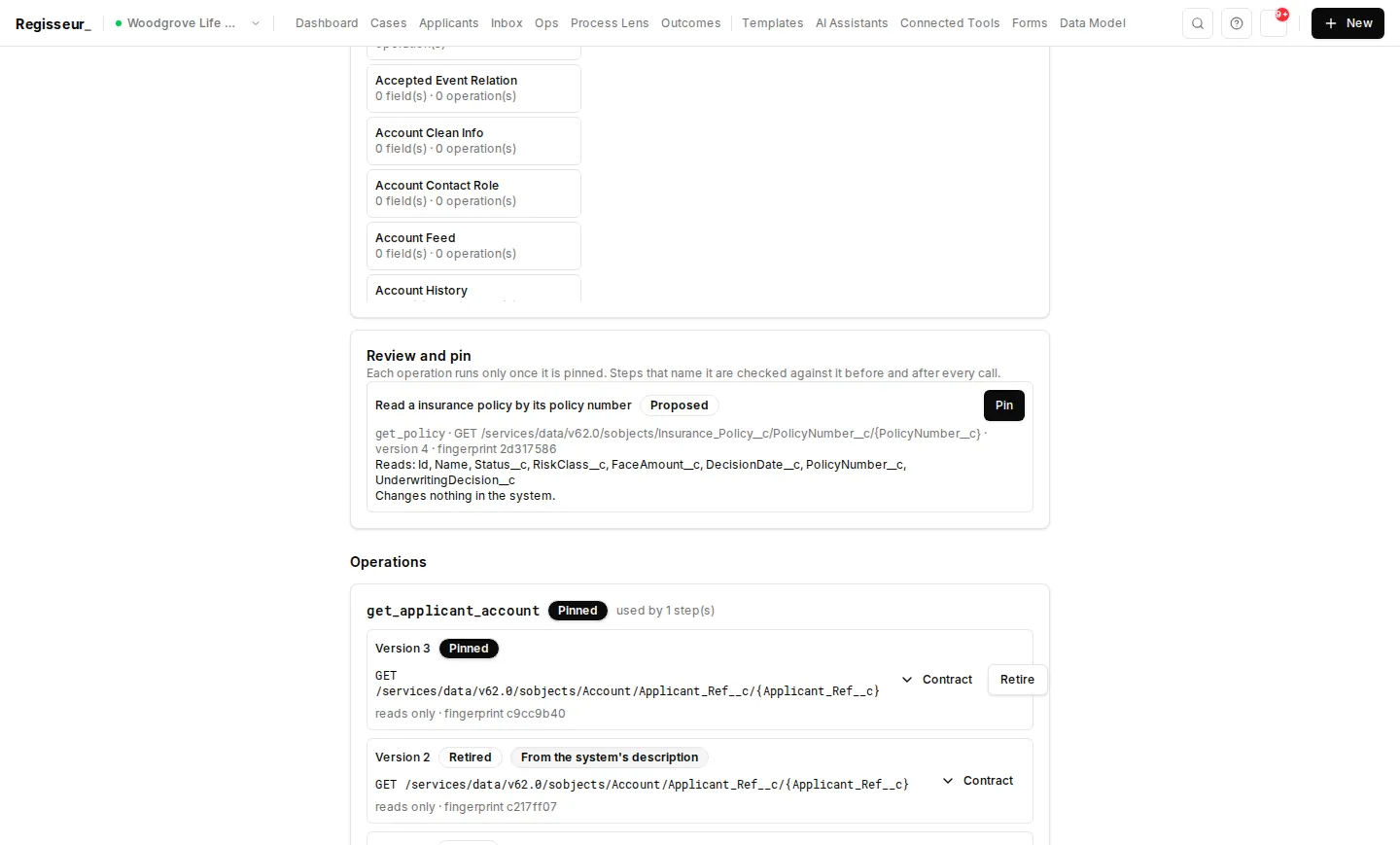
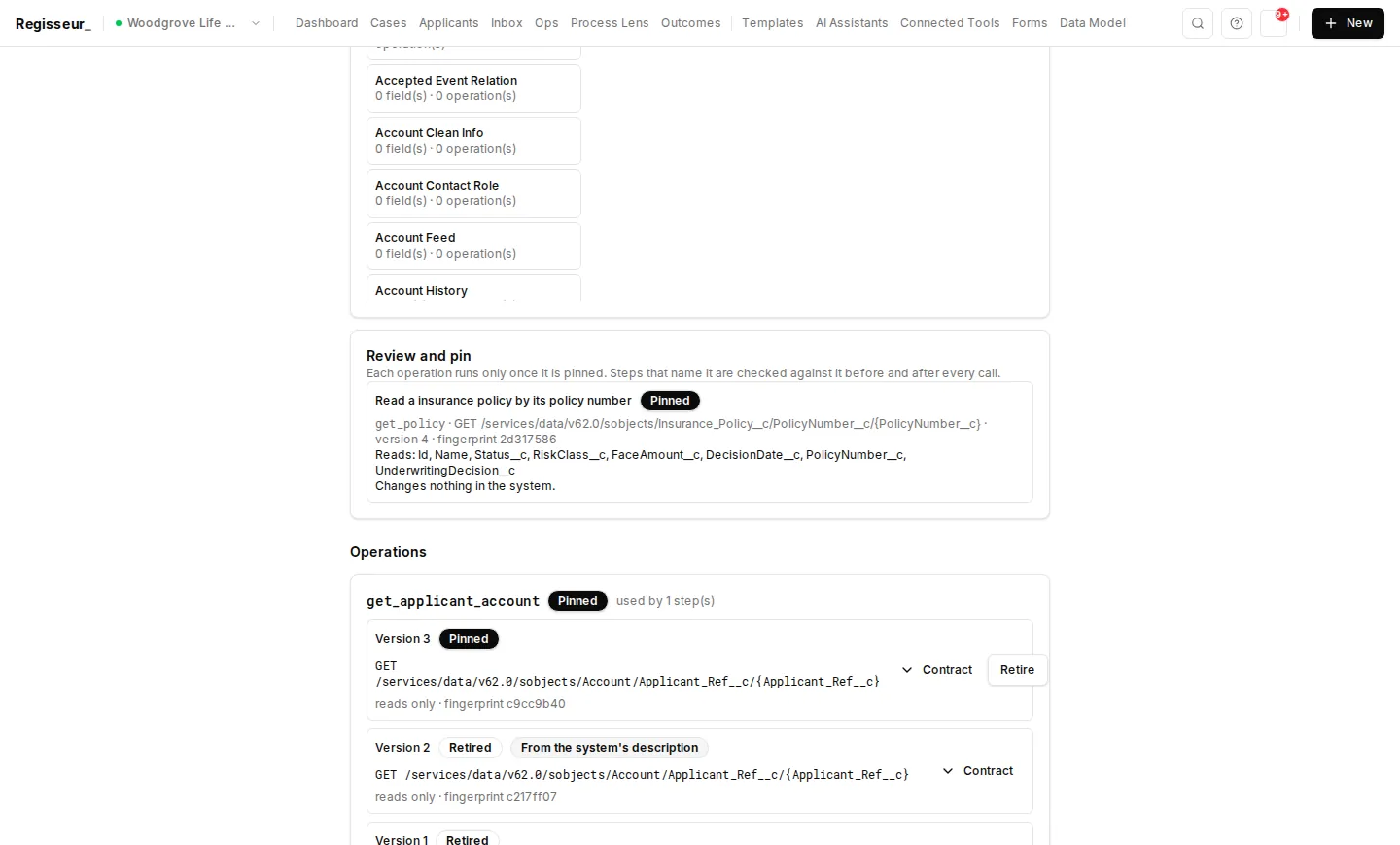
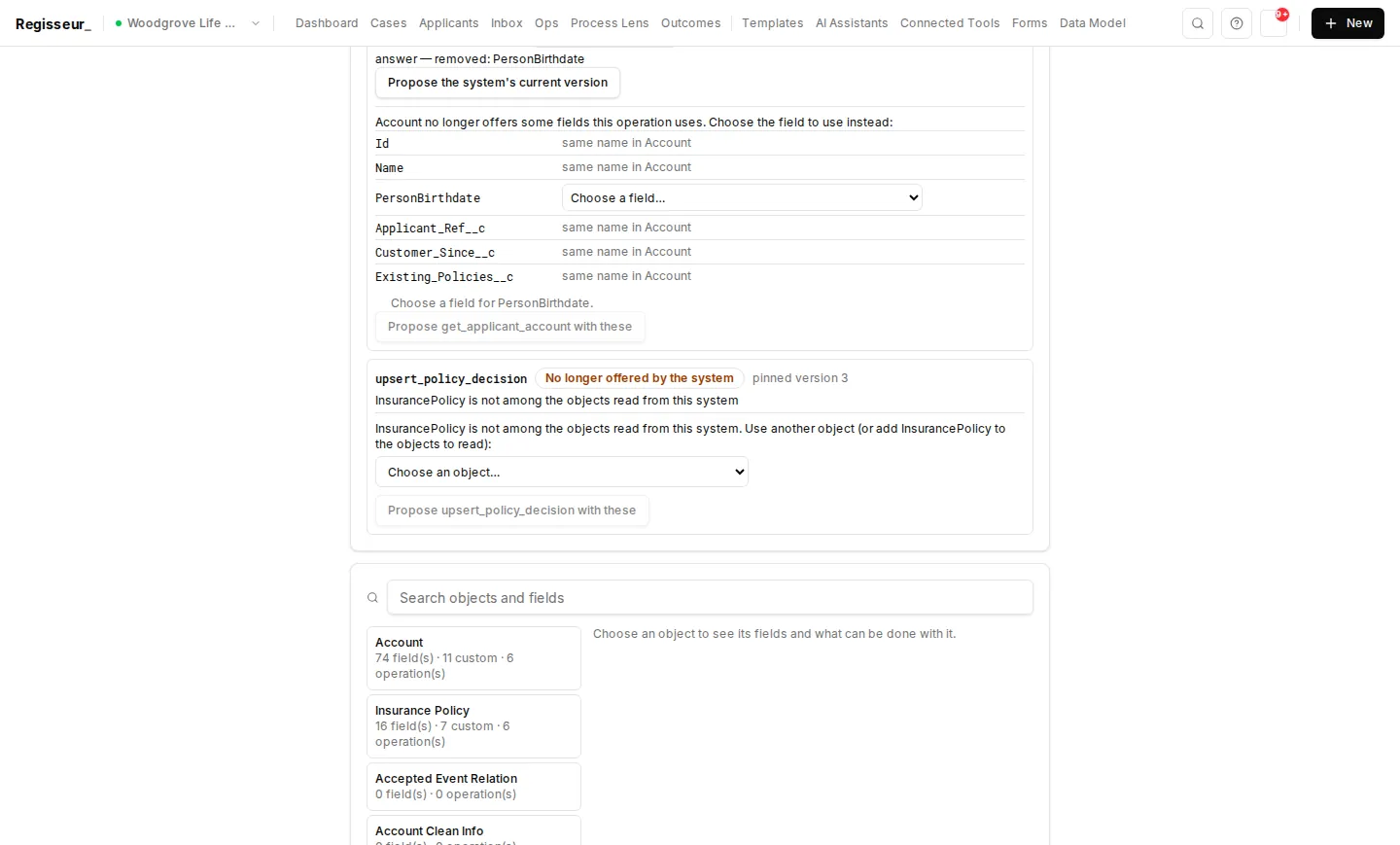
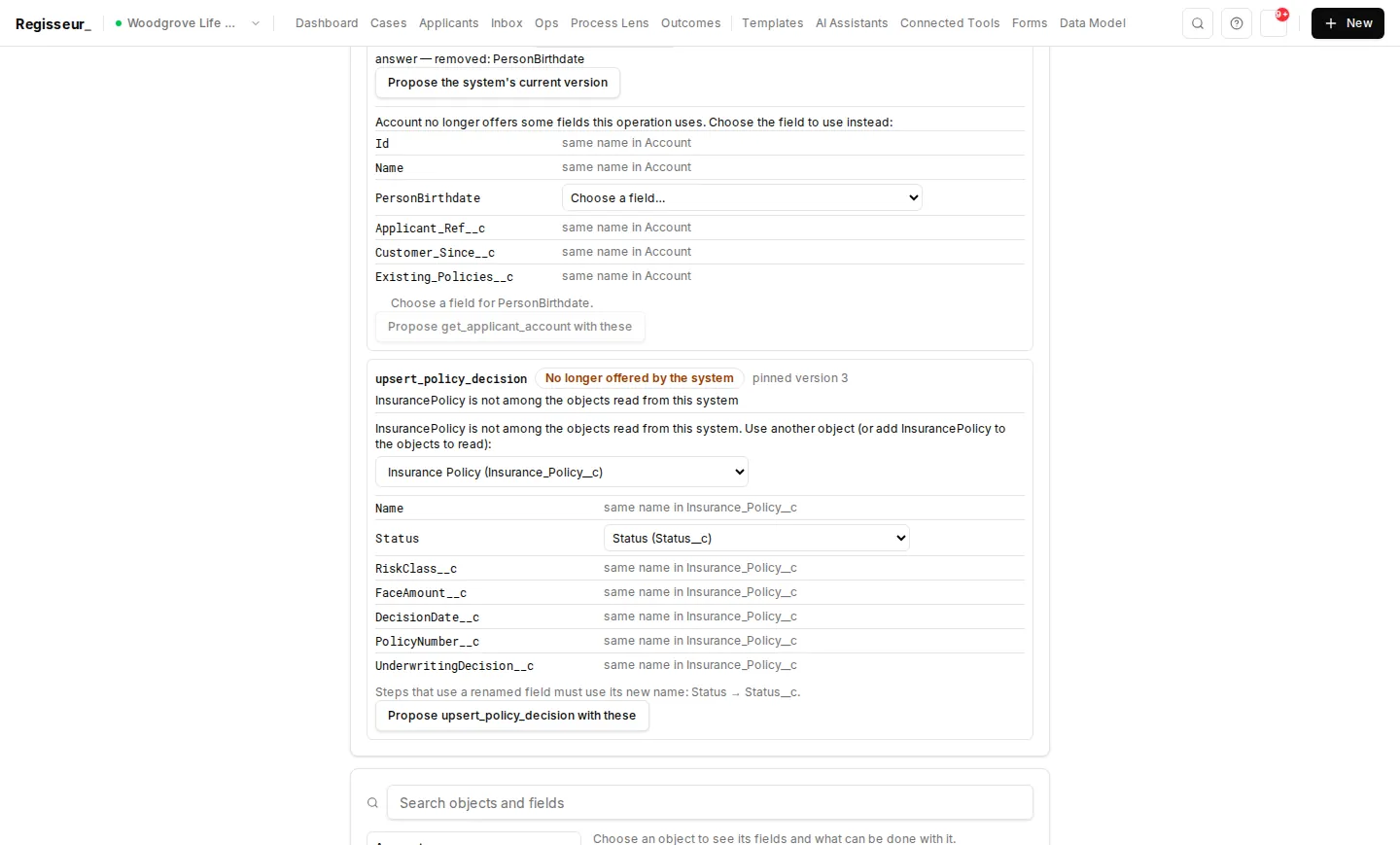
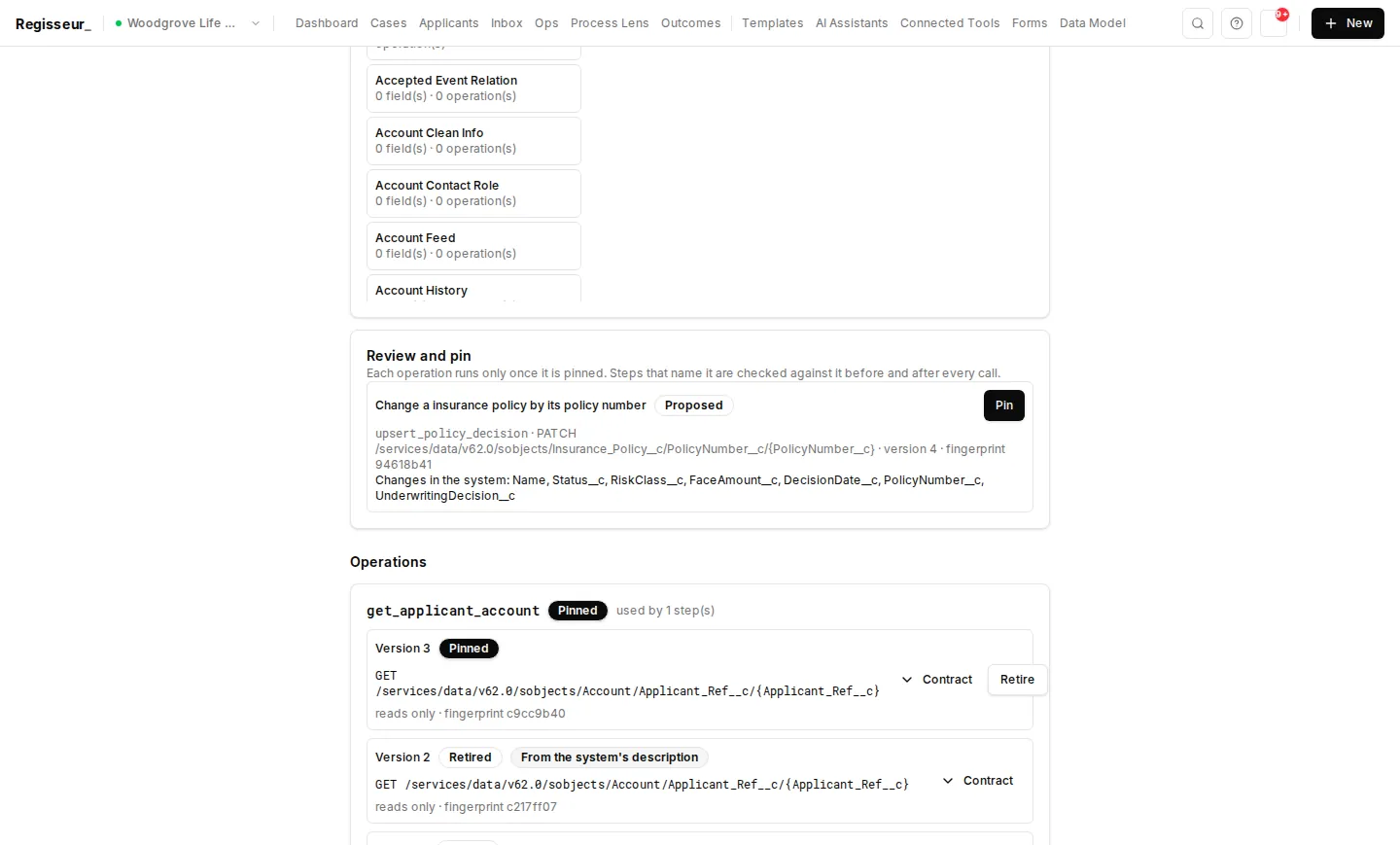
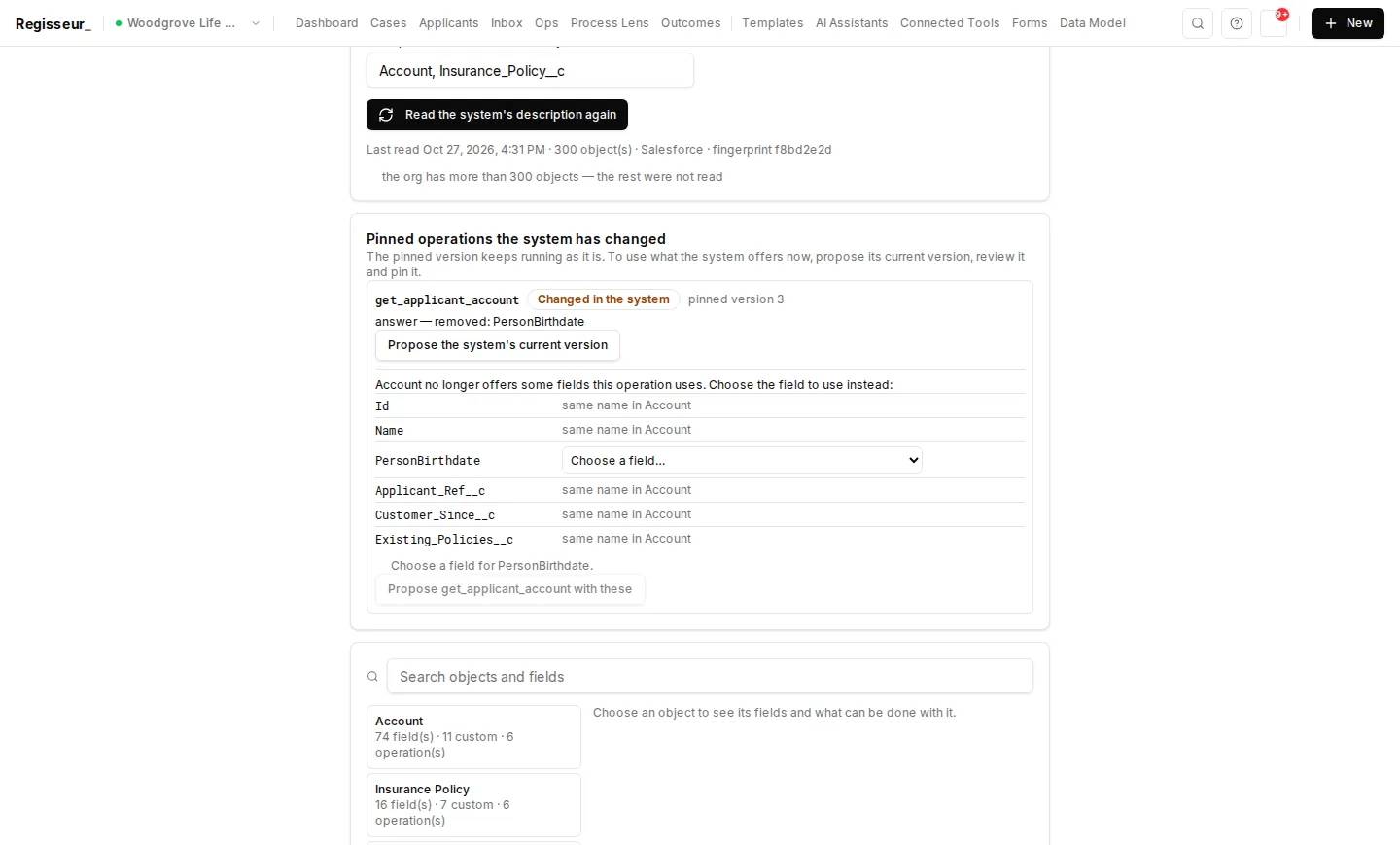
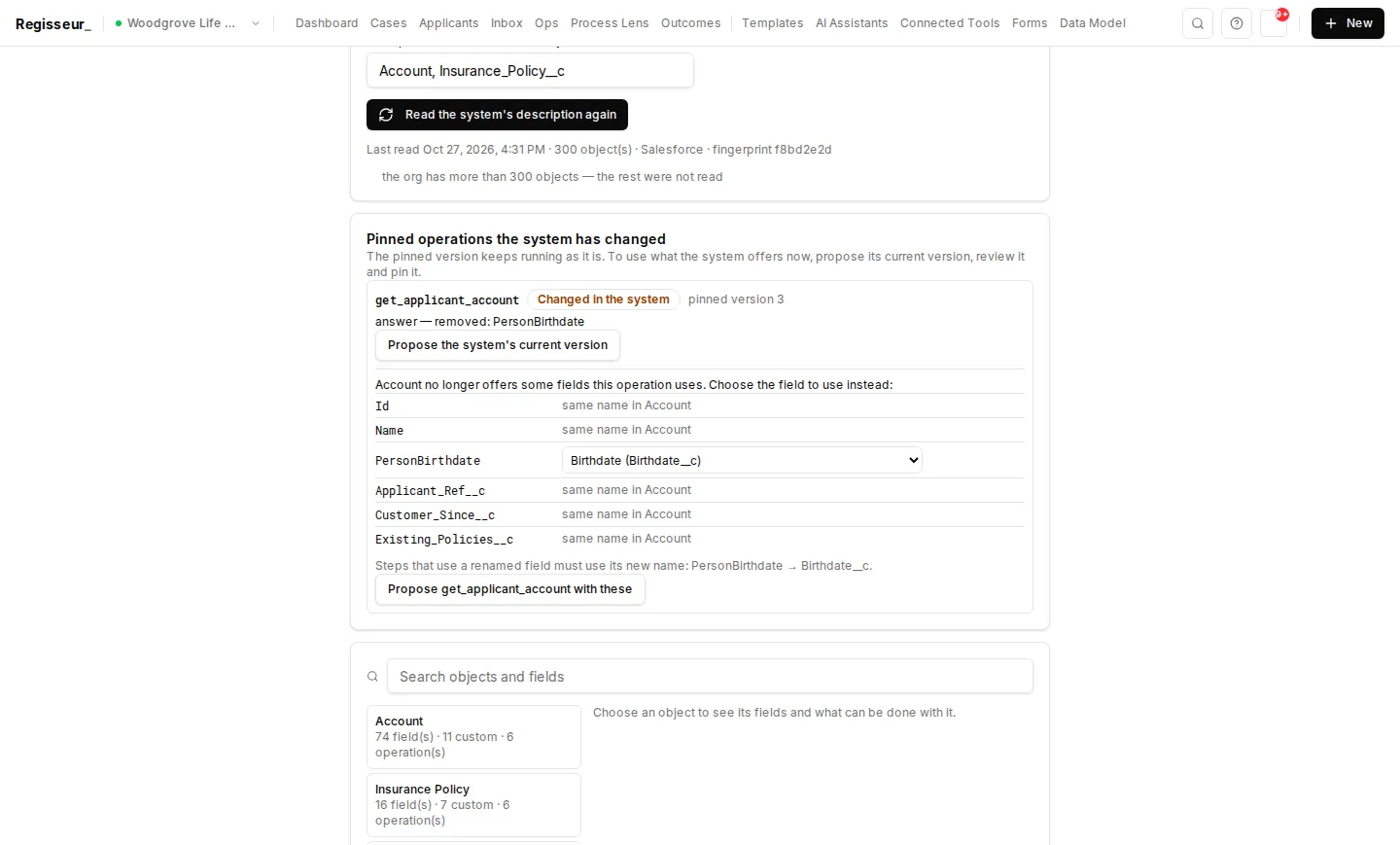
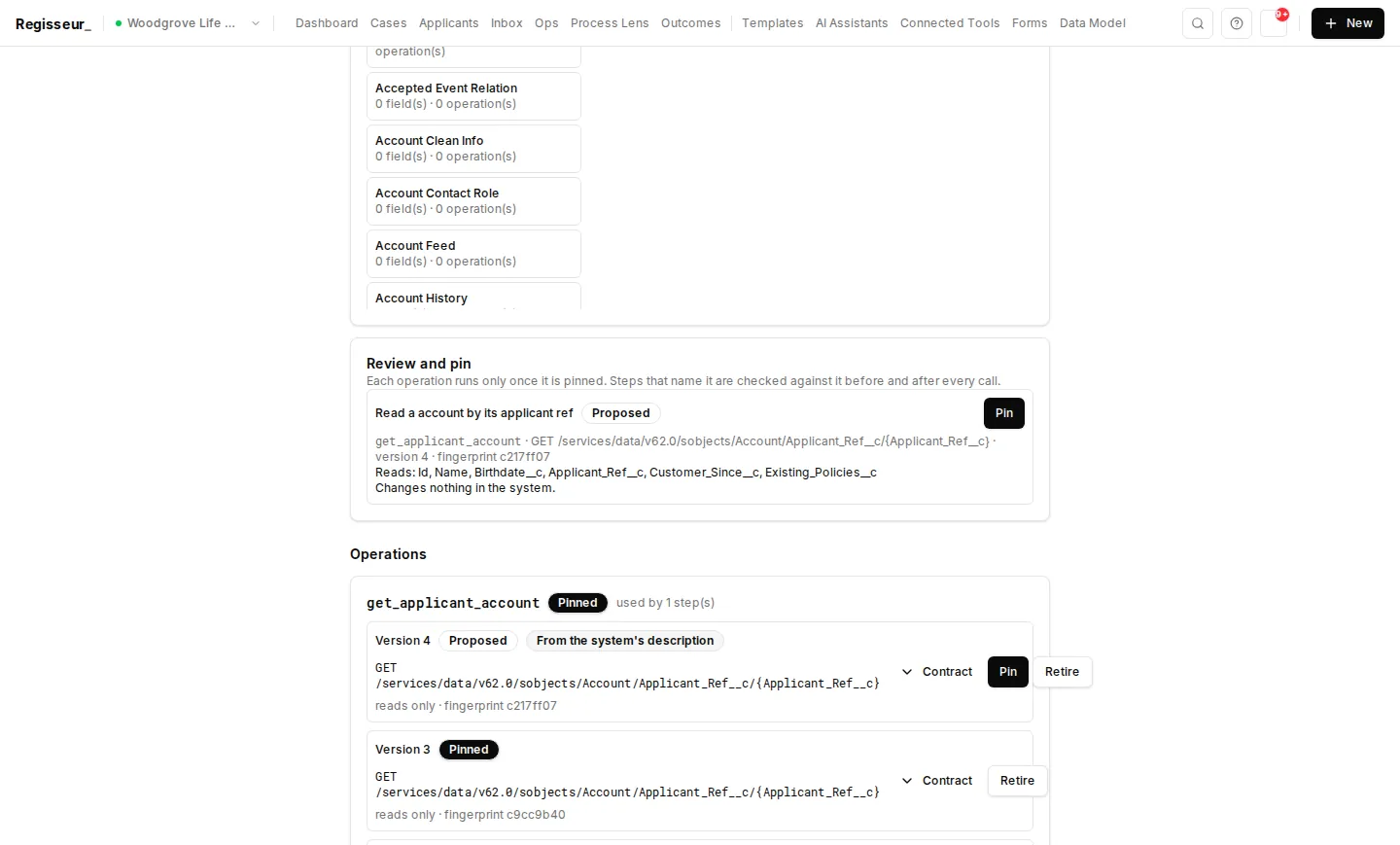
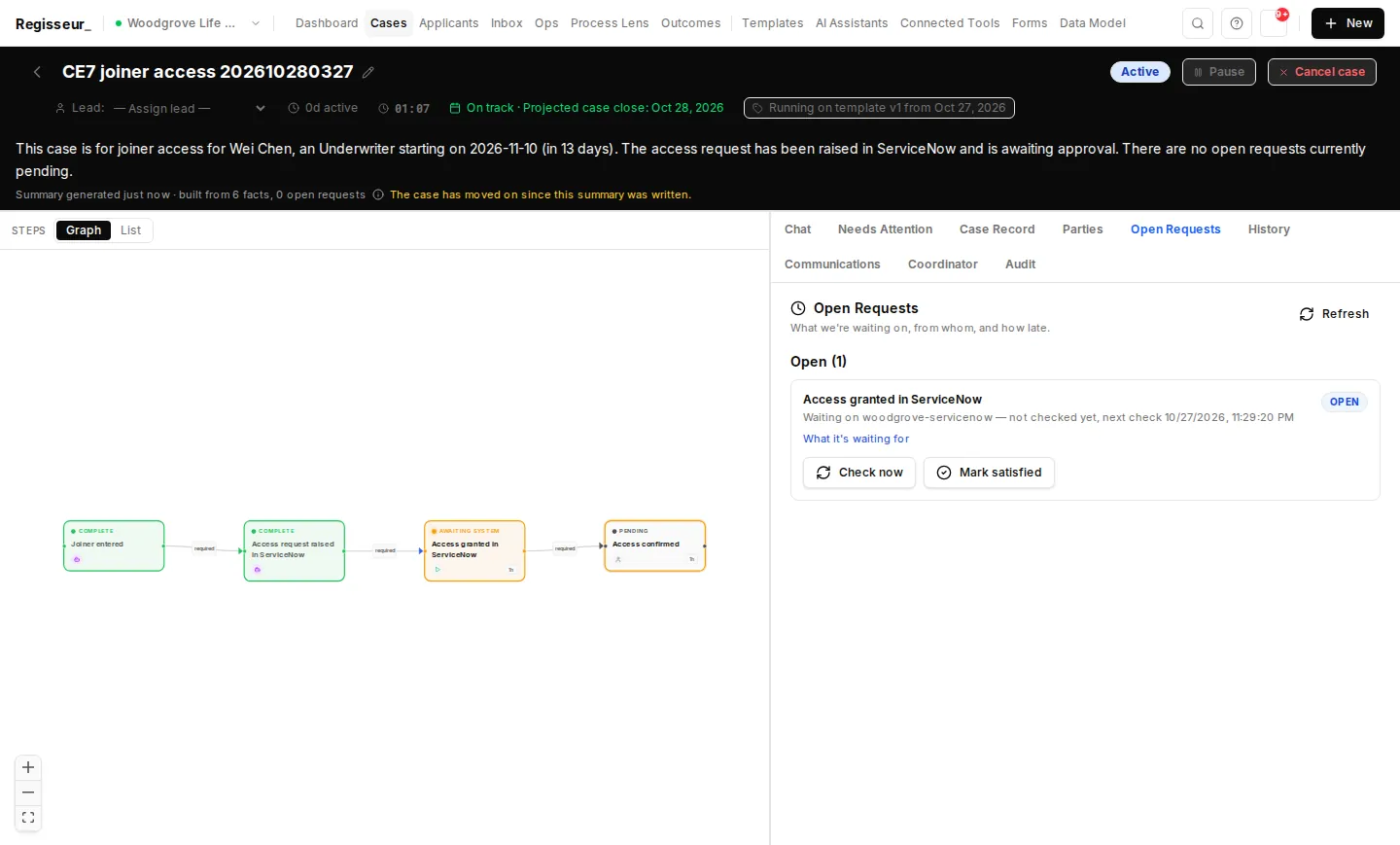
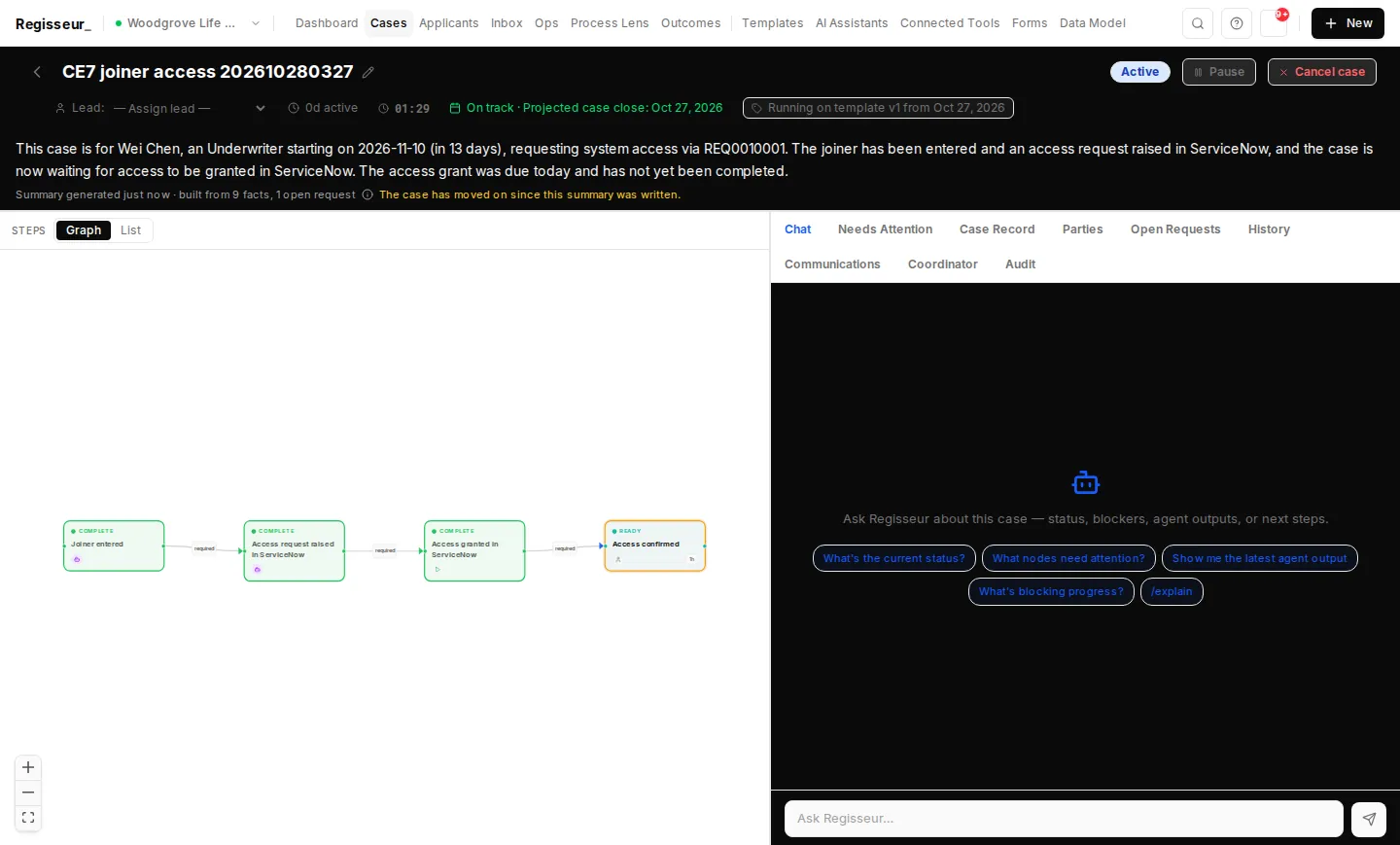
What a person sees and does. This part is not simulated. The connection points at a live Salesforce Developer Edition org, which has its own names: a custom policy object and a custom birthdate field. The three pinned operations show drift cards. For each, the admin uses 'Use another object', maps the fields, reviews the proposal and pins it. The case then reads Marcus Webb's Account from the org, the licensed reviewer approves, and the decision write is held, approved in the UI and written once. An independent read of the org showed the decision recorded. The people in the org are fictional.
57Against the live org the three pinned operations show drift cards.
58The policy read: the org names the object differently.
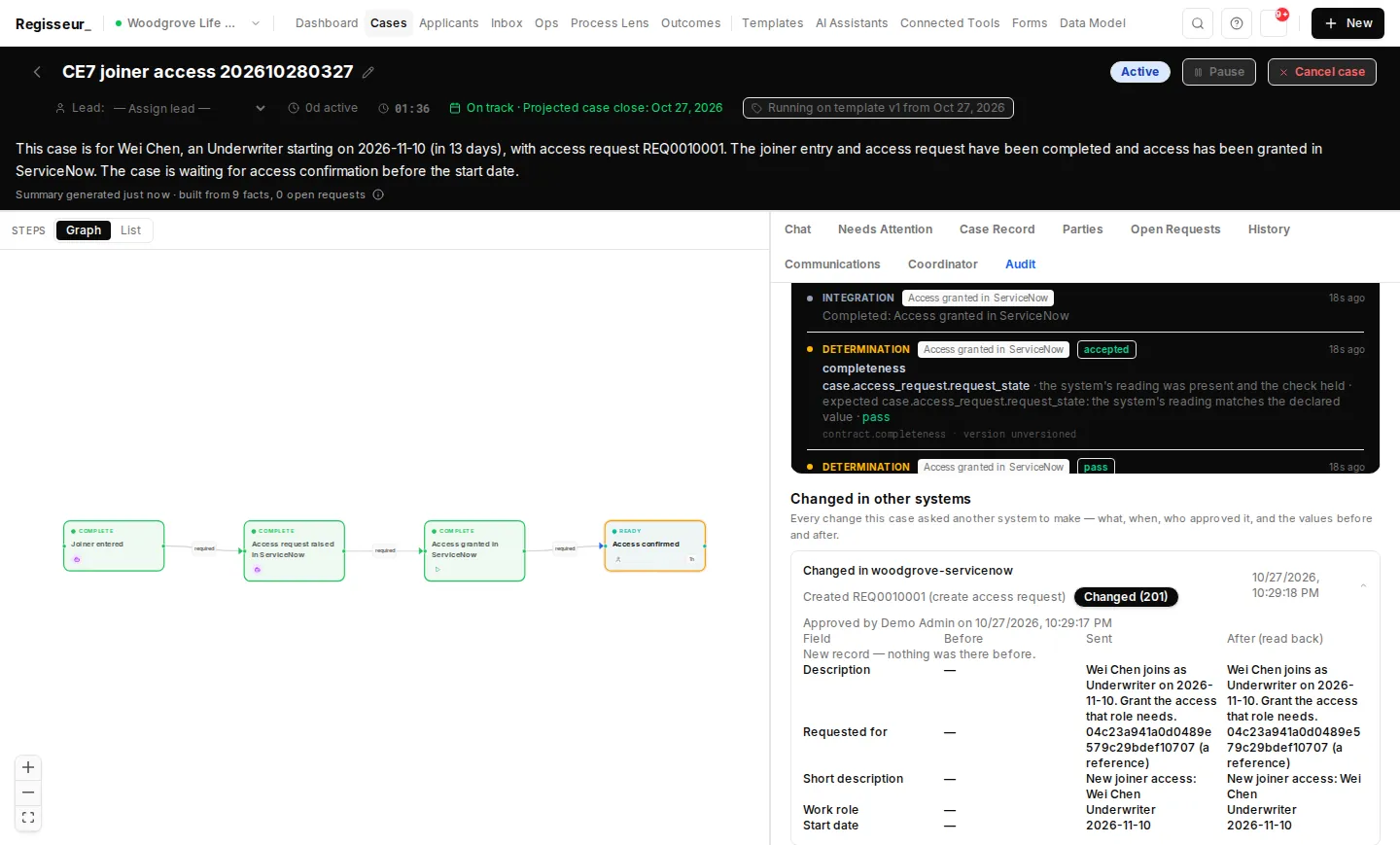
59'Use another object' with the fields mapped to the org's names.
60The proposal waits for review. Never pinned automatically.
61The policy read, pinned.
62The decision write: its drift card.
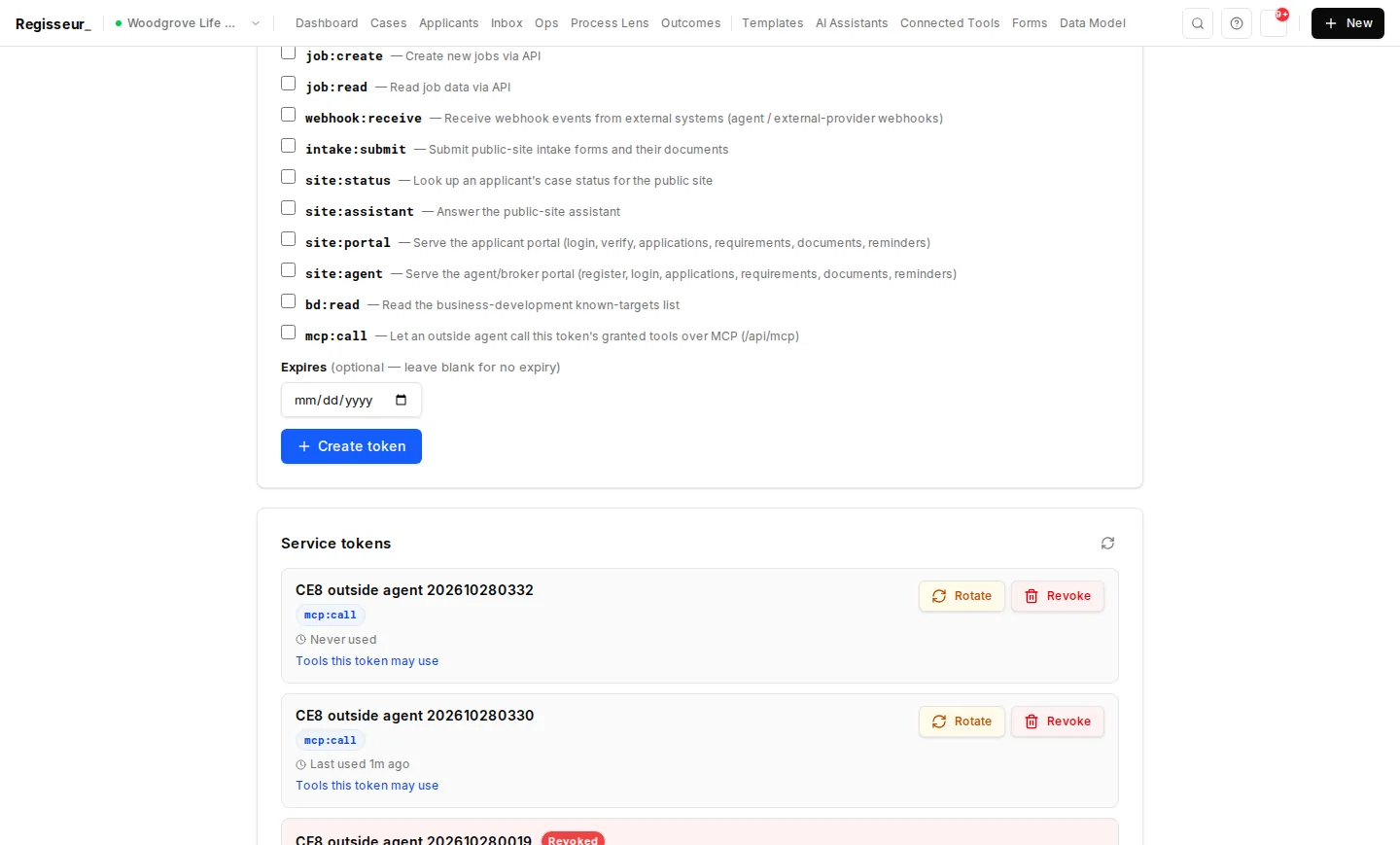
63Mapped to the org's object and fields; the write keeps its guards.
64The write's proposal under review.
65The decision write, pinned.
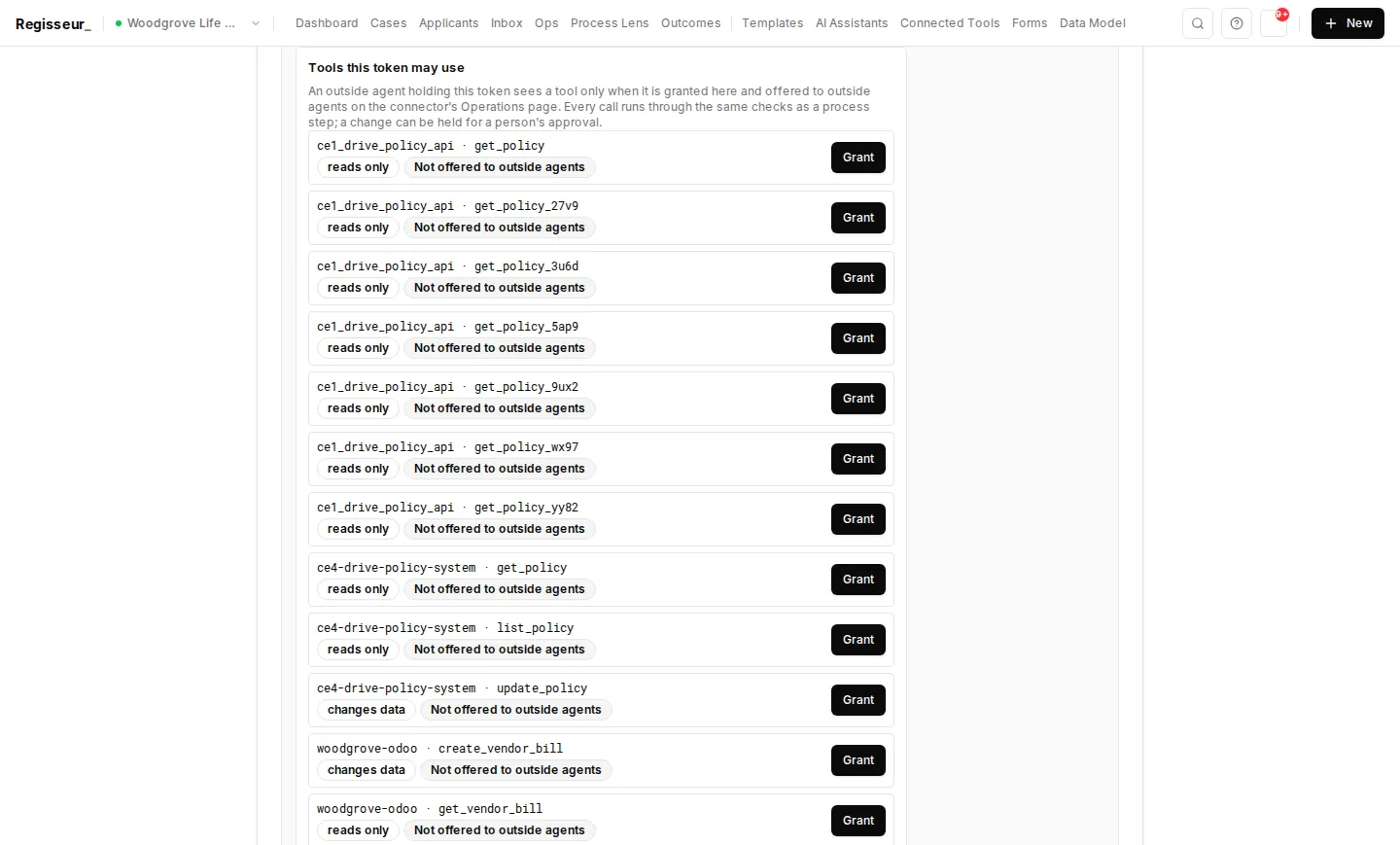
66The applicant read: its drift card.
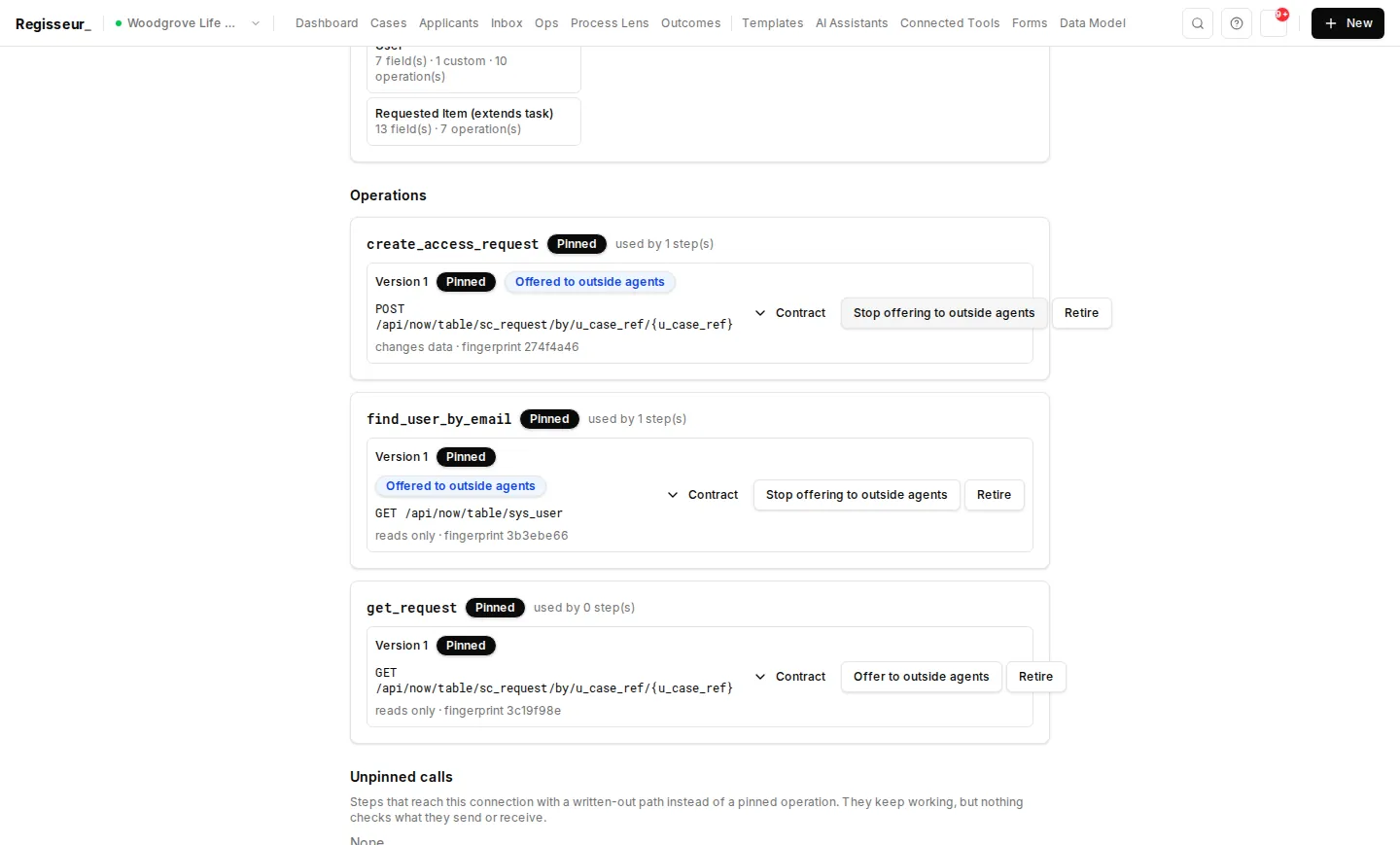
67Mapped to the org's fields.
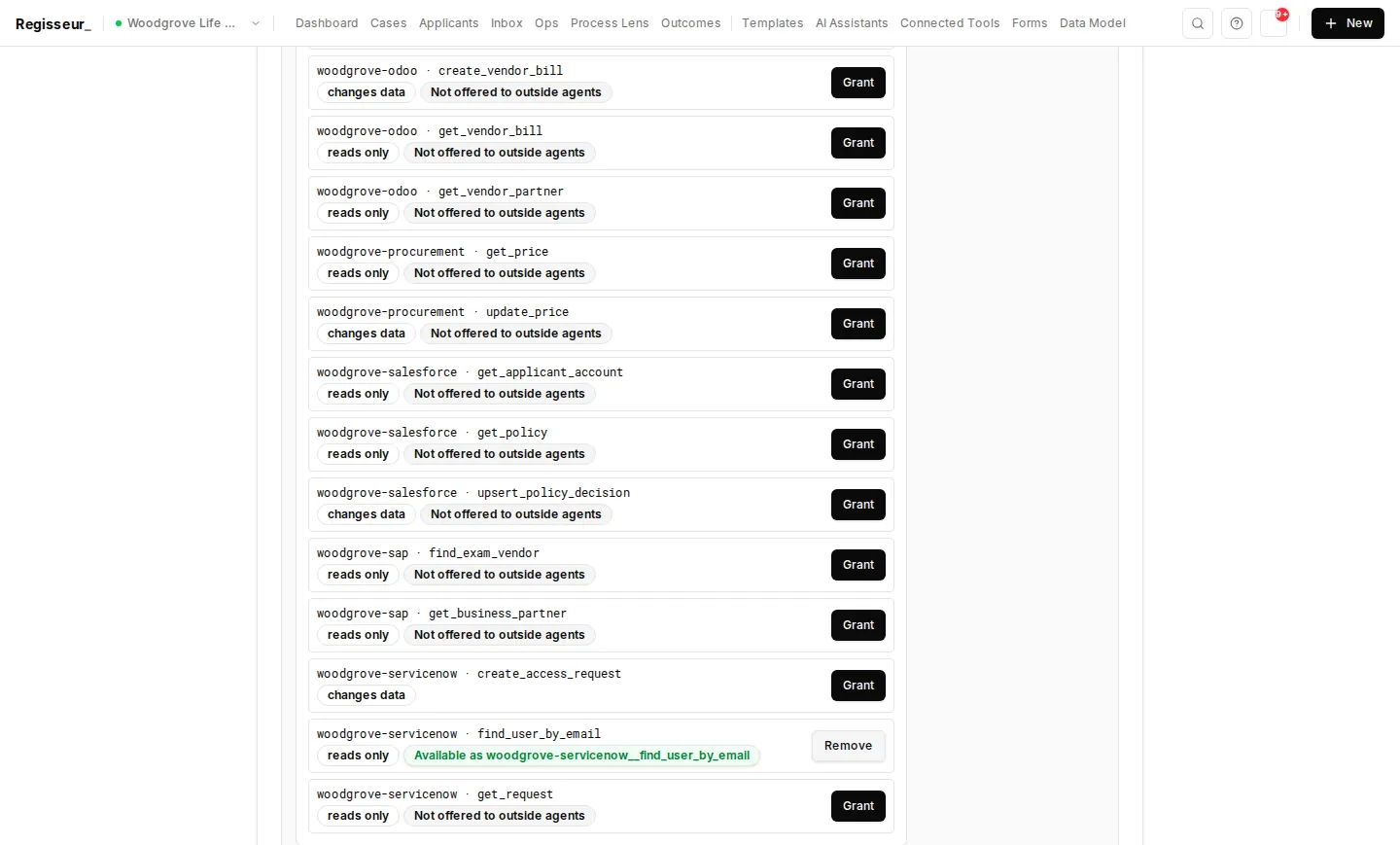
68The applicant read's proposal under review.
69The applicant read, pinned.
70All three operations pinned on the live org.
71The Case Record shows the applicant read from the live org.
72The same facts as stored case data.
73The decision write is held for approval, with before and after.
74Approved; the step completes after one write.
75Audit lists the change made in the live org.
Part 6
An exam-vendor invoice becomes a vendor bill
Find the vendor in a simulated SAP, raise the bill in a simulated Odoo, held for approval
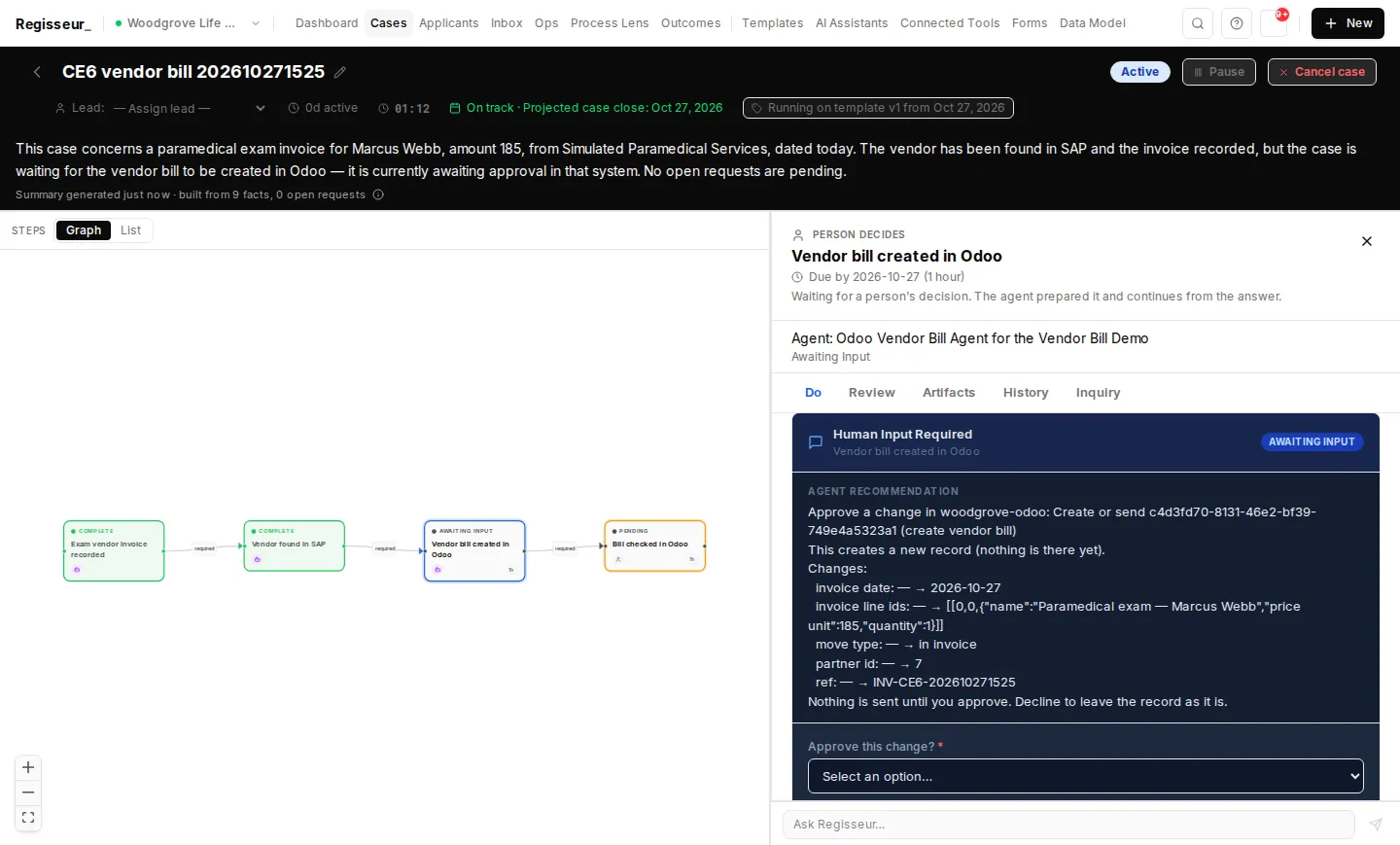
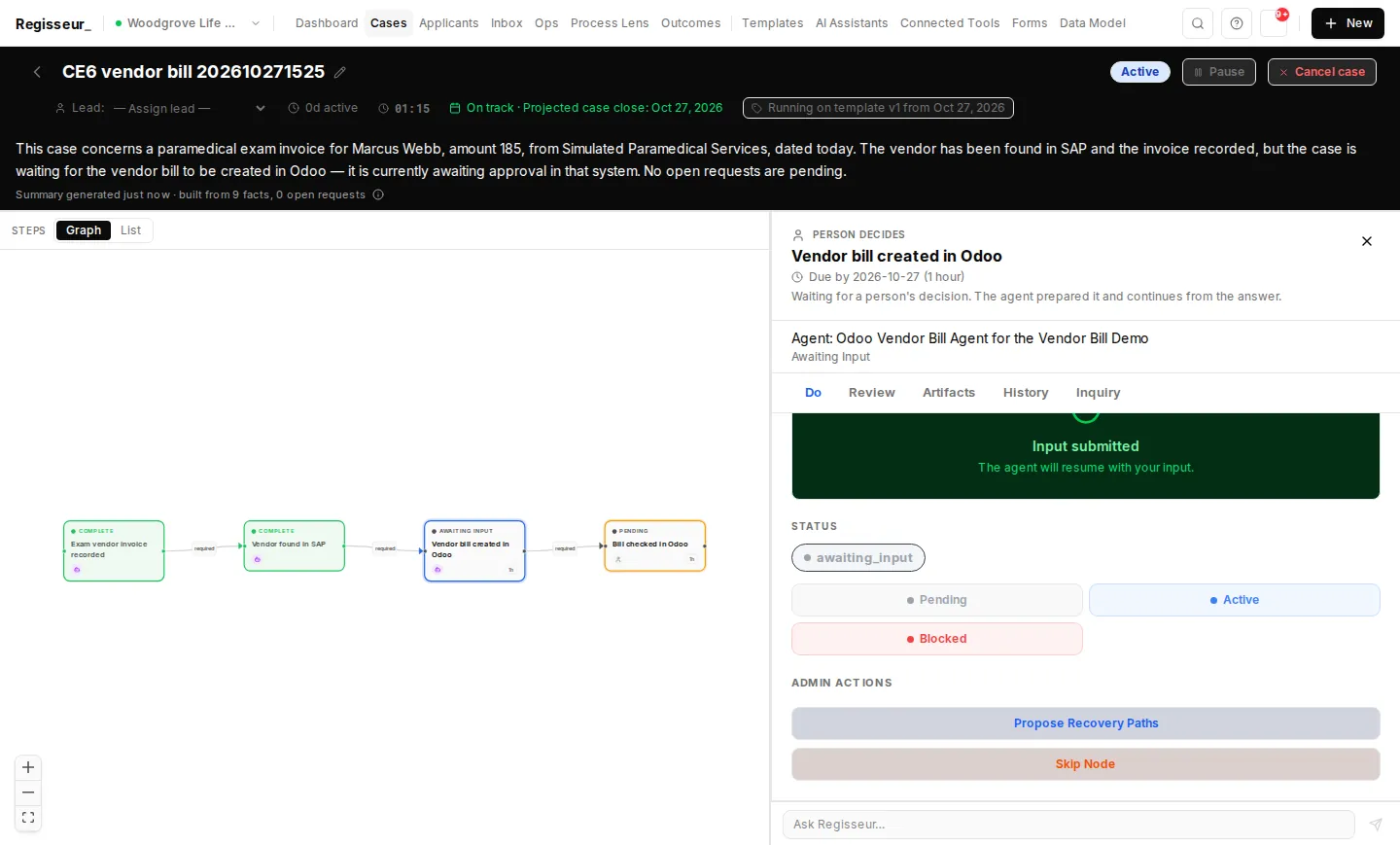
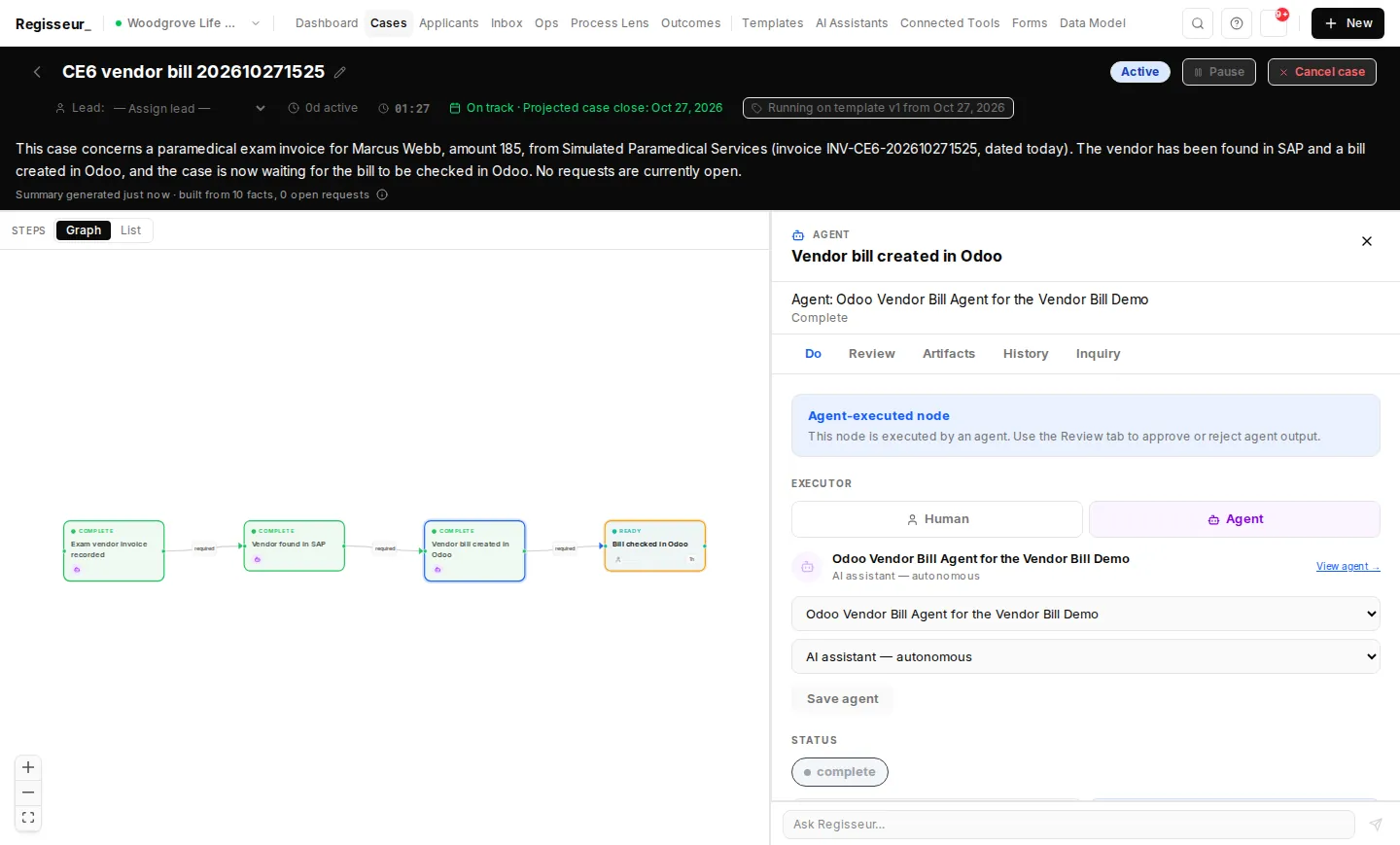
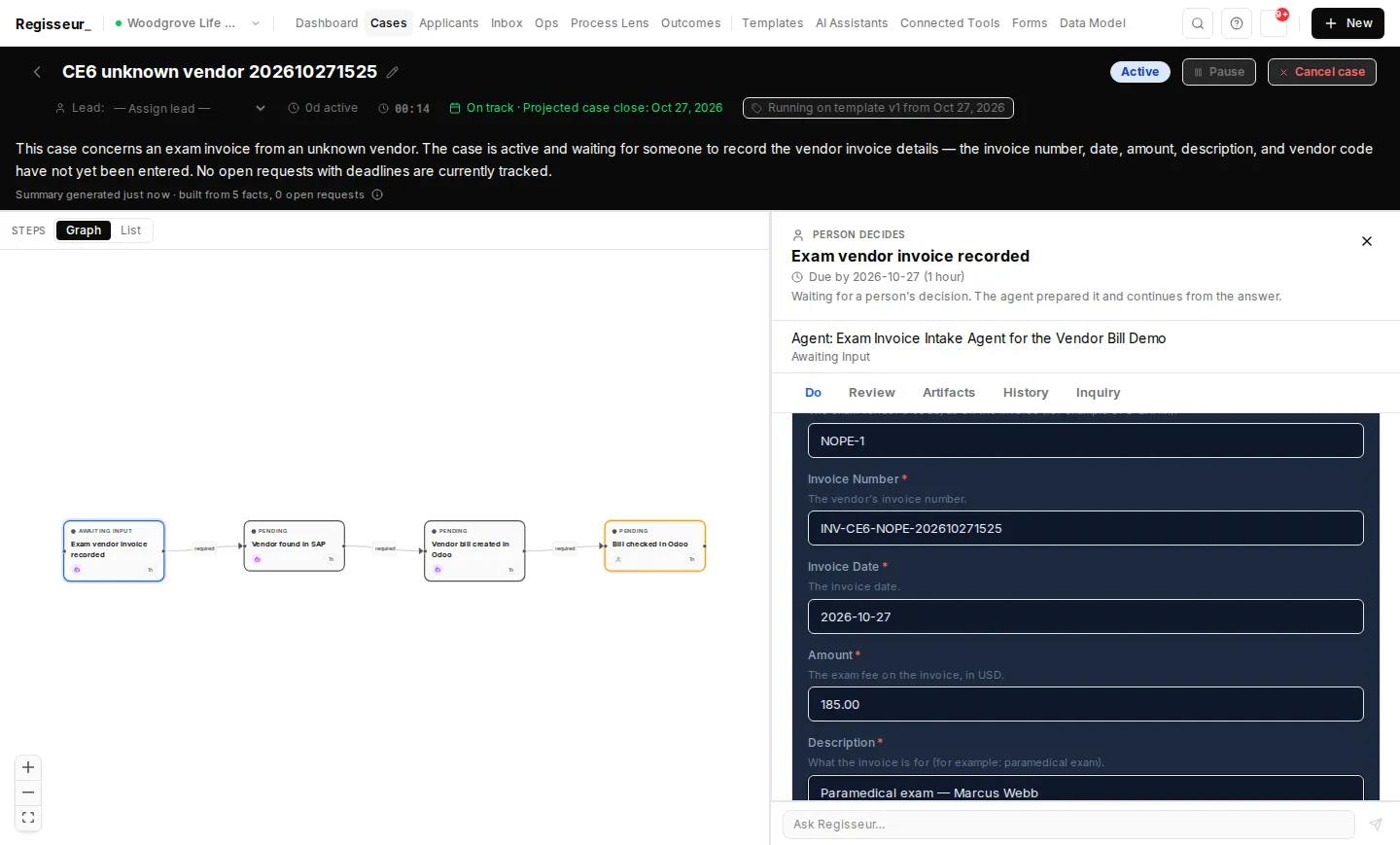
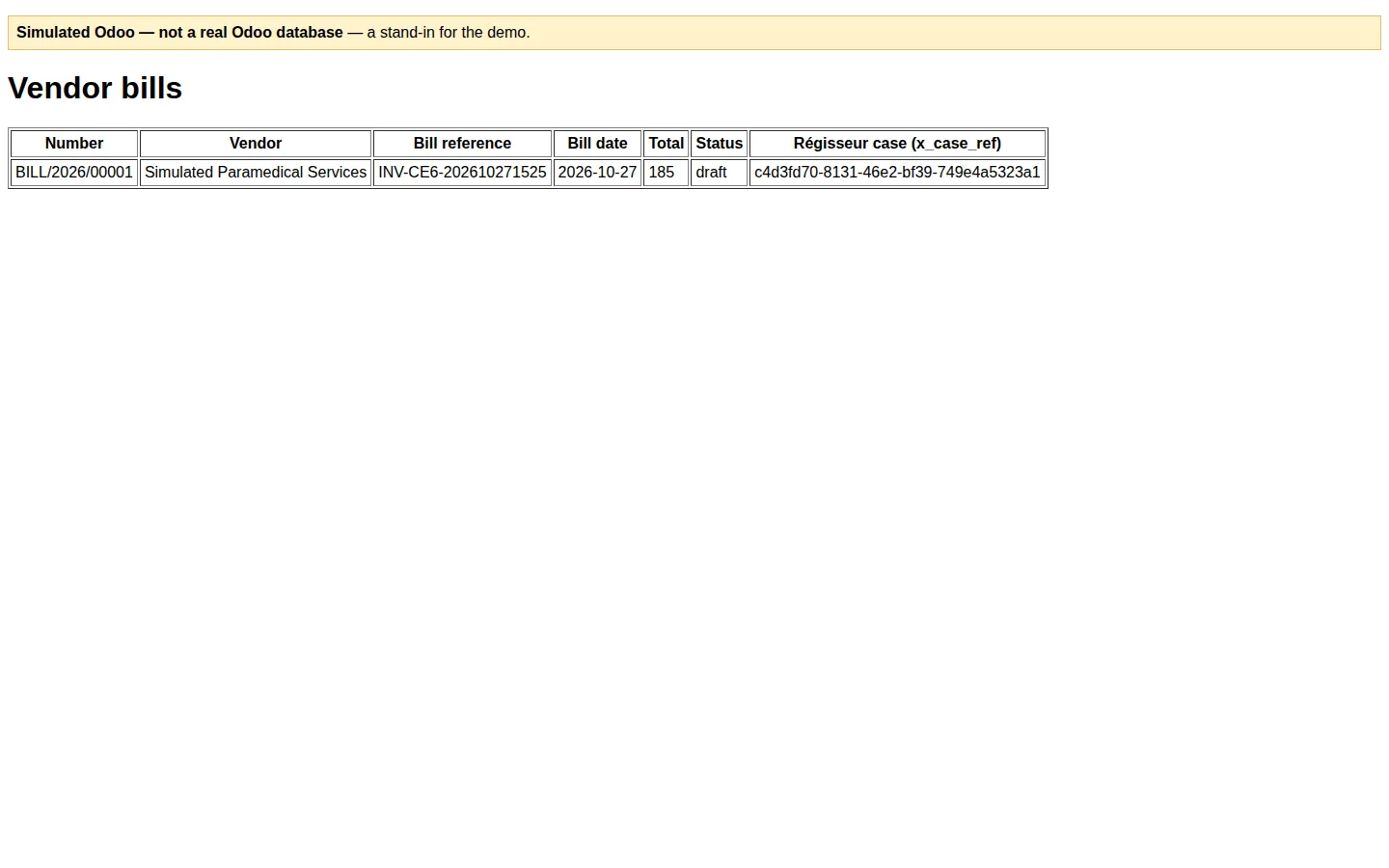
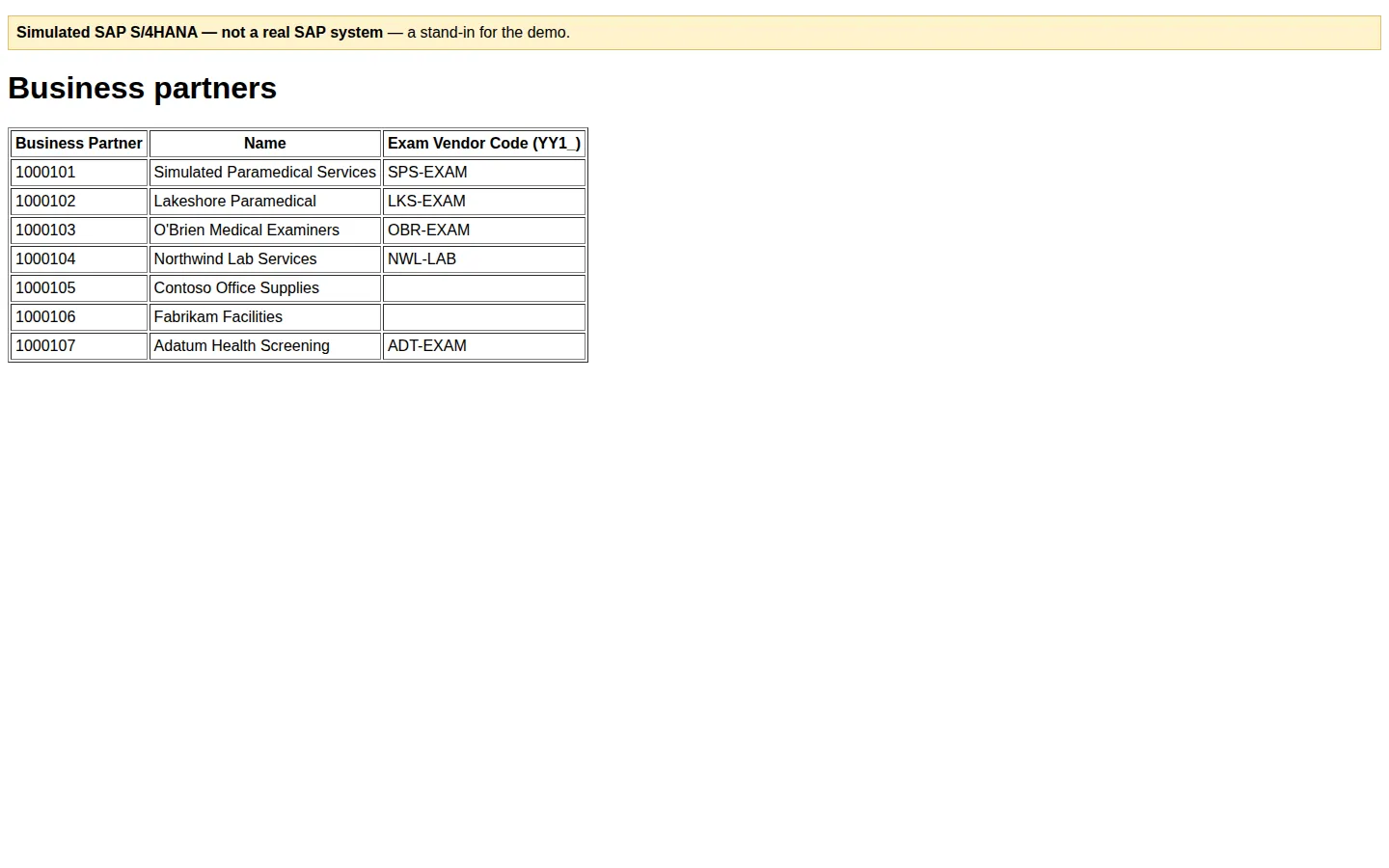
What a person sees and does. A person enters an exam-vendor invoice. The case finds the vendor in the (simulated) SAP business-partner list by a filter fixed in the pinned operation, and shows the partner's facts on the Case Record. The Odoo bill is held for approval, showing the bill. Once approved it is created once and read back. Audit lists it, the simulated Odoo shows the bill, and a person then checks it. An invoice from an unknown vendor stops at the lookup with a plain reason.
76SAP (simulated): what the system offers.
77A business partner, with a custom vendor-code field.
78'Find exam vendor' pinned. The filter is fixed in the operation; the case only supplies the vendor code.
79SAP is read-only here: writes off.
80Odoo (simulated): the bill object with a custom case-reference field.
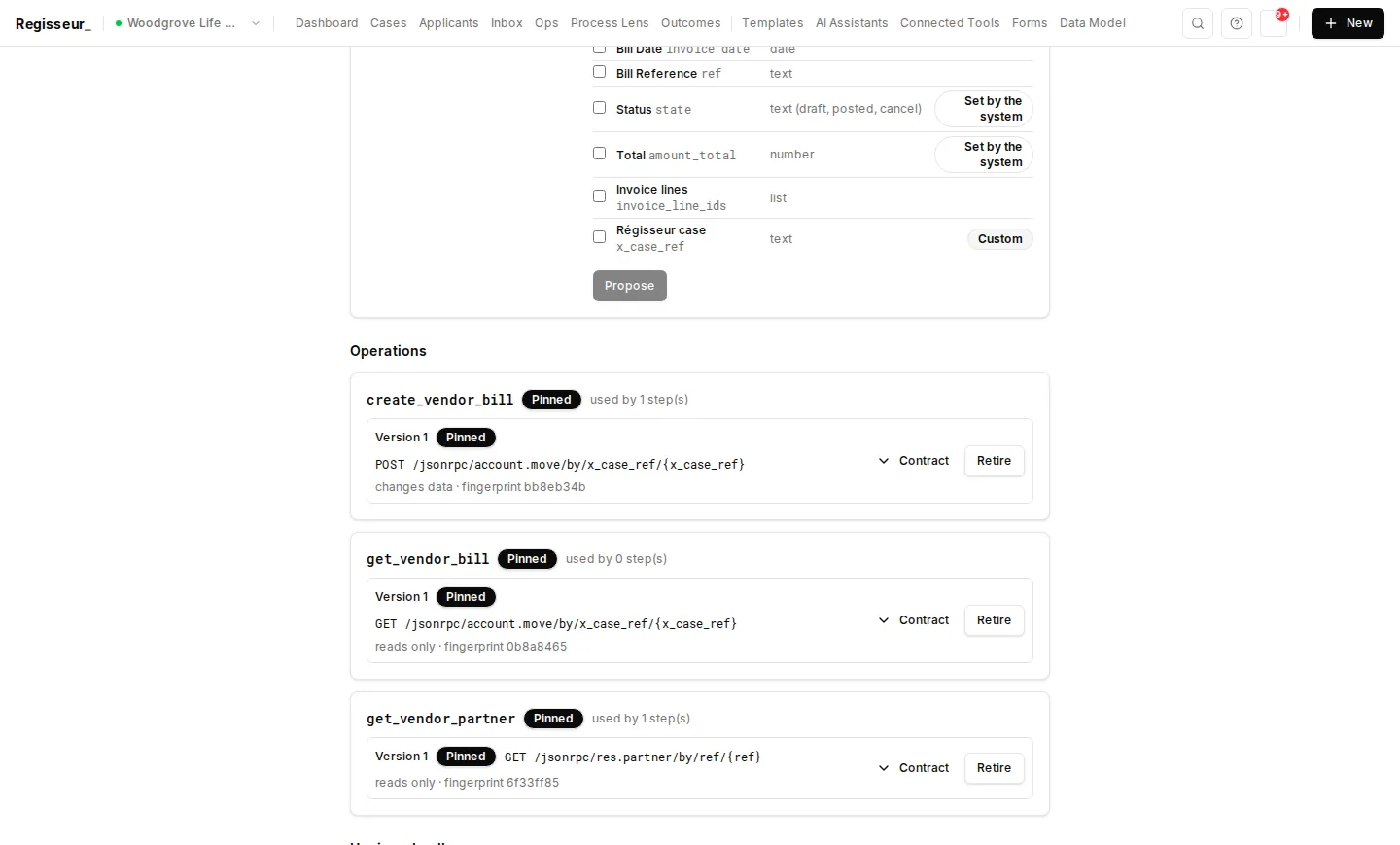
81Odoo's pinned operations.
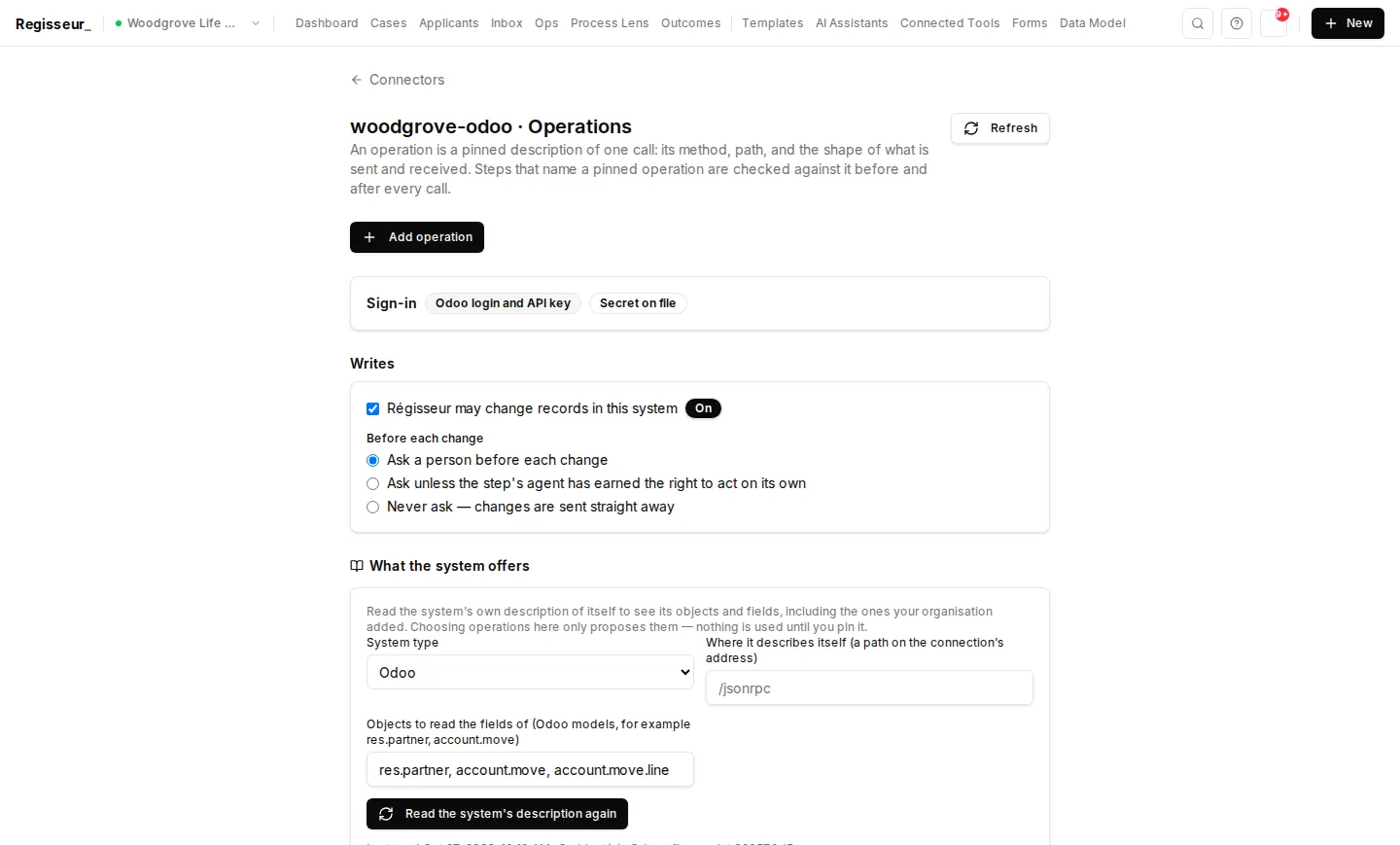
82Odoo sign-in and write settings.
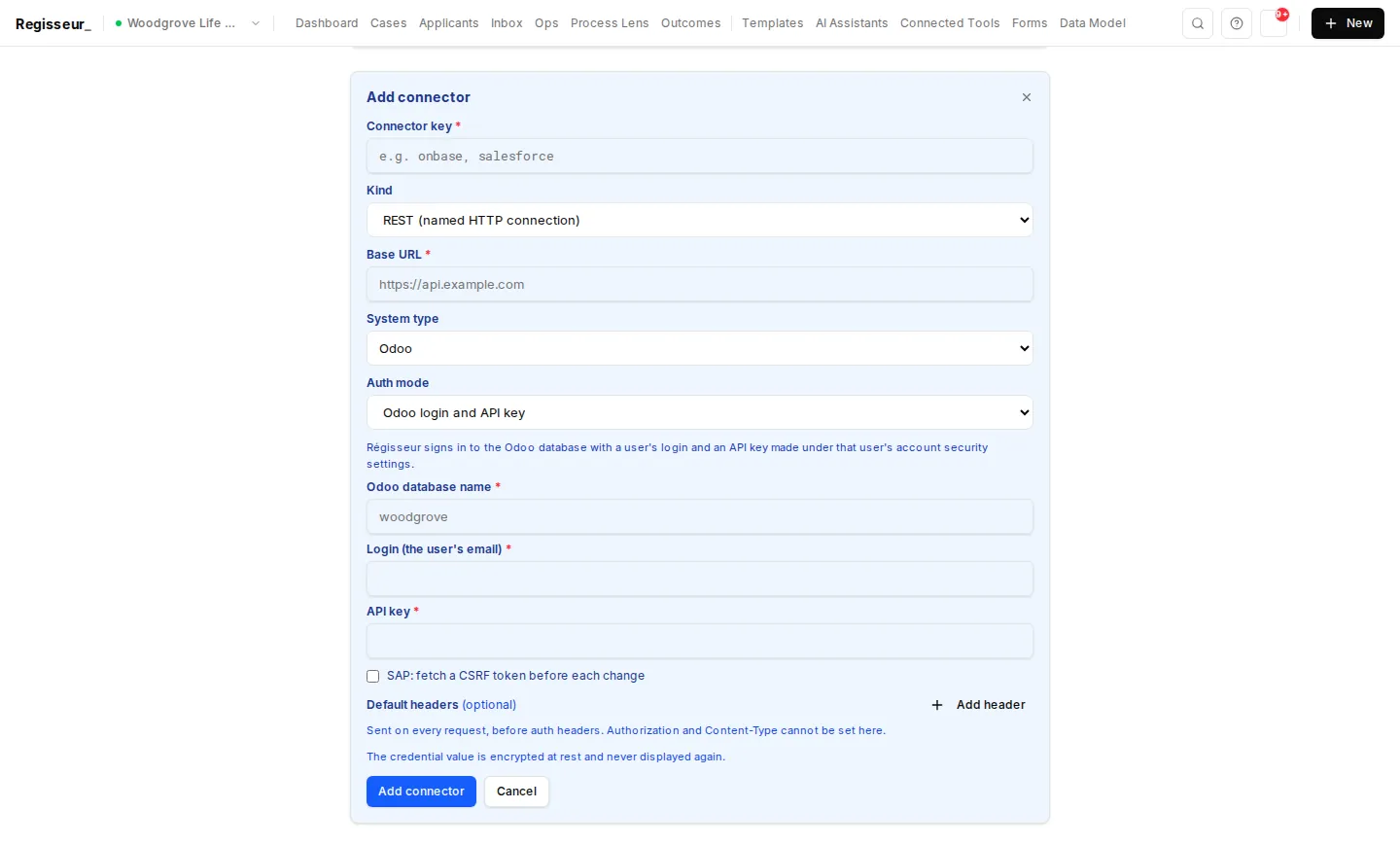
83Adding an Odoo connection asks for its database.
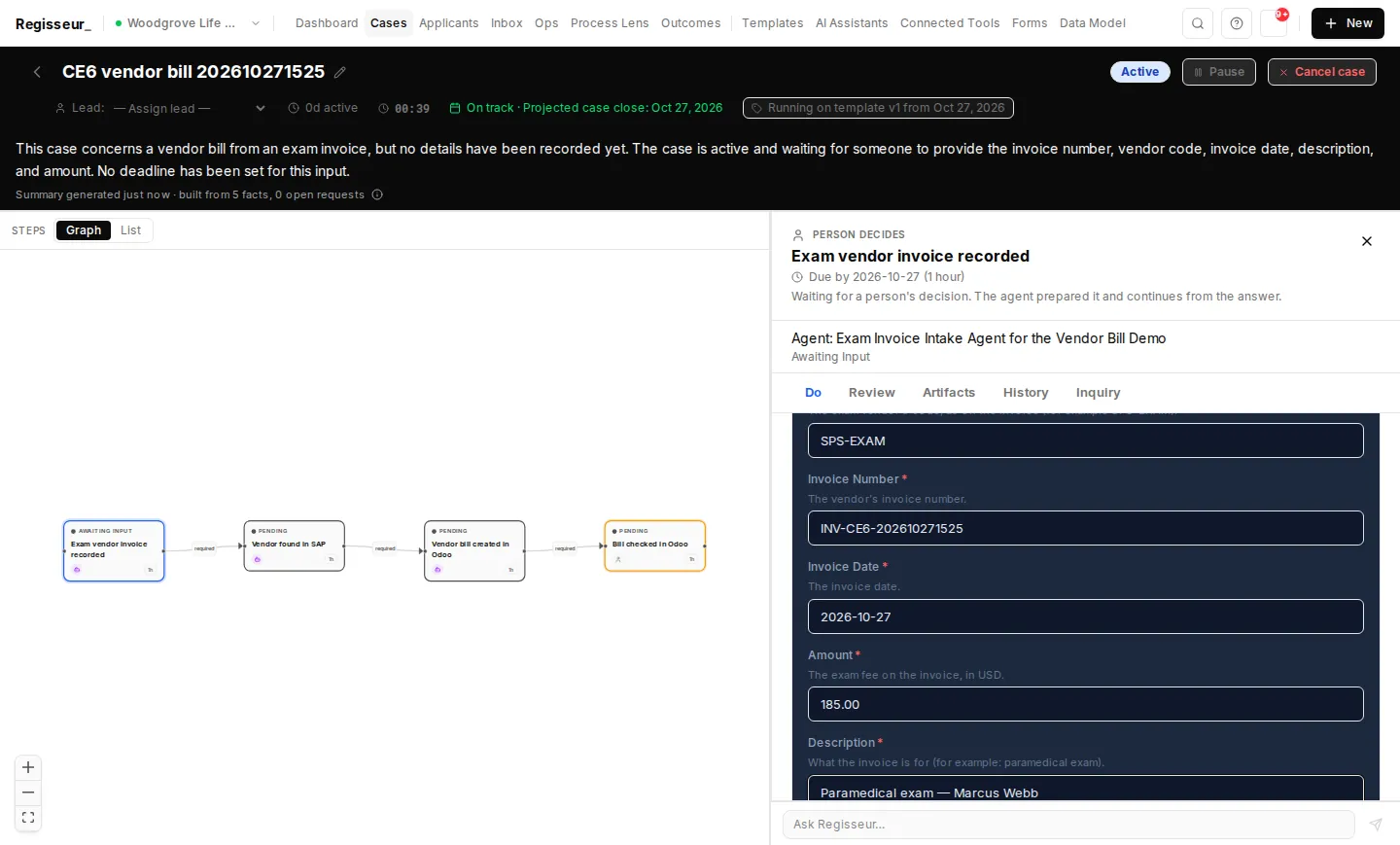
84A person enters the invoice.
85The Case Record shows the vendor found in SAP.
86The bill is held for approval and shown in full.
87Approval submitted.
88The bill step is done; a person's check is next.
89Audit: the bill that was created in Odoo.
90A second invoice, from a vendor SAP does not know.
91The simulated Odoo holds exactly one bill.
92The simulated SAP's partner list.
93The unknown vendor stops at the lookup with a plain reason. No bill is raised.
Part 7
A new joiner's access request
Raise a request in a simulated ServiceNow, wait for IT to fulfil it, confirm access
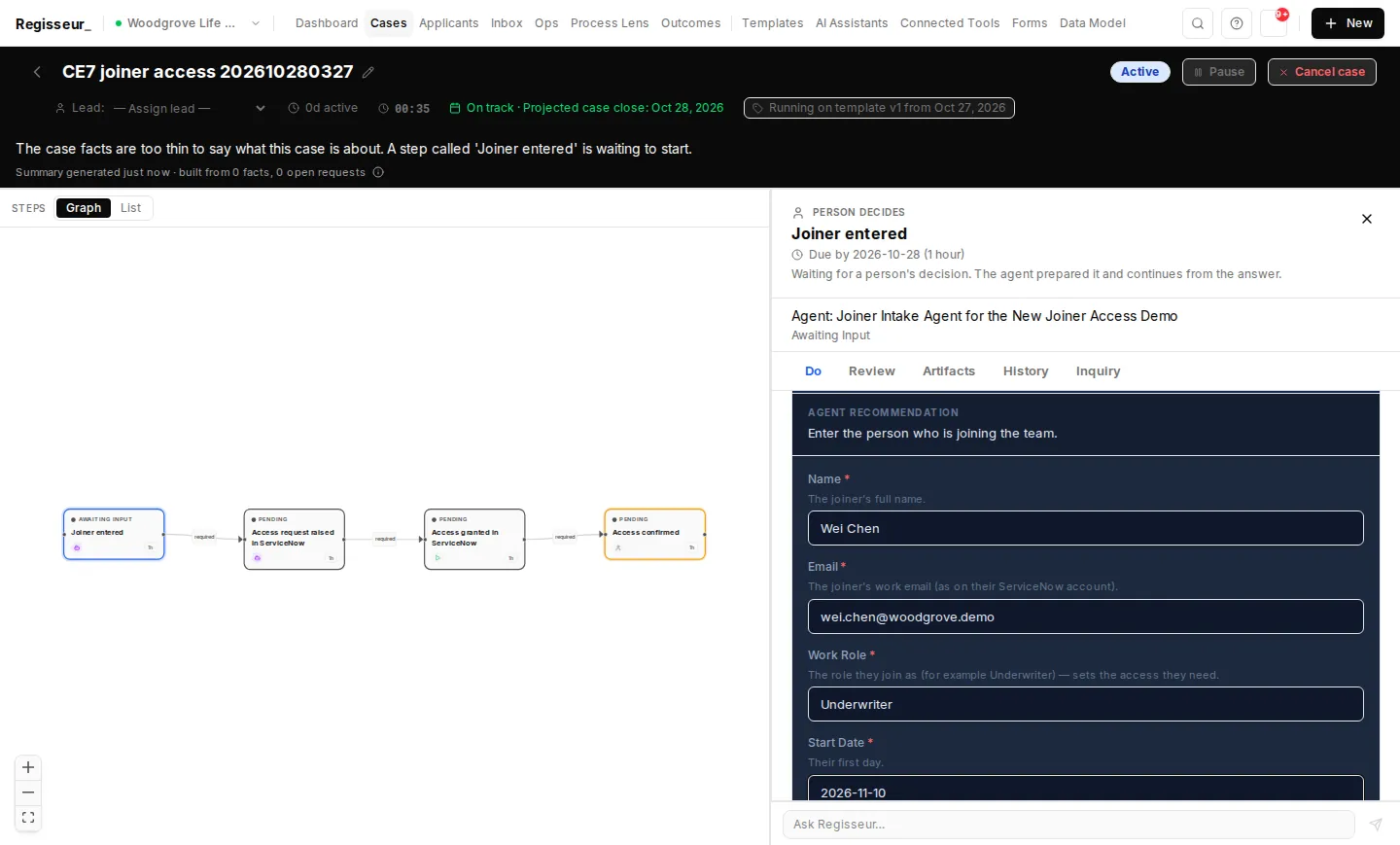
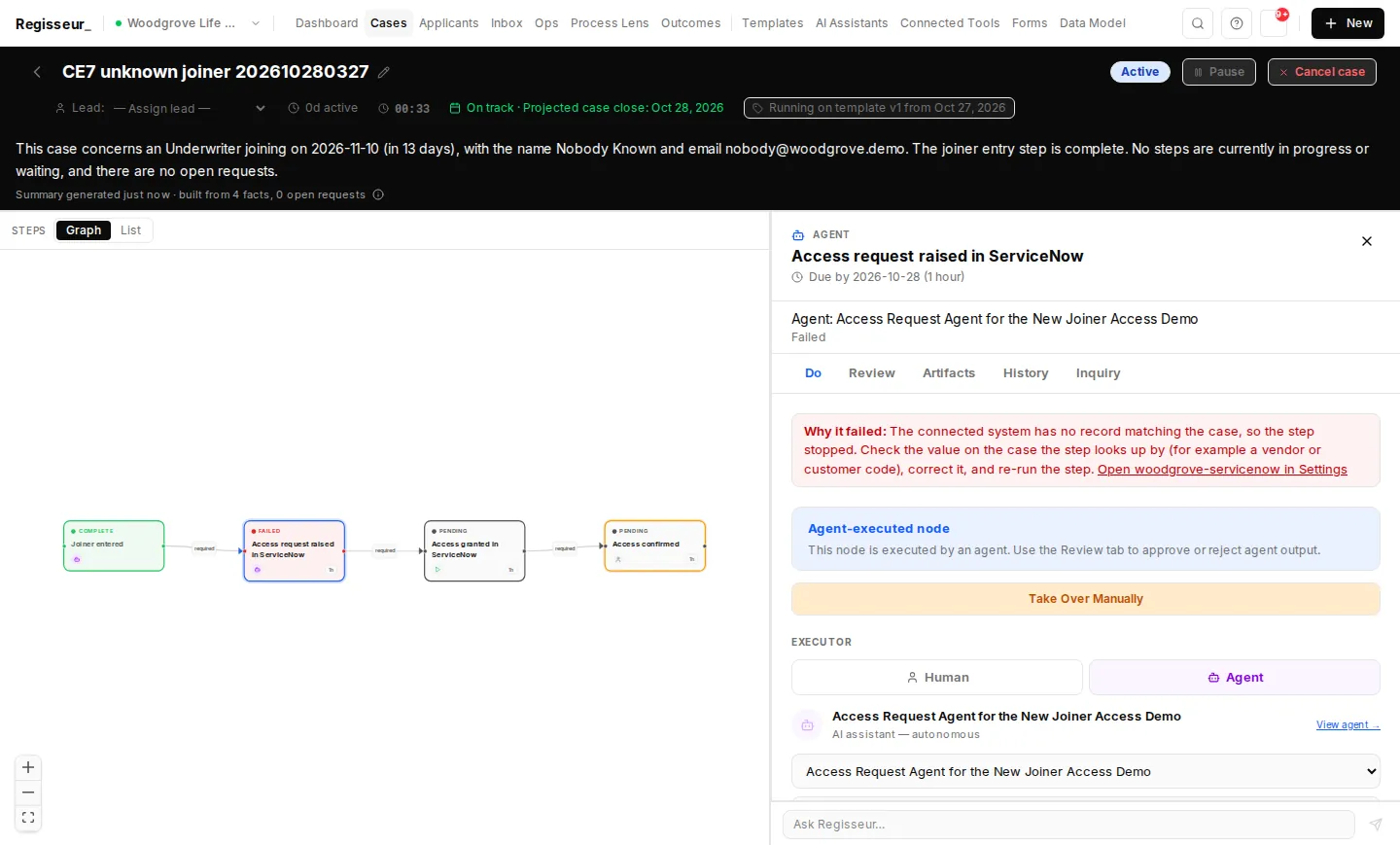
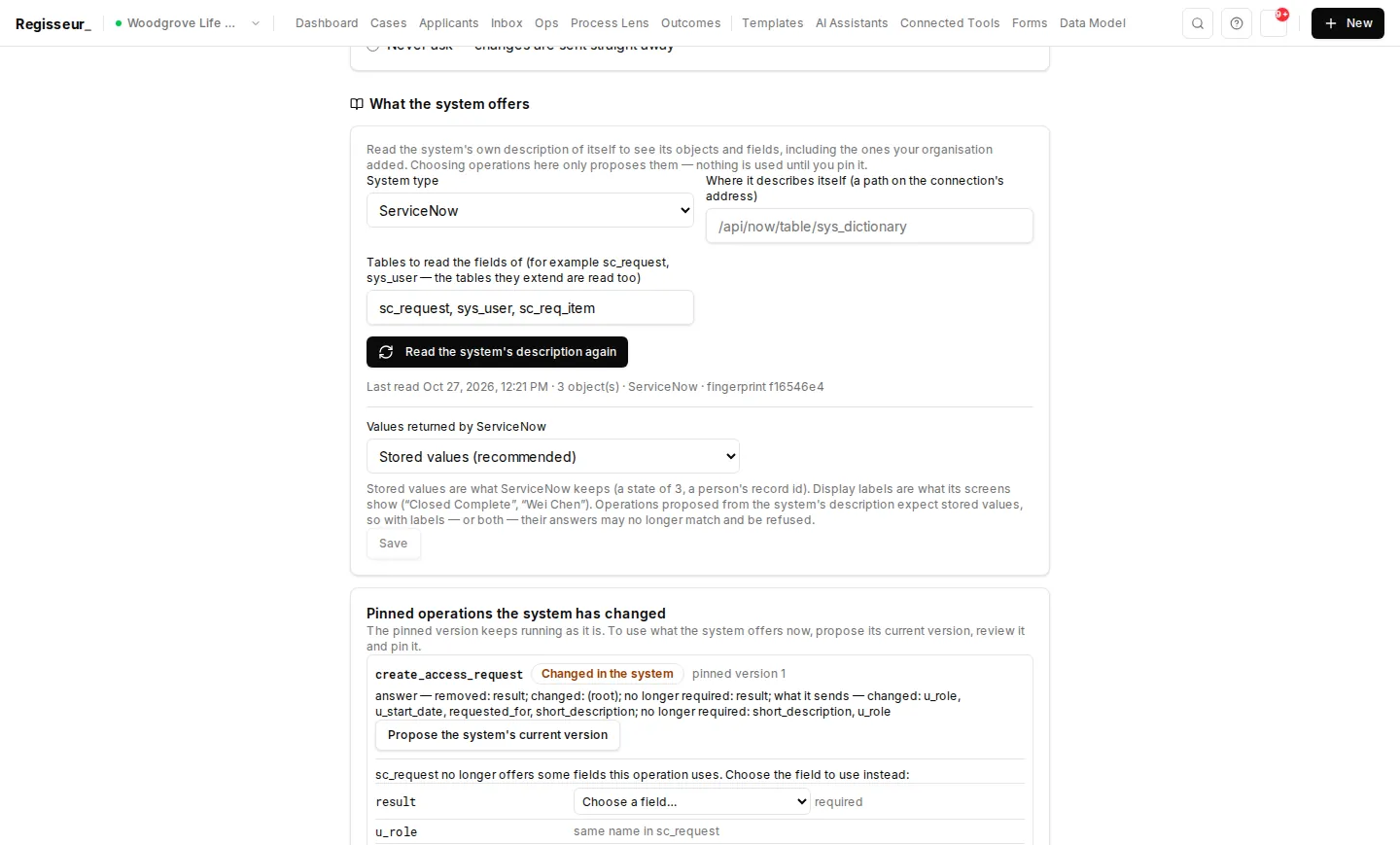
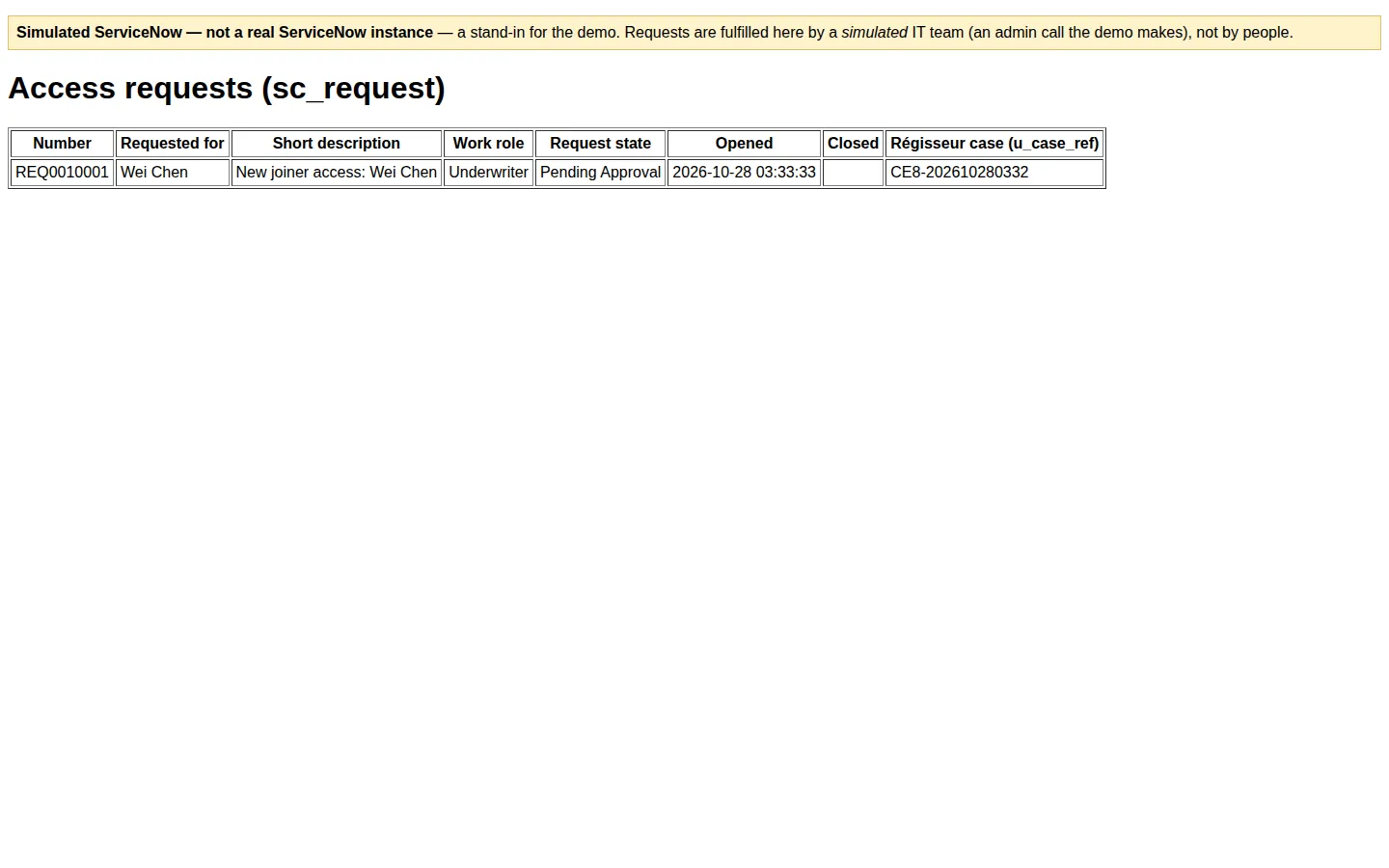
What a person sees and does. A person enters a new joiner. The case finds the joiner's ServiceNow user and raises an access request, held for approval, created once and read back. The case then waits on ServiceNow. The simulated IT team fulfils the request; the case notices and moves on, and a person confirms access. A joiner with no ServiceNow user stops at the lookup with a plain reason. A connection setting chooses whether ServiceNow's readable labels or stored values are returned to steps.
94ServiceNow (simulated): what the system offers.
95The request table, with custom fields and their choices.
96A person enters the joiner.
97The access request is held for approval and shown.
98Approval submitted.
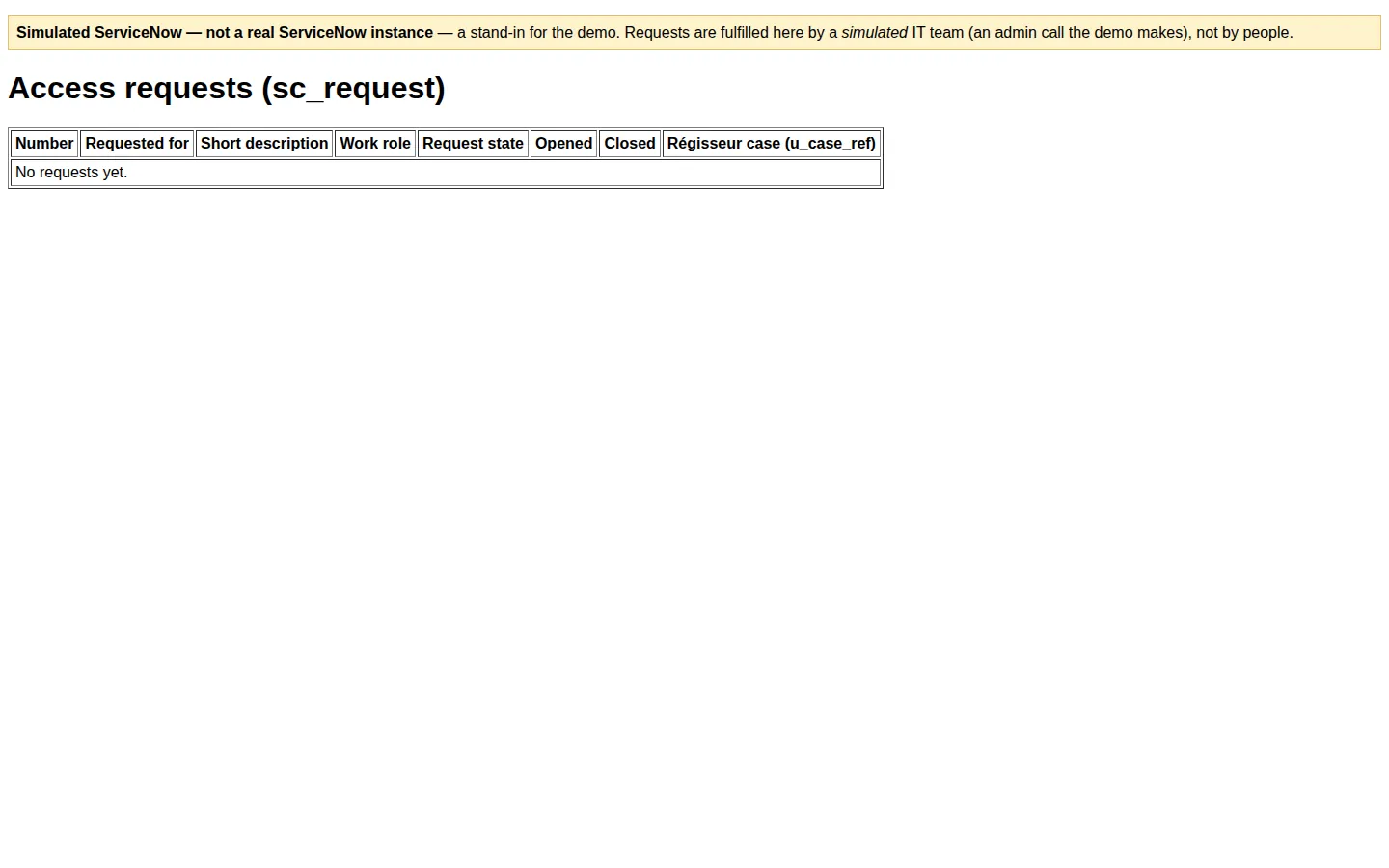
99The simulated ServiceNow shows one open request.
100The case waits on ServiceNow.
101The simulated IT team fulfils the request.
102The wait is done; a person's confirmation is next.
103Audit names the request that was created.
104A joiner with no ServiceNow user.
105The case stops at the lookup with a plain reason. No request is raised.
106The connection's 'Values returned by ServiceNow' setting, defaulting to stored values.
Part 8
Outside agents, through one governed door
A partner's agent can use operations an admin offered; every change still waits for a person
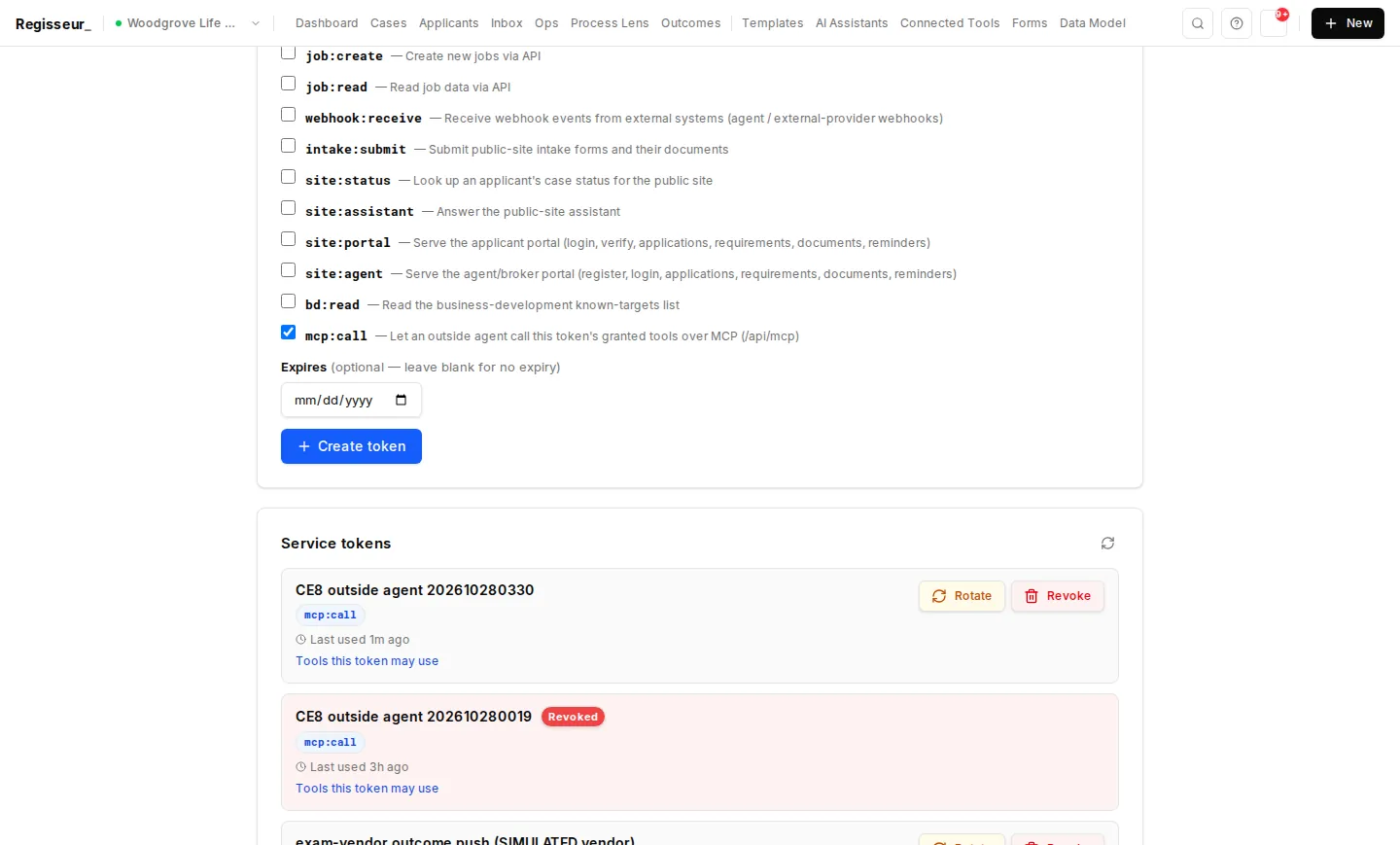
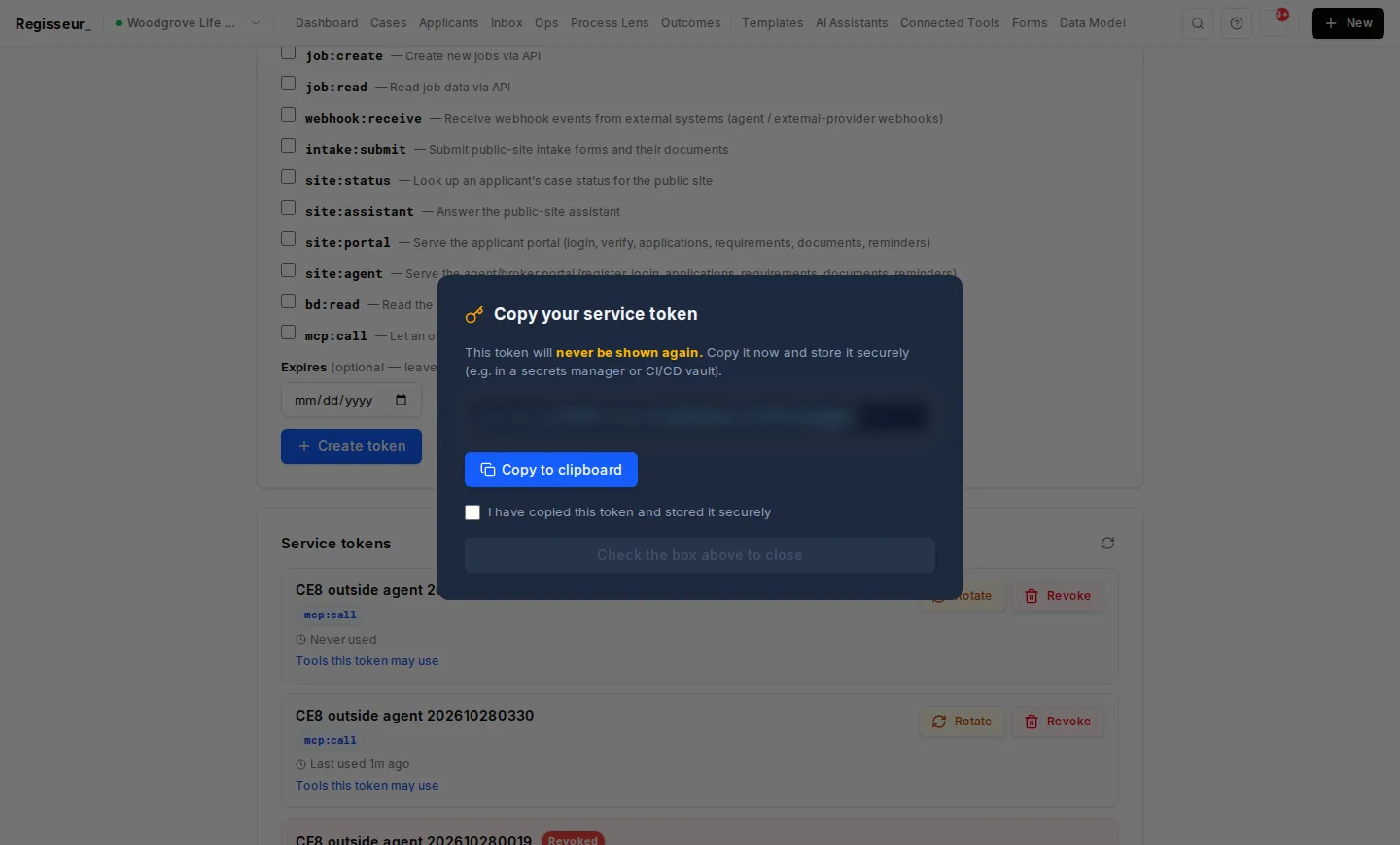
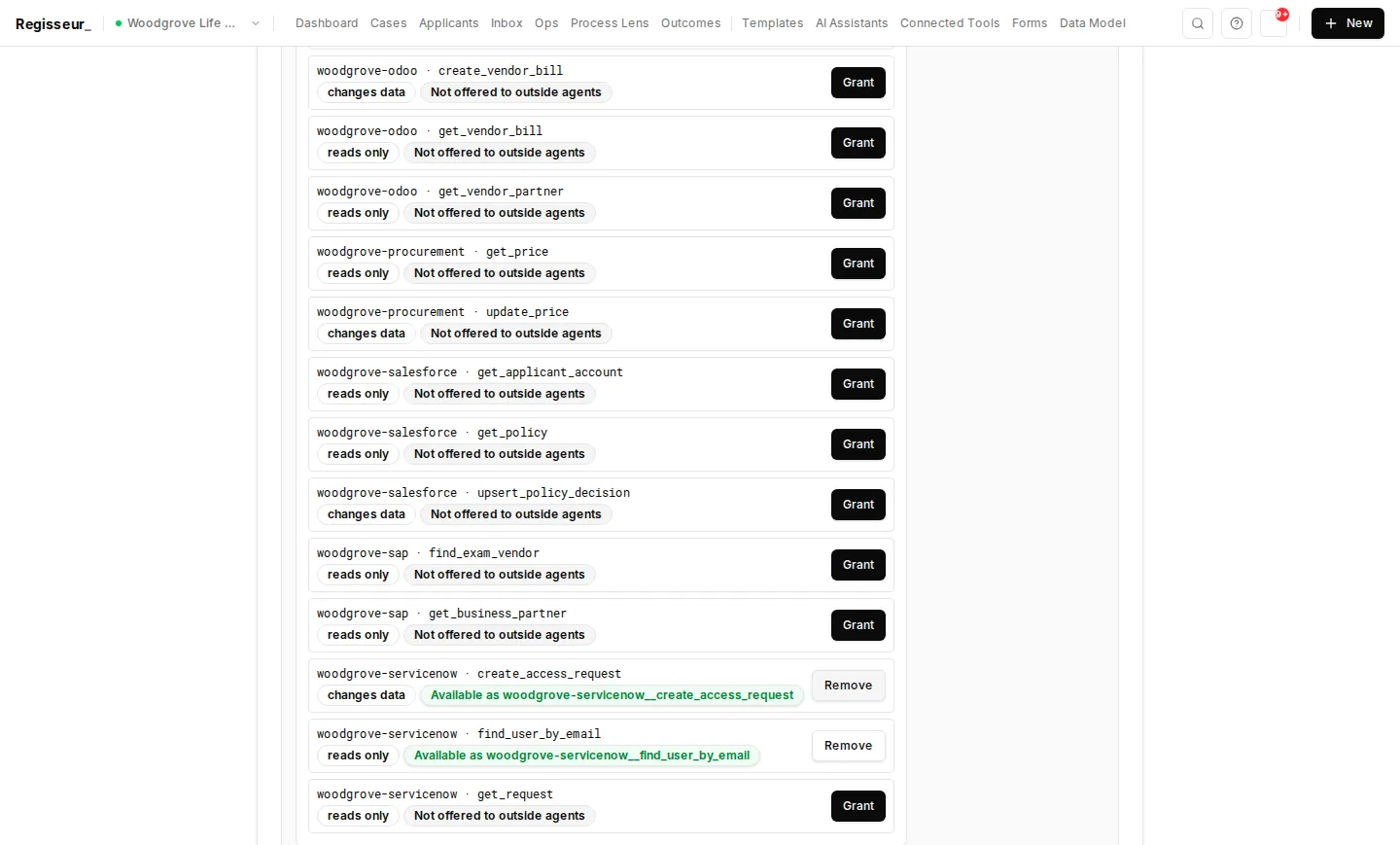
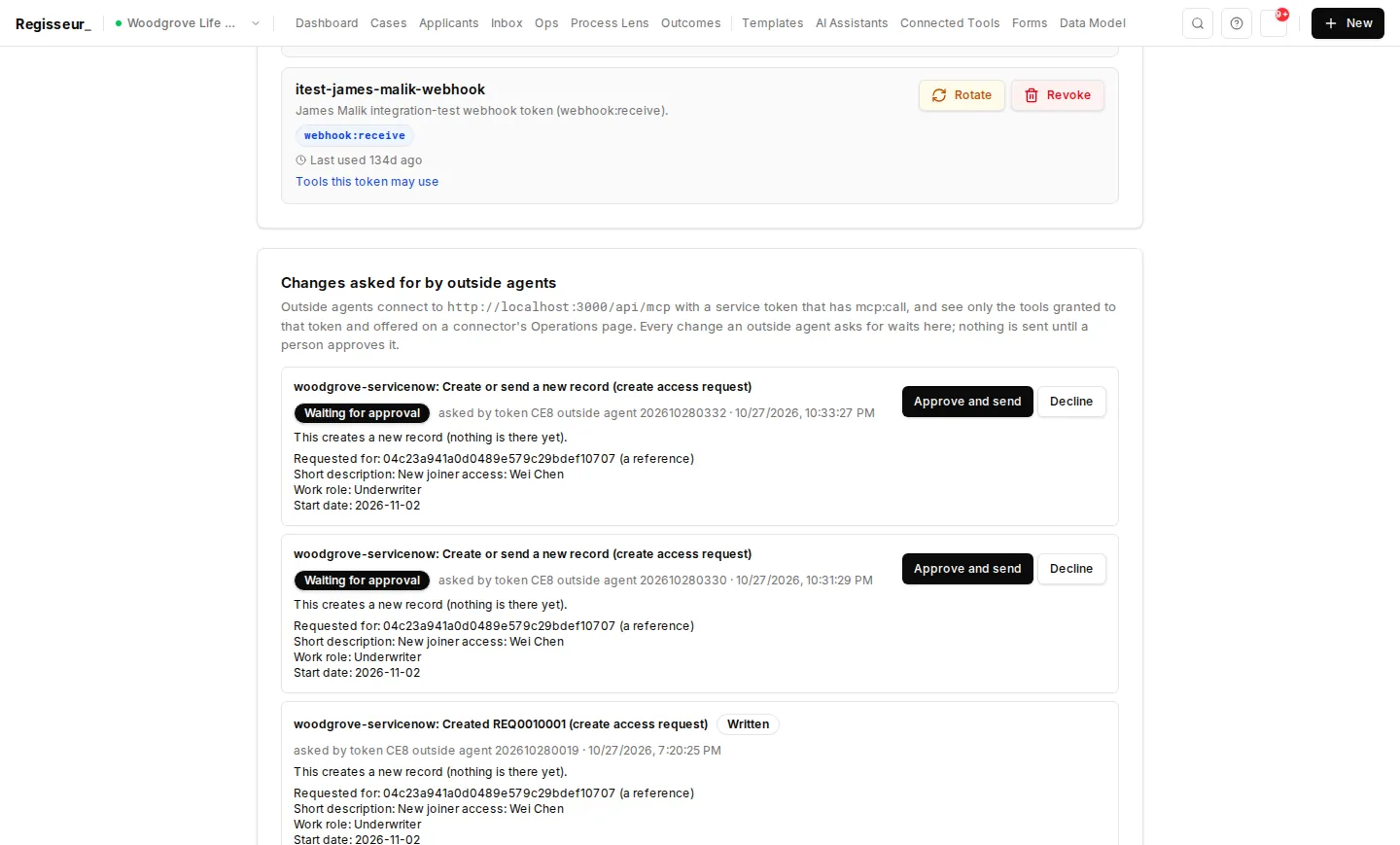
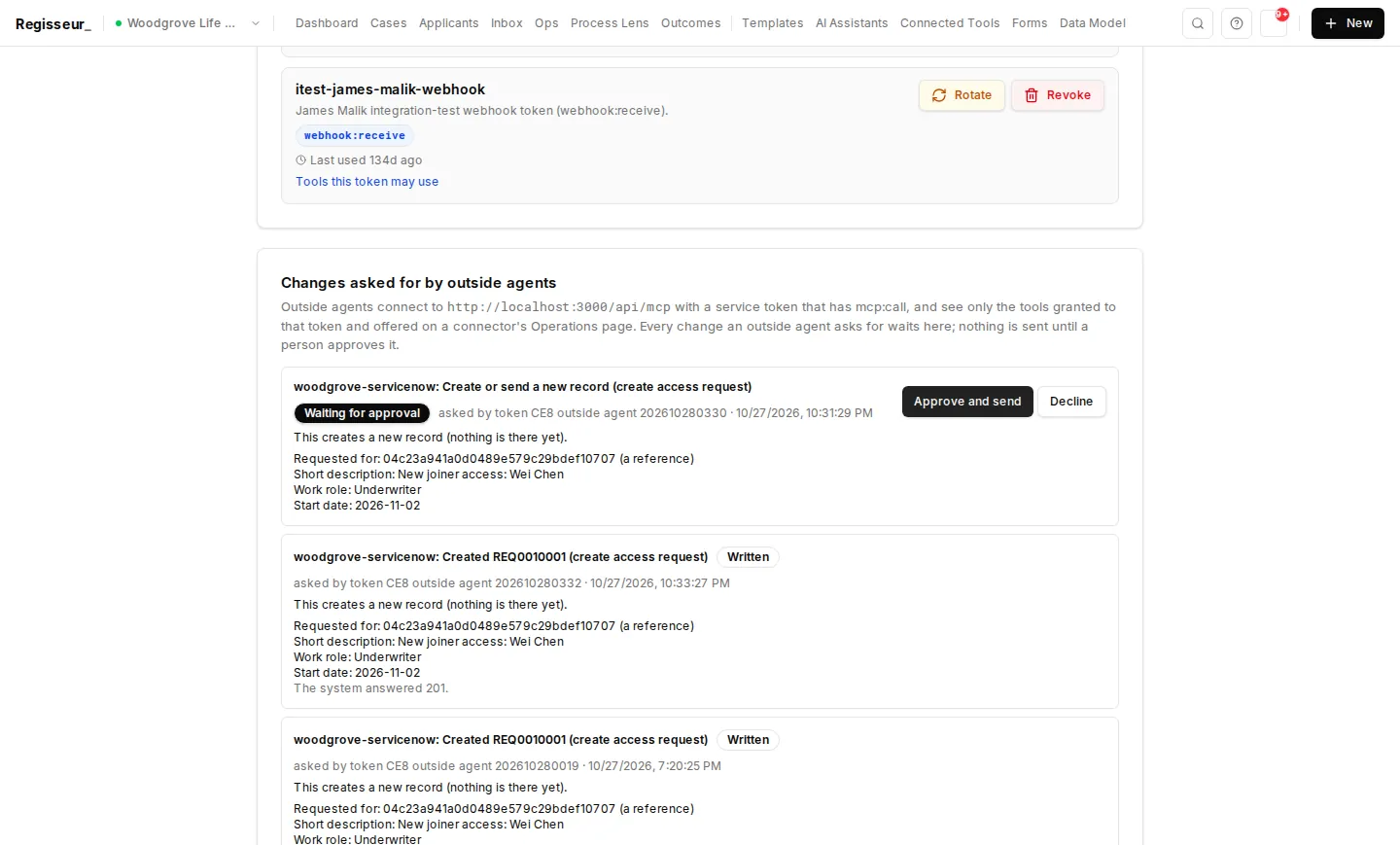
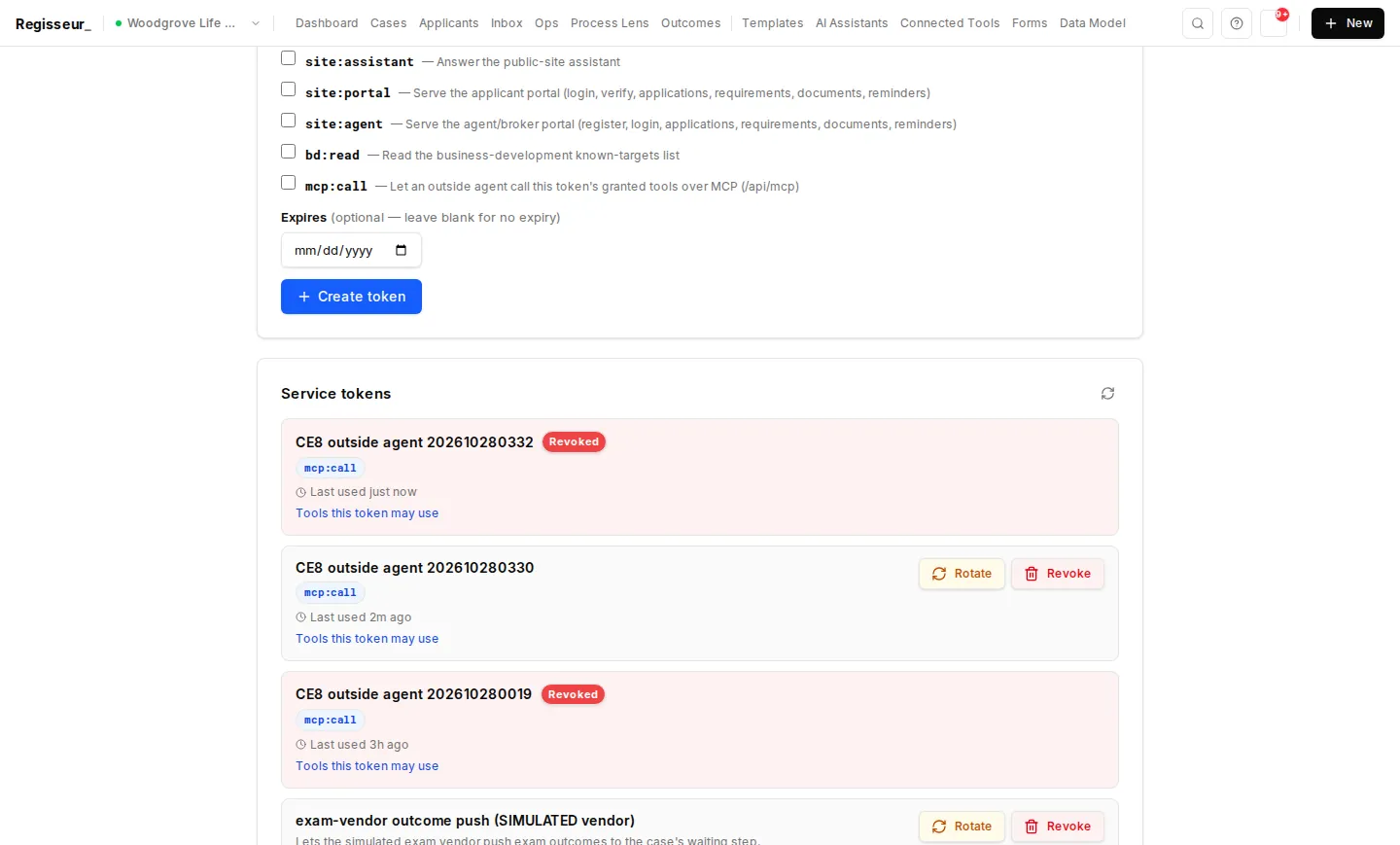
What a person sees and does. An admin creates a service token that may call tools, then opens 'Tools this token may use': at first nothing is offered. She offers two pinned operations to outside agents and grants the token a read, then a write. The outside agent lists only what it was granted. It asks for a change: ServiceNow (simulated) shows zero requests while the change waits for approval. The admin approves; the change is written once; asking again does not write twice. After she revokes the token the outside agent is refused, and ServiceNow is unchanged. Offers can be withdrawn.
107Creating a service token that is allowed to call tools.
108The token is created; its secret value is blurred in this report.
109The token in the list.
110'Tools this token may use': nothing is offered yet.
111Two pinned operations are offered to outside agents.
112The token is granted a read.
113The token is granted a write as well.
114The outside agent asks for a change. The simulated ServiceNow still shows zero requests.
115'Changes asked for by outside agents': the request waits for a person.
116Approved and written.
117The simulated ServiceNow shows one request.
118The agent asks again; still one request. Nothing is written twice.
119The admin revokes the token.
120After the revoke the outside agent is refused, and ServiceNow is unchanged.
121The admin withdraws the offers.
§ Next step
Run your process the same way.
Bring one process you run every week. We map it with you: the steps, the decisions that stay with a person, and what agents would do.