Billing disputes, from a Salesforce Case to a credit note.
Ten pricing disputes, each approved by a person, until the pricing agent earned the right to work alone under a $500 limit. Then one dispute resolved with no person, one handed to a person who overrode the agent, and a lower limit replayed against a case already closed. Live Salesforce and billing systems with a stand-in usage service, and a fictional company.
- The pricing agent gathers the evidence from billing and proposes or posts the credit
- A service rep approves, or overrides with a reason
- The customer disputes an invoice by email
- Run 1Earning autonomy
- Run 2Resolved on its own
- Run 3Escalated and overridden
- Run 4The policy changes, and the replay
- About this run
- A customer emails to dispute an invoice; a Case opens in a live Salesforce org and the case runs in Regisseur. The pricing agent reads the invoice and the contract price from a billing system (Odoo) and proposes a credit; a service rep approves it, ten times, until the agent is promoted for pricing disputes. The next one, a $240 overcharge under the rep’s $500 limit, is credited, answered and closed with no person. A usage dispute with incomplete records goes to the rep, who overrides with a $2,240 goodwill credit and a written reason. Then the limit is lowered to $200, and the case already decided is replayed as a dry run on its recorded inputs: under the new rule it would have gone to a person.
- Measured
- 14 disputes · median 34.5 s from Salesforce Case opened to closed · 1 resolved with no person · 13 decisions by a person, 1 an override · 0 reopened · all 14 inside the Salesforce service targets (compared from timestamps).
- Who decides
- A service rep approves every credit until the agent has earned autonomy for that kind of dispute; anything over the rep’s limit, or with incomplete evidence, goes to a person; an override needs a written reason. A changed limit is a new version of the rules, published by a person, and can be replayed against decided cases before it matters.
- Systems
- Salesforce Service Cloud (Cases, service targets, the customer reply) · Odoo billing (invoices, credit notes) · a usage-records service (a stand-in).
- On the record
- Live Salesforce org and live Odoo billing; the company, customers and invoices are fictional. The usage-records service is a stand-in, the override was the demonstration’s planned choice, customer replies went to a test inbox, and supervised timings include a scripted reviewer. In this run an admin made Finance’s limit change; Finance made it directly in a later recorded run.
Earning autonomy
Ten pricing disputes were opened as Cases in a live Salesforce org. For each one, the pricing agent gathered the evidence from the billing system and proposed a credit, and a service rep checked and approved it. After ten approvals, the agent was promoted to work on its own.
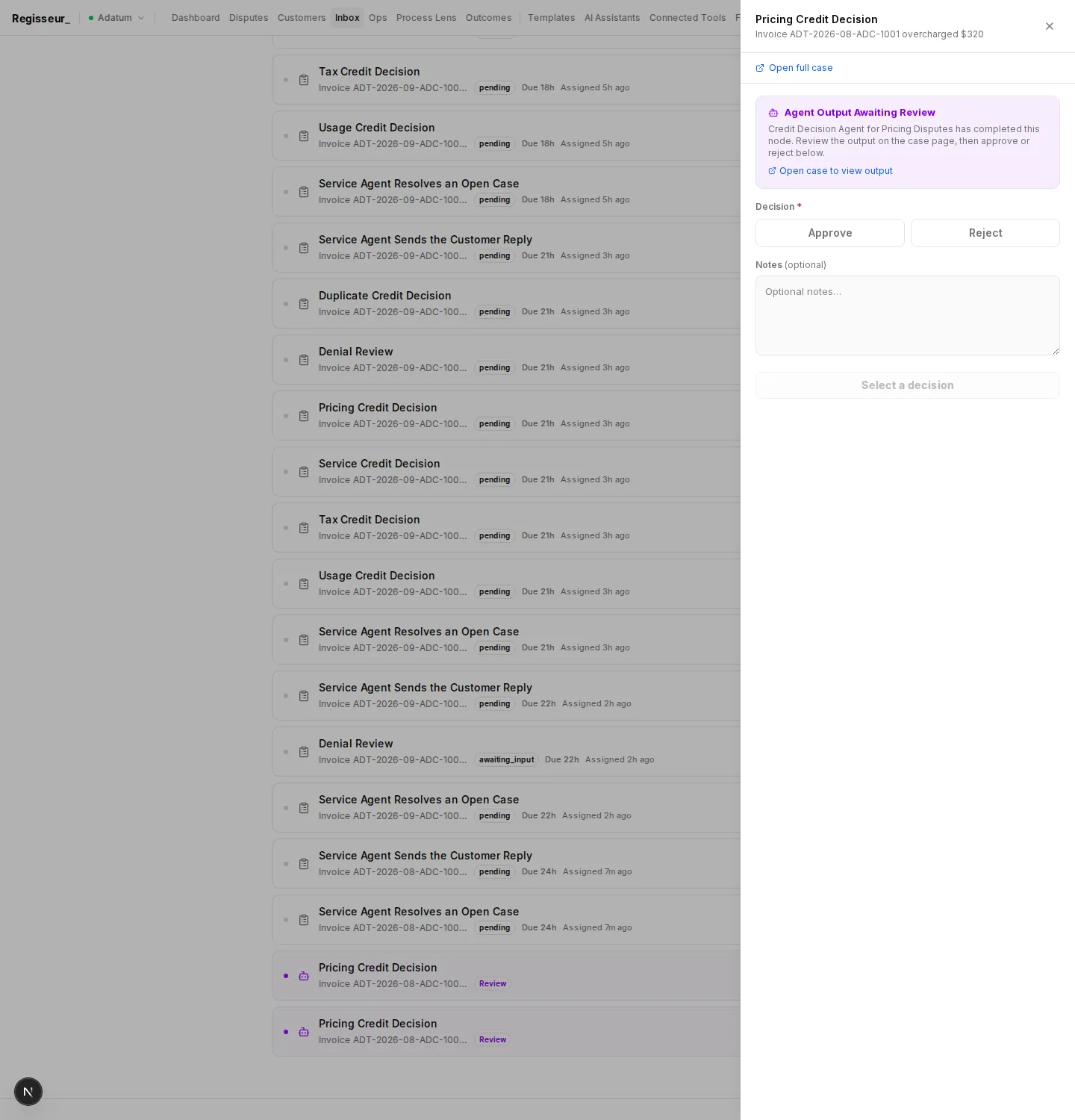
A prepared dispute arrives in the service rep's inbox for review, with Approve and Reject and a place for notes.
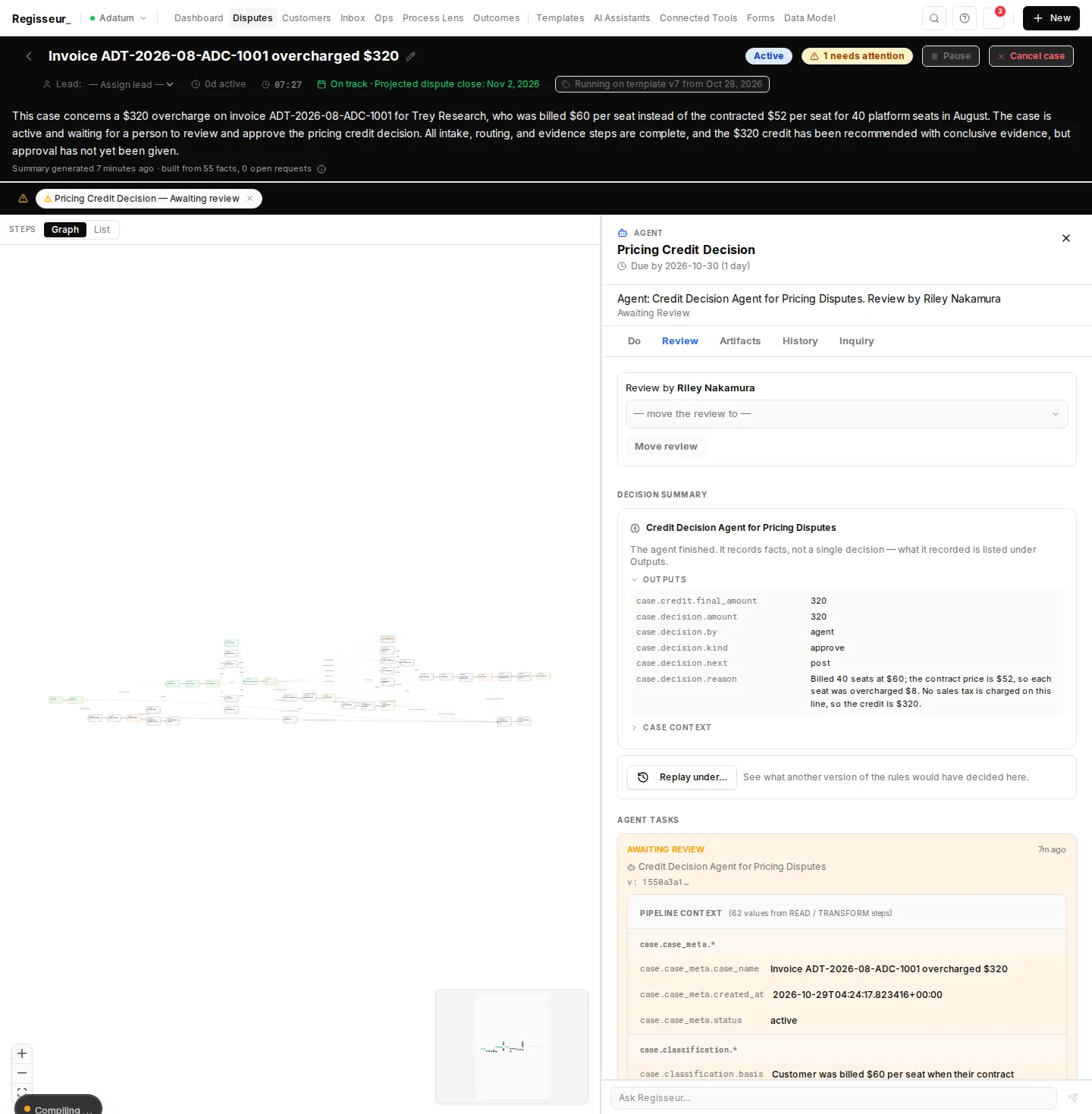
The case page for the first dispute. The pricing decision is waiting for the service rep, with the agent's summary on the Review tab.
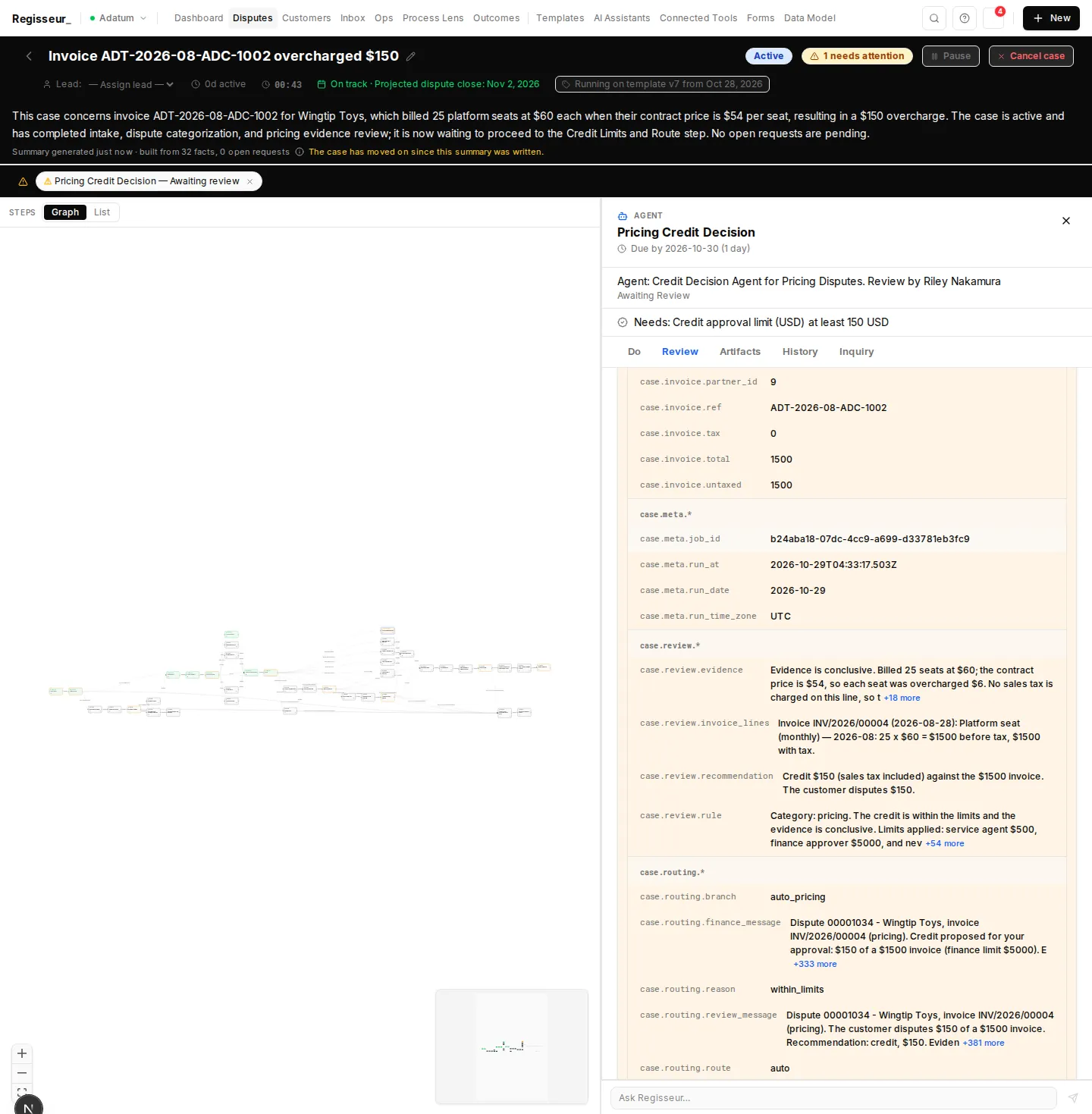
The data the agent worked from for the second dispute, including the invoice read from the billing system.
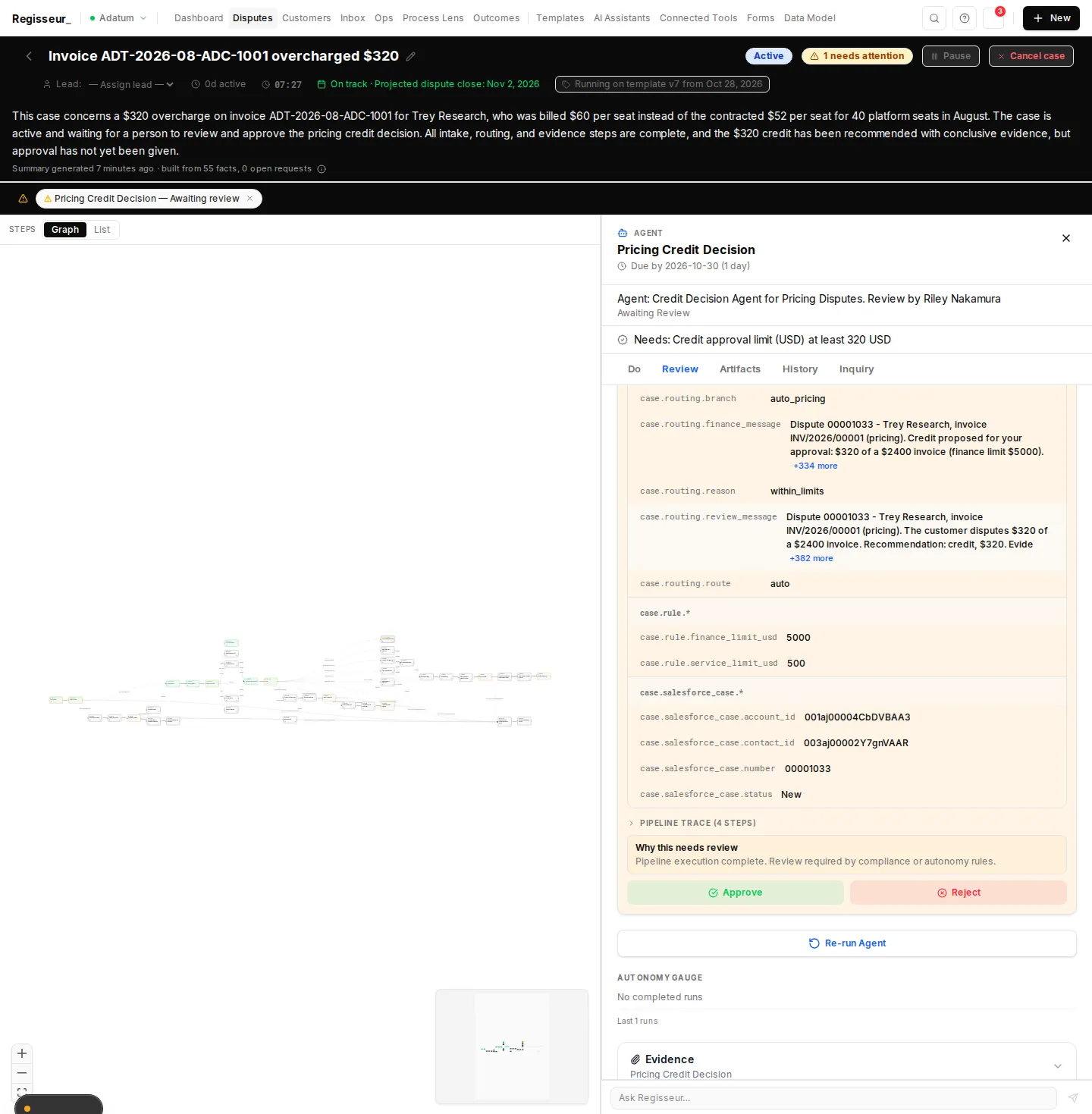
The Approve and Reject buttons the service rep used on each of the ten disputes.
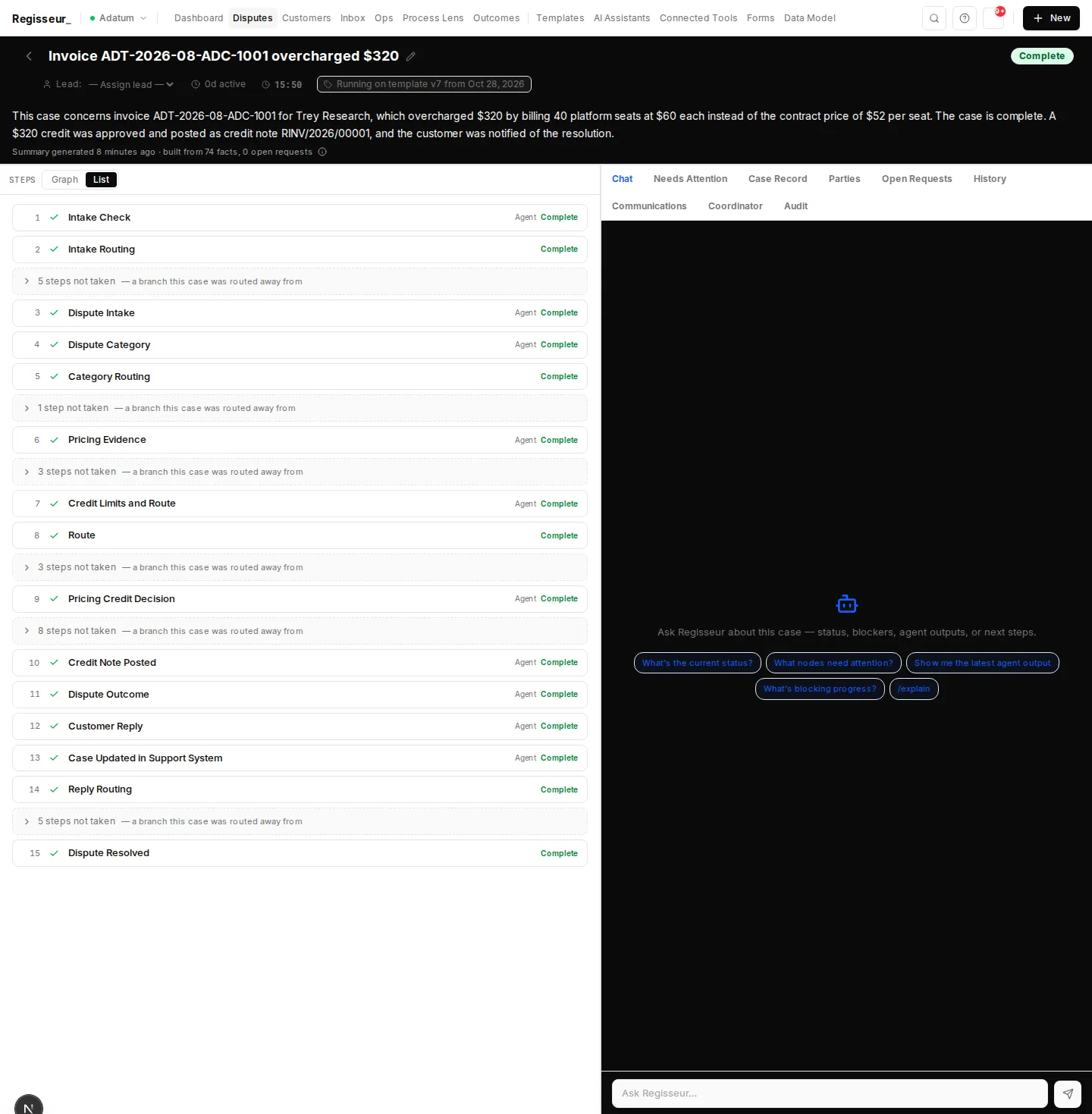
After approval, the credit is posted in billing, the Case is updated and closed in Salesforce, and every step shows complete.
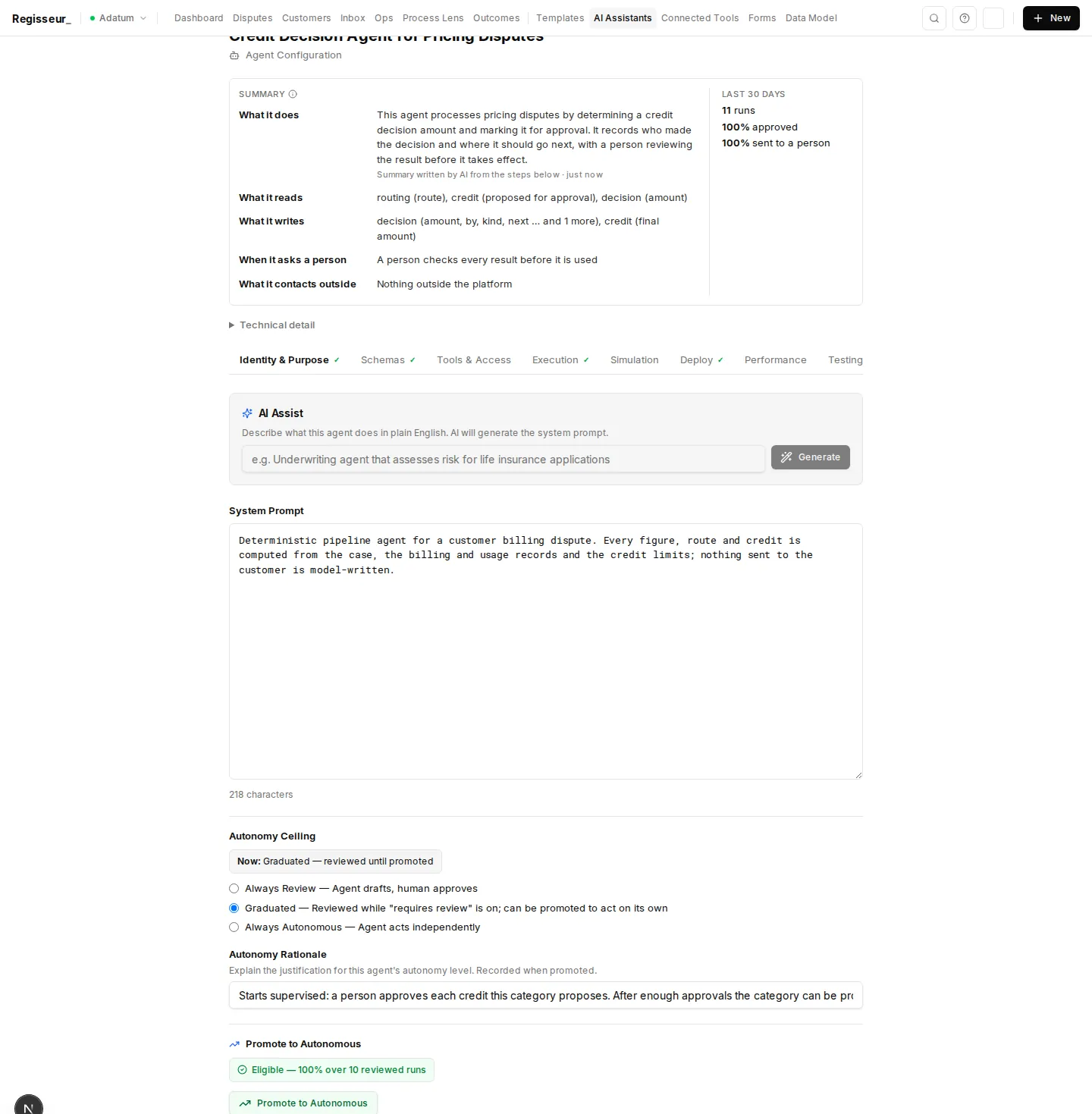
The agent's page offers a promotion once it has earned it: every one of its ten reviewed decisions was approved.
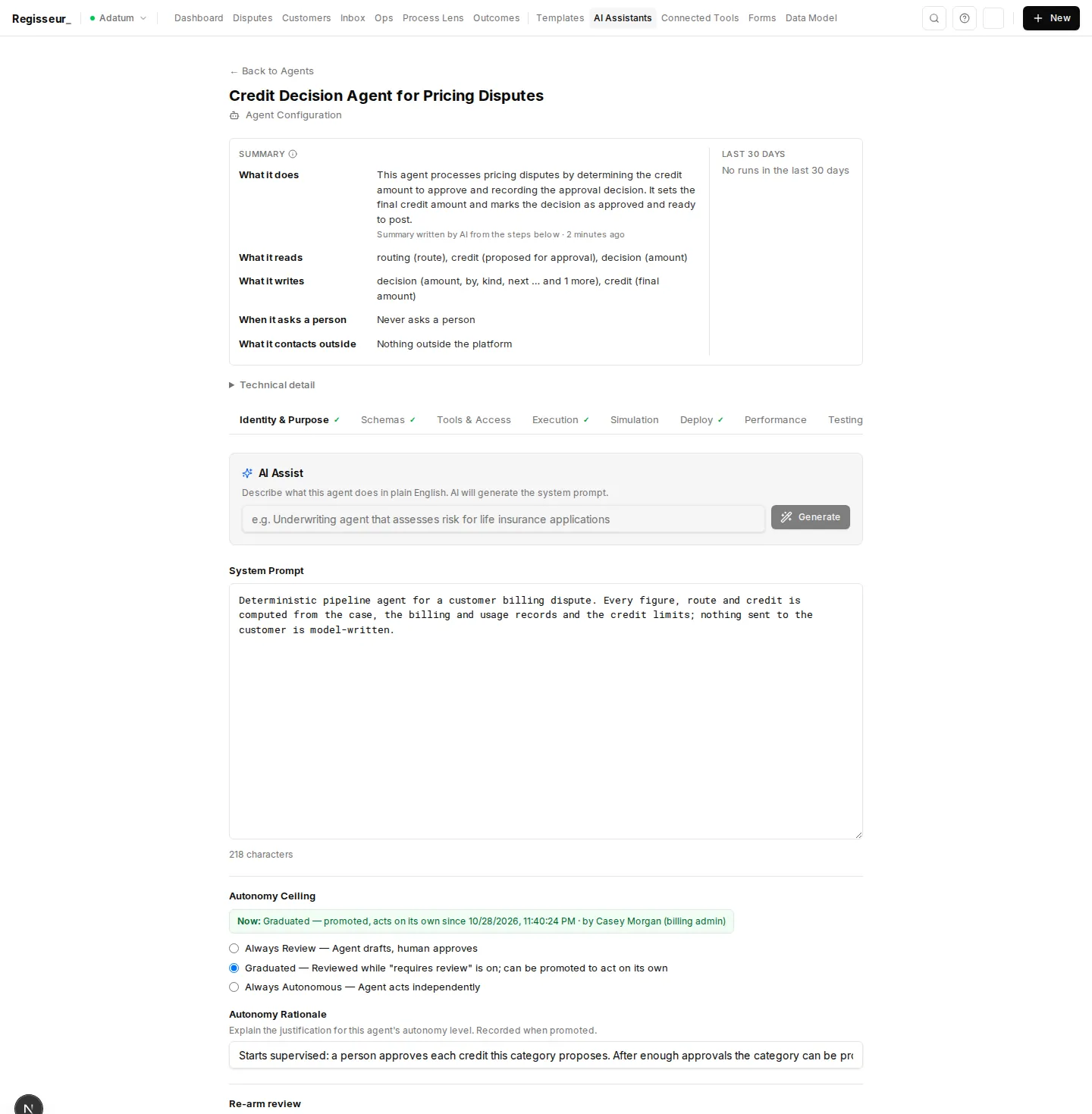
After promotion, the page records that the agent now acts on its own.
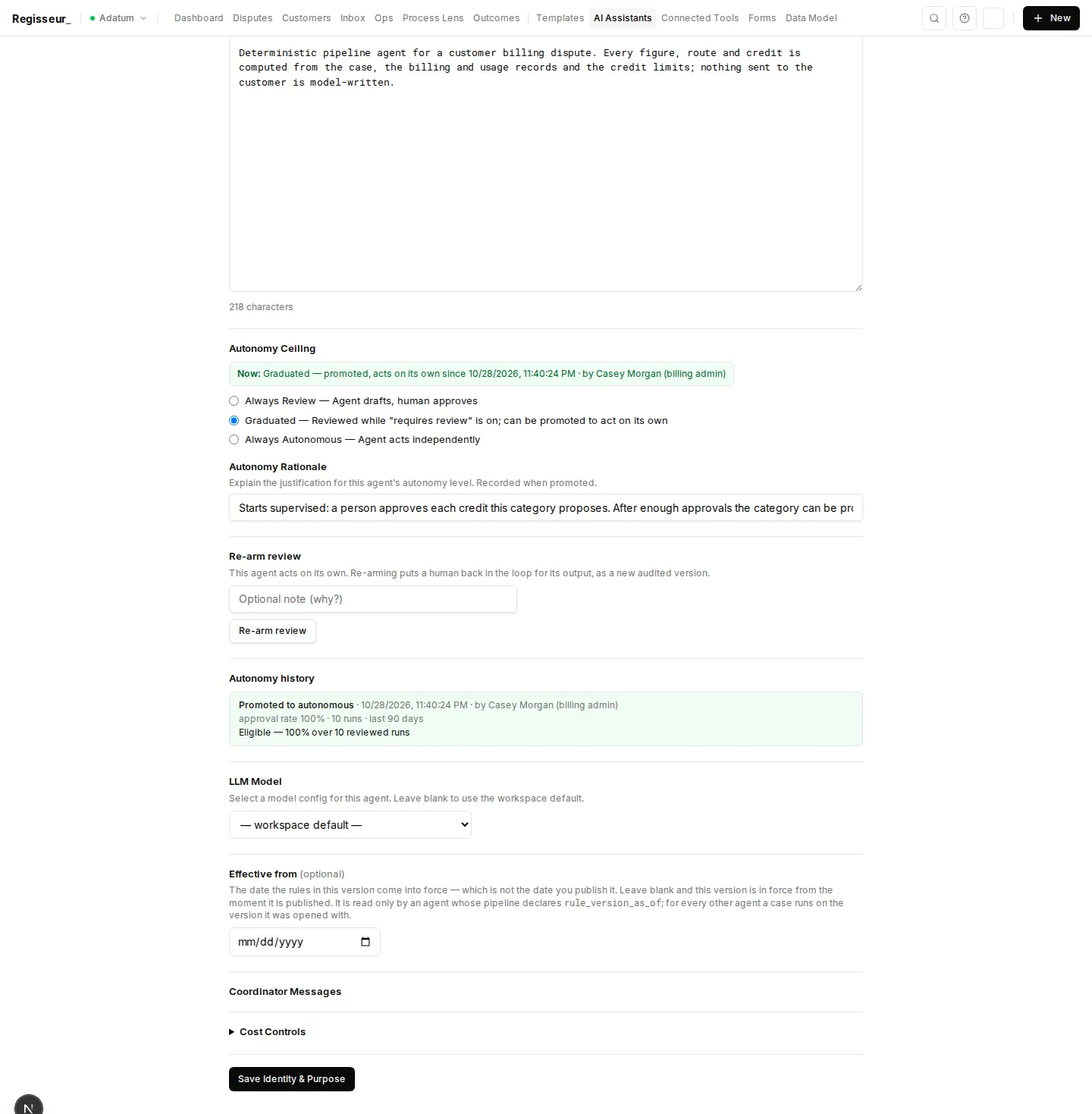
The autonomy history keeps the promotion, who made it, and the record it rested on.
Resolved on its own
A customer, Margie's Travel, disputes a $240 overcharge. The pricing agent, now promoted, resolves it: the credit is posted in billing, the customer is answered and the Case is closed. Nobody has to touch it.
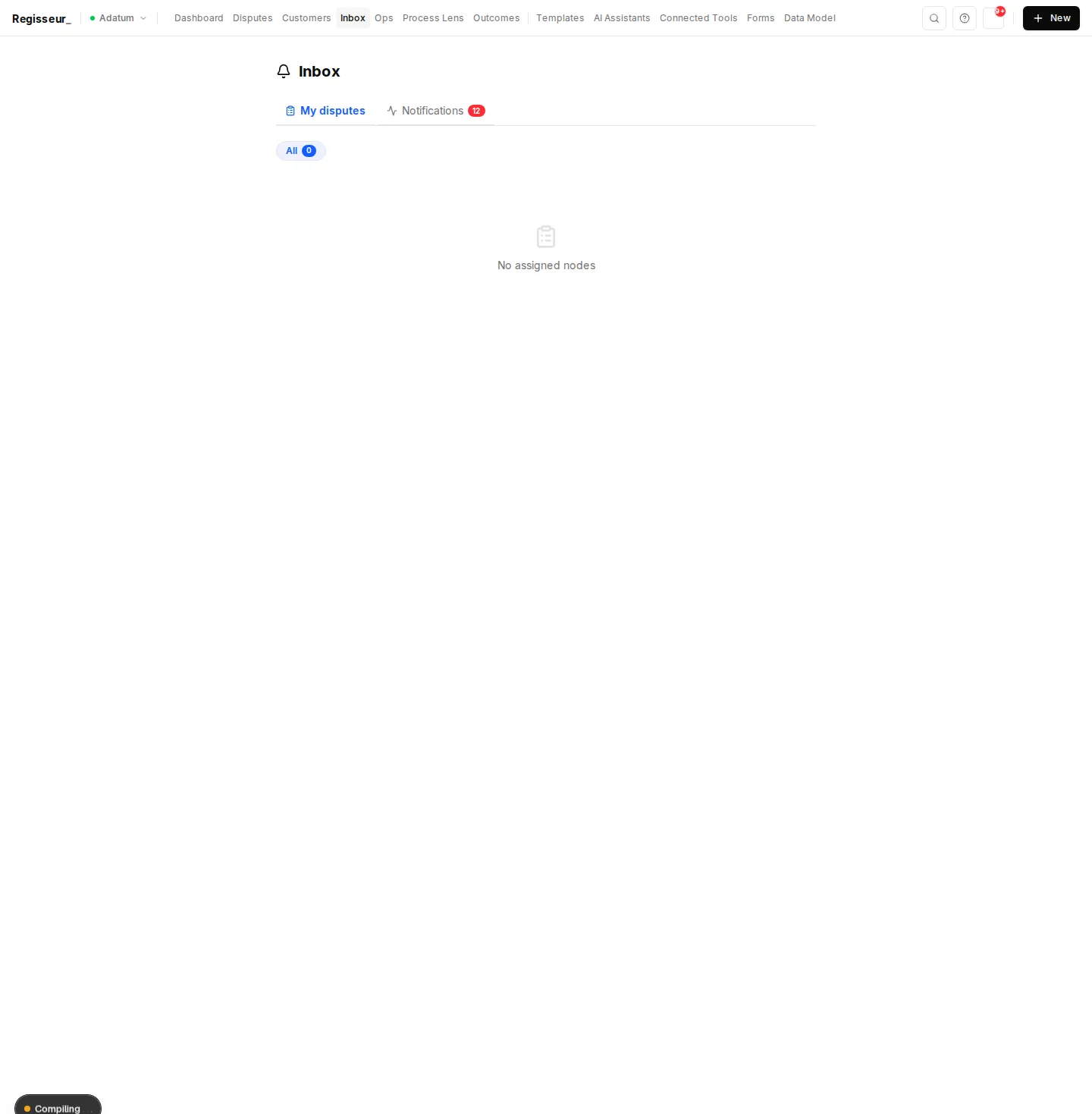
The service rep's inbox stays empty: there is nothing for a person to review.
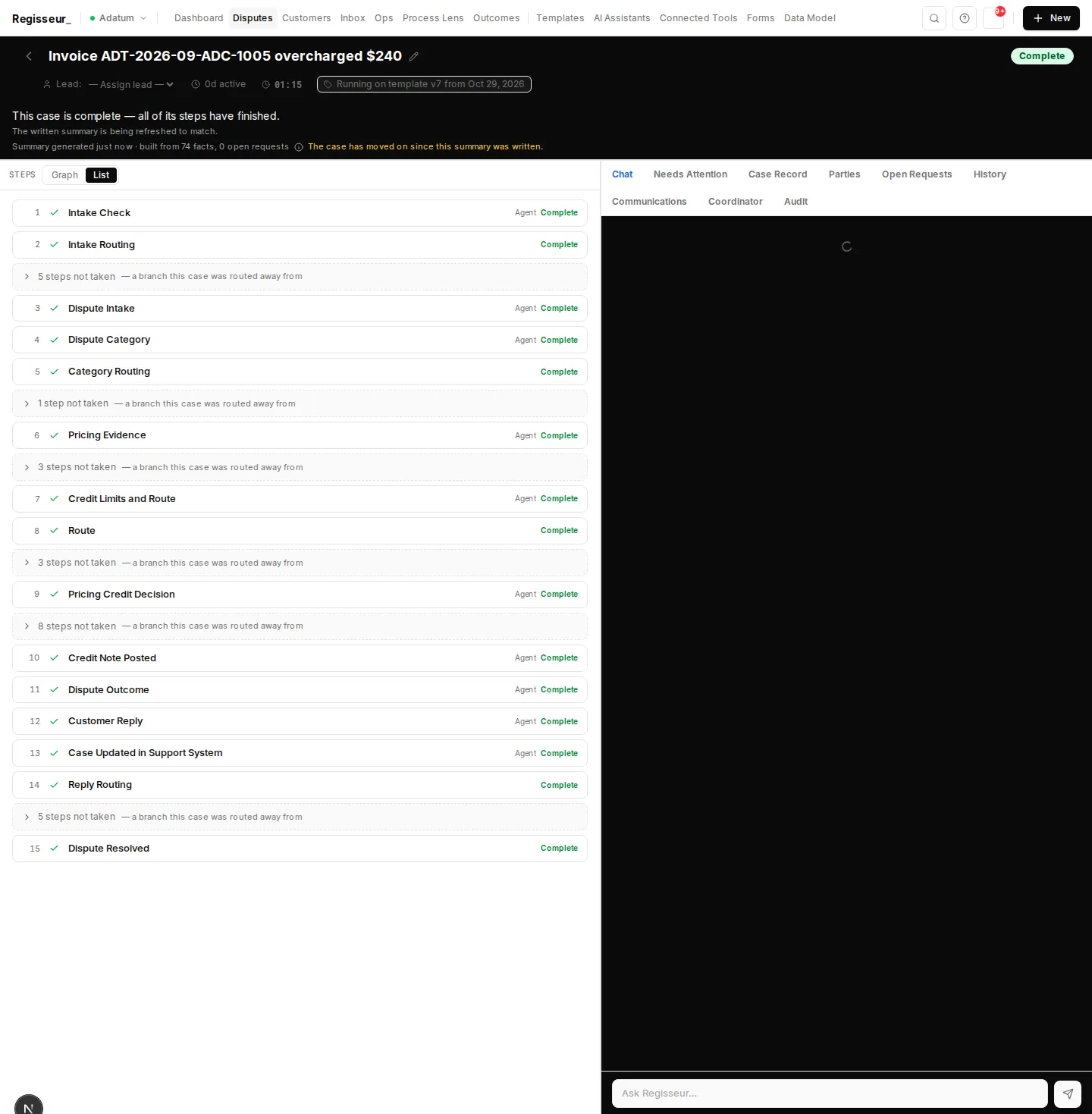
The case is complete. From Salesforce Case to closed took 58 s.
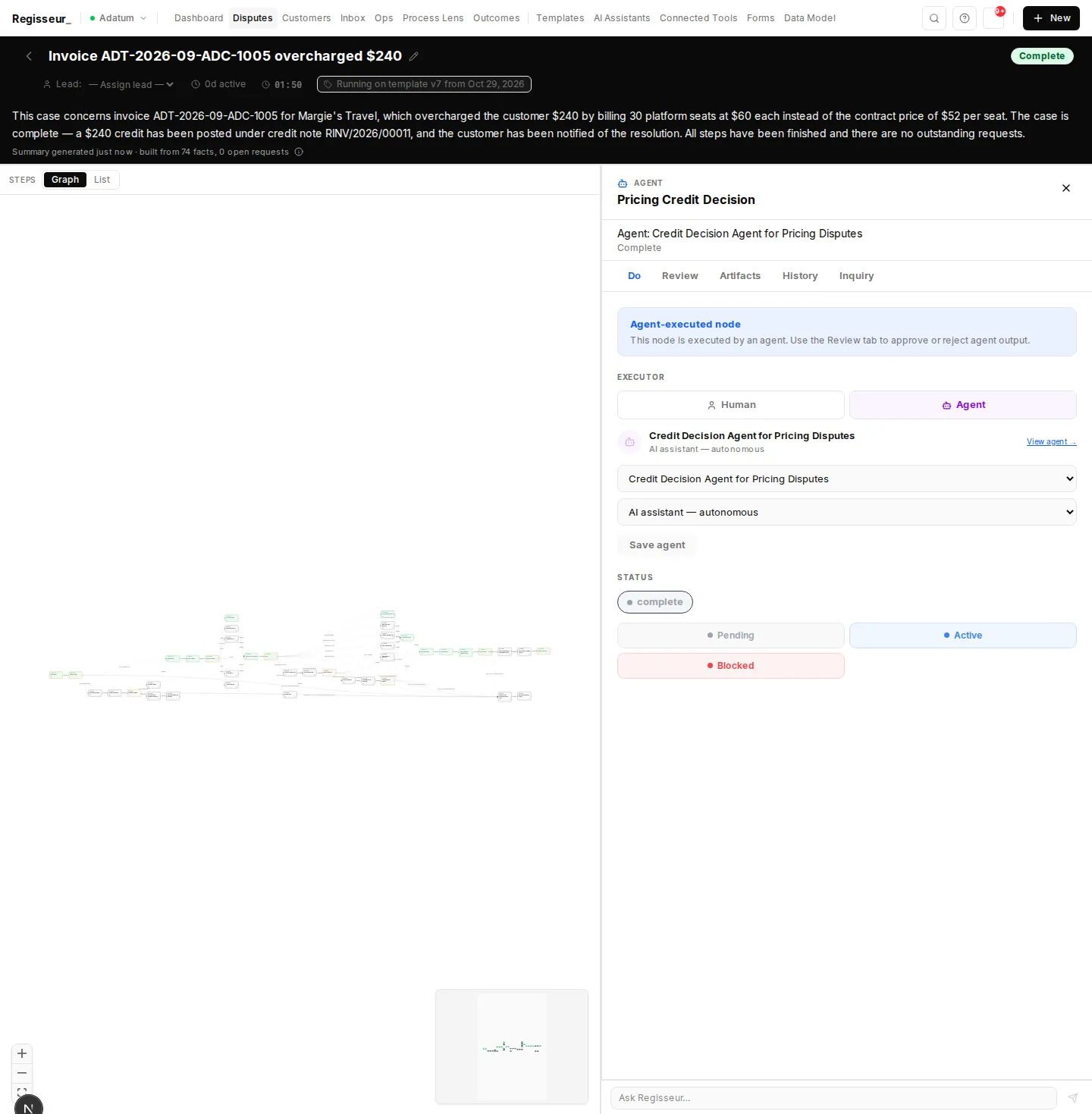
The decision step records that the agent executed it, working autonomously.
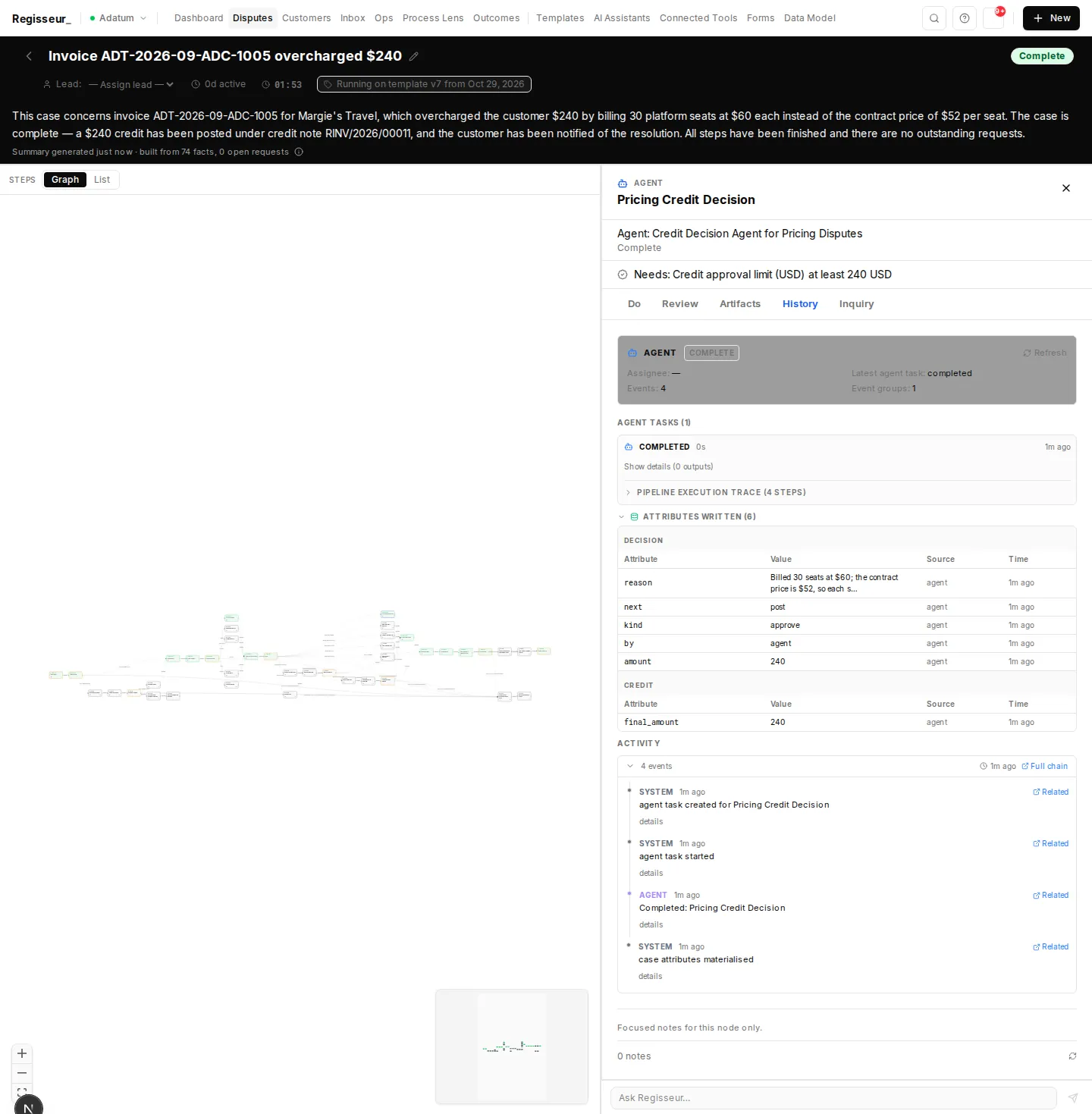
The step's history lists what the agent wrote and where each value came from.
Escalated and overridden
A customer disputes a large usage charge, and the usage records are incomplete. The agent proposes a partial credit and, because the evidence is partial, hands the case to the service rep. The service rep overrides the proposal with a $2,240 goodwill credit and writes the reason. (The override was a choice scripted for this demonstration; see the note at the end.)
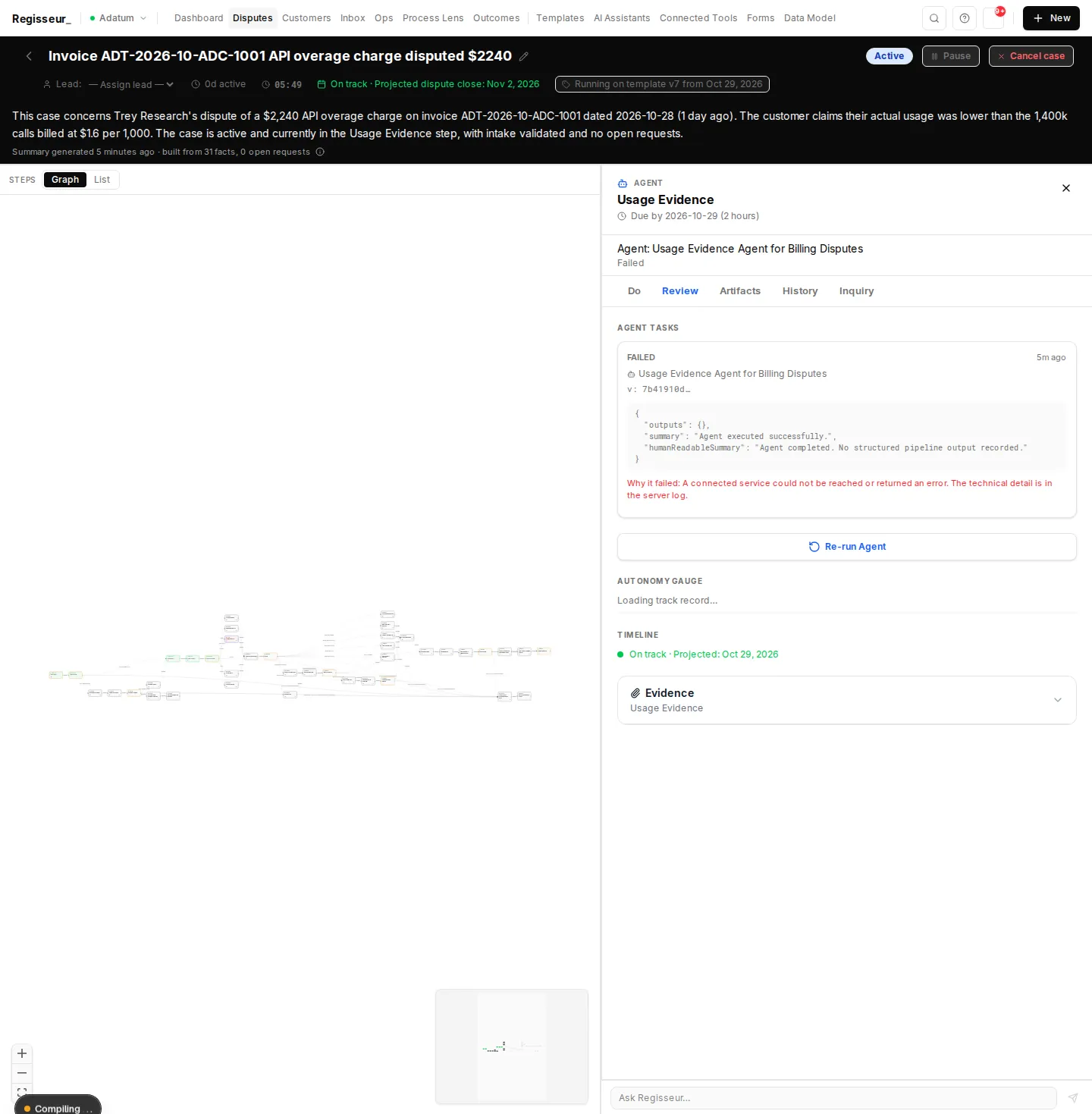
On the first attempt the usage-records step failed because the stand-in usage service was not running. It was started and the step re-run from the same screen.

In this run the escalated case did not yet appear in the service rep's inbox; the person opened it from the case page. This was fixed afterwards.
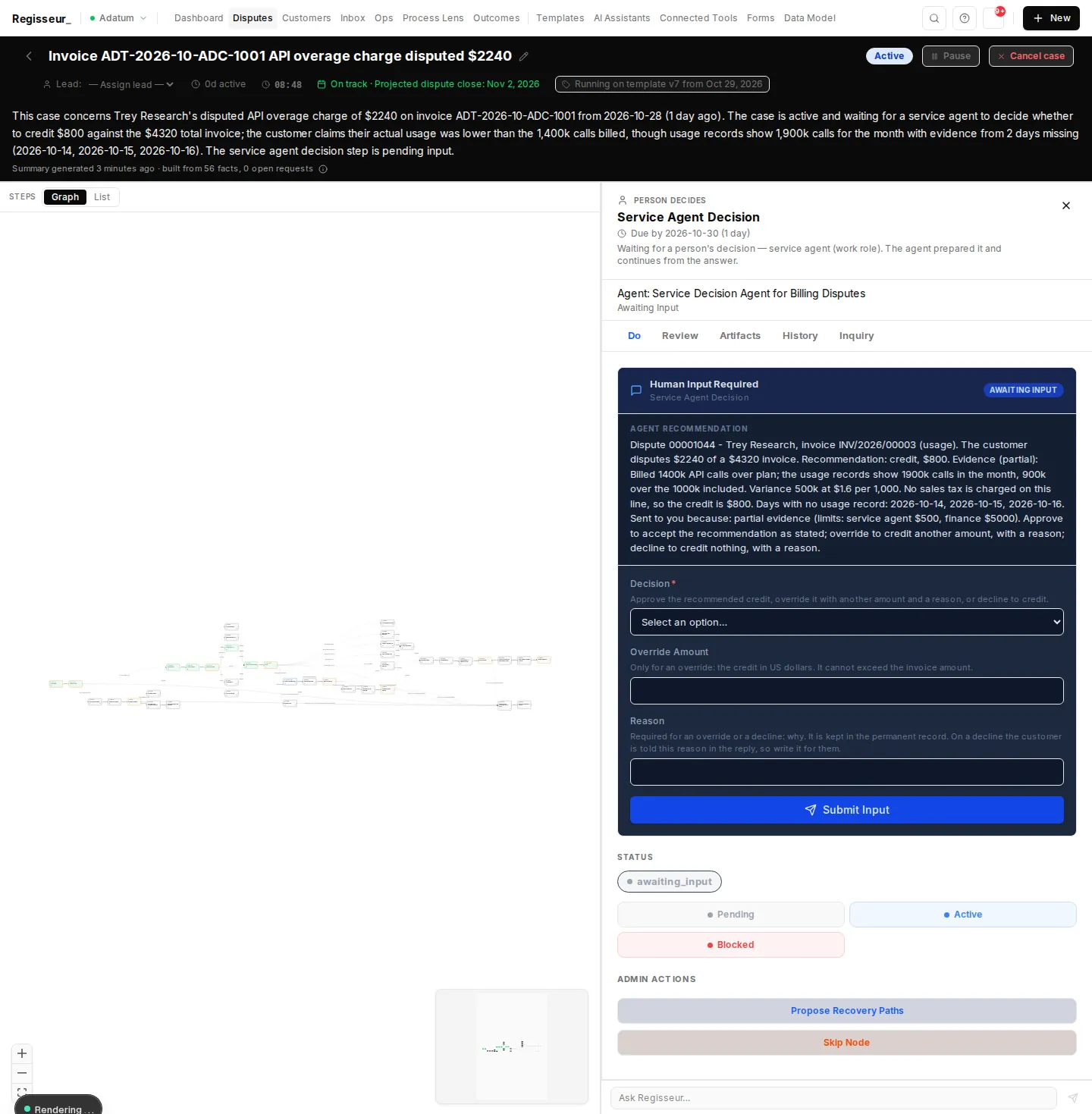
The service rep opens the case: the agent's recommendation and the evidence are in the form, and the decision is still blank.
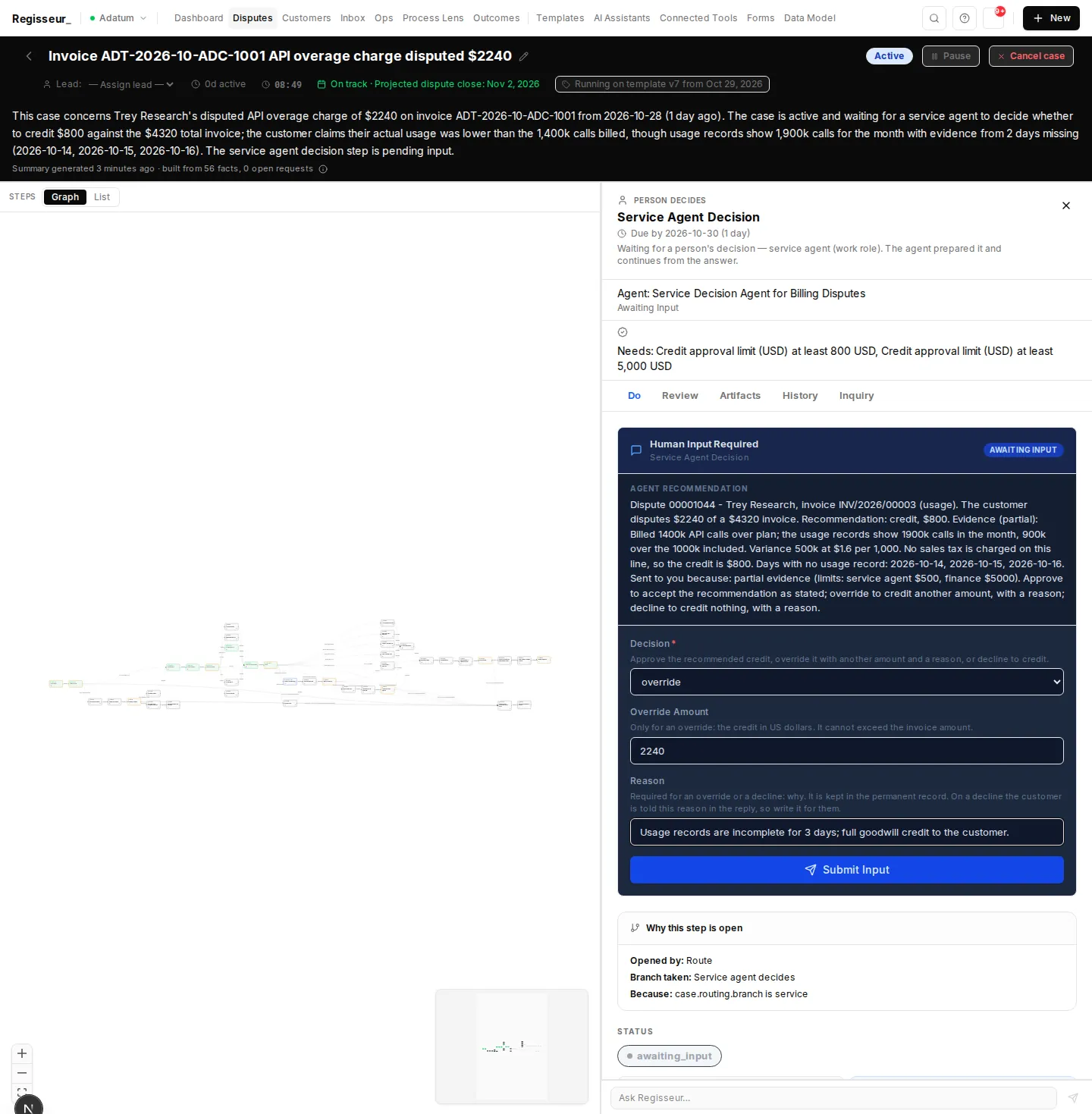
The service rep chooses override, enters the amount and writes the reason.
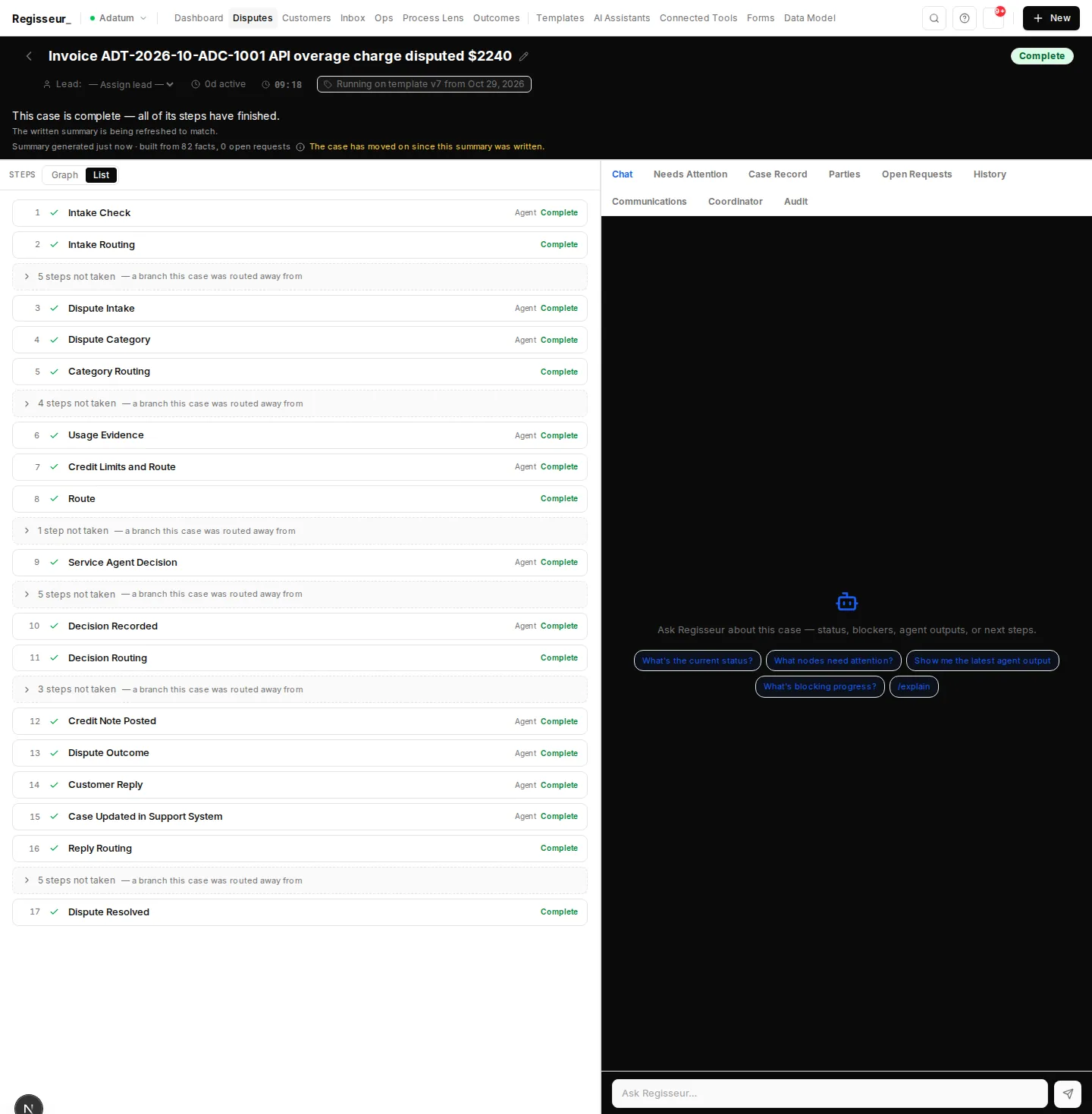
The credit is posted, the customer is answered and the Case closes.
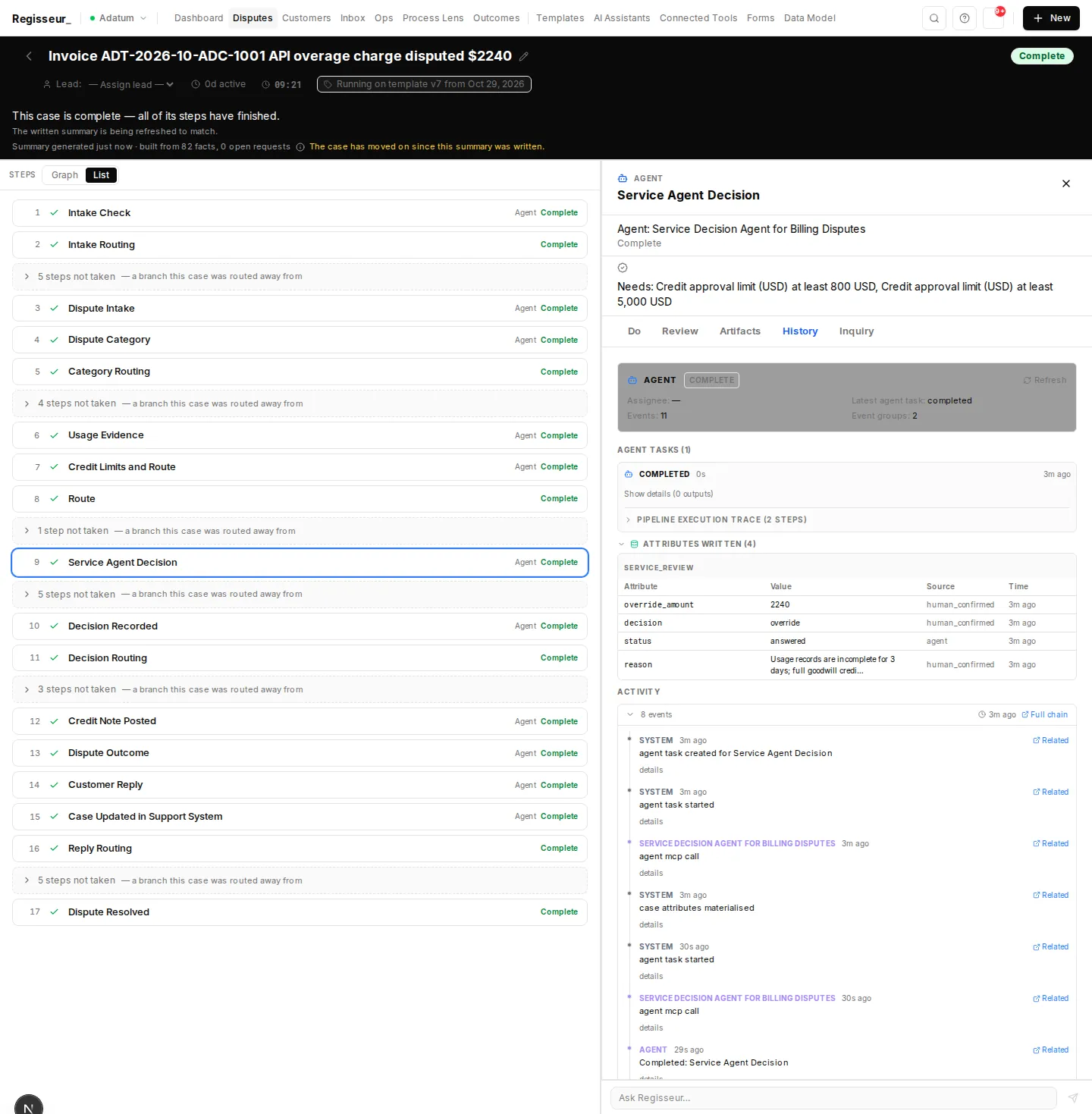
The decision and the reason are on the permanent record, tied to the person who made them.
The policy changes, and the replay
Finance wanted the service rep's credit limit lowered from $500 to $200. Finance cannot yet change limits itself, so the workspace admin made the change at Finance's request, which created a new version of the rules. The case resolved on its own in run 2 was then replayed under each version as a dry run on its recorded inputs.
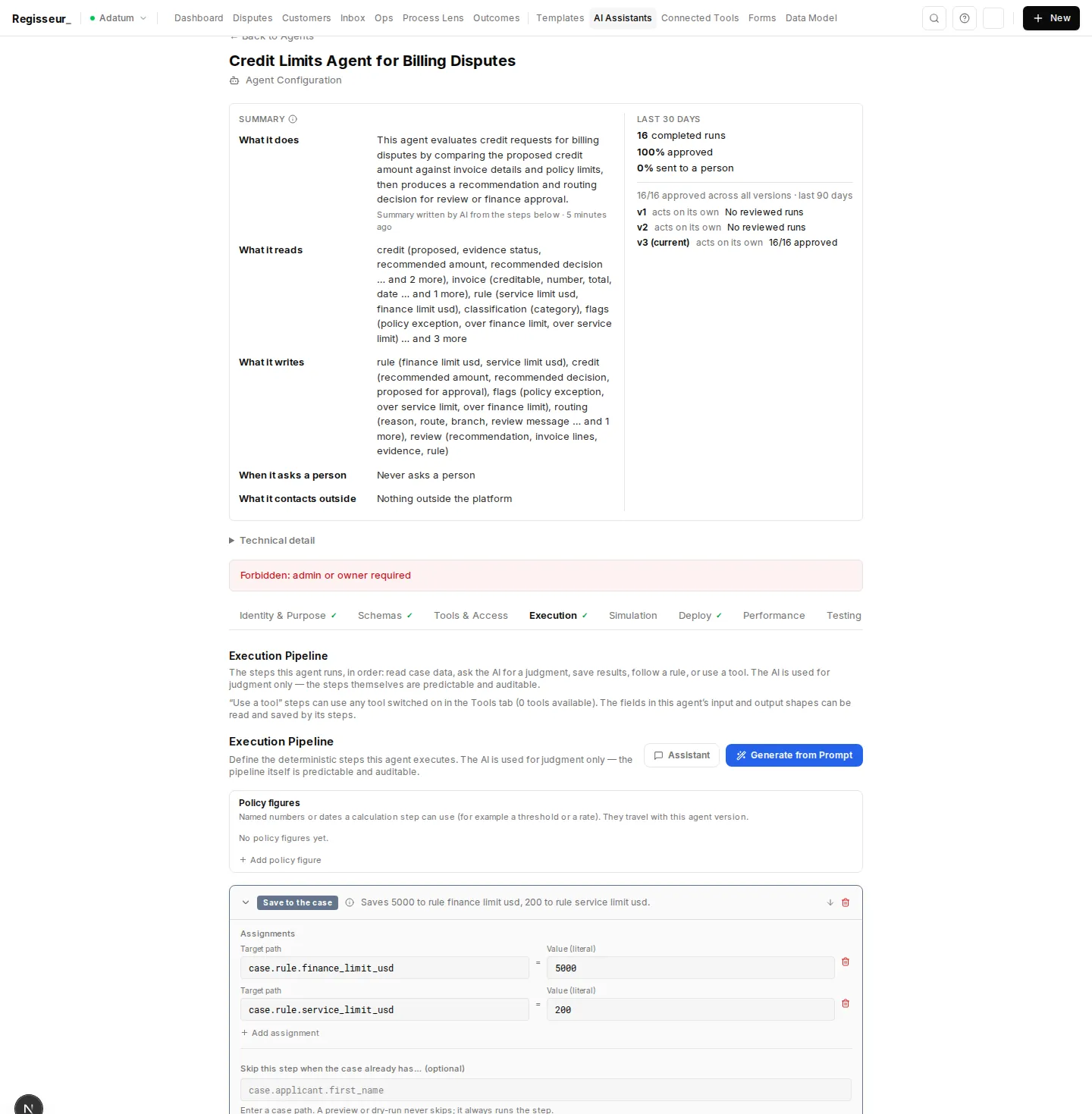
Finance tried to make the change itself and was refused: at the time, changing a limit needed an administrator. Since built: on 29 October Finance lowered the same limit itself, through the UI, in a later recorded run.
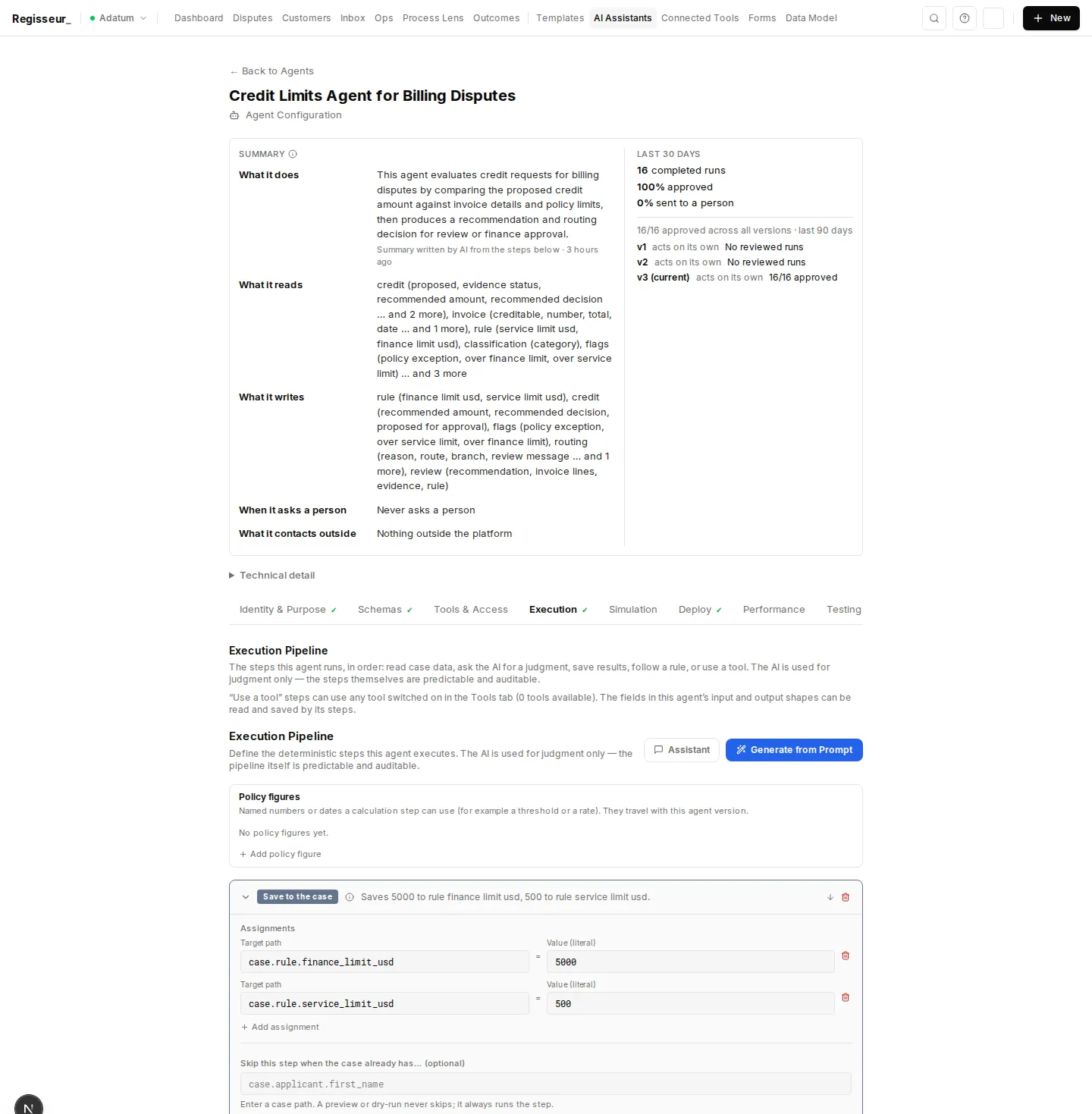
The admin opens the limits agent: the two limits are plain, visible values in its first step.
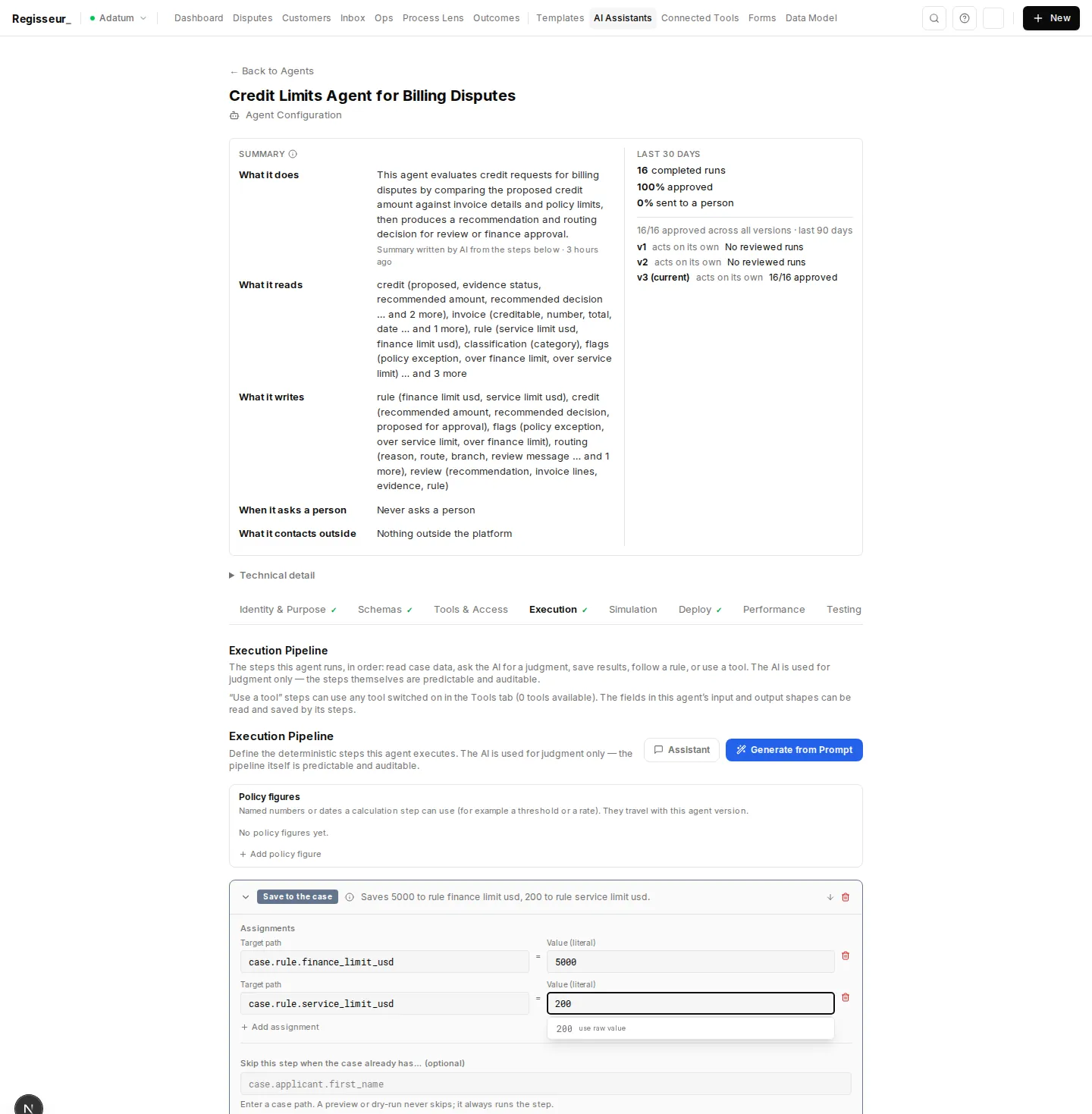
The service limit is edited.
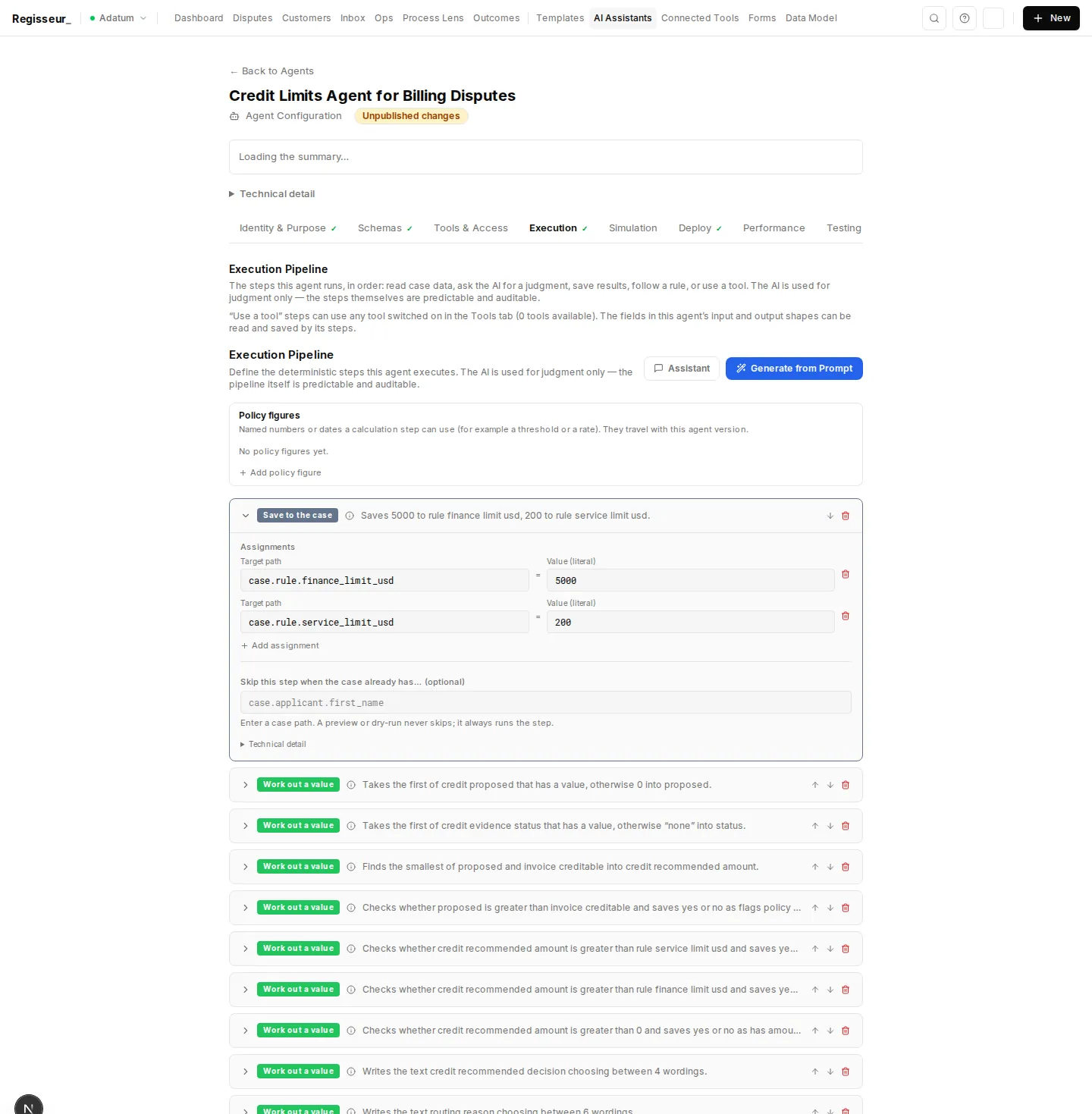
Saving stages the change as a draft; nothing changes for running work until it is published.
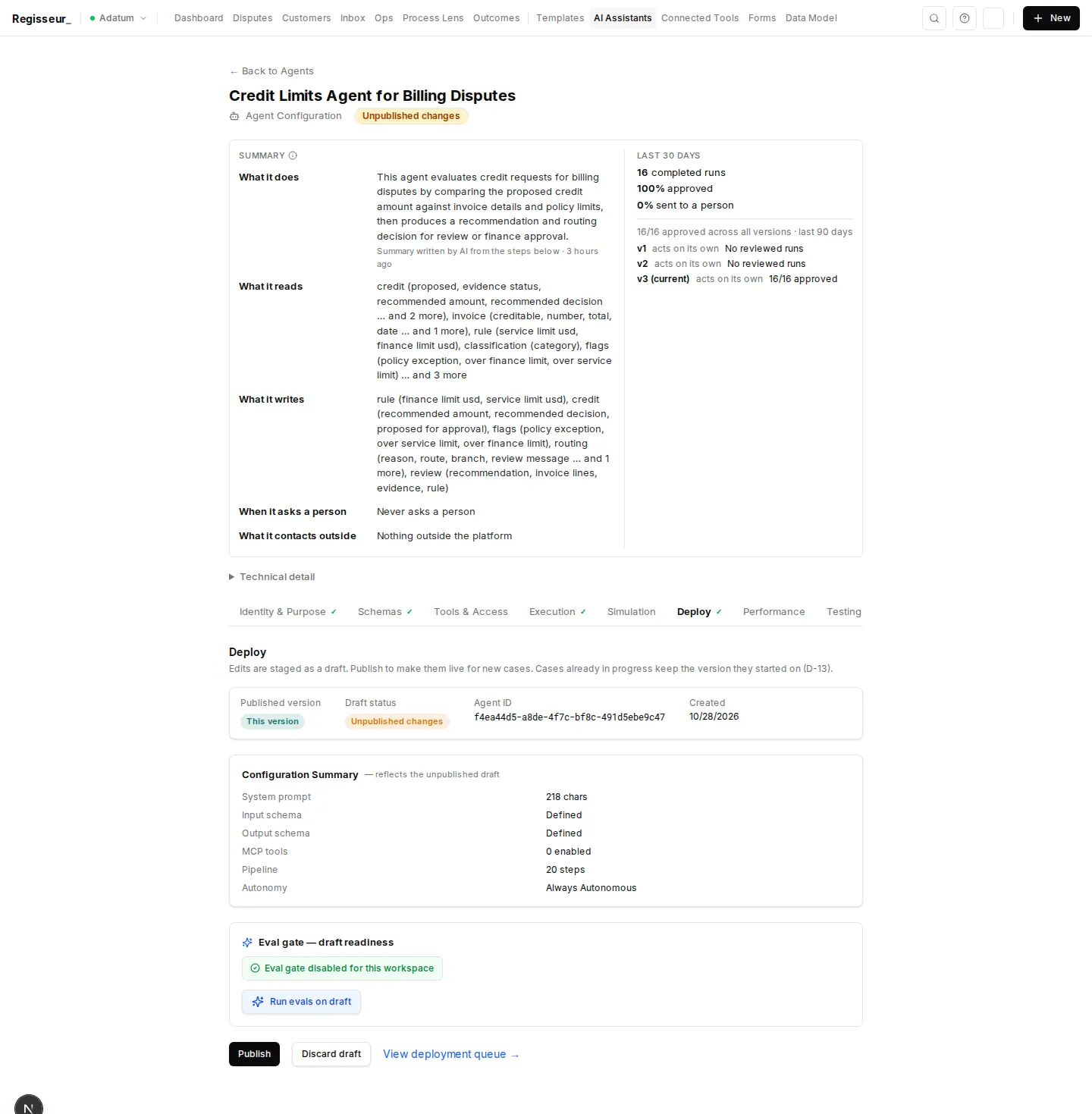
The Deploy tab shows the draft and the Publish button.
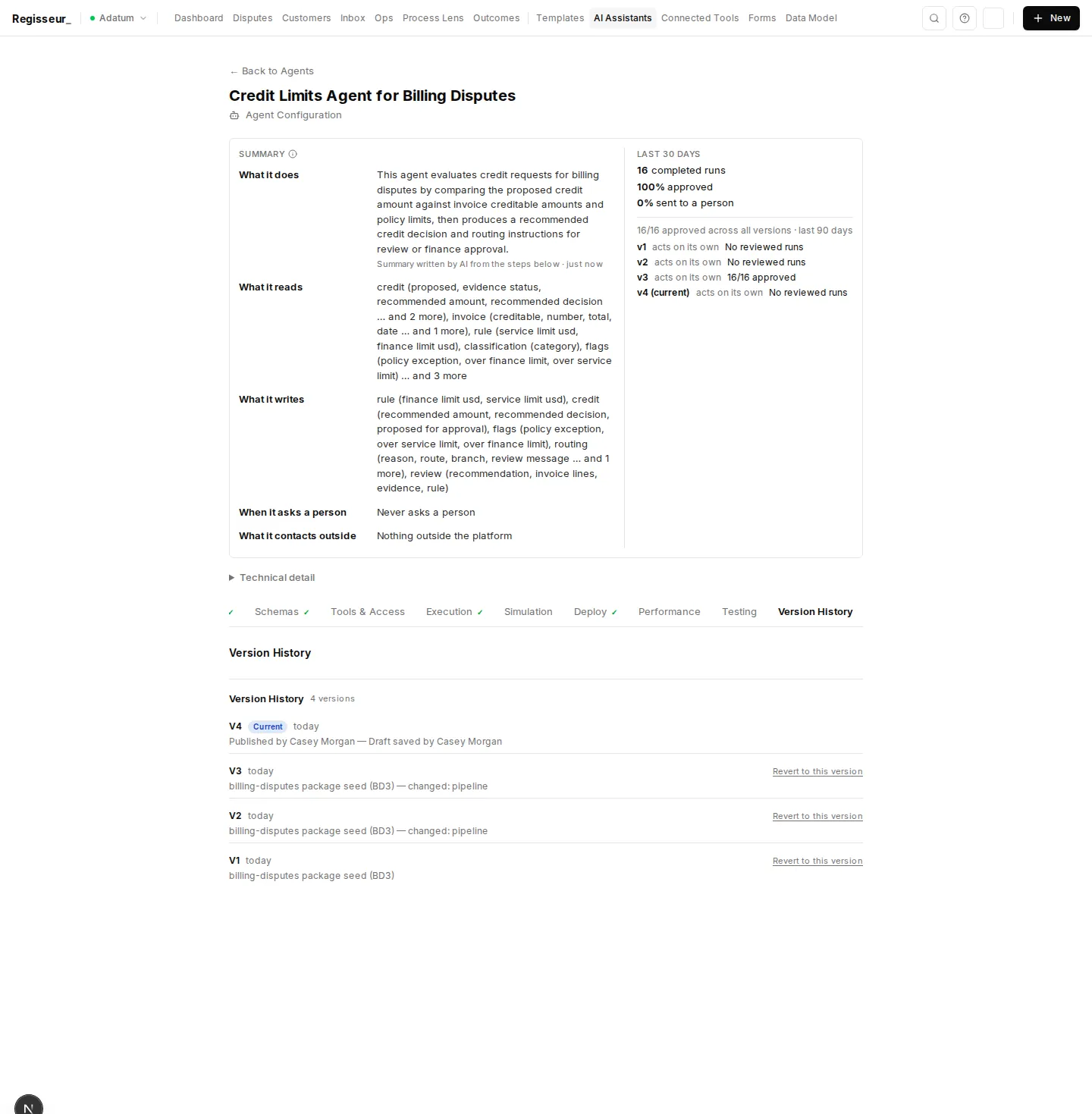
The version history now shows version 4 as current, above the three earlier versions.
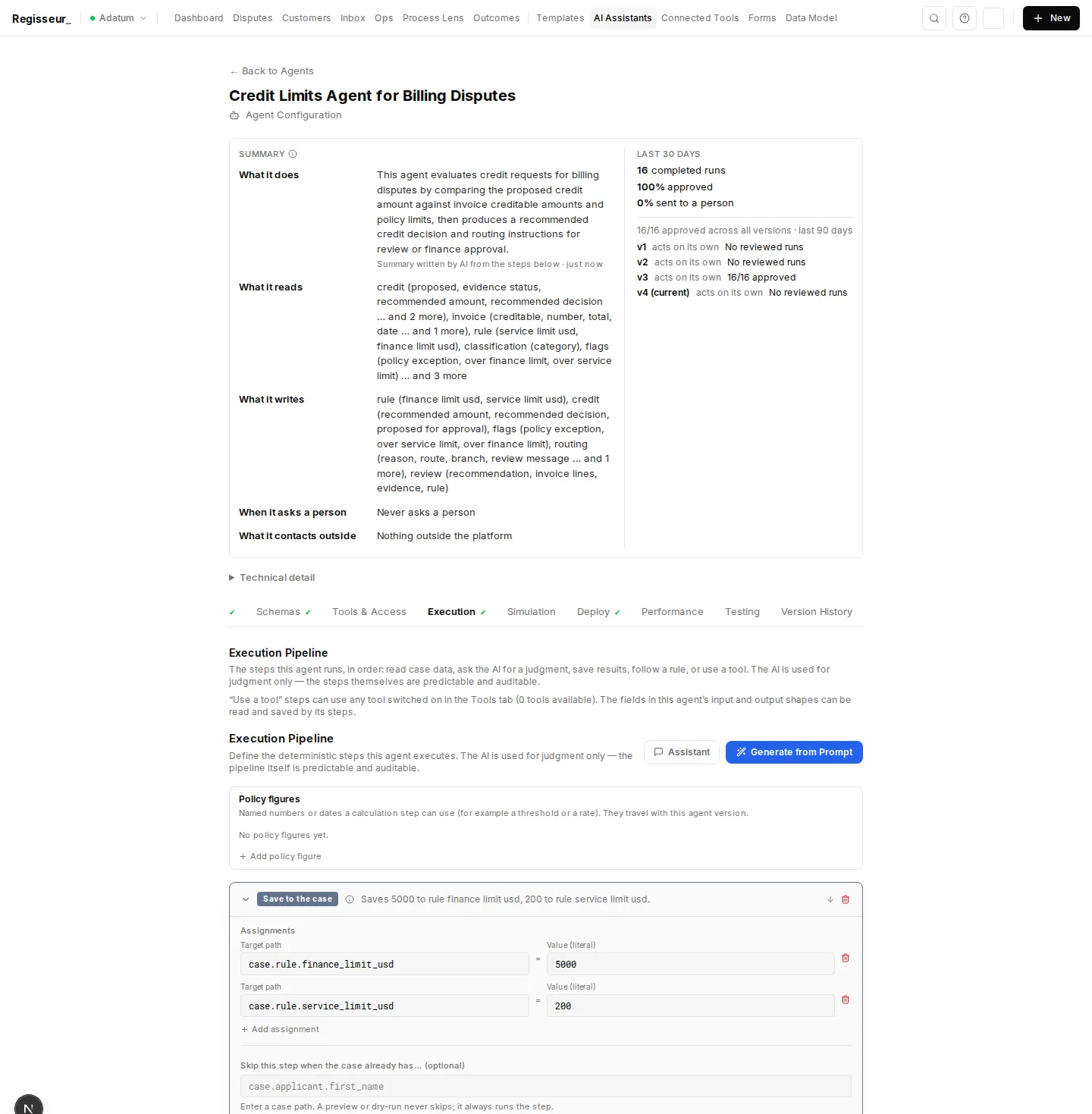
Version 4 carries the new $200 service limit.
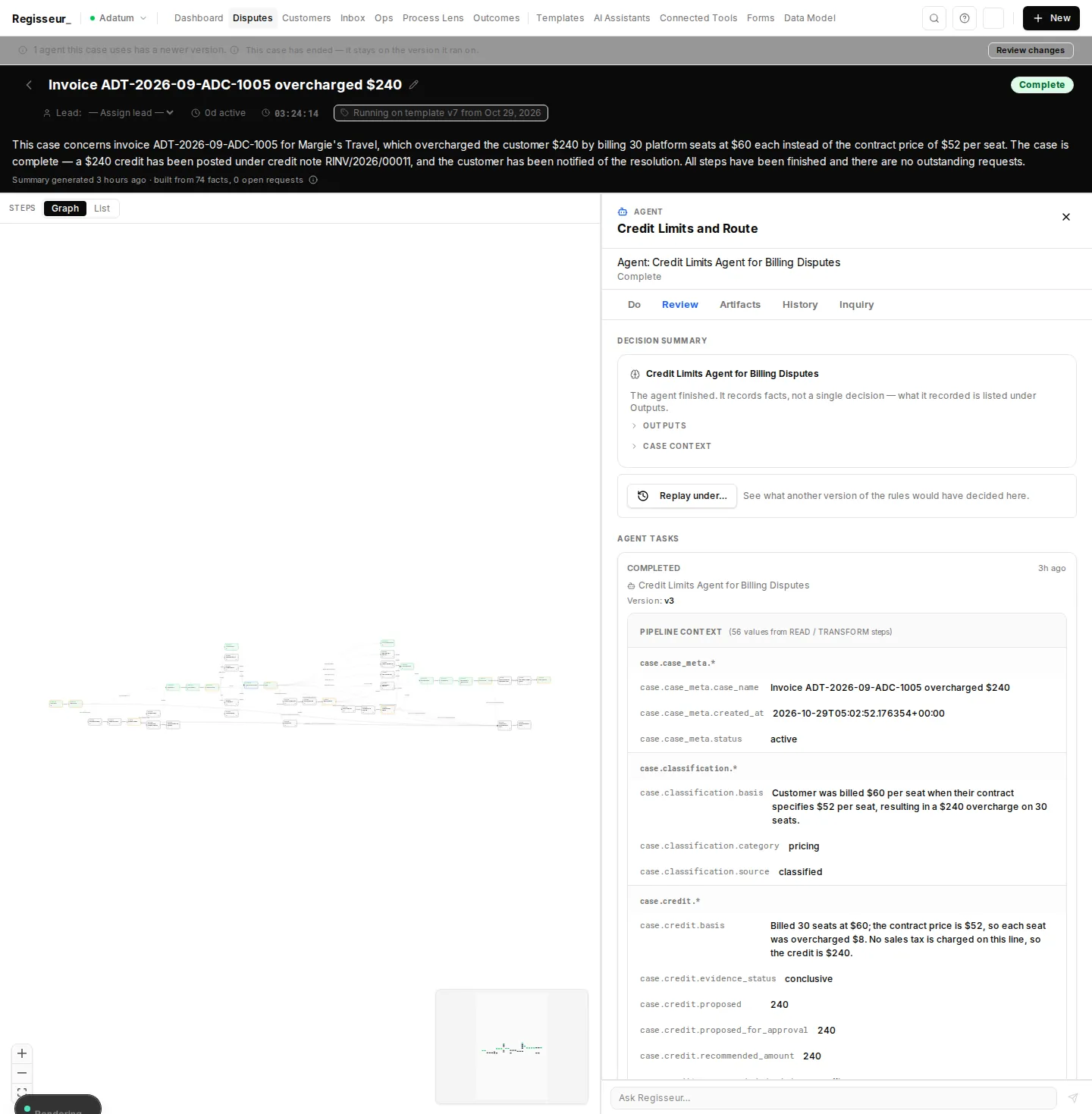
On the closed case, the limits step offers Replay under another version of the rules.
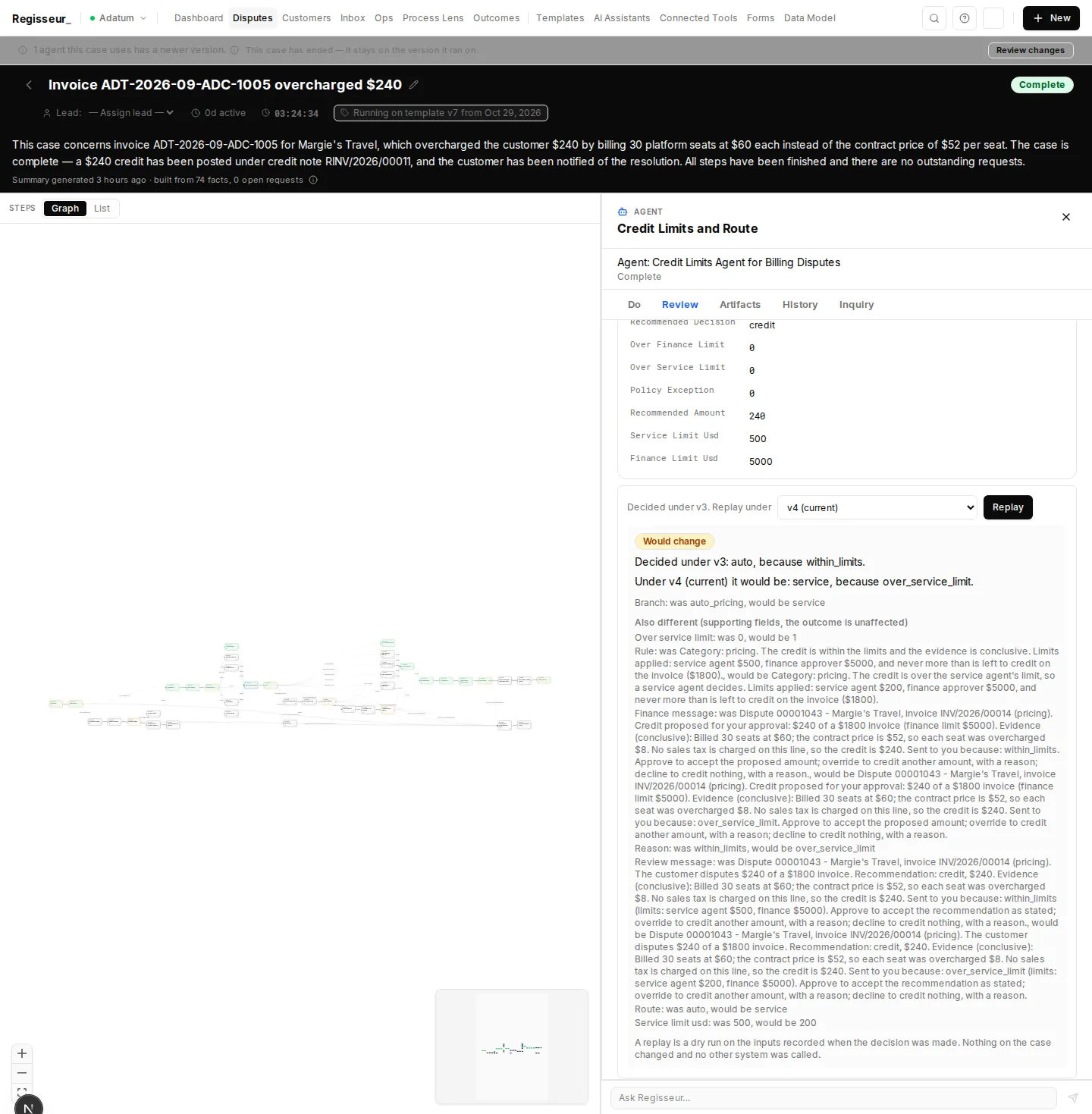
Under the new version, the same dispute would not have been resolved automatically: it would go to a person, because it is over the new limit.
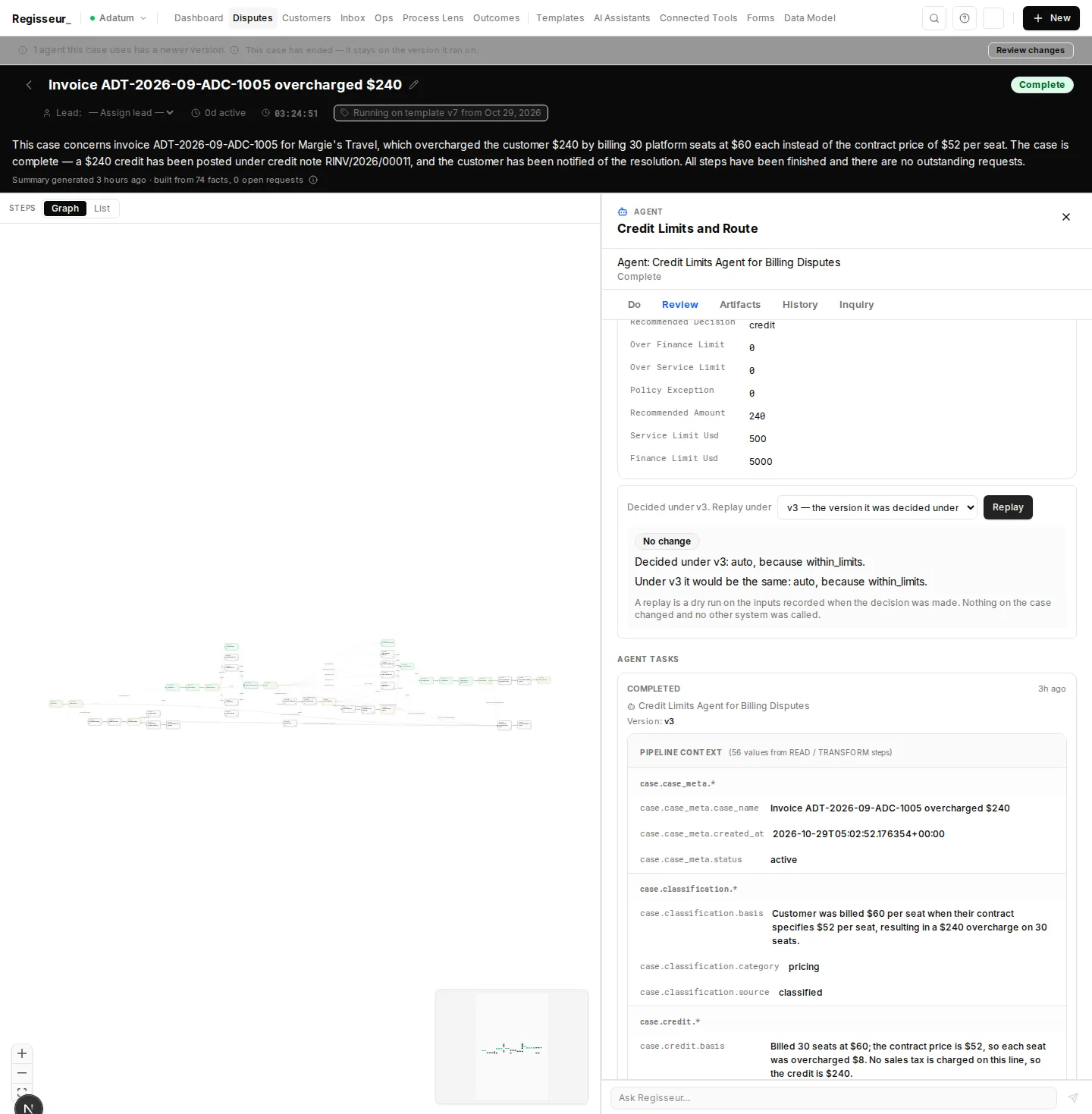
Replayed under the version it was actually decided under, the result is the same as the original, as it should be.
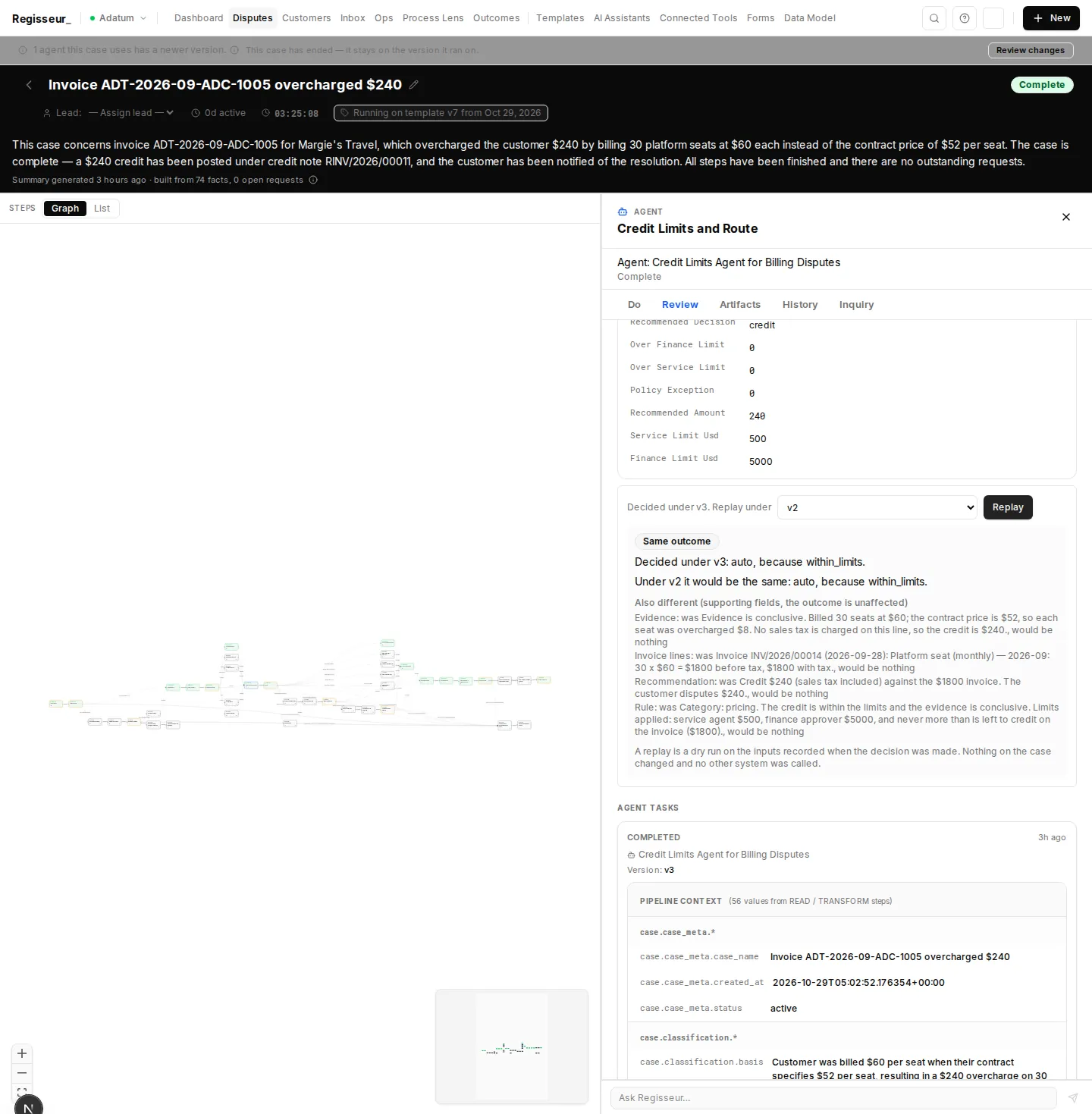
Under an older version the outcome is the same; only supporting fields differ.
Checking the reviewer's inbox
The reviewer's inbox was checked on two kinds of work. A large duplicate-invoice credit goes to a person's decision step, where the inbox drawer is only a notes form today and the decision is made on the case page. A smaller tax credit ($85) is an agent's proposal awaiting review, and there the drawer shows the evidence and the proposal.
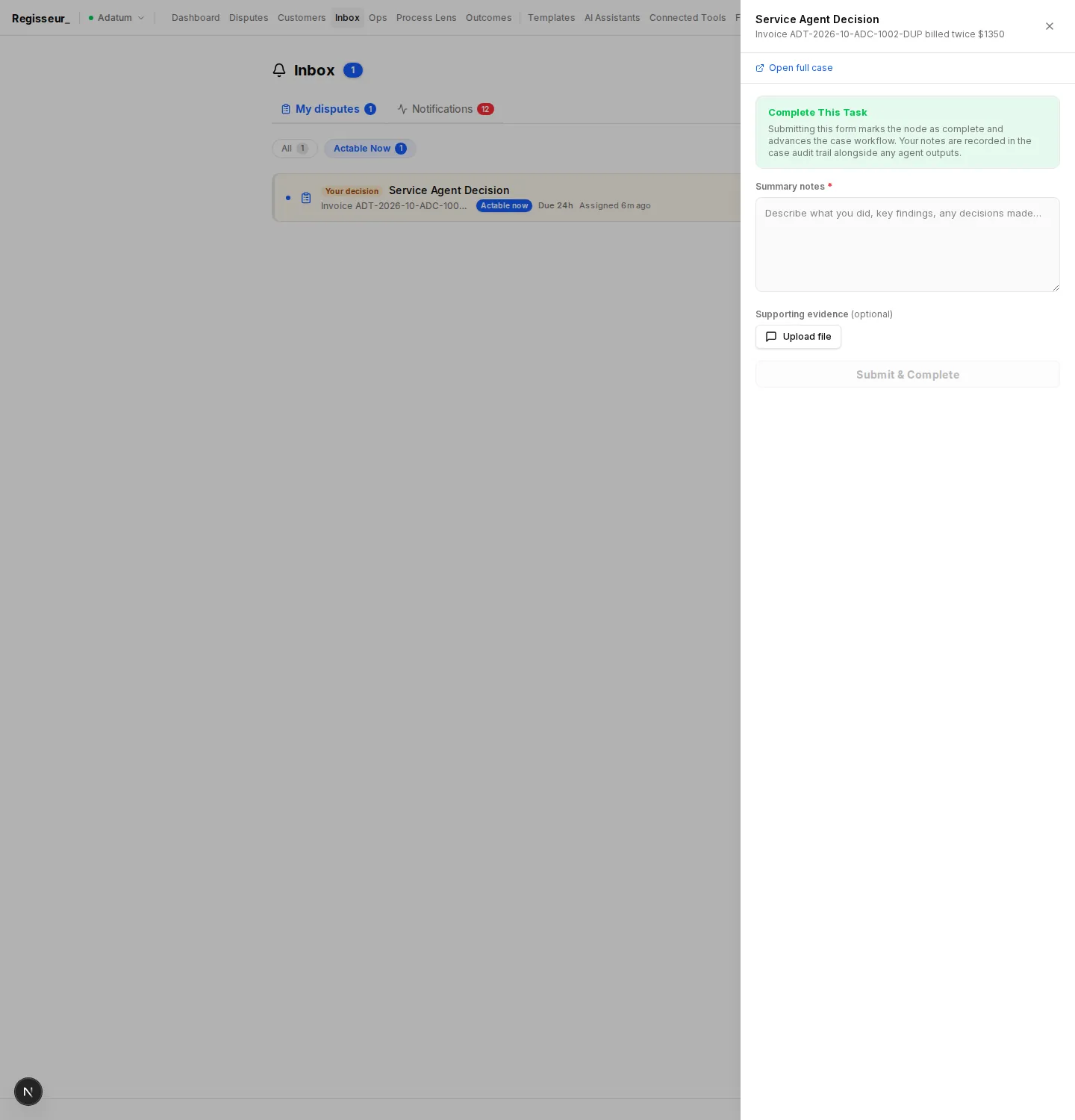
The inbox drawer for the large duplicate-invoice credit as it opens.
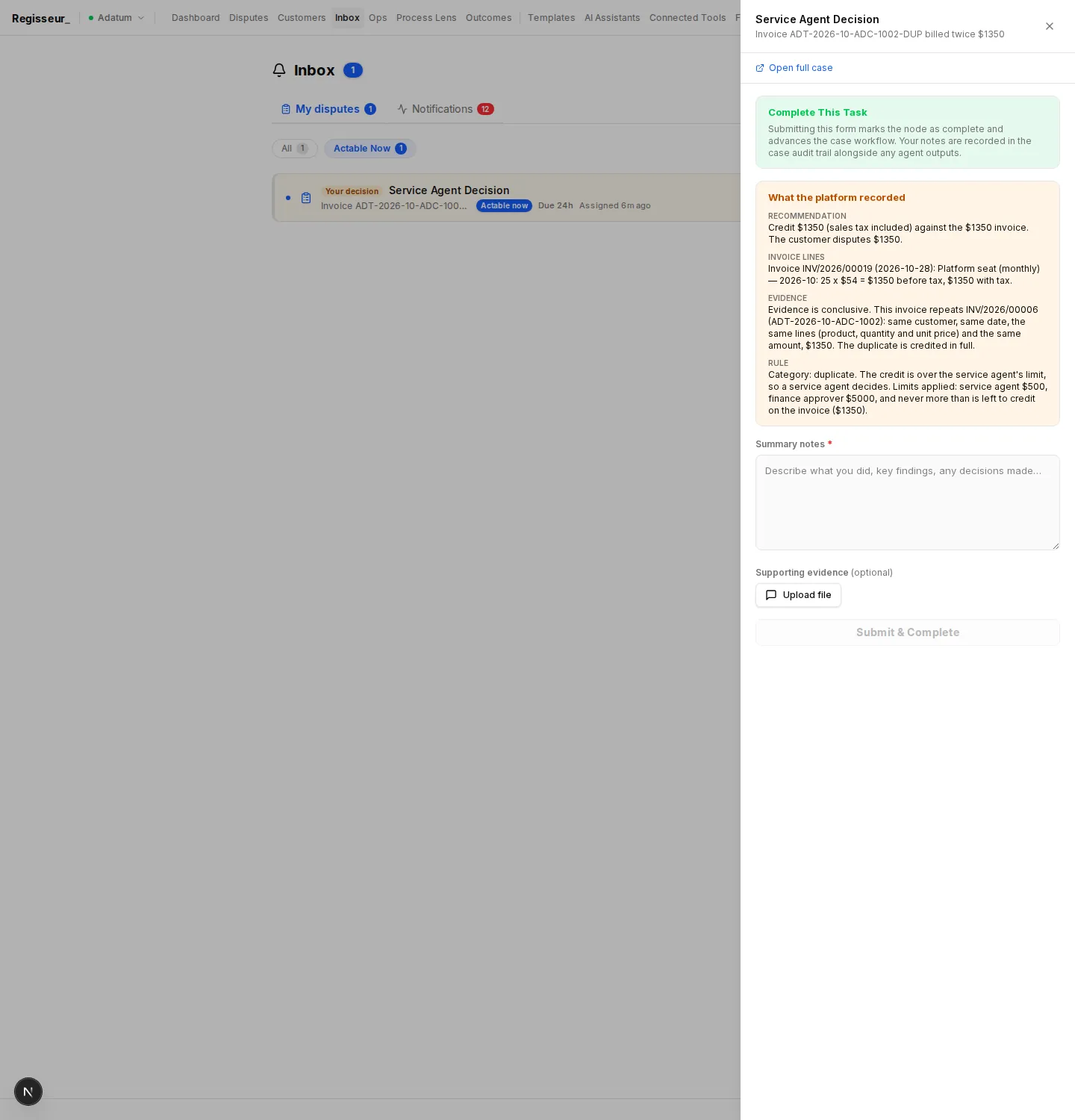
Once loaded, the drawer shows the recommendation and evidence. The decision itself is made on the case page.
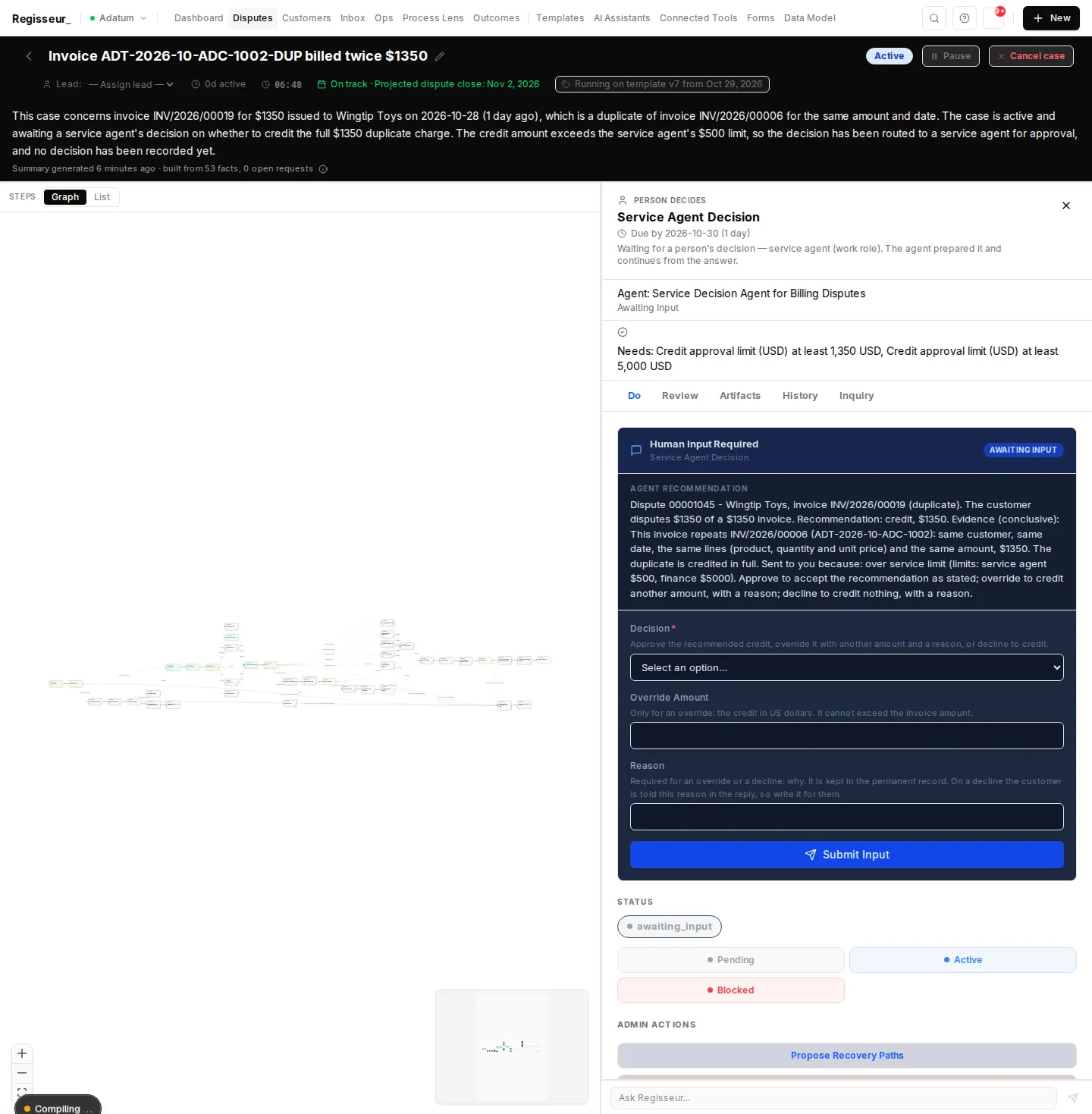
On the case page, the service rep finds the recommendation and the decision form.
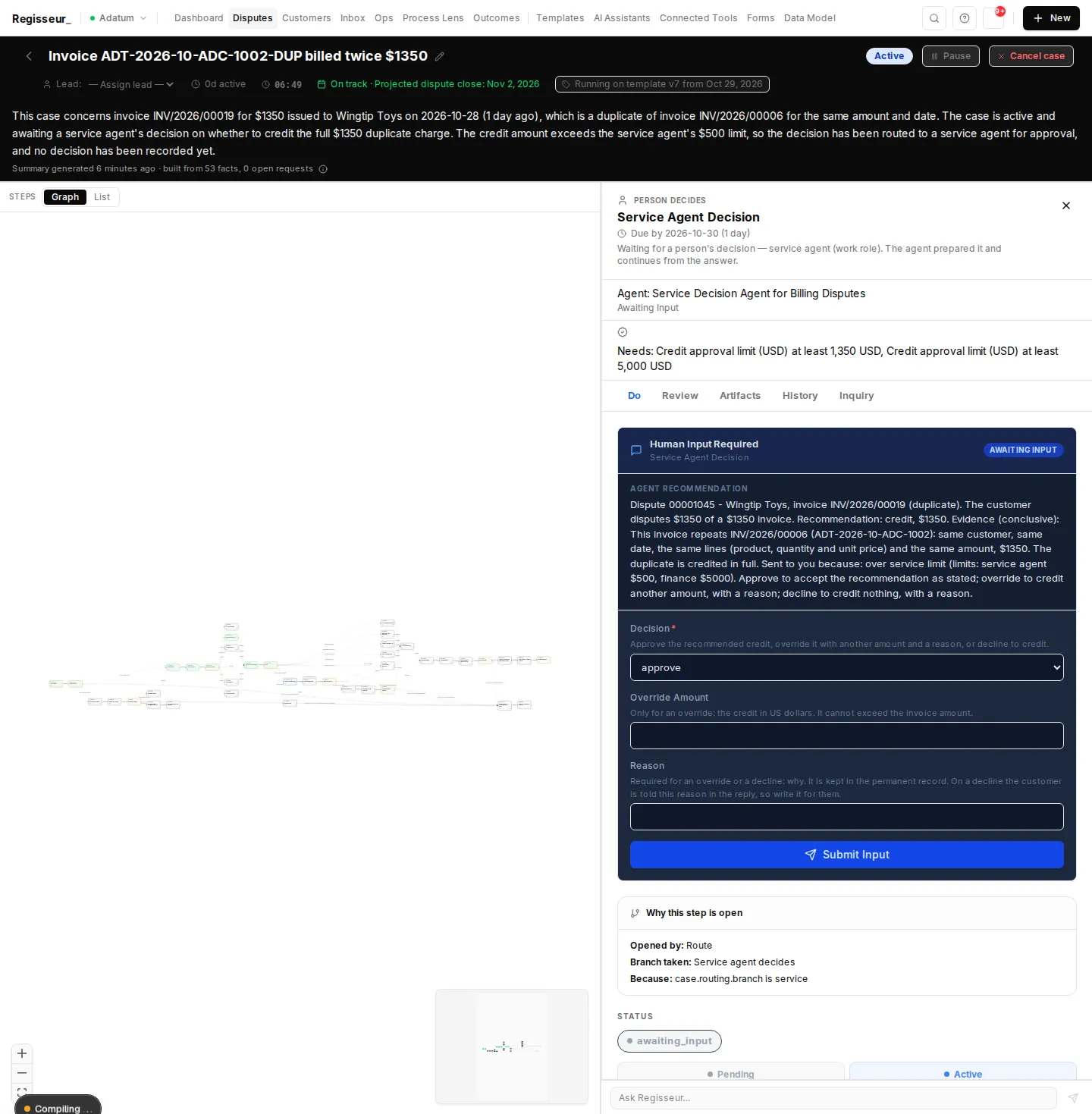
The service rep chooses approve.
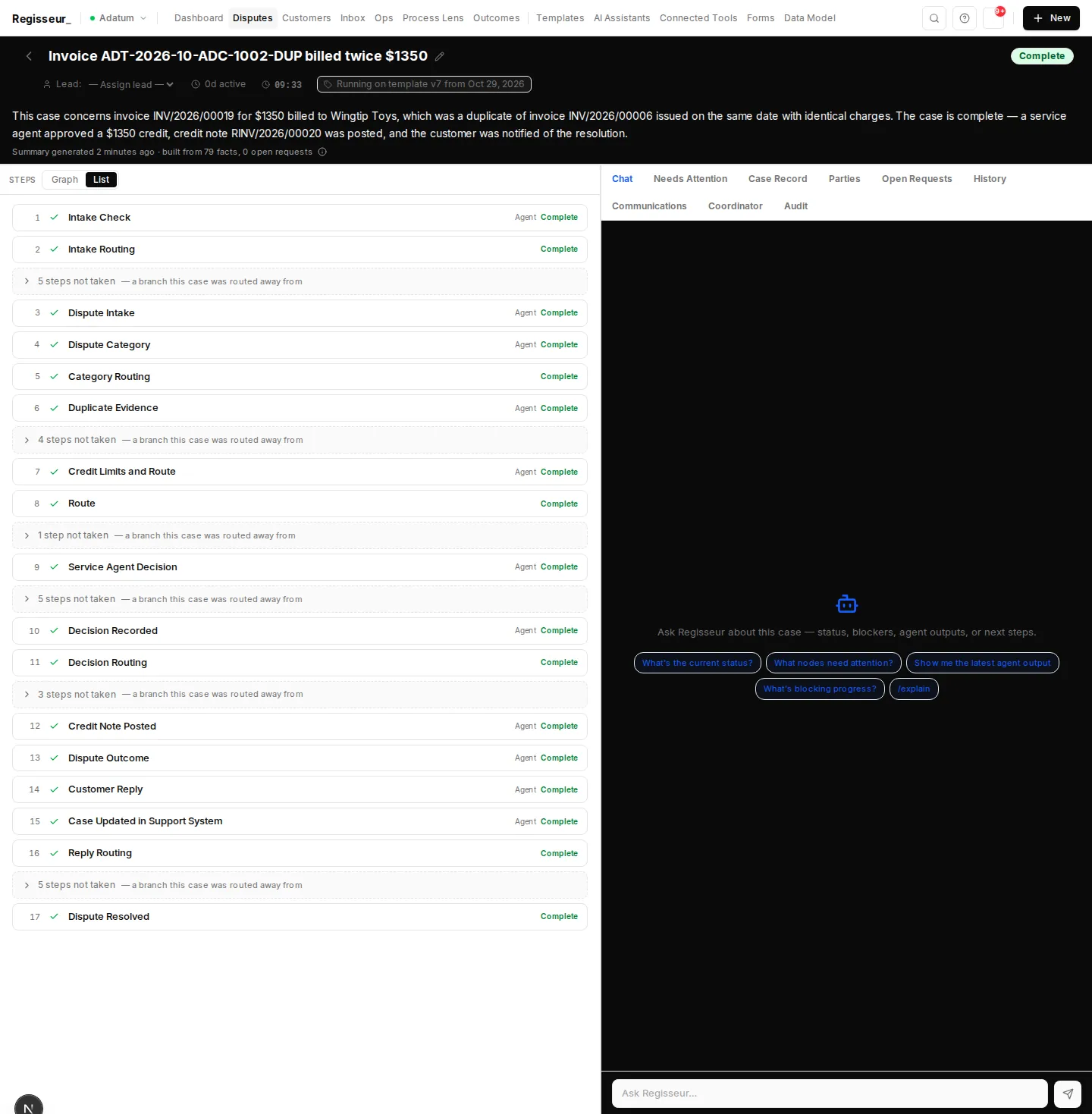
The credit is posted and the Case is closed.
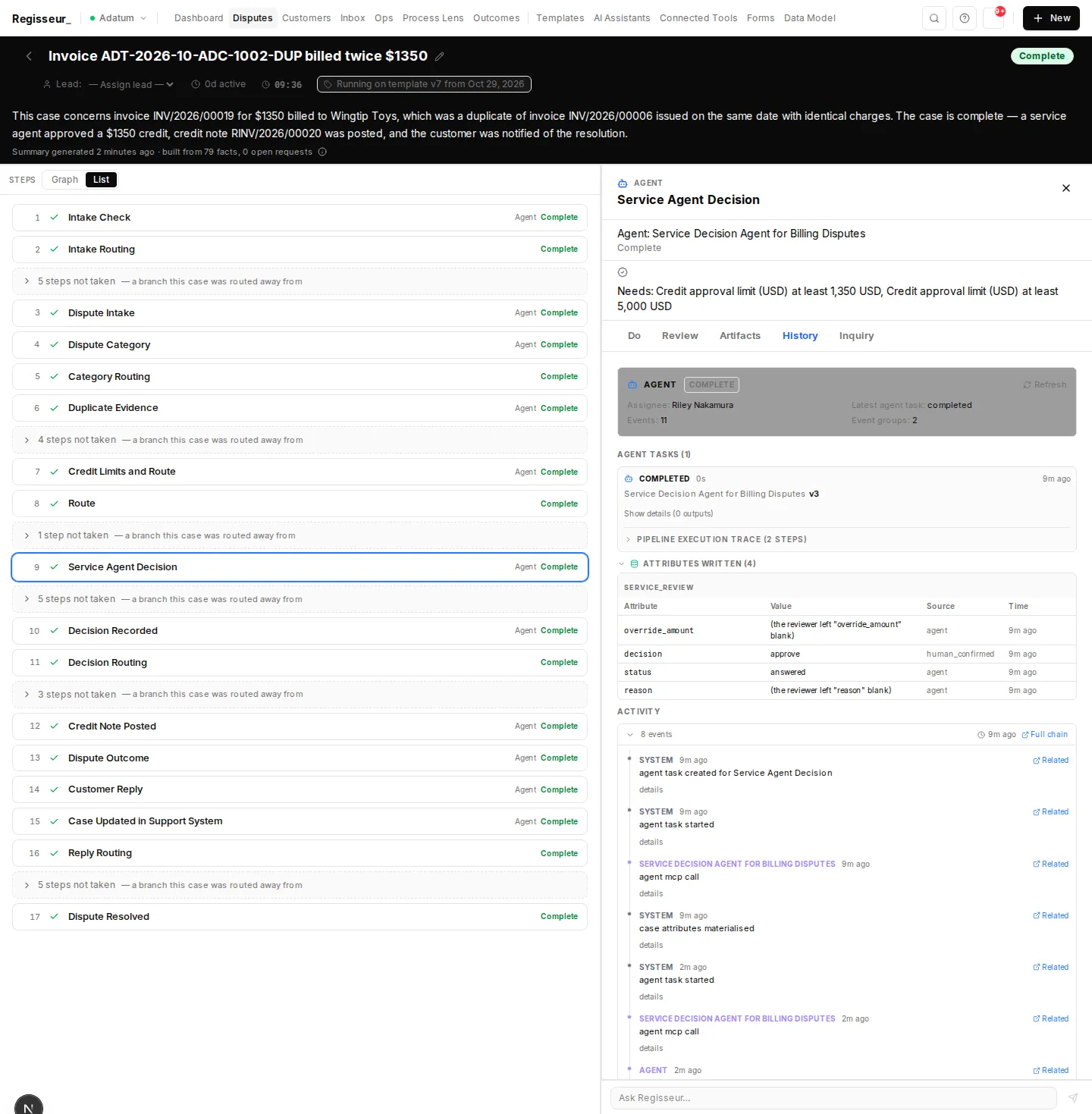
The decision is on the record under the service rep's name.

The tax dispute appears in the inbox as a single item to review.
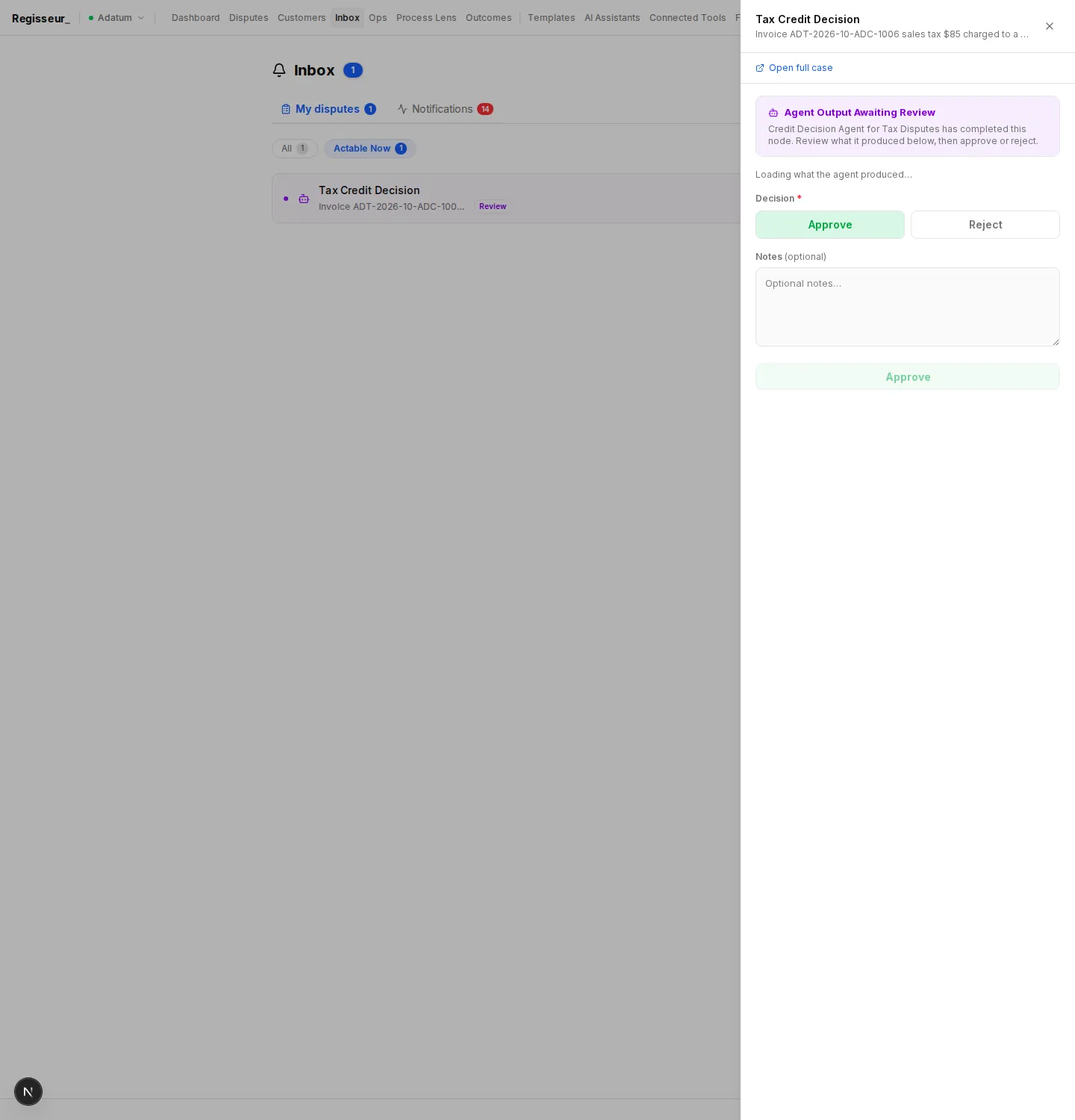
While the evidence is loading, the submit button is disabled so the reviewer cannot approve unseen work. (To photograph this brief state, the load was deliberately slowed by four seconds for this one screenshot.)
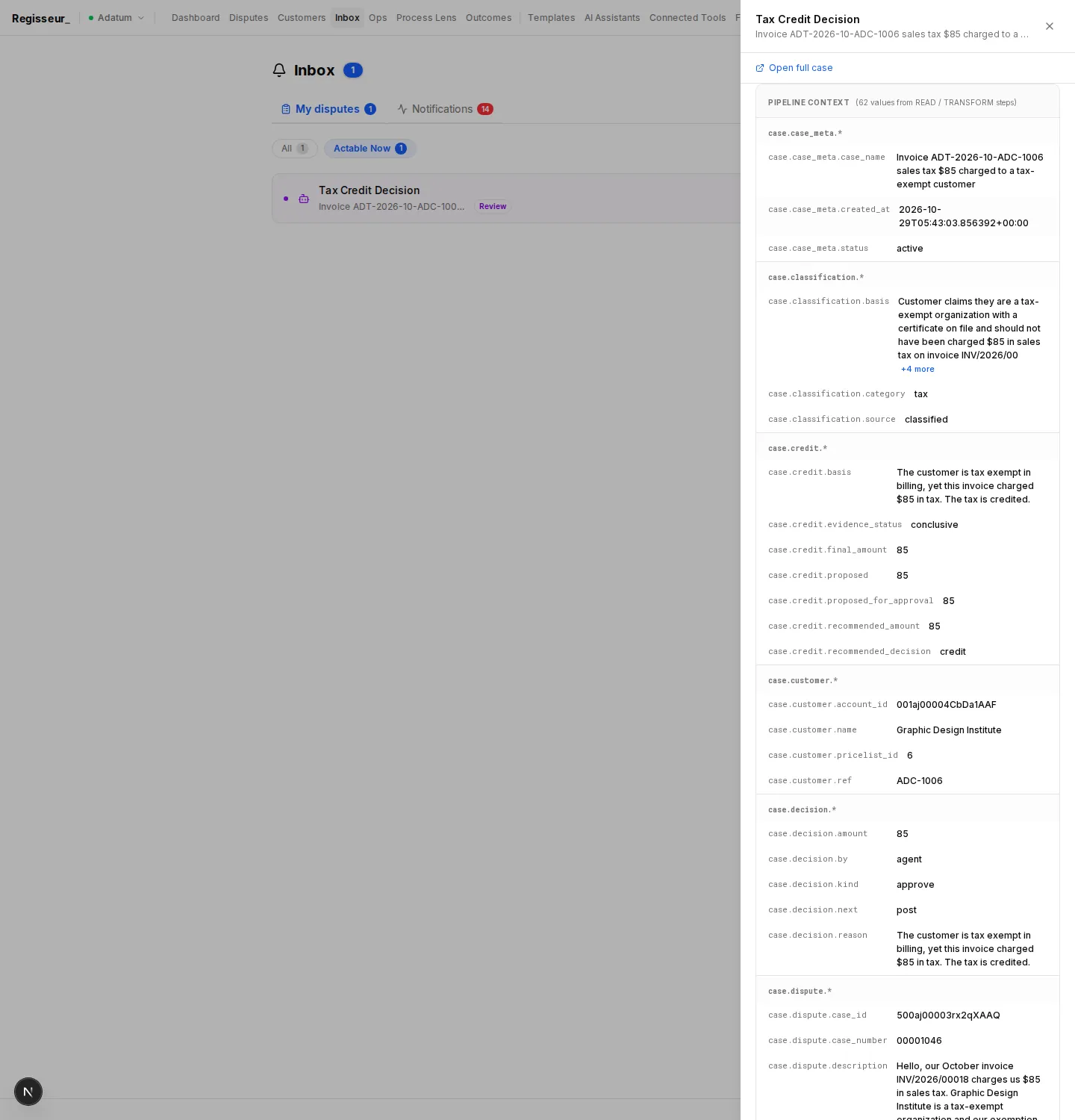
Loaded, the drawer shows what the agent produced and proposed.
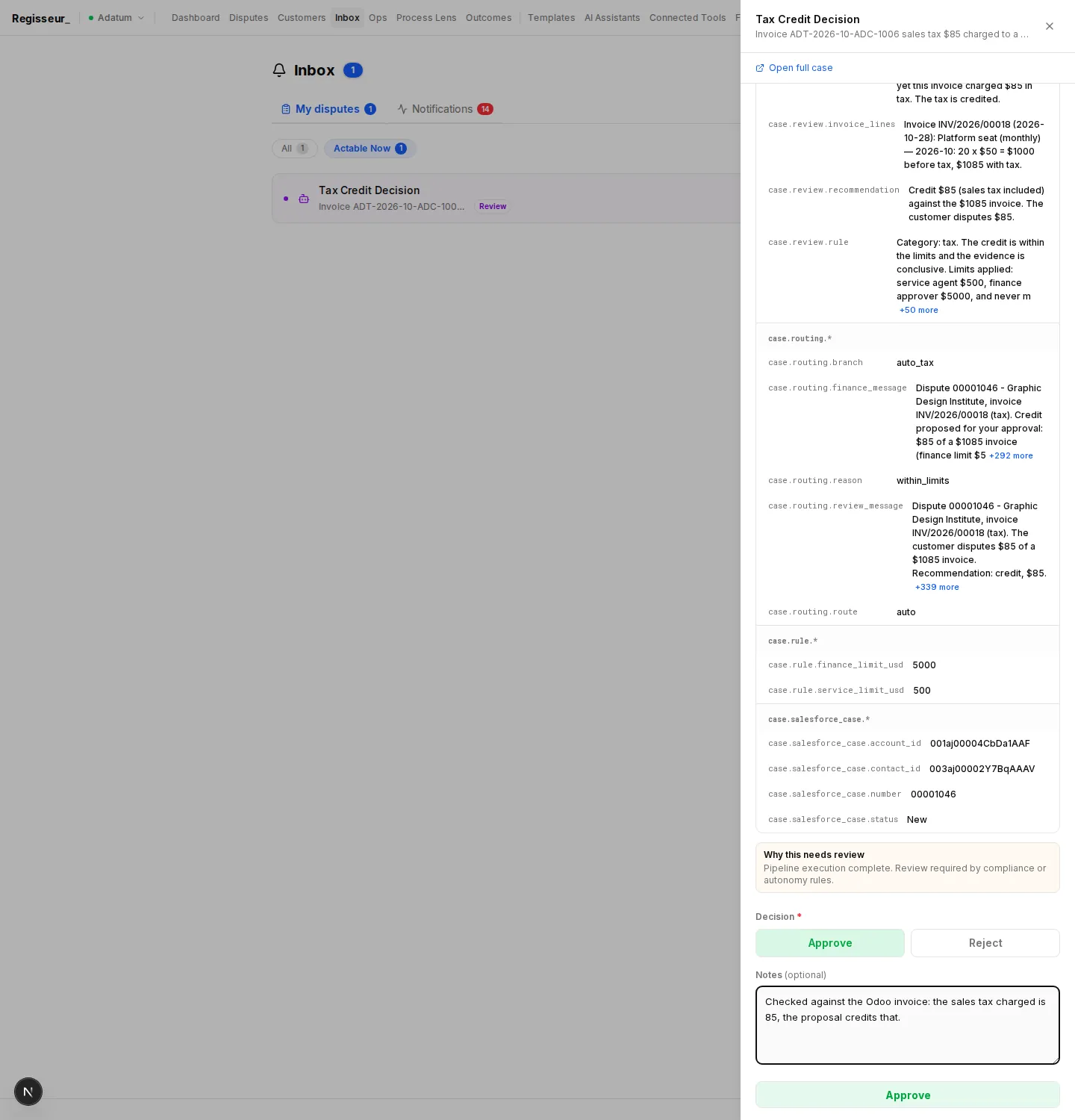
With the evidence on screen, the reviewer approves with a note.
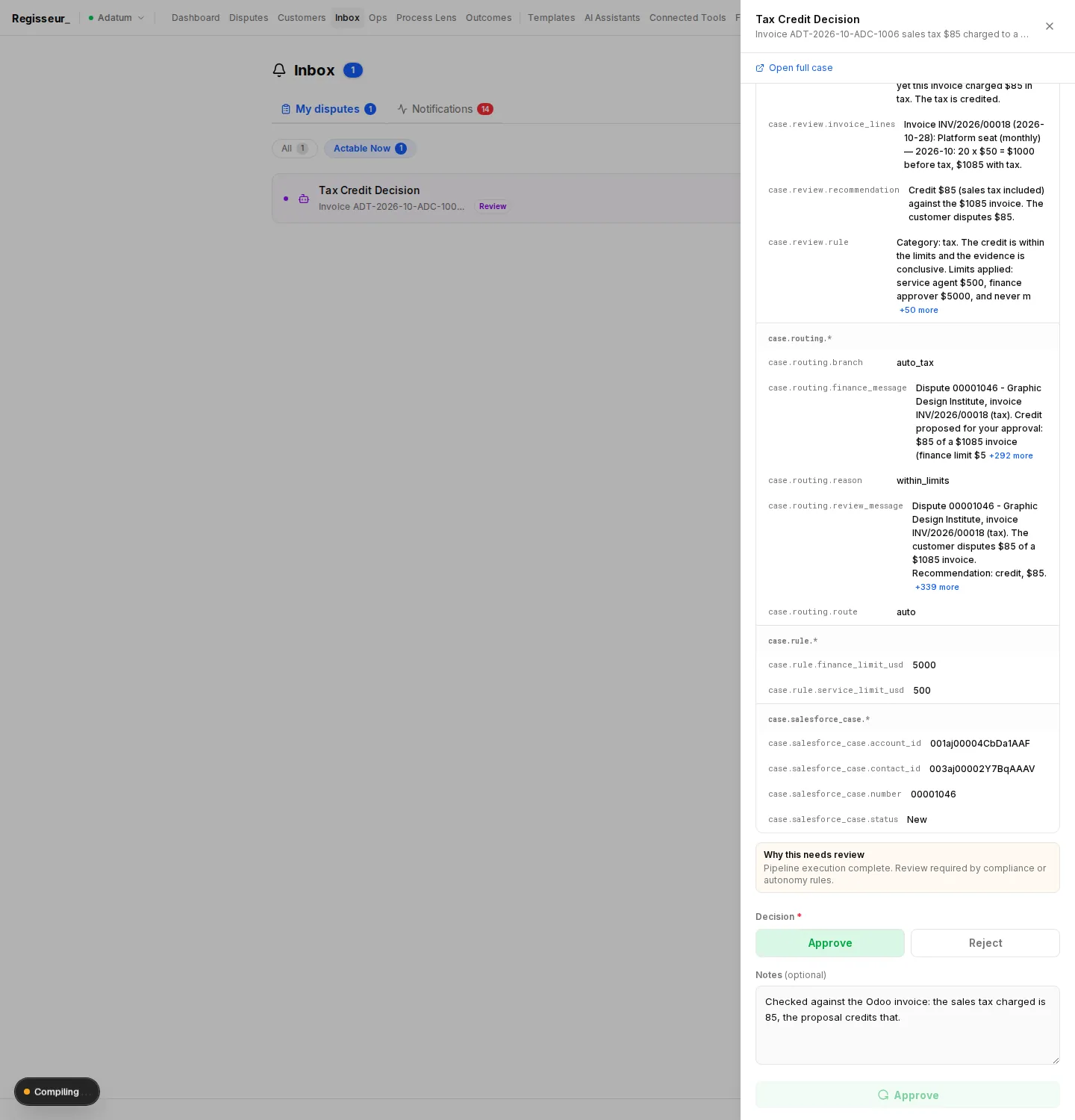
The approval is submitted.
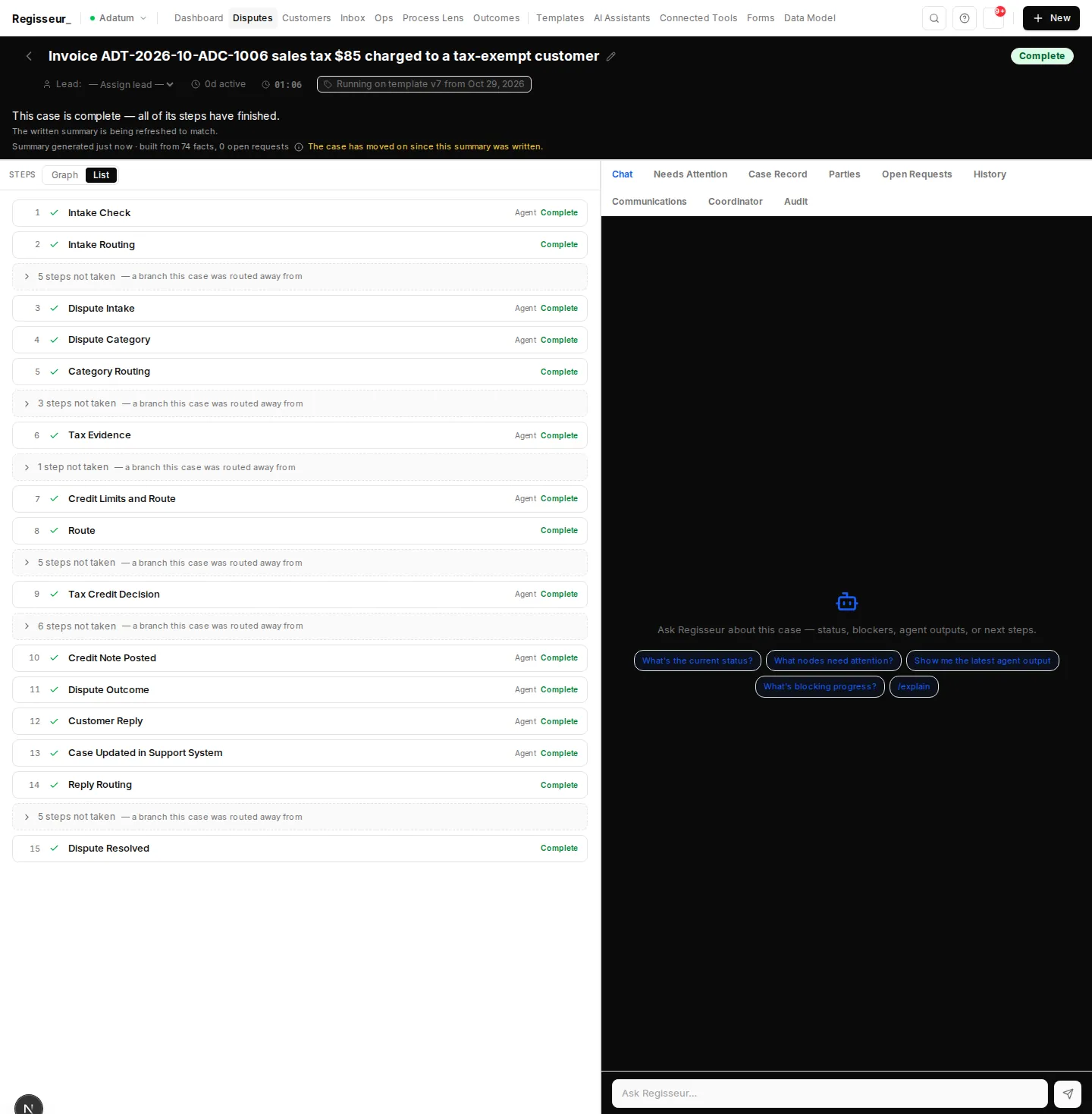
The credit is posted and the Case is closed.
How a dispute starts
A customer's email to the Salesforce support address opens a Case in Salesforce, and a Salesforce flow hands that Case to the platform, which opens its own case. A repeat of the same hand-off is refused rather than opening a second case. If the sender matches no known contact, the case goes to a person, who identifies the customer (checked in billing) or declines it; the customer is never guessed from the invoice. These steps were built and tested separately; this report has no screenshots of them, so it does not show them.
Metrics
Time to resolution by run
| Group | Cases | Median | Fastest | Slowest |
|---|---|---|---|---|
| run 1 (earning autonomy) | 10 | 31.5 s | 22 s | 7 min 48 s |
| run 2 (resolved on its own) | 1 | 58 s | 58 s | 58 s |
| run 3 (escalated and overridden) | 1 | 9 min 19 s | 9 min 19 s | 9 min 19 s |
| supporting cases (chapter C) | 2 | 4 min 11 s | 55 s | 7 min 26 s |
Resolved with no person, by category
| Category | Cases | No person | Share |
|---|---|---|---|
| pricing | 11 | 1 | 9.1% |
| usage | 1 | 0 | 0% |
| duplicate | 1 | 0 | 0% |
| tax | 1 | 0 | 0% |
SLA milestones (Salesforce)
| Milestone | Cases | Marked completed | Marked violated | On time (derived) |
|---|---|---|---|---|
| First Response to Customer | 14 | 0 | 0 | 14 of 14 |
| Escalate Case | 14 | 0 | 0 | 14 of 14 |
| Close Case | 14 | 0 | 0 | 14 of 14 |
Every drive case
| Case | Category | Credit set by | Credit | Approved by a person | Created to closed |
|---|---|---|---|---|---|
| 00001033 | pricing | agent | $320 | yes | 7 min 48 s |
| 00001034 | pricing | agent | $150 | yes | 52 s |
| 00001035 | pricing | agent | $40 | yes | 34 s |
| 00001036 | pricing | agent | $150 | yes | 25 s |
| 00001037 | pricing | agent | $240 | yes | 35 s |
| 00001038 | pricing | agent | $200 | yes | 22 s |
| 00001039 | pricing | agent | $320 | yes | 27 s |
| 00001040 | pricing | agent | $150 | yes | 32 s |
| 00001041 | pricing | agent | $150 | yes | 31 s |
| 00001042 | pricing | agent | $200 | yes | 30 s |
| 00001043 | pricing | agent | $240 | no | 58 s |
| 00001044 | usage | service rep (override) | $2,240 | yes | 9 min 19 s |
| 00001045 | duplicate | service rep | $1,350 | yes | 7 min 26 s |
| 00001046 | tax | agent | $85 | yes | 55 s |
These figures were computed from the live systems after the run. Supervised cases include the time the scripted reviewer took, and the usage case includes about six minutes spent restarting a stand-in service, so these are demonstration timings, not service levels. Salesforce did not mark its service milestones as completed on closed Cases in this org, so on-time is our comparison of the timestamps with each milestone's target.
What is live and what is not
This is a recorded run of the platform against a live Salesforce org and a billing system (Odoo), with fictional companies and people. In plain terms:
- Fictional data. Adatum and every customer, invoice and person are invented.
- A stand-in for usage records. The usage-records system the usage dispute draws on is a stand-in service we built for the demonstration, not a customer system. Billing (Odoo) and the case system (Salesforce) are live.
- The override was scripted. The service rep's choice to override the proposal with a full goodwill credit was the demonstration's planned human choice, not an organic decision. What is live is that the platform handed the case to a person, recorded the choice and the reason, and posted the credit.
- The admin made Finance's change. Finance asked for the lower limit, but Finance cannot yet change limits itself, so an administrator made the change on their behalf. Letting Finance do it directly is a planned improvement.
- One slowed screenshot. To capture the brief moment when the submit button is disabled while evidence loads, the load was deliberately slowed by four seconds for that one screenshot.
- Test inbox. Customer replies were sent through Salesforce but redirected to a test inbox, as the platform does outside production.
- Timings. Supervised cases include the time a scripted reviewer took; they are demonstration timings, not service levels.
All companies, individuals, cases, and data depicted in this report are fictional and shown for demonstration purposes only. Any resemblance to real entities is coincidental.
Run your process the same way.
Bring one process you run every week. We map it with you: the steps, the decisions that stay with a person, and what agents would do.